

Frozen Beans in Bigo Live block broadcasters from exchanging earnings to Diamonds or withdrawing cash. Main causes: refund chargebacks, illegal recharge sources, payment holds, or receiving beans from flagged accounts. Unfreeze requires submitting an in-app request through Unfreeze My Account, with review processing in 7-14 working days.
Understanding Bigo Live Beans Frozen Status
Frozen Beans appear separately in your monetization dashboard with a lock icon, preventing conversion or withdrawal. Unlike normal beans (displayed in green), frozen beans can't participate in the standard 210 Beans = $1 USD conversion.
The freeze mechanism protects against fraudulent transactions. Your broadcasting capabilities typically remain active, allowing you to earn new beans (subject to 48-hour hold). Frozen status blocks two functions: converting beans to Diamonds and initiating withdrawals (minimum 6,700 Beans/$31.90 USD required).
For secure Diamond purchases while resolving frozen bean issues, BIGO Live diamonds top up through BitTopup provides instant delivery without triggering account flags.
How Frozen Beans Appear in Dashboard
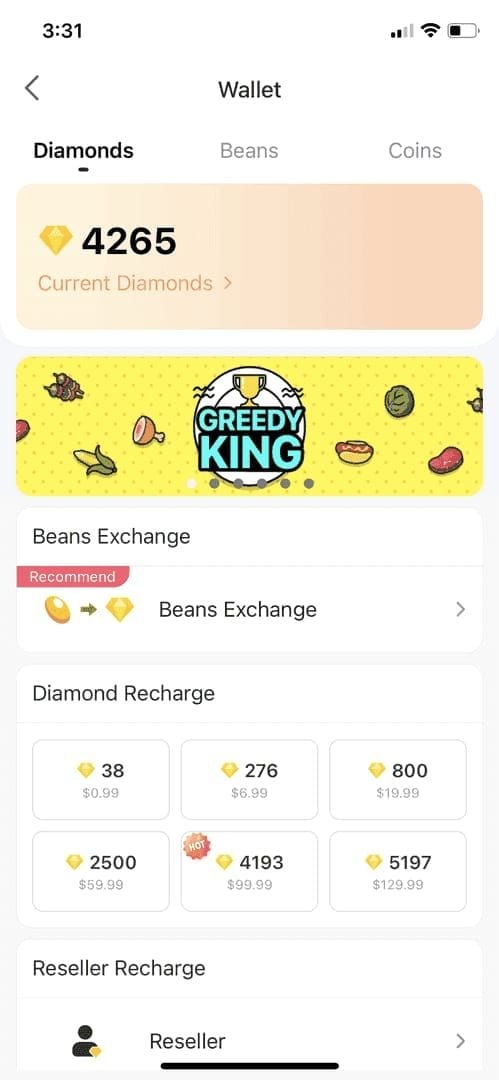
Navigate: Profile icon > Wallet > Beans. Frozen beans display separately below available balance, labeled with freeze reason code and application date. Your BIGO ID (numeric identifier under nickname in Me tab) is essential for tracking cases through support.
Frozen vs Suspended vs Expired Beans
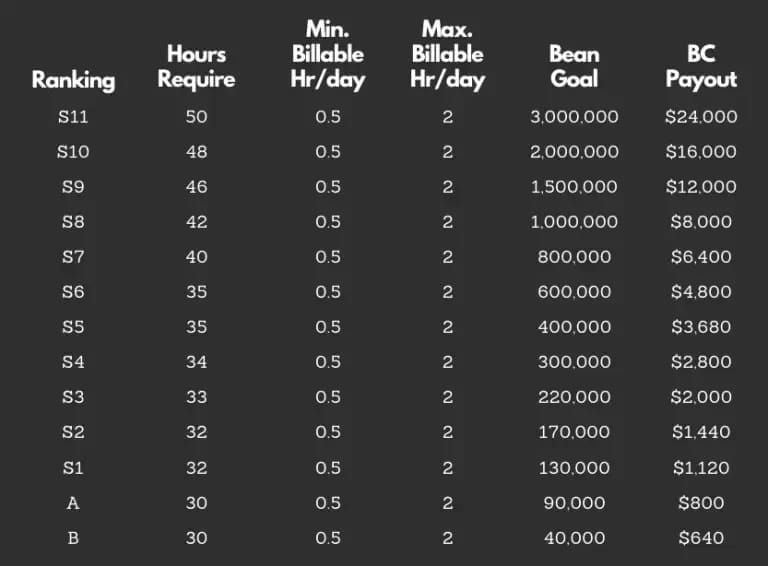
Frozen: Reversible financial hold, beans remain in account pending review
Suspended: Complete broadcasting restrictions, behavioral policy enforcement
Expired: Permanent removal, affects promotional beans with validity periods
Top 7 Reasons Why Bigo Beans Are Frozen
1. Refund Payment Chargebacks
When users dispute Diamond purchases with financial institutions, Bigo freezes associated beans. Freeze remains until payment dispute resolves (30-60 days). Frequent chargebacks from same viewers may indicate fraud, triggering account investigation.
2. Receiving Beans from Illegal Sources
Accepting gifts from accounts using stolen payment methods, hacked accounts, or unauthorized recharge platforms freezes your balance immediately. Cascading freeze effect impacts all downstream recipients when source accounts get banned.
3. Illegal Recharge Methods
Unauthorized third-party services, account sharing for regional pricing, or VPN manipulation trigger immediate freezes and potential bans. For safe transactions, buy BIGO diamonds recharge online through BitTopup's authorized channels.
4. Financial Institution Payment Holds
Banks occasionally flag legitimate transactions. Bigo mirrors the hold until payment provider clears transaction (3-7 business days, 10-14 for international).
5. Incomplete Account Verification
Withdrawals exceeding 210,000 Beans ($1,000 USD) require enhanced KYC documentation. First-time withdrawals need passcode setup via phone verification, with withdrawal account name matching banking info exactly.
6. Regional Compliance Issues
Different regions impose varying tax requirements. Failure to submit region-specific forms when earnings exceed thresholds results in automatic freezes. Processing times by region:
North America: 3-4 days
Europe: 4-6 days
Asia-Pacific: 3-4 days
Latin America: 5-8 days
Africa: 7-10 days
7. Technical Glitches
System errors cause <5% of frozen bean cases. Technical glitches lack detailed violation descriptions, while policy breaches include specific timestamps or transaction IDs.
Exchange Error Codes Explained
Eligibility Requirements
Minimum 6,700 Beans in unfrozen status
Account age >30 days
Completed phone verification
No pending content violations
Withdrawal passcode set
Banking info matches account name
No withdrawal requests within past 7 days (one per week limit)
Common Error Messages
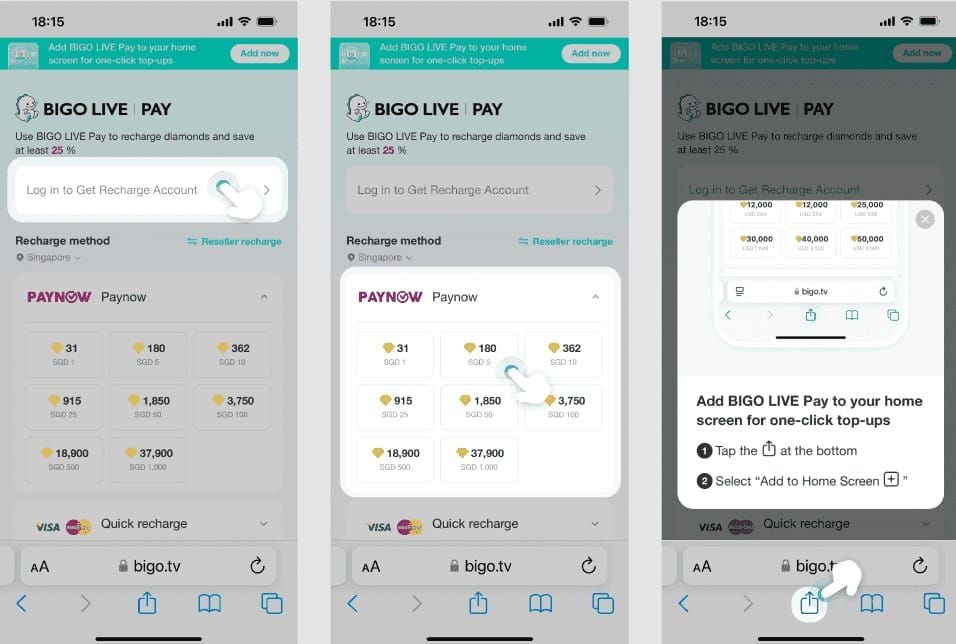
Exchange function temporarily unavailable: Frozen beans or pending verification. Check notification center.
Minimum threshold not met: Available balance below 6,700 Beans (frozen beans don't count).
Account verification required: Submit government ID, proof of address, banking verification.
Maximum weekly limit reached: 1,050,000 Beans ($5,000 USD) weekly maximum exceeded.
Payment information mismatch: Account name doesn't match banking details exactly.
Transaction Thresholds
Minimum: 6,700 Beans ($31.90 USD)
Maximum: 1,050,000 Beans ($5,000 USD) per 7 days
Under $1,000: 3-5 working days processing
Over $1,000: 25-30 working days (enhanced verification)
Step-by-Step Unfreeze Process
Step 1: Check Account Status
Me tab  Security or Payment Verification. Document:
BIGO ID
Frozen bean amount
Freeze date
Error messages (screenshot)
Step 2: Complete KYC Verification
Me > Settings > Account Verification. Upload:
Government-issued photo ID
Proof of address (within 90 days)
Banking verification documents
Selfie holding ID
Processing: 3-5 business days (up to 10 for complex cases).
Step 3: Address Content Violations
Review violation notice for broadcast timestamp and policy section breached. Common violations:
Inappropriate content (nudity, violence, illegal activities)
Copyright infringement
Harassment or hate speech
Gambling promotion
Submit appeals through violation notice interface. Appeal reviews: 7-14 business days.
Step 4: Contact Support
Me > Feedback. Include:
BIGO ID
Frozen bean amount and date
Error message screenshots
Transaction IDs
Broadcast timestamps (if content-related)
Verification confirmations
Alternative contacts:
cs@bigo.tv
feedback@bigo.tv
cs_bigoamerica@bigo.sg (Americas)
Phone: +65 63519330
Pro tip: Submit Tuesday-Wednesday for faster processing (weekend submissions add 2-4 days).
Step 5: Wait for Review
Standard processing: 7-14 working days. Escalation eligibility:
Under 210,000 Beans: after 7 business days
Over 210,000 Beans: after 35 calendar days
Don't submit duplicate tickets—resets processing queue.
Step 6: Verify Unfreezing
After confirmation, test exchange with minimum withdrawal (6,700 Beans): Profile icon > Wallet > Beans > Exchange Rewards > enter amount > select bank transfer or Payoneer ($200 minimum) > confirm with passcode.
Payout Timeline Checklist
Complete Cycle Stages
Bean Earning: Immediate conversion, 48-hour hold
Exchange Initiation: 1-2 business days validation
Processing: 3-5 days (under $1,000), 25-30 days (over $1,000)
Payment Transfer: Bank 1-3 days, Payoneer 24 hours
Fees: Bank $3 + 2%, Payoneer flat $3
Delay Factors
Weekend submissions: +2-4 days
Incomplete documentation: restarts timeline
Payment info errors: +5-7 days
Holidays: +1-3 days per holiday
First-time withdrawals: +3-5 days
Beans to Diamonds Exchange System
Conversion Rate
Fixed rate: 210 Beans = $1 USD for cash withdrawals. Broadcasters focus on bean-to-cash conversions rather than bean-to-Diamond exchanges.
Exchange Limits
Minimum: 6,700 Beans ($31.90 USD)
Maximum: 1,050,000 Beans ($5,000 USD) per 7 days
Weekly limit resets 7 days from previous successful withdrawal
Gifted vs Purchased Beans
All broadcaster beans originate from viewer gifts. Beans from promotional events may carry exchange restrictions or expiration dates (disclosed in promotion terms).
Preventing Future Freezes
Content Compliance
Never broadcast nudity or sexually suggestive content
Avoid copyrighted music (use Bigo's licensed library)
Refuse off-platform payment requests
Document consent for all broadcast guests
Maintain professional language
Verification Management
Update expired IDs within 30 days of renewal
Notify address changes within 14 days
Renew banking info when changing institutions
Monitor verification status monthly
Account Health Indicators
Consistent broadcasting schedules
High viewer retention rates
Low report rates from viewers
Diverse viewer base (not concentrated gifts)
Agency Broadcaster Best Practices
Understand agency payout schedule
Clarify bean split arrangements in writing
Verify agency authorization through official directory
Maintain direct Bigo support communication
Common Misconceptions Debunked
Myth: Frozen beans expire after 30 days Reality: Frozen beans remain indefinitely until freeze resolves. No automatic expiration.
Myth: Need agency to unfreeze beans Reality: Independent broadcasters have identical unfreeze access. Agencies have no special authority.
Myth: Small violations don't affect beans Reality: Three minor infractions trigger same freeze as single major violation.
Myth: VPN use has no impact Reality: VPN creates IP discrepancies triggering fraud detection. Region-switching for pricing manipulation violates TOS.
Truth: What protects earnings
Use only official recharge methods or verified partners like BitTopup
Document broadcasts for 30 days
Maintain separate banking for Bigo earnings
Review TOS updates quarterly
Build diverse income streams
Emergency Action Plan
Escalation Process
Under 210,000 Beans: Escalate after 7 business days. Reply to original ticket with ESCALATION REQUEST + case number.
Over 210,000 Beans: Wait 35 calendar days before escalating.
Escalation contacts: cs@bigo.tv (initial), cs_bigoamerica@bigo.sg (Americas), +65 63519330 (phone, urgent cases).
Required Documentation
Transaction history exports with timestamps
Broadcast recordings (if disputing violations)
Payment processor confirmations
Previous successful withdrawal records
Communication logs with support
Complex Case Timelines
Standard: 7-14 working days. Complex cases (multiple triggers, international disputes, severe violations): 30-60 days. Legal holds: indefinite pending external resolution.
Alternative Monetization
Continue broadcasting for new beans
Diversify to YouTube Live, Twitch, TikTok Live
Offer exclusive content through membership platforms
Leverage audience for brand partnerships
FAQ
Why are my beans suddenly frozen? Four triggers: refund chargebacks, beans from flagged accounts, unauthorized recharge methods, or payment holds. Check notification center for specific freeze reason code.
How long does unfreezing take? 7-14 working days from complete documentation submission. Payment holds: 3-7 days. Escalation after 7 days (under 210k Beans) or 35 days (over 210k Beans).
What's the minimum to exchange? 6,700 Beans ($31.90 USD). Frozen beans don't count toward this minimum.
Can I receive gifts if beans are frozen? Yes, frozen beans only affect existing balance exchange. New gifts convert normally (48-hour hold applies).
Does verification unfreeze beans immediately? No. Verification initiates 7-14 day review process. Doesn't guarantee unfreeze if caused by payment disputes or content violations.
How do I check exchange eligibility? Profile icon > Wallet > Beans > Exchange Rewards. View available balance, restrictions, and required actions. Check notification center for freeze details.
Secure Your Bigo Live Earnings with BitTopup
Avoid frozen bean issues with BitTopup's authorized recharge methods. Instant delivery, 24/7 support, competitive rates. Transparent transaction records prevent illegal source flags and provide verification documentation. Keep earnings flowing without account freezes or payout delays.