

Bigo Live diamonds frozen after recharge typically result from anti-fraud security reviews triggered by new accounts under 30 days old or purchases exceeding $50 USD. The unfreeze process takes 7-14 working days through official support channels, requiring transaction proof and identity verification. Prevention strategies include starting with $5-10 recharges, maintaining consistent logins for 7-10 days before purchases, and completing full account verification to reduce freeze risk by 60-70%.
Why Bigo Live Freezes Diamonds: Anti-Fraud Holds Explained
When you see a lock icon beside your diamond count or grayed-out numbers, you're experiencing an anti-fraud security hold. This automated system analyzes every recharge within 24-48 hours to protect users and the platform. Your diamonds aren't lost—it's a temporary restriction preventing gifts, game usage, or reward exchanges until verification completes.
The system operates in three phases: automatic analysis (24-48 hours), manual review (days 4-7), and final clearance (days 8-14). Simple cases resolve in 5-7 days, while complex situations take the full 14 days.
For users facing Bigo diamonds frozen after recharge, BitTopup offers a secure alternative that minimizes anti-fraud triggers through established merchant relationships.
Top 7 Freeze Triggers in 2026
Account Age & Transaction History:
Accounts under 30 days face heightened scrutiny
New accounts with $100+ recharges automatically enter 14-day review
Accounts with 90+ days and 5+ transactions experience reduced scrutiny
Purchase Amount Thresholds:
Initial recharges exceeding $50 trigger immediate review
Sudden jumps from $10 to $100+ raise red flags
Starting at $5-10 establishes safe patterns
Payment Method Inconsistencies:
Switching between multiple methods within 48 hours
Using payment sources from different countries than registration
Refund payments freeze both diamonds and beans
Geographic & Network Factors:
VPN usage creates location mismatches
Financial institution holds freeze entire wallet
Regional processing: Southeast Asia 7 days, Middle East 10-14 days, Europe/America 5-7 days
Verification Status:
Unverified phone numbers increase hold probability by 30-40%
Accounts without full verification face 60-70% higher freeze rates
Missing government ID extends review timelines
Transaction Spacing:
Multiple recharges within 24 hours
Irregular patterns deviating from user history
Transactions immediately after account creation
Illegal Recharge Methods:
Unauthorized third-party services freeze balance and may cause permanent bans
Chargeback attempts trigger immediate locks
How Long Does the Freeze Last?
Standard unfreeze processing takes 7-14 working days from verification submission. Automatic analysis completes within 24-48 hours, manual review occurs days 4-7, and final clearance happens days 8-14.
Simple cases resolve in 5-7 days. Complex cases involving new accounts, multiple red flags, or incomplete documentation take the full 14 days.
Acceleration Factors:
Complete documentation within first 24 hours
Phone verification completed (reduces processing by 30-40%)
Full account verification with government ID (reduces holds by 60-70%)
Clear transaction history matching payment method
Responsive communication with support
Delay Factors:
Incomplete or unclear documents
Missing Transaction IDs or payment confirmations
Unverified contact information
Multiple simultaneous freeze cases
Weekend or holiday submissions (business days only)
Fastest Unfreeze Methods (Step-by-Step)
Step 1: Identify Freeze Indicators
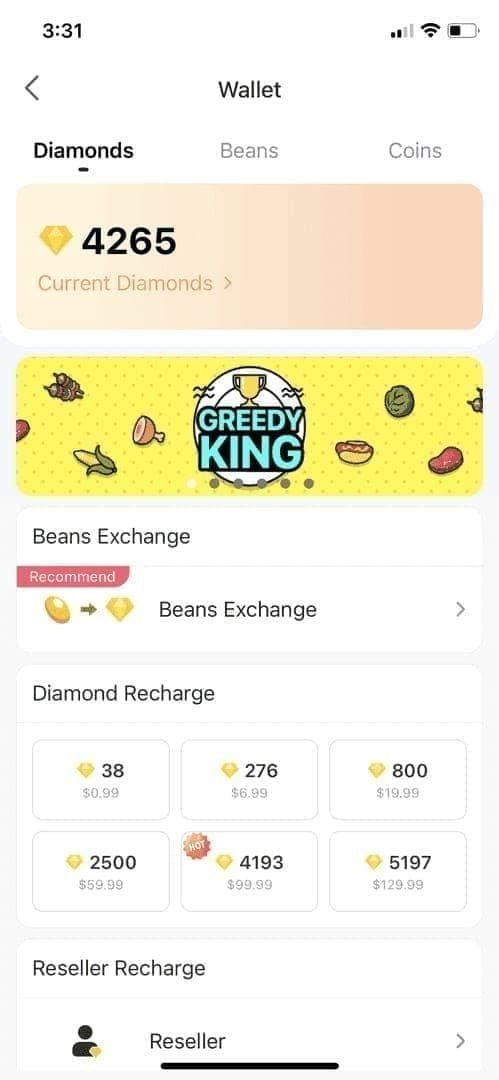
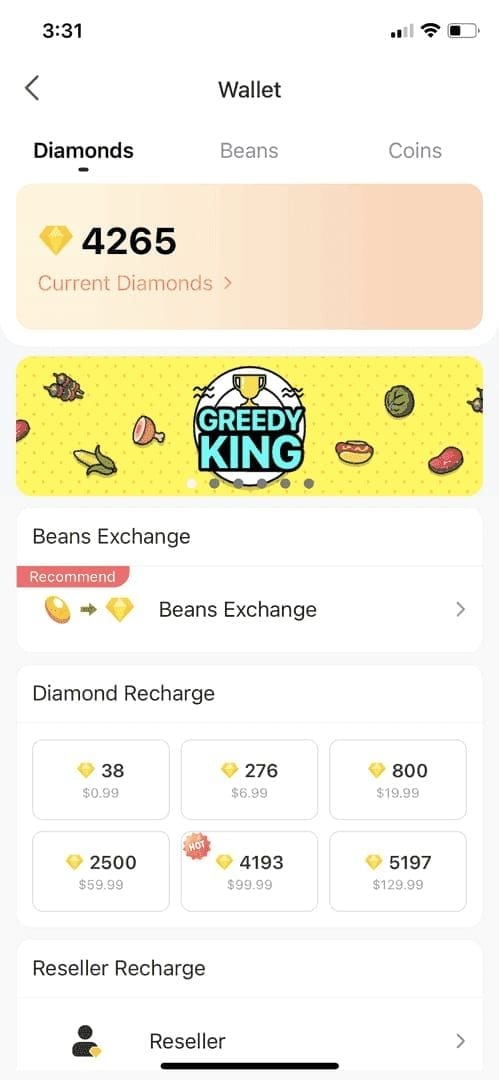
Check for: lock icon beside diamond count, grayed-out numbers, or Frozen Balance labels in transaction history. Screenshot these for your support submission.
Step 2: Gather Required Documentation
User ID: 8-12 digit code in Settings > Account
Transaction ID: 15-25 character code from payment confirmation
Payment confirmation emails from your provider
Bank/wallet screenshots showing charge with date and amount
Government-issued ID matching registered account name
Registered email and phone number
Transaction details: exact date, amount in USD, payment method
Freeze date: when you first noticed restriction
Step 3: Submit Through Official Channels
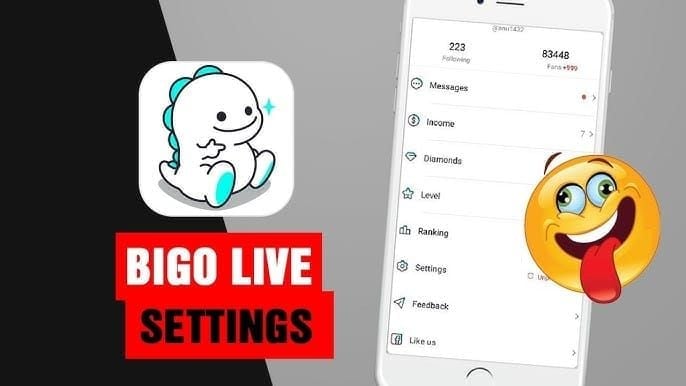
In-App (Fastest): Settings > Feedback > Account Issues > Frozen Balance > Unfreeze My Account. Fill all fields completely—incomplete submissions restart the timeline.
Email: Send to feedback@bigo.tv with subject: Frozen Diamond Balance - [Your User ID]. Include all documentation as attachments (JPG/PNG, under 5MB). List User ID, registered email, phone, transaction date, amount, payment method, and freeze date.
Phone Support: Call +65 63519330 (GMT+8 business hours) for urgent cases. Have User ID and Transaction ID ready. Phone support expedites cases but requires email documentation follow-up.
Step 4: Follow Up Strategically
Wait 5-7 business days before first follow-up. Premature follow-ups don't accelerate processing and may delay your case. Reference your original case number and ask for specific timeline updates. If no response after 7 business days, escalate through phone support.
Step 5: If Request Is Denied
Denials occur due to: insufficient documentation, mismatched account information, or policy violations. Request specific denial reasons. If documentation was insufficient, resubmit with complete materials. Illegal recharge methods result in permanent freezes and potential bans.
Google Play Region Lock Problem
Google Play's regional restrictions prevent purchases when your account region doesn't match your location or payment method origin. This affects travelers, expatriates, and users in regions where Google Play doesn't support Bigo Live transactions.
You'll see errors like This item isn't available in your country or Payment method not supported in this region. Changing Google Play region requires waiting 12 months and may void subscriptions.
For users experiencing Bigo Live top up Google Play region lock, BitTopup provides region-independent recharge options.
The Safest Way to Top Up: BitTopup Solution
BitTopup operates as a verified merchant with direct Bigo Live partnerships, bypassing Google Play's regional restrictions. The platform processes transactions through pre-approved channels that don't raise red flags.
BitTopup vs Official Recharge
Transaction Processing:
BitTopup: 2-5 minutes delivery
Official: Immediate when no freeze, 7-14 days when frozen
Freeze Risk:
BitTopup: Minimal due to merchant verification
Official: High for new accounts or large purchases
Regional Accessibility:
BitTopup: Works in all regions
Official: Limited by Google Play policies
Payment Options:
BitTopup: Multiple international and local methods
Official: Limited to Google Play supported methods
Recharging Through BitTopup
Visit BitTopup and select Bigo Live diamonds
Enter your Bigo ID (8-12 digits from Settings > Account)
Choose diamond package
Select payment method
Complete payment through secure gateway
Receive confirmation email
Diamonds appear within 2-5 minutes
Save transaction receipt
9 Best Practices for Safe Recharging
For New Accounts:
Maintain consistent logins for 7-10 days before first purchase
Start with $5-10 initial recharges
Avoid purchases over $100 until account reaches 30+ days
Complete phone verification immediately (reduces holds by 30-40%)
Verification Strategies:
Submit full verification with government ID (reduces holds by 60-70%)
Verify phone with SMS code (arrives in 2-3 minutes)
Use consistent email and phone across transactions
Keep registered information current
Transaction Practices:
Disable VPN before recharging
Space recharges 24-48 hours apart
Use same payment method consistently
Keep all payment confirmations
Documentation Habits:
Screenshot every transaction immediately
Save Transaction IDs in secure notes
Maintain recharge log with dates, amounts, methods
Store government ID copies used for verification
Account Building:
Build 90+ days of account history
Complete 5+ small transactions before large purchases
Engage with platform features beyond purchasing
Maintain positive account standing
Common Misconceptions
Myth 1: Frozen Diamonds Are Lost Forever
Frozen diamonds remain in your account throughout review. Once verification completes within 7-14 days, all diamonds unlock. Only confirmed policy violations or illegal recharge methods result in permanent removal.
Myth 2: Only Scammers Get Frozen
Legitimate users frequently experience freezes. New accounts making first purchases, travelers, or anyone making larger-than-usual purchases can trigger automatic holds. The system operates on pattern recognition, not user intent.
Myth 3: VPN Automatically Freezes Balance
VPN usage increases freeze probability but doesn't guarantee it. The system considers multiple factors. Disabling VPN before recharging eliminates one potential red flag.
Myth 4: Third-Party Recharge Always Causes Problems
Illegal or unauthorized services cause freezes and bans. Verified merchants like BitTopup with official partnerships operate through approved channels that reduce freeze risk compared to direct purchases on new accounts.
Required Verification Documents
Government-Issued ID: Clear photo/scan of passport, national ID, or driver's license showing full name matching Bigo Live registration, photo, and document number. JPG/PNG under 5MB.
Payment Receipt & Transaction Proof: Payment confirmation email from provider (Google Play, credit card, PayPal). Bank/wallet screenshots showing exact charge with date, amount, merchant name. Transaction ID (15-25 characters) clearly visible.
Account Ownership Screenshots: User ID in Settings > Account, frozen balance in wallet, transaction history displaying frozen amount.
Submission Security: Send documents only through official channels: in-app Unfreeze form or feedback@bigo.tv. Never share through social media or unofficial accounts.
When Diamonds Don't Unfreeze
If diamonds remain frozen beyond 14 days, escalate through phone support at +65 63519330 (GMT+8 business hours). Request case escalation and ask for specific reasons for extended hold. Document all communication.
Permanent Freezes vs Temporary Holds: Temporary holds show Under Review or Pending Verification and resolve within 14 days. Permanent freezes result from policy violations, illegal recharge detection, or repeated chargebacks. These show Frozen Due to Policy Violation and accompany account suspension warnings.
Refund Options: For legitimate purchases frozen beyond 30 days without resolution, request refund escalation through your payment provider. Document all Bigo Live support communication. Credit card companies offer dispute resolution for undelivered digital goods, though chargebacks may result in account restrictions.
FAQ
Why are my Bigo Live diamonds frozen after recharging?
Diamonds freeze due to anti-fraud reviews triggered by accounts under 30 days old, purchases over $50, unusual payment patterns, VPN usage, or unverified status. The system analyzes transactions within 24-48 hours and holds diamonds during 7-14 day verification.
How long does it take to unfreeze Bigo Live diamonds?
Standard processing takes 7-14 working days. Simple cases with complete documentation resolve in 5-7 days, complex cases take the full 14 days. Regional variations: Southeast Asia 7 days, Middle East 10-14 days, Europe/America 5-7 days.
What triggers Bigo Live's anti-fraud system?
Accounts under 30 days, initial recharges over $50, multiple payment methods within 48 hours, VPN usage, unverified phone numbers, refund payments, geographic mismatches, and illegal recharge methods.
How do I contact Bigo Live support about frozen diamonds?
In-app: Settings > Feedback > Account Issues > Frozen Balance > Unfreeze My Account. Email: feedback@bigo.tv with subject Frozen Diamond Balance - [User ID]. Phone: +65 63519330 (GMT+8 business hours).
What documents does Bigo Live need to unfreeze diamonds?
Government-issued ID matching registered name, payment confirmations, bank/wallet screenshots, Transaction ID (15-25 characters), User ID (8-12 digits), registered email and phone, transaction date and amount, screenshots of frozen balance.
Is it safe to recharge Bigo Live through third-party platforms?
Verified merchants like BitTopup with official partnerships offer safe recharge through approved channels, often with lower freeze risk than direct purchases on new accounts. Avoid unauthorized services using illegal methods—these cause permanent freezes and bans. BitTopup provides secure transactions, competitive pricing, fast delivery, and works regardless of Google Play region restrictions.
Tired of frozen diamonds and region locks? Recharge your Bigo Live diamonds safely through BitTopup today—instant delivery, zero freeze risk, and works in all regions. Top up now and get back to gifting!