

Frozen Bigo Live diamonds after large purchases trigger automatic security reviews lasting 7-14 working days, with initial analysis completing within 24-48 hours. Unfreeze your balance by submitting verification documents through Settings > Feedback > Account Issues or emailing feedback@bigo.tv with your User ID, transaction screenshots, and payment proof. Prevent future freezes by starting with $5-10 recharges, maintaining consistent 7-10 day login patterns, completing full account verification to reduce holds by 60-70%, and avoiding VPN usage during transactions.
Understanding Frozen Diamonds: What It Means and Why It Happens
Frozen diamonds are temporary security holds on your Bigo Live balance. You'll see a lock icon beside your diamond count, grayed-out numbers, and Frozen Balance labels in transaction history. This differs from missing diamonds that never appeared after purchase.
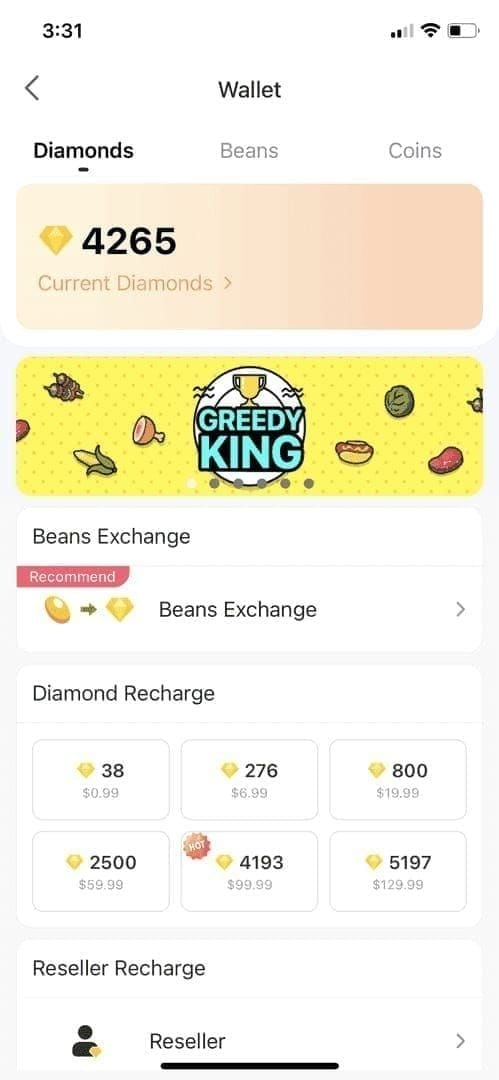
Bigo's anti-fraud system analyzes every recharge through automated systems completing initial reviews within 24-48 hours. Manual review occurs days 4-7, with final clearance happening days 8-14. Simple cases resolve in 5-7 days; complex situations may take the full 14 days.
For immediate solutions without freeze risks, platforms like BitTopup offer bigo live diamonds recharge unfreeze services with pre-verified transaction processing.
Common Triggers for $50+ Purchase Freezes
Initial recharges exceeding $50 USD trigger automatic review protocols
Recharges of $100+ on new accounts enter mandatory 14-day review periods
Sudden payment method changes
Geographic location mismatches between registered address and payment origin
Rapid successive purchases within short timeframes
Illegal recharge methods through unauthorized resellers (may result in permanent bans)
How Long Frozen Status Lasts
Standard processing: 7-14 working days from initial freeze notification.
Timeline breakdown:
Days 1-2: Automatic analysis for straightforward cases
Days 4-7: Manual review when automated systems can't definitively clear
Days 8-14: Final clearance
Regional variations:
Southeast Asia: 7 days average
Middle East: 10-14 days
Europe/America: 5-7 days
Immediate Steps to Unfreeze Your Diamonds
Step 1: Check Account Status and Transaction History
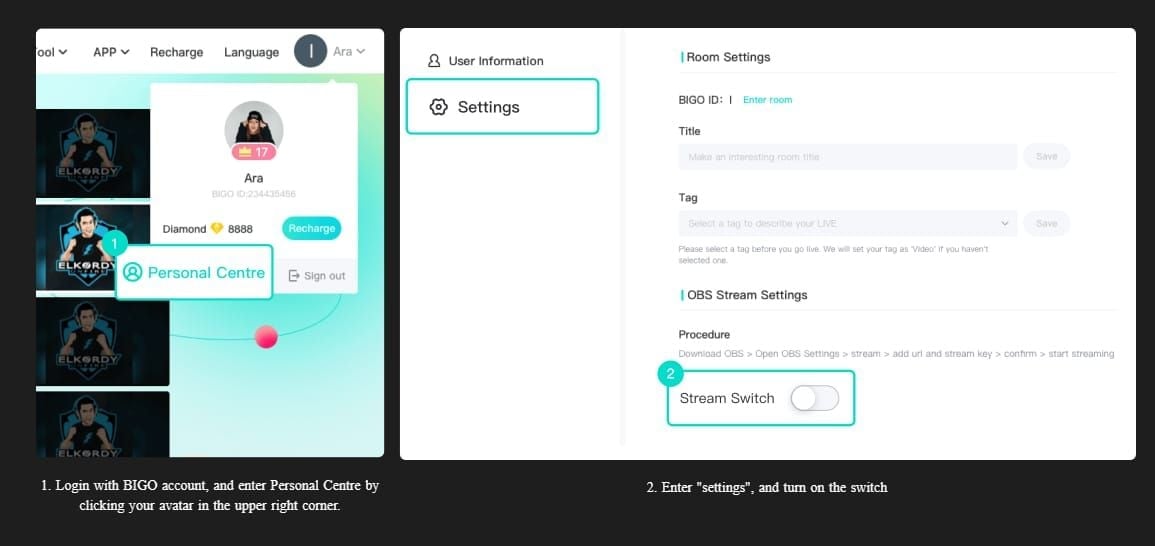
Navigate to Settings > Account to locate your User ID (8-12 digit code). Document:
Exact transaction date, amount, payment method, freeze date
Transaction ID (15-25 character code)
Screenshot wallet showing frozen balance with lock icon visible
Step 2: Gather Required Verification Documents
Essential documents:
Payment confirmation emails showing exact amount debited and timestamp
Bank statement screenshots displaying the charge with your name
Government-issued ID matching registered account email and payment method
Registered email address and phone number
Ensure all screenshots are high-resolution, unedited, and show complete transaction details.
Step 3: Contact Bigo Live Support
In-app: Settings > Feedback > Account Issues > Frozen Balance > Unfreeze My Account
Email: feedback@bigo.tv
Subject: Frozen Diamond Balance - [Your User ID]
Include: User ID, registered email, phone number, transaction date, amount, payment method, freeze date
Attach all verification documents as separate files
Phone: +65 63519330 (GMT+8 business hours for urgent cases)
Step 4: Complete Identity Verification
Respond promptly to verification requests (typically arrive within 24-48 hours). Common requirements:
Photo ID confirmation
Payment method ownership proof
Account access demonstration through security questions
Impact on processing:
Phone verification via SMS: reduces holds by 30-40%
Full verification (ID + payment proof): reduces holds by 60-70%
Step 5: Monitor Unfreeze Progress
Wait 5-7 business days before follow-up inquiries. Premature contact can delay processing by creating duplicate tickets. Check email regularly for support responses. Track your account daily—unfreezing often occurs without advance notification.
Why $50+ Purchases Trigger Security Freezes
High-Value Transaction Thresholds
$50 USD: First major security checkpoint, triggers enhanced verification
$100 USD: Mandatory 14-day review on new accounts regardless of other factors
These thresholds apply to individual transactions, not cumulative spending. Five $10 purchases face less scrutiny than one $50 purchase.
New Account vs Established Account Treatment
Accounts under 30 days: Heightened scrutiny across all transaction sizes due to insufficient behavioral data.
Established accounts (90+ days, 5+ successful transactions): Significantly reduced scrutiny through demonstrated legitimate usage patterns.
Payment Method Risk Assessment
Risk levels by payment type:
Credit cards: Higher scrutiny (chargeback capabilities)
Debit cards: Lower risk
Digital wallets: Enhanced verification required
Bank transfers: Favorable treatment (irreversible transactions)
Payment method changes trigger automatic review regardless of transaction amount.
Geographic Location and Payment Patterns
VPN usage during recharges creates geographic mismatches, triggering automatic security holds. The system interprets these as potential account compromise or payment fraud.
Common Misconceptions That Cost You Time
Myth: Frozen Diamonds Mean Your Account Is Banned
Reality: Frozen diamonds are temporary security holds, not bans. Your account remains functional for viewing content, following broadcasters, and chat. Only diamond-related functions (sending gifts, using in games, exchanging for rewards) face temporary restrictions.
Account bans involve complete access termination. Freezes are reversible security measures.
Myth: You Cannot Get Your Money Back
Reality: Frozen diamonds remain your property throughout verification. Full balance restoration occurs upon successful verification. Refund requests during active freeze periods complicate resolution by triggering additional fraud flags.
Myth: Only Official App Purchases Are Safe
Reality: Official app purchases face identical security screening as third-party platform transactions. The anti-fraud system evaluates transaction characteristics—amount, account age, payment method—not purchase source.
Reputable third-party platforms often provide superior security through pre-verified transaction processing. For users concerned about freeze risks, secure bigo recharge after large buys through verified platforms like BitTopup offers enhanced transaction security with competitive pricing and instant delivery.
Document Checklist for Fast Verification
Identity Verification Requirements by Region
Southeast Asia:
Government-issued photo ID matching registered account name
Phone verification through SMS code
Email confirmation
Middle East:
Above requirements plus address verification through utility bills or bank statements
Europe/America:
Standard photo ID plus explicit consent for ID processing (data protection compliance)
All regions require ID documents showing clear facial photos, full name, document number, and expiration date.
Payment Proof Documentation Standards
Acceptable payment proof:
Bank confirmation emails: transaction timestamp, amount, merchant name, transaction status
Bank statement screenshots: account holder name, partial account number, transaction date, amount, merchant description
Digital wallet confirmations: transaction ID, timestamp, amount, recipient, wallet account name
Credit card statements: last four digits, transaction date, amount, merchant category code
How to Prepare Documents for Fastest Processing
Compile all required documents before initiating contact
Use high-resolution screenshots showing all information clearly
Name files descriptively (UserIDPaymentProof.jpg, UserIDGovernmentID.jpg)
Submit documents as individual attachments, not combined PDFs
Secure Recharge Methods to Avoid Future Freezing
Why BitTopup Offers Superior Security
BitTopup processes transactions through verified merchant accounts with established Bigo Live relationships, carrying lower fraud risk profiles than individual user purchases. Pre-verified transaction processing means BitTopup absorbs initial security screening before delivering diamonds, effectively shielding users from freeze risks while maintaining instant delivery.
Benefits:
24/7 customer support
Competitive pricing
Instant delivery for purchases of any size
Preferential processing unavailable to individual users
Payment Method Selection for High-Value Recharges
Use consistent payment methods across transactions
Avoid switching between credit cards, debit cards, and digital wallets
Bank transfers and debit cards carry lower fraud risk than credit cards
Maintain payment method matching your registered account name exactly
Building Purchase History to Reduce Freeze Risk
Strategic approach:
Start with $5-10 USD transactions
Complete 3-5 small transactions over 7-10 days
Maintain consistent login patterns for 7-10 days before purchases
Build to 90+ days of activity with 5+ successful transactions
Accounts meeting these criteria experience dramatically reduced scrutiny.
Optimal Recharge Amounts and Frequency
Gradual scaling strategy:
If planning a $100 purchase, structure as two $50 transactions separated by 3-5 days
Progress through $10, $20, $35, $50, $75, $100 tiers with 3-5 day intervals
Regular small purchases build stronger trust than infrequent large transactions
Monthly $20 purchases face less scrutiny than quarterly $60 purchases despite equal cumulative amounts.
Prevention Tips: Never Face Frozen Diamonds Again
Account Preparation Before Large Purchases
Complete full account verification (phone SMS + government ID) before purchases exceeding $50
Maintain consistent login activity for 7-10 days before large purchases
Engage with platform features: watch broadcasts, follow creators, participate in chat
Gradual Purchase Scaling Strategy
Begin with $5-10 transactions
Complete 3-5 small purchases over 10-14 days
Increase amounts incrementally: $10 → $20 → $35 → $50 → $75 → $100
Allow 3-5 day intervals between increases
Payment Method Verification Best Practices
Disable VPN services before initiating recharge transactions
Ensure IP address matches registered account region
Use payment methods registered in your name matching Bigo Live account details exactly
Monitoring Tools to Track Account Health
Regularly review transaction history for unusual activity
Enable two-factor authentication and security notifications
Track account age and transaction count
Plan large purchases after reaching 90-day threshold with 5+ successful transactions
FAQ
Why are my Bigo Live diamonds frozen after a large purchase?
Diamonds freeze when Bigo's anti-fraud system detects transaction patterns requiring verification, particularly initial purchases exceeding $50 USD or $100+ recharges on accounts under 30 days old. Automated analysis completes within 24-48 hours; manual review occurs days 4-7.
How long does it take to unfreeze Bigo Live diamonds?
Standard processing: 7-14 working days. Simple cases resolve in 5-7 days; complex situations require the full 14 days. Regional variations: Southeast Asia averages 7 days, Middle East 10-14 days, Europe/America 5-7 days.
What documents do I need to unlock frozen Bigo diamonds?
User ID (8-12 digits), Transaction ID (15-25 characters), payment confirmation emails, bank statement screenshots, government-issued photo ID matching registered account name, registered email, phone number, and wallet screenshots showing frozen balance with lock icon.
Can I still use my account while diamonds are frozen?
Yes. Your account remains functional for watching broadcasts, following creators, and chat. Only diamond-related functions are restricted: sending gifts, using diamonds in games, or exchanging for rewards.
How do I prevent diamond freezing on future purchases?
Complete full account verification (reduces holds by 60-70%), start with $5-10 recharges, maintain consistent 7-10 day login patterns, disable VPN during transactions, use consistent payment methods, and build account history to 90+ days with 5+ successful transactions.
Is it safe to recharge Bigo diamonds through third-party platforms?
Yes. Reputable platforms like BitTopup offer secure recharge through verified merchant accounts with established Bigo Live relationships, often providing superior security compared to direct purchases. Choose platforms with high user ratings, secure payment processing, and transparent customer service.
Avoid diamond freezing headaches entirely. Recharge your Bigo Live diamonds securely through BitTopup with verified transaction processing, instant delivery, and 24/7 support for purchases of any size. Get your diamonds safely now!