Frozen diamond balances after BIGO recharge stem from anti-fraud security protocols, payment verification, or account compliance checks. Standard unfreeze takes 7-14 working days while BIGO's security team reviews transaction legitimacy, payment method verification, and account standing. Understanding triggers—from new account flags to payment mismatches—helps prevent future freezes and navigate resolution efficiently.
What Is a Frozen Diamond Balance on BIGO Live?
A frozen diamond balance occurs when BIGO Live's security system temporarily restricts purchased diamonds in your wallet, preventing use for gifting, games, or rewards. Unlike failed transactions (diamonds never appear) or pending status (processing incomplete), frozen diamonds are visible but marked unavailable.
When diamonds freeze post-recharge, the anti-fraud system has flagged your transaction for manual review. This protects users and platform from illegal recharges, fraudulent payments, and unauthorized access. Frozen balance stays in your wallet throughout review, unlike refunded transactions where funds disappear.
For users experiencing bigo frozen diamonds after recharge, BitTopup provides secure recharge options minimizing freeze risks through verified payment channels.
Frozen vs Pending vs Failed Transactions
Pending: Processing status, resolves within minutes to hours as payment confirms
Failed: Immediate rejection with error messages, no diamond credit
Frozen: Diamonds visible with lock icon/restriction notice, successful payment but suspended usage pending security clearance
Visual distinction matters: pending needs patience, failed needs payment correction, frozen demands security verification and documentation.
How BIGO Payment System Works
BIGO's payment operates through multiple verification layers:
Initial payment processing confirms transaction validity with financial institution
Anti-fraud algorithms analyze purchase patterns, account history, device fingerprints, geographic consistency
Manual reviews examine flagged transactions against fraud patterns and policy violations
This explains why some recharges complete instantly while others freeze. Automated systems flag anomalies within seconds, triggering 7-14 day manual review. System auto-deducts diamonds during unfreeze once verified.
Visual Indicators of Frozen Diamonds
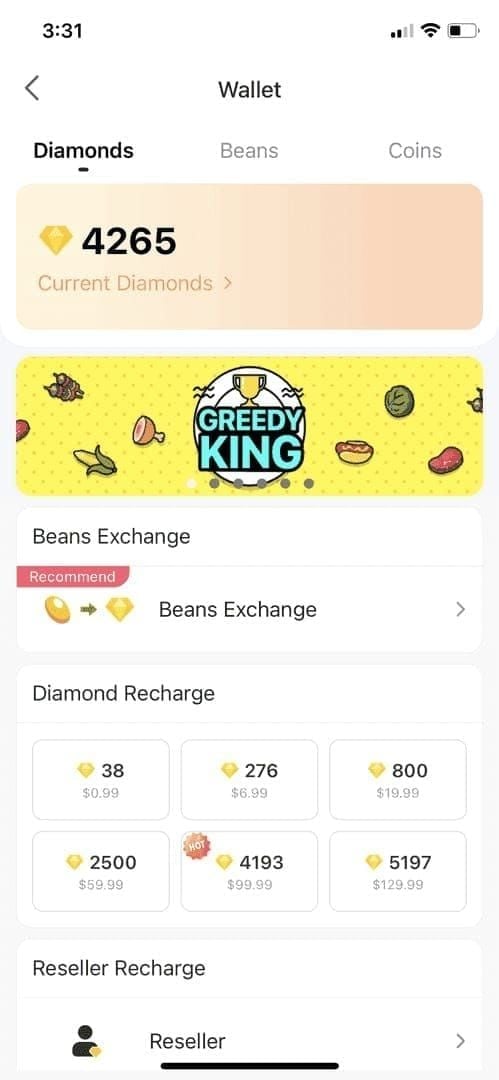
Frozen diamonds show distinct markers:
Lock icon beside diamond count
Grayed-out numbers indicating restricted access
Frozen Balance labels in transaction history
Insufficient balance errors when sending gifts despite visible diamonds
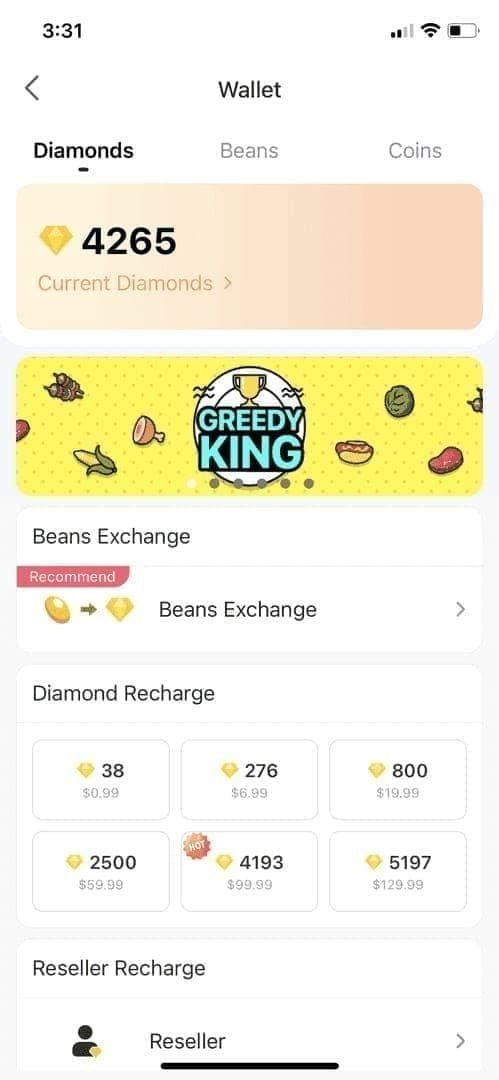
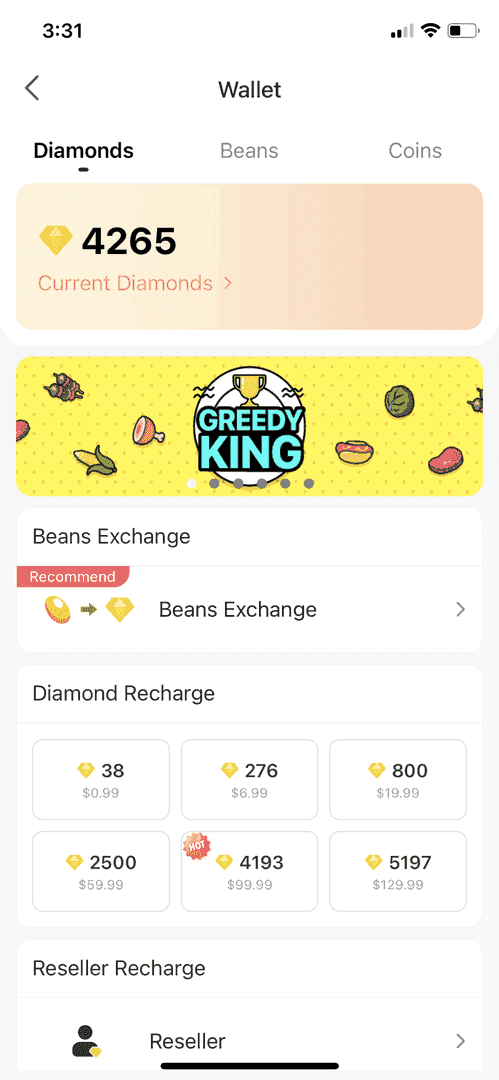
Wallet interface separates frozen from available balance. View freeze dates, transaction IDs, and estimated completion timelines in account details.
8 Primary Causes of Diamond Freezes After BIGO Recharge
New Account Security Protocols
Accounts under 30 days face heightened scrutiny on initial recharges, especially exceeding $50 USD. Risk algorithms assign higher fraud probability to new profiles lacking usage patterns, streaming history, or social connections.
Prevention: Complete profile verification, engage in streaming, establish follower connections, maintain consistent logins for 7-10 days before significant purchases.
Payment Method Mismatches
Discrepancies trigger immediate freezes:
Name mismatch between BIGO profile and cardholder
Billing address in different country than registration
Payment methods registered to third parties
Bank holds on payments
VPN and IP Address Inconsistencies
Geographic discrepancies between account registration, login patterns, and recharge IP addresses raise red flags. System cross-references device location, IP geolocation, payment billing country, and registration region.
Prevention: Disable VPN before recharging, maintain consistent geographic access.
Regional Payment Restrictions
Cross-border transactions face additional scrutiny. Recharging from high-fraud countries, using payment methods from different regions, or international roaming all increase freeze probability.
Unusual Purchase Patterns
Triggers include:
Sudden large purchases deviating from history (typical $10-20 suddenly jumping to $200+)
Multiple rapid recharges within short timeframes
Large refunds following previous recharges
System establishes baseline patterns, flagging statistical anomalies. Gradual increases build trust; erratic behavior increases risk.
Incomplete Account Verification
Unverified contact info and missing ID increase risk scores. Accounts lacking phone verification, unconfirmed emails, or incomplete profiles face higher freeze probability.
Complete: Email confirmation, phone SMS verification, government ID upload, accurate profile matching payment details.
Previous Account Violations
Violation history compounds scrutiny:
Previous frozen balances
Refund disputes
Community guideline infractions
Suspicious activity warnings
Even resolved violations remain in history, affecting future processing.
Third-Party Payment Red Flags
Using fake cards, unauthorized methods, or high-risk processors triggers immediate freezes. System maintains blacklists of compromised sources.
Post-recharge refunds via payment providers (not BIGO support) create severe flags. Chargebacks freeze entire account balances, potentially causing permanent bans.
The 7-14 Day Unfreeze Timeline
The bigo diamond unfreeze 7 14 days period reflects multi-stage verification, with BitTopup transactions often resolving faster.
Days 1-3: Automatic Security Review
Automated analysis within 24-48 hours cross-references transaction details against fraud databases, verifies payment legitimacy, checks account standing. Low-risk cases often clear without manual intervention.
Days 4-7: Payment Verification
Manual review begins for non-cleared cases. Analysts examine payment source authenticity, contact financial institutions, verify account ownership, assess policy compliance.
Submit documentation promptly to accelerate; missing info extends beyond 7 days.
Days 8-14: Final Clearance
Approved cases receive automatic unfreezing with notification emails. Diamonds become immediately available.
Cases with unresolved discrepancies may extend beyond 14 days. Contact support via feedback@bigo.tv or +65 63519330 (GMT+8) if no resolution by day 14.
Why Resolution Speed Varies
Depends on:
Freeze cause complexity
Documentation completeness
Account verification level
Support queue volume
Simple holds for verified accounts: 5-7 days. New accounts with multiple risk factors: full 14 days.
Step-by-Step Unfreeze Guide
Immediate Actions
Stop additional recharges - complicates review, may trigger more freezes
Don't initiate refunds through payment providers - converts temporary freeze to permanent restriction
Document thoroughly: Screenshot wallet, save confirmation emails, payment receipts, note freeze date/time
Submit Support Ticket
Access: Settings > Feedback > Account Issues > Frozen Balance > Unfreeze My Account
Or email feedback@bigo.tv with subject: Frozen Diamond Balance - [Your User ID]
Include:
User ID, registered email, phone
Transaction date, amount, payment method
Freeze discovery date
All documentation as attachments
Required Documents
Essential:
Payment confirmation emails
Bank/payment app screenshots showing charge completion
BIGO wallet screenshot with frozen balance and transaction ID
Government ID matching payment name (if requested)
Previous BIGO support communication
For payment verification:
Cardholder name matching registration
Billing address consistency
Transaction authorization codes
Payment platform confirmation numbers
Redact full card numbers while maintaining verifiable details.
Following Up
Wait 5-7 business days before initial follow-up. After 7 days, send single polite follow-up referencing ticket number.
Respond promptly to verification requests - delays restart timelines. Maintain professional, factual communication.
Understanding Anti-Fraud Detection
Automated Triggers
Machine learning analyzes hundreds of data points:
Device fingerprints, IP addresses, login patterns
Purchase history, account age, verification status
Payment method reputation, geographic consistency
Behavioral biometrics
Statistical models assign risk scores determining processing pathways. Single anomalies rarely trigger freezes; combinations do (new account + large purchase + VPN + unverified payment = high fraud signature).
Risk Scoring Factors
Positive factors:
Verification completion
Account age and activity consistency
Clean violation history
Gradual recharge patterns
Payment method stability
Community engagement
Negative factors:
Previous freezes, refund history
Violation warnings
Access from multiple countries
Frequent payment changes
Irregular login patterns
Why 7-14 Days
Human analysts handle complex cases requiring judgment. Queue volumes, case complexity, international payment verification delays, and thorough investigation standards all contribute.
14-day maximum balances security thoroughness with user experience. Shorter risks insufficient verification; longer creates unacceptable frustration.
What You Can Do While Frozen
Functional Limitations
Cannot:
Send gifts in Live Rooms
Use diamonds in games
Exchange diamonds for rewards
Participate in diamond-based events
Can:
Continue streaming
Receive gifts from others
Maintain existing VIP status
Access non-diamond features
Restrictions apply only to frozen portions—unfrozen diamonds remain functional.
VIP Status
Active subscriptions continue through paid periods. Renewal attempts using frozen diamonds fail, potentially causing lapses if freeze extends beyond expiration.
VIP points and tier progress remain intact. Once unfrozen, immediately apply diamonds to renewals without losing progress.
Additional Recharges (Not Recommended)
Avoid new purchases during investigation. New recharges complicate reviews, introduce additional verification needs, potentially extend timelines.
If urgent needs arise, wait for complete resolution. Alternatively, use verified platforms like BitTopup with established histories, though some risk remains during active investigations.
7 Prevention Strategies
1. Complete Verification Before First Recharge
Maximize verification:
Confirm email via verification link
Verify phone via SMS code
Upload government ID when prompted
Complete profile with accurate details
Link social media if available
Fully verified accounts receive preferential processing. 15-20 minutes prevents days/weeks of frozen frustration.
2. Use Consistent Payment Methods
Establish primary payment method, use exclusively. Ensure:
Cardholder name matches registration exactly
Billing address corresponds to account location
Payment method remains active and in good standing
Consistency builds pattern recognition for auto-approval. Frequent changes trigger fraud alerts.
3. Avoid VPN During Recharge
Disable VPN, proxy, location-masking tools before recharging. Access BIGO through standard connection from registered location.
Geographic consistency signals legitimate ownership. Mismatches suggest compromise.
4. Build Gradual Recharge History
Start small ($5-10 USD), gradually increase over subsequent transactions. Avoid jumping to large amounts ($100+) on new accounts.
Space recharges over days/weeks, not hours. Gradual approach builds trust while providing immediate diamonds.
5. Maintain Good Account Standing
Adhere to community guidelines, content policies, terms of service. Avoid violations creating history marks. Report users attempting diamond exchange schemes or illegal transfers.
Clean standing provides foundation for transaction trust. Minor violations create permanent risk markers.
6. Choose Verified Platforms Like BitTopup
Select platforms with established BIGO partnerships and verified payment channels. BitTopup's integration with official systems, secure processing, transparent records, and excellent service minimize freeze risks.
Verified platforms maintain compliance, use authorized gateways, provide proper documentation.
7. Keep Transaction Records
Maintain organized records for 90+ days:
Payment confirmation emails
Bank statements showing charges
Platform transaction IDs
Purchase dates and amounts
Support communication
Comprehensive documentation enables rapid verification response, accelerating unfreeze.
Common Misconceptions
Myth: Multiple Support Contacts Speed Process
Reality: Excessive contact clutters queues, may delay processing. Each message diverts analyst resources from investigation. Submit one comprehensive request, wait 7 days before single follow-up.
Priority depends on submission order, complexity, documentation—not contact frequency.
Myth: Another Purchase Instantly Unfreezes
Reality: Additional recharges compound complexity, may trigger more freezes. System doesn't reset based on new purchases. New transactions enter separate queues, potentially freezing more diamonds.
Resolution requires completing existing verification, not circumventing through spending.
Myth: All Freezes Result in Permanent Loss
Reality: Vast majority unfreeze successfully within 7-14 days. Permanent loss occurs only in confirmed fraud (illegal recharges, stolen payments, severe violations). Legitimate users with documentation receive full restoration.
Freeze exists for investigation, not punishment.
Truth: What Affects Speed
Documentation completeness
Account verification level
Freeze cause complexity
Support queue volume
Comprehensive upfront verification, fully verified accounts, simple payment holds, low-volume periods = fastest resolution (5-7 days).
Real User Cases
Case 1: New Account, Large First Purchase (14 Days)
User created account, immediately purchased $150 without verification or usage patterns. Large first purchase from unverified account triggered maximum scrutiny. Required full 14 days for identity verification, payment confirmation, ownership establishment.
Prevention: Complete verification, start small, establish activity before large purchases.
Case 2: VPN from Different Country (10 Days)
Established user traveling internationally accessed via VPN while recharging, creating IP mismatches. Geographic inconsistency triggered holds. 10 days to verify travel legitimacy through login history and payment ownership.
Prevention: Disable VPN during recharge, maintain geographic consistency, update location before traveling.
Case 3: Payment Method Change (7 Days)
Verified user switched from established card to new payment app without updating account info. Change triggered verification. 7 days after submitting payment screenshots and cardholder verification.
Prevention: Update account before changing methods, maintain consistency, verify new methods via test transactions.
Case 4: Incomplete Verification (5 Days)
Partial verification (email confirmed, phone unverified) with moderate recharge. Incomplete status triggered review, but established activity enabled faster processing. Completing phone verification during freeze accelerated to 5 days.
Prevention: Complete all verification before recharging, maintain updated contact info, respond promptly.
When to Escalate
Freeze Exceeding 14 Days
Email feedback@bigo.tv with URGENT - Freeze Exceeding 14 Days subject, call +65 63519330 (GMT+8 business hours), submit in-app feedback referencing previous tickets.
Document all contact attempts with dates/numbers. Request supervisor review and timeline commitments.
Repeated Freezes Despite Compliance
Multiple freezes despite verification, consistent payments, policy compliance suggest systemic flagging. Request comprehensive account review to identify underlying risk markers.
Persistent freezes on verified accounts indicate technical issues requiring manual correction.
No Support Response
If no acknowledgment within 3-5 business days, try alternative methods: switch in-app to email, email to phone. Verify correct contact info, check spam folders.
Zero response indicates technical issues requiring immediate escalation through all channels simultaneously.
Safe Recharge: BitTopup Advantage
Why Platform Reputation Matters
Platforms with established BIGO partnerships use authorized gateways and official APIs reducing fraud triggers. Verified platforms maintain compliance, provide proper documentation, operate transparent processes aligning with security requirements.
Unverified services using unauthorized methods trigger automatic freezes regardless of user legitimacy.
How BitTopup Reduces Freeze Risk
BitTopup's integration with official BIGO systems, verified merchant status, secure infrastructure, and transparent records minimize fraud detection. Established reputation, high ratings, international compliance provide trust signals to anti-fraud systems.
Competitive pricing, fast delivery, excellent service complement security. Professional support during issues, comprehensive documentation, established dispute resolution protect buyers.
Additional Security Features
Multi-layer security:
Encrypted payment processing
Transaction verification before processing
Automated receipt generation
24/7 customer support
Comprehensive protection from purchase through delivery and post-transaction support.
FAQ
Why did BIGO freeze my diamonds after recharge?
Freezes result from anti-fraud protocols triggered by new account flags, payment verification needs, geographic inconsistencies, unusual patterns, incomplete verification, or suspicious activity. Freeze enables manual review confirming transaction legitimacy.
How long does unfreeze take?
Standard processing: 7-14 working days for security team review. Simple cases with complete documentation: 5-7 days. Complex situations requiring additional verification: full 14 days.
Can I use BIGO while diamonds are frozen?
Yes. Cannot send gifts, use diamonds in games, or exchange for rewards. Can continue streaming, receiving gifts, maintaining VIP status, accessing non-diamond features.
What documents do I need?
Payment confirmation emails, bank/payment app screenshots showing charges, BIGO wallet screenshots with frozen balance and transaction IDs, government ID matching payment details if requested.
Does VPN cause freezes?
VPN during recharge frequently triggers freezes due to IP and geographic inconsistencies. Anti-fraud detects mismatches between registration location, payment billing country, and transaction IP.
How can I prevent future freezes?
Complete verification before recharging, use consistent payment matching account info, avoid VPN during transactions, build gradual history starting small, maintain good standing, choose verified platforms like BitTopup, keep detailed records.
Avoid diamond freezes—recharge safely with BitTopup, the verified platform trusted by BIGO Live users worldwide. Secure transactions, instant delivery, 24/7 support. Recharge your BIGO diamonds now with confidence!