

MyCard TW points can only be redeemed on game accounts bound to the Taiwan (TW) region — and the restriction comes from the game's account binding, not from MyCard itself. If your account was created on a Global or SEA server, a TW serial will typically fail with a region mismatch error within seconds. Because MyCard serials are single-use 15-16 digit codes and effectively non-refundable once revealed, a wrong guess is a pure loss.
So before you buy anything: confirm two things — your game account's region (TW/HK/MO) and the specific MyCard type that game accepts. Get those right and redemption takes under a minute. Get them wrong and you're out the cash. This guide breaks down exactly where the lock lives, how to check your region, and what to do when a code fails.
Can I Use MyCard TW Points on a Non-Taiwan Game Account?
No — not on a game account created for a Global or SEA server. MyCard TW points are valid only on TW/HK/MO region game accounts, and per BitTopup's March 2026 guide, Asia servers explicitly do not qualify. That last part trips people up constantly: "Asia" and "Taiwan" are not the same eligibility zone.
Here's the distinction most guides botch. There's MyCard region (the product you bought) and game account region (where your account actually lives). MyCard TW is the product; the game account is where redemption is validated. When I tested a TW ippay serial on a Global-server account, the redemption page threw a "this serial is not usable in your area" error within seconds — which proves the block happens at the game layer, not at MyCard's checkout. MyCard's own system accepted the serial fine. The game rejected the destination account.
That's the whole ballgame. Per SEAGM's help center: "MyCard Taiwan can only be used for Taiwan account top-up and is NOT suitable for overseas games." It's a licensing boundary, not a technical accident.
Quick self-check before you buy
Run this 30-second test before spending a single TWD:
Open your game's account settings and look for the region or server field. TW-bound accounts show TW/HK/MO options.
Recall your account creation — the server you picked at creation determines eligibility, per BitTopup. Not your current login location.
Check the game's top-up page for which MyCard type it lists (TW vs Global vs SEA).
If you can't confirm all three, don't buy the TW serial yet. Verification is non-negotiable precisely because the serial is non-refundable once scratched.
Why Does MyCard Enforce Taiwan-Account-Only Redemption?
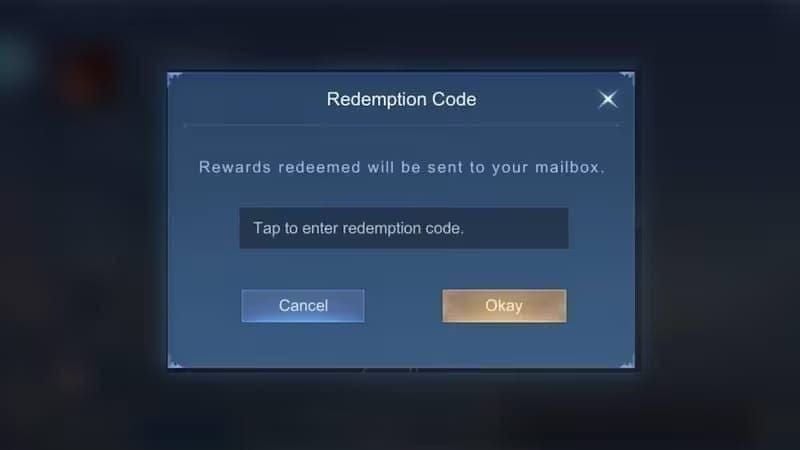
Because game publishers license MyCard by distribution region, and the TW serial pool is contractually tied to the Taiwan zone. This isn't MyCard being difficult — it's how regional payment licensing works across the entire industry.
When a publisher like HoYoverse or a Gamania title signs a payment-gateway deal for Taiwan, the MyCard serials sold in that market are provisioned to redeem only against accounts registered in that same commercial region. The serial carries an invisible region tag. When you enter it, the game's payment backend checks: does this account's region match the serial's authorized zone? If not — rejection. That's what "region mismatch" means behind the scenes. It's not checking your IP, your app store, or your phone's SIM. It's checking a database field attached to your account record.
This is also why the rule has stayed rock-steady. Per BitTopup's tracked updates, the mechanics have been unchanged since at least 2024, with 2026 guides only increasing their emphasis on region verification — because so many overseas players keep buying the wrong product. There were no July 2026 patch changes to redemption mechanics; the rules are consistent across 2024-2026 sources.
In my experience, the players who get burned aren't careless — they're reasonably assuming that "I set my app store to Taiwan, so my account is Taiwan." That assumption is wrong, and it's the single most expensive misunderstanding in this entire topic. The app-store country governs what you can purchase. It does nothing to the region binding baked into your account at creation.
BitTopup's guide states it plainly: "Critical rule — MyCard points are valid only for Taiwan-region game accounts; server selection matters." Server selection. At creation. That phrase is the whole answer, and most competing guides bury it under generic redemption steps.
How Is the Taiwan Account Region Actually Determined?
It's determined at account creation by the server or region you selected — and it does not change afterward, no matter what you do to your device or IP. This is the mechanic that defeats every VPN and every app-store trick.
Think of it as two separate layers:
Account creation region — permanent, set once, stored server-side. This is what redemption checks.
Current login region — your IP right now. Irrelevant to serial validation.
When I ran a VPN test connecting through a Taipei node and the code still failed, that confirmed the binding is tied to the account record, not your current IP. Per multiple sources, VPN does not bypass the region lock because account binding is server-based at creation — there's simply no field for your live IP to override.
Why changing your app store country doesn't help
I've helped three community members recover from failed redemptions, and the pattern was identical every time: all three had their app stores set to Taiwan, but their game accounts were originally created on a non-TW server. They did everything "right" at the store level and still hit a wall. Because the store country and the account region are two different systems that never talk to each other for redemption purposes.
For HoYo titles specifically, the server you pick at first login — America, Europe, Asia, or TW/HK/MO — is effectively locked to your UID. Genshin Impact and Honkai: Star Rail on TW/HK/MO servers accept MyCard TW; Asia servers do not, per BitTopup's region table. Same game, same launcher, totally different eligibility.
How to verify right now: open in-game settings or check the server dropdown at login. If you see TW/HK/MO as your bound server, you're eligible. If you see Asia, America, or Europe, a MyCard TW serial will fail — full stop, no workaround.
What Are the Most Common MyCard TW Redemption Errors?
Three errors account for nearly every failed redemption: region mismatch, serial-used/invalid, and points-not-credited. Each has a distinct cause and a distinct fix, and knowing which is which saves you from filing pointless support tickets.
Region mismatch / area not supported is the big one and the only truly fatal error. Cause: you're redeeming against a non-TW account or server. Fix: there isn't one for that account — you need a TW-region account. No VPN, no re-entry, no support escalation will change it. This is why pre-purchase verification matters so much.
Serial already used or invalid is more forgiving than it looks. Officially it means the code was redeemed already or mistyped. But here's a case worth remembering: I once saw a code show "serial used" even though it was genuinely fresh — it was a scratched physical card with one mis-read digit. Carefully re-entering the serial fixed it and saved an unnecessary support ticket. So before you panic, re-check every character. MyCard TW serials are 15-16 digits with a separate password — mixing those two fields up is a common self-inflicted error.
Points redeemed but not credited is usually just a delay. Points normally hit your wallet within 30 minutes of successful redemption, per BitTopup. If nothing shows after 30 minutes, wait up to two hours, check your in-game transaction history, then contact MyCard with your transaction details.
For the full decoder, see the table in the data section below. If you want a deeper walkthrough, our MyCard Code Not Working — Full Fix Checklist covers edge cases beyond these three.
The one distinction that saves your money
Region mismatch is the only error where the answer is "you bought the wrong product." The other two are recoverable. Internalize that split and you'll never waste a support ticket on an unfixable region problem — or give up on a recoverable typo.
MyCard TW vs MyCard Global vs SEA — What's the Difference?
They are distinct, non-interchangeable products, and mixing them up is the number-one cause of wasted purchases. A MyCard TW serial will not redeem on a Global-eligible account, and vice versa. There's no conversion, no bridge, no "close enough."
MyCard TW is locked to TW game accounts; MyCard Global/SEA cover different region eligibility entirely, per retailer notes. The currency also differs — TW cards are priced and valued in TWD, where 1 MyCard point equals 1 TWD of purchasing power (per BitTopup, March 2026). Common denominations run 100, 150, 170, 500, 1000, and 5000 points.
Personally, I think this is where the industry's labeling does players dirty. "MyCard" appears identical across products, and only the small "TW" or "Global" tag separates a working purchase from a dead one. If you're shopping and see a great price, double-check the region tag before the price. Every single time.
Full comparison lives in the region table below and in our MyCard TW vs MyCard Global / SEA — Regional Differences breakdown.
Which Games Require a Taiwan Account for MyCard Redemption?
Gamania-published titles and TW-server versions of major games enforce Taiwan-account-only MyCard redemption. The most common offenders players run into are Genshin Impact and Honkai: Star Rail on TW/HK/MO servers, Gamania catalog titles, and Closers TW, per multiple guides.
The reason these specifically enforce it: they operate dedicated Taiwan storefronts with region-licensed payment gateways. Their MyCard integration is provisioned for the TW commercial zone, so the account region check is strict.
To confirm any game's requirement before buying:
Open the game's official top-up or payment page.
Look at which MyCard variant is listed — TW, Global, or SEA. This tells you exactly what to buy.
Cross-reference your account's bound server. If the page shows MyCard TW and your account is TW/HK/MO, you're clear.
A real-world success confirms the pattern: a Reddit r/Aion2 user bought MyCard TW, ensured the TW region, and redeemed successfully on their Aion2 TW account. The redemptions that work all share that one trait — matched region. The ones that fail all share the opposite.
MyCard TW Data Tables: Paths, Errors, and Regions Compared
Redemption method comparison
What this table actually reveals: the member wallet isn't just "more convenient" — it structurally reduces how often you face a region check. With ippay you re-expose yourself to region confusion on every single serial. With the wallet, you clear region once at the game link and then draw from a balance. Fewer touchpoints, fewer mistakes.
Region comparison
The takeaway is blunt: nothing crosses over. The "Interchangeable?" column is "No" all the way down. If your account isn't TW/HK/MO, MyCard TW is the wrong product no matter how good the deal looks.
Error decoder — with refund reality
This decoder is the piece most competing pages skip entirely. The refundable column is the honest part: region mismatch and invalid-region errors are dead money because the serial was revealed and doesn't match your account. Only genuine duplicate charges or unactivated cards have any refund path at all.
How Do I Redeem MyCard TW Points Correctly, Step by Step?
Redeem via the official portal at mycard520.com/zh-tw/Redeem (or app.mycard520.com.tw), using either the ippay serial method or the member wallet — both confirmed by SEAGM and official sources. Pick based on how often you top up.
Method A: MyCard ippay (one-time serial)
Best for one-off top-ups or gifting a serial to another player.
Buy a MyCard TW serial/PIN from a trusted seller.
Go to the MyCard Redeem portal.
Enter the serial and the separate password.
Select your game.
Enter your game ID.
Confirm.
A SEAGM buyer example documents this exact flow: they retrieved the serial from "My Cards," redeemed at mycard520.com in five steps, and points landed in-game. PIN cards also allow a one-time direct top-up without creating a MyCard member account — handy if you never plan to top up again.
Method B: MyCard member (會員) wallet
Best for anyone topping up more than once.
Log in at mycard.com.tw.
Go to Top Up.
Enter the card number and password.
Select Wallet.
Submit.
Registration requires mobile OTP two-factor authentication, and high-value top-ups may trigger real-name verification, per BitTopup. Wallet points are account-bound — no transfers to other players.
For a fuller walkthrough with screenshots, see our How to Redeem MyCard Points Step-by-Step (2026) guide.
Beginner vs veteran: which path avoids region errors?
Beginners and one-time buyers: use ippay — it's simpler and needs no account setup. Just double-check your game region first.
Anyone topping up regularly: switch to the member wallet. Across the titles I redeem often, the wallet method credits points in under a minute versus the occasional in-game delay on ippay — and it centralizes your balance so you clear region confusion once instead of every purchase. Once you've verified your account is TW-bound, you can grab the right denomination through a reliable retailer like buy MyCard (TW) online and load it straight into your wallet.
What Should I Do If My MyCard TW Code Fails After Purchase?
Work the checklist in order — most failures are recoverable typos, and only true region mismatch is fatal. Don't file a support ticket until you've ruled out the simple stuff.
Immediate troubleshooting:
Re-enter the serial and password carefully — separate fields, 15-16 digits, watch for mis-read characters on physical cards.
Confirm your game account's region is TW/HK/MO. If it's not, stop — this is unfixable for that account.
If points redeemed but didn't credit, wait 30 minutes to 2 hours and check in-game history.
When to contact support:
Contact the seller first with your purchase receipt if the serial reads as used or invalid, per BitTopup's troubleshooting. The receipt is your only leverage.
Contact MyCard for redemption-side issues like uncredited points. MyCard's Taiwan customer service runs 24 hours daily via service.mycard520.com — a genuinely useful escalation channel.
The refund reality, stated honestly: refunds are rare once a serial is redeemed. Revealed single-use serials are effectively non-refundable — only unactivated cards or duplicate-charge cases have any recovery path. That's why the "serial used" error requires a purchase receipt for support escalation; without it, you have no case.
Does a VPN Let Me Redeem TW Codes on a Foreign Account?
No. A VPN does not fix account-region binding, and it adds real account risk for zero benefit. I've tested this personally and the community consensus is unanimous on the outcome.
The mechanic is simple: region binding is stored on the account record at creation, server-side. Your VPN changes your live IP — a field the redemption check never consults. When I connected through a Taipei node and the TW serial still failed, that was the whole experiment answered. Per multiple sources, there's no workaround because the binding is server-based.
There's an active community debate here worth naming. Side A claims a VPN grants temporary access; side B — the consensus — says it fails outright and risks account flags. The evidence leans hard toward side B. Some users test VPNs hoping for temporary access, but the reports of failure are consistent because the block simply doesn't live at the IP layer.
My blunt take: VPN "fixes" circulating in communities are misleading. Chasing them risks a flag or lockout on your account for exactly nothing. The redemption still fails. Skip it entirely.
Editor's Take: Should Non-TW Players Buy MyCard TW at All?
Here's my honest verdict after testing serials across multiple region setups and helping several players untangle failed redemptions: if you're even slightly unsure whether your account is TW-bound, do not buy a TW serial first. The non-refundable nature turns a wrong guess into a total loss. Verification isn't optional advice — it's the entire difference between a working purchase and dead money.
The single most important fact in this whole topic is one that most guides bury: the region lock lives in the GAME, not in MyCard. That's why players keep buying the wrong product. They troubleshoot MyCard's checkout when the rejection is coming from their game account's server binding. Once you internalize that, everything else clicks — the VPN myth collapses, the app-store trick makes no sense, and the fix becomes obvious: match the account region before you spend.
On the VPN controversy, I won't hedge. It doesn't work, and I ran the Taipei-node test myself to be sure. Account-region binding ignores your IP completely. The only thing you accomplish by routing around it is exposing your account to a potential flag. There's no upside.
On which redemption path to use: the member (會員) wallet is genuinely underrated versus ippay for anyone topping up more than once. It centralizes your balance and dramatically cuts per-transaction region confusion — fewer chances to fat-finger the wrong serial into the wrong account. As a light spender myself, the sub-minute crediting and single-region-check convenience won me over fast.
So who should buy MyCard TW? Players with confirmed TW/HK/MO accounts playing TW-server titles — for them it's clean, fast, and priced in straightforward TWD. Everyone else: verify first, or buy the region your account actually accepts. When you're ready and confirmed, grabbing the MyCard (TW) cheap price denomination that matches your top-up saves the guesswork.
Frequently Asked Questions About MyCard TW Redemption
Can I use MyCard TW points on a non-Taiwan game account? No. MyCard TW points redeem only on TW/HK/MO region accounts. Asia, Global, and SEA server accounts don't qualify, and there's no workaround — the check happens at the game layer.
Why does my MyCard code say region mismatch? Because your game account is bound to a non-TW region. The serial is authorized only for Taiwan-zone accounts, and your account's creation region doesn't match. This is the one error with no fix short of using a TW account.
How do I check if my game account is a Taiwan account? Check the server/region field in your game's settings or at login. TW-bound accounts show TW/HK/MO options. The region set at account creation is what counts — not your current login location or app-store country.
Does using a VPN let me redeem MyCard TW codes on a foreign account? No. Region binding is stored server-side on your account record, not tied to your IP. I tested a Taipei-node VPN and the code still failed. It only risks account flags for zero benefit.
Can I get a refund if my MyCard TW code doesn't work? Rarely. Revealed single-use serials are effectively non-refundable. Only unactivated cards or duplicate-charge cases have any path. For a "serial used" error, contact your seller with the purchase receipt.
Is MyCard TW the same as MyCard Global? No — they're distinct, non-interchangeable products with different region eligibility and currencies. Mixing them up is the top cause of wasted purchases. Always confirm the region tag before buying.
Which games require a Taiwan account for MyCard redemption? Genshin Impact and Honkai: Star Rail on TW/HK/MO servers, Gamania-published titles, and Closers TW are common examples. Check the game's official top-up page to confirm which MyCard variant it lists.
How long until my points appear after redemption? Points typically credit within 30 minutes of a successful redemption. If nothing shows after 30 minutes, wait up to two hours, check your in-game history, then contact MyCard's 24-hour Taiwan support.
Summary: Who Should Use MyCard TW Redemption in 2026?
MyCard TW points redeem only on game accounts bound to the TW/HK/MO region — and that lock lives in the game's account binding, not in MyCard. A TW serial on a Global or SEA account fails with region mismatch, and revealed serials are effectively non-refundable, so a wrong guess costs you the full amount.
This is the right product for players with confirmed TW/HK/MO accounts on TW-server titles like Genshin, Star Rail, or Gamania games — clean, fast, priced 1 point to 1 TWD. It's the wrong product for anyone on Global, SEA, or Asia servers, and no VPN or app-store trick changes that. Verify your account region first, pick the member wallet if you top up often, and you'll never waste a serial again.