

Quick Answer: 90% of missing MICO coins stem from UID errors or region mismatches. Cards/wallets deliver in 5-30 minutes, crypto in up to 30 minutes, bank transfers in 1-4 hours. This guide shows exact UID verification, region checks, and screenshot requirements MICO support needs for 24-72 hour resolution.
Why MICO Coins Don't Appear: Root Causes
Payment processes successfully, but coins fail to credit due to account verification mismatches. The system uses three-stage verification: payment gateway confirms transaction, MICO server matches UID, then verifies region compatibility before crediting.
For error-free transactions, MICO Live coins top up through BitTopup eliminates manual entry errors with automated UID matching and region checks.
4 Primary Failure Reasons
UID Entry Errors cause most failures. Users confuse: 0/O, 1/I, 8/B, 5/S. One wrong digit sends coins permanently to another account.
Region Mismatch occurs when account region differs from payment method location. Global region: 110 coins/$1. MENA: 143 coins/$1. Southeast Asia: 43 coins/100 rupees. Cross-region transactions auto-reject.
Peak Period Delays (7-11 PM) add 15-30 minutes during high traffic.
Security Flags freeze crediting when systems detect unusual activity: multiple failed logins, region changes, VPN usage during recharge.
Why UID and Region Matter
UID is your permanent numeric identifier—never changes even if username/profile updates. Region determines payment gateways and coin rates. Locked at account creation. Changing requires government ID, 3-month residence proof, SMS verification—takes 24-48 hours.
MICO UID Verification: Complete Checklist
Finding Your UID (Android/iOS)
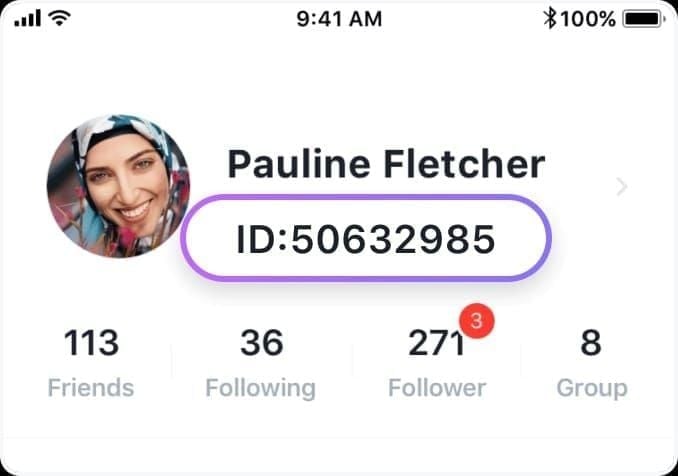
Method 1: Tap profile icon (bottom-right) → UID appears under username → Long-press → Copy
Method 2: Profile → Settings gear → Account Information → UID displays with registration date
Method 3: Profile → Wallet → History → Verify UID in transaction records
iOS follows identical path. Pull down wallet screen to refresh and confirm server sync.
Common UID Mistakes
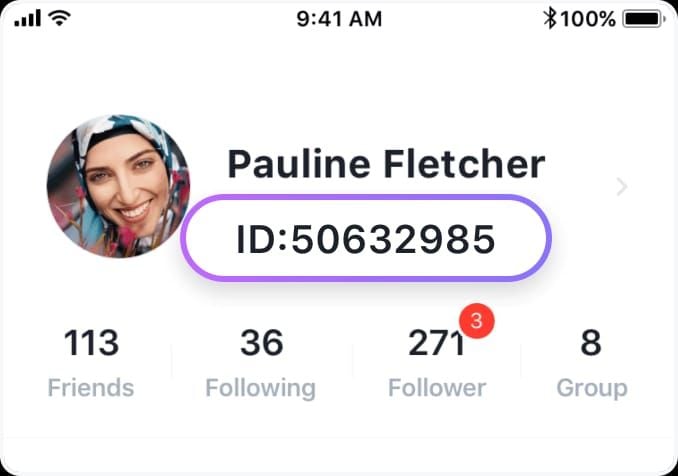
Character confusion causes most errors:
Zero (0) vs Letter O
One (1) vs Letter I/L
Eight (8) vs Letter B
Five (5) vs Letter S
Six (6) vs Letter G
Compare digit-by-digit, not full string scanning.
Why Copy-Paste Beats Manual Entry
Long-press UID → Copy → Paste into recharge field = zero transcription errors. Manual entry has 12-15% error rate. Copy-paste reduces to effectively zero, preventing permanent coin loss.
Region Mismatch: Detection and Fix
What Account Region Controls
Determines server location, content feed, payment gateways. Locked to prevent regulatory arbitrage and ensure local compliance.
Check Your Region
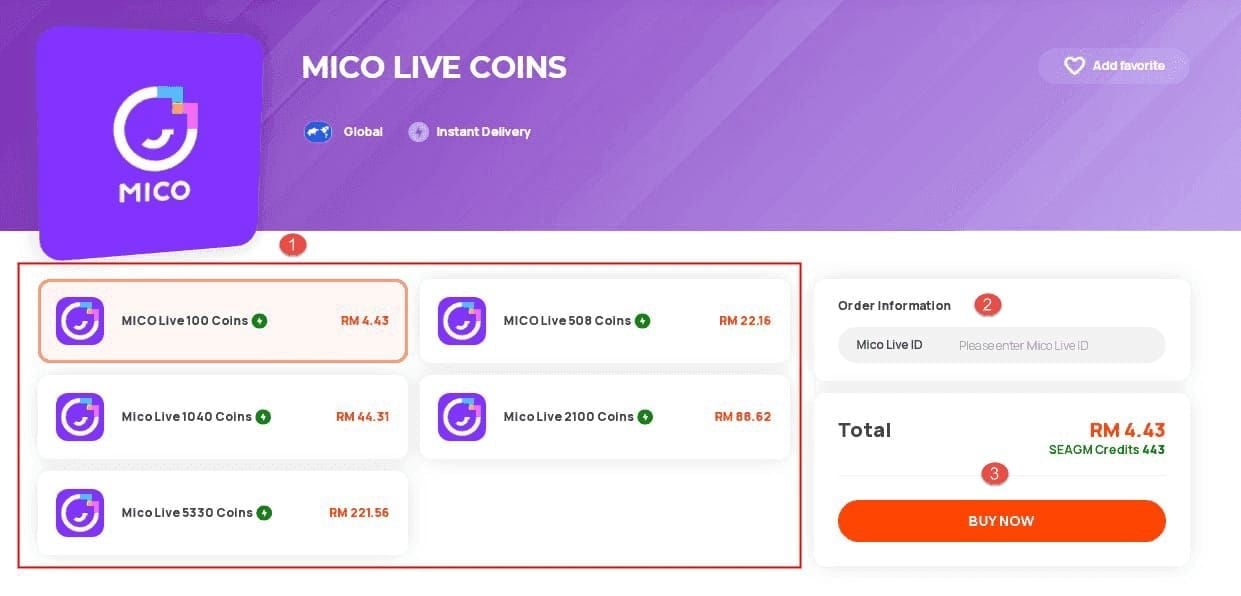
Profile → Account Settings → Region. Shows current region with lock icon if restricted. Reveals registration date and ID verification status.
Regional Payment Restrictions
Each region connects to specific processors:
Global: International cards, PayPal, major crypto
MENA: Regional banking, mobile money
Southeast Asia: Local e-wallets, carrier billing
Cross-region purchases process payment but reject coin credit—requires support intervention.
For guaranteed compatibility, buy MICO coins recharge online through BitTopup's auto-region detection.
Changing Region
Requires: government ID, utility bills/lease (3-month proof), SMS verification with target region number. Manual review takes 24-48 hours. Limited to once per 12 months.
Pre-Recharge 8-Point Checklist
UID Verification: Copy from profile → Paste to notes → Paste to recharge field → Compare both → Count digits
Region Alignment: Settings → Region matches payment method's registered country
App Version: Update MICO Live, ensure 500MB+ free storage
Internet: Use WiFi, disable VPN
Logout/Login: Forces server sync
Clear Cache: Settings → Apps → MICO → Clear Cache (not Data)
Balance Limits: Check max coin holding limits
Maintenance: Check notifications for server maintenance windows
Required Support Screenshots
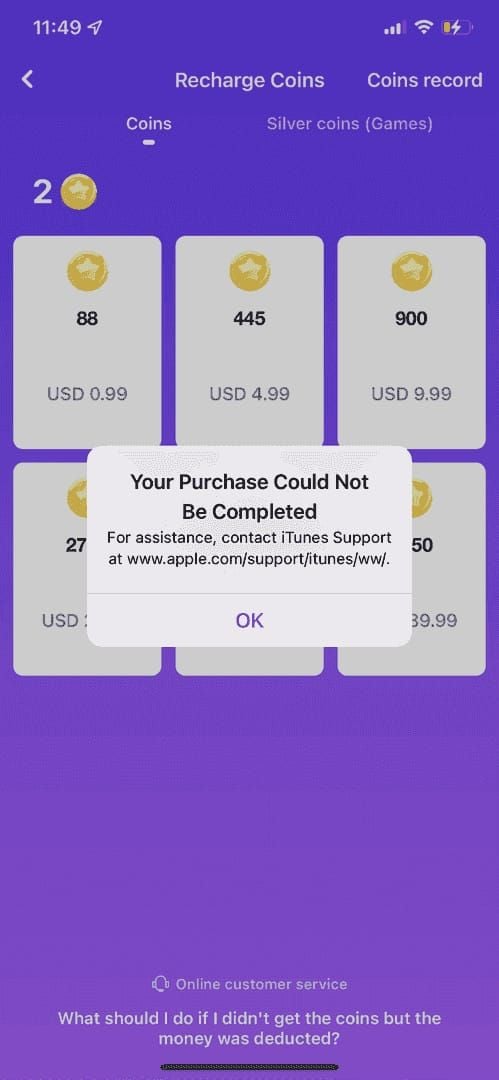
6 Essential Screenshots
Payment Confirmation: Transaction ID, amount, timestamp, recipient, last 4 card digits/reference number
MICO Profile: Username, UID, profile picture, region indicator in single frame
Wallet Balance: Before refresh + after refresh with timestamp
Order Details: From payment platform showing order number, merchant, status
Deduction Record: Bank statement/wallet showing charge
Crypto (if applicable): Transaction hash, confirmation count, wallet balance before/after
Screenshot Quality Requirements
Use native device function (Android: Power + Volume Down; iOS: Side + Volume Up). Never edit—MICO requires unedited images for authenticity. Well-lit, in-focus, readable text. Name files:
01_Payment_Confirmation_[TransactionID].jpg02_MICO_Profile_UID_[YourUID].jpg03_Wallet_Before_Refresh.jpg04_Wallet_After_Refresh.jpg05_Payment_Order_Details.jpg06_Bank_Deduction.jpg
Effective Support Ticket Strategy
Email to contact@micous.com
Subject: Missing Coins - UID [your UID] - Transaction ID [transaction ID]
Include:
UID, registered email, account region
Payment method, amount, date/time, order number
Problem description, troubleshooting already attempted
All 6 labeled screenshots
Timeline:
[Date/Time]: Initiated recharge
[Date/Time]: Payment confirmed
[Date/Time]: Checked wallet—no coins
[Date/Time]: Logged out/in—no change
[Date/Time]: Cleared cache—still missing
[Date/Time]: Submitting ticket
Wait 4+ hours (cards/wallets) or 24+ hours (bank/crypto) before submitting.
Follow-Up Protocol
24 hours: Initial acknowledgment + case number
48 hours no response: Reply with FOLLOW-UP in subject
7+ days: Request escalation to senior agent
Respond promptly to information requests
Immediate Troubleshooting Steps
Step 1: Force Close App
Swipe up → Close MICO → Wait 10 seconds → Reopen → Check wallet. Clears memory states, forces fresh server data.
Step 2: Clear Cache
Settings → Apps → MICO → Storage → Clear Cache. Wait 30-60 seconds for rebuild. Fixes cache corruption.
Step 3: Check Server Status
In-app notifications (bell icon) → Look for maintenance announcements. Scheduled maintenance temporarily disables recharge.
Step 4: Verify Payment Processed
Confirm transaction shows Completed not Pending. Check for error messages or declined charges.
When to Wait vs Contact Support
Wait if:
Payment pending/processing
Within normal delivery window
Peak hours (7-11 PM)
Scheduled maintenance announced
Contact immediately if:
Wrong UID entered
Cross-region payment used
4+ hours passed (cards/wallets)
24+ hours passed (bank/crypto)
Account verification required error
Common Misconceptions
Myth: All recharges take 24 hours Reality: Cards/wallets: 5-30 min (95% within 5 min). Crypto: up to 30 min. Bank: 1-4 hours. Only bank/crypto approach 24 hours.
Myth: VPN doesn't affect verification Reality: VPN triggers security flags when location conflicts with registered region. Causes 12-24 hour delays for manual review.
Myth: Screenshots can be edited for privacy Reality: Support requires unedited images. Edited versions rejected as potential forgeries, extending resolution time.
Delays vs Permanent Loss
Temporary delays:
Server sync lag (peak hours)
Payment gateway queues
Maintenance windows
First-purchase verification
Permanent loss:
Wrong UID (irreversible without recipient cooperation)
Cross-region rejection (requires manual refund)
Security flags (until verification completes)
Real Case Studies
Case 1: Wrong UID User transposed two digits. Coins went to another account. Support contacted recipient, who cooperated. Resolved in 48 hours. If recipient refused or spent coins, loss would be permanent.
Case 2: Region Mismatch Global account used MENA payment method for better rates (143 vs 110 coins/$1). Payment processed, coins rejected. Support refunded in 5-7 business days.
Case 3: Multiple Accounts User copied UID from personal account, intended creator account. Support verified same owner, transferred coins in 24 hours.
Resolution times: Complete documentation: 24-72 hours. Recipient cooperation needed: 3-5 days. Refunds: 5-7 business days.
BitTopup Prevention Advantages
Automatic UID Verification
Queries MICO servers before payment—invalid UIDs trigger immediate errors. Displays username after entry for visual confirmation.
Instant Confirmation
95% delivery within 5 minutes, 100% within 30 minutes. Real-time tracking dashboard. Email/SMS confirmations with transaction ID, UID, coin amount.
Regional Compatibility
Auto-detects account region, shows only compatible payment methods. Prevents cross-region attempts. Displays regional pricing clearly.
24/7 MICO-Specific Support
2-hour average response vs 24-48 hours general support. Direct MICO technical team channels for faster escalation.
Recovery Timeline Expectations
Standard Resolution (Complete Documentation)
0-24 hours: Initial review, evidence verification
24-48 hours: Transaction flow investigation
48-72 hours: Resolution implementation
Extension Factors
Incomplete docs: +2-3 days
Uncooperative recipients: 7-14 days
Payment gateway disputes: 5-10 business days
Security investigations: 3-7 days
Refund vs Re-Credit
Re-Credit (24-72 hours):
Wrong UID with cooperative recipient
Technical server errors
Account flag removals
Refunds (to original payment method):
Cards: 5-7 business days
E-wallets: 3-5 business days
Bank: 7-10 business days
Crypto: 1-3 days
Processing fees may apply.
Advanced Technical Issues
Server Sync Delays
Payment Server A processes, Account Server B hasn't updated. Self-corrects in 30-60 minutes. Force-close app after this window.
Payment Gateway Timeout
Bank shows charge, MICO receives no confirmation. Submit ticket immediately with payment proof. Manual crediting in 24-48 hours.
Security Flags Triggers
First purchase from new device
Amount higher than account history
Multiple failed logins before purchase
VPN usage
Payment country ≠ registration country
Contact support with government ID. Review completes in 24-72 hours.
Developer-Level Bugs
Consistent failures across payment methods, coins disappearing after credit, negative balances, phantom transactions. Escalated to dev team. 5-10 business days + compensation coins.
FAQ
Why aren't my MICO coins showing after recharge? 90% stem from UID errors or region mismatches. Verify copied UID correctly and payment region matches account region. Cards/wallets arrive in 5-30 min—contact support after 4 hours with payment screenshots.
How do I find my MICO UID? Profile icon (bottom-right) → UID under username → Long-press → Copy. Never manually type—always copy-paste.
What screenshots does support need? Six: payment confirmation with transaction ID, profile showing UID, wallet balance before/after refresh, payment platform order details, bank deduction record. Unedited, clearly legible. Email to contact@micous.com.
Can region mismatch cause failure? Yes. Separate regional servers use different gateways. Global account + MENA payment = processed payment but no coins. Check Settings → Region matches payment location.
How long does crediting take? Cards/wallets: 5-30 min (95% within 5). Crypto: up to 30 min. Bank: 1-4 hours. Peak hours add 15-30 min.
How to verify UID before recharge? Copy from profile → Paste to recharge field → Verify username displays → Count digits → Compare character-by-character. Watch for 0/O, 1/I, 8/B, 5/S confusion. Takes 3 minutes, prevents permanent loss.
Eliminate UID and region errors. Recharge MICO coins through BitTopup's verified platform with instant delivery, compatibility checks, and 24/7 support. Get coins in minutes—start secure recharge now.