BIGO Live lets you recharge diamonds using PayPal or credit/debit cards across 150+ countries, reaching 400 million users. You'll see those diamonds hit your account in seconds to minutes, with starter packs as low as $0.99 for 60 diamonds—and hey, promotions can toss in 15-30% extra. It's all available 24/7 worldwide, backed by PCI-compliant security for smooth gifting and streaming sessions.
Getting Started with BIGO Payments
Ever wonder how a massive platform like BIGO keeps things running smoothly for 400 million users, including 32 million monthly actives? It boils down to solid support for PayPal and major cards like Visa, Mastercard, and American Express. These handle diamond recharges in over 150 countries, with credits landing almost instantly—seconds to minutes, depending on the flow. Go for bulk packs up to 33,000 diamonds, and you'll snag 20-40% savings through ongoing promos. The smallest option? Just 60 diamonds for $0.99.
Always double-check you're on the bigo.tv domain to stay secure.
Pick something like the 3300-diamond pack if you're gearing up for mid-level gifting.
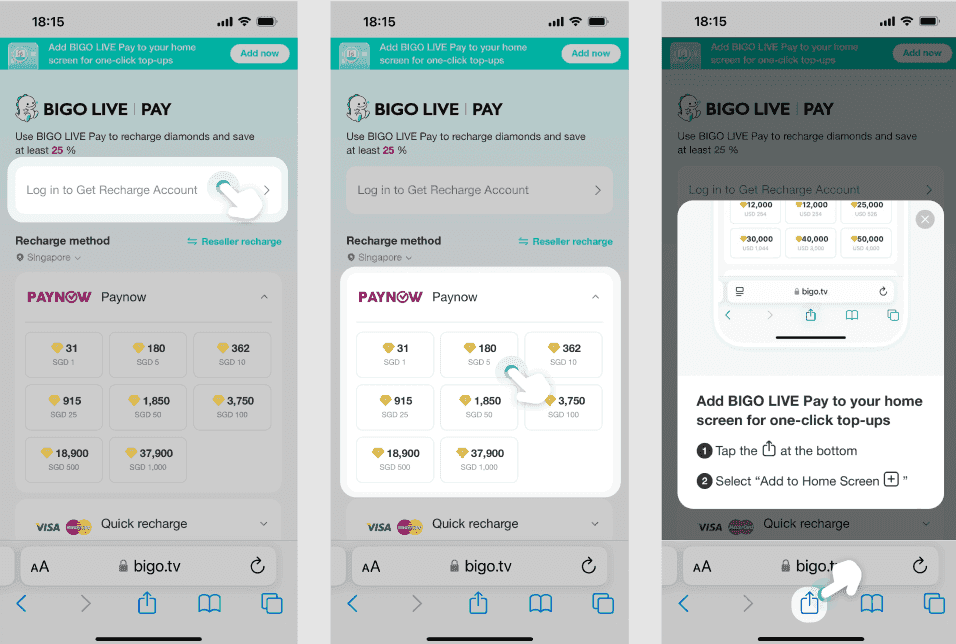
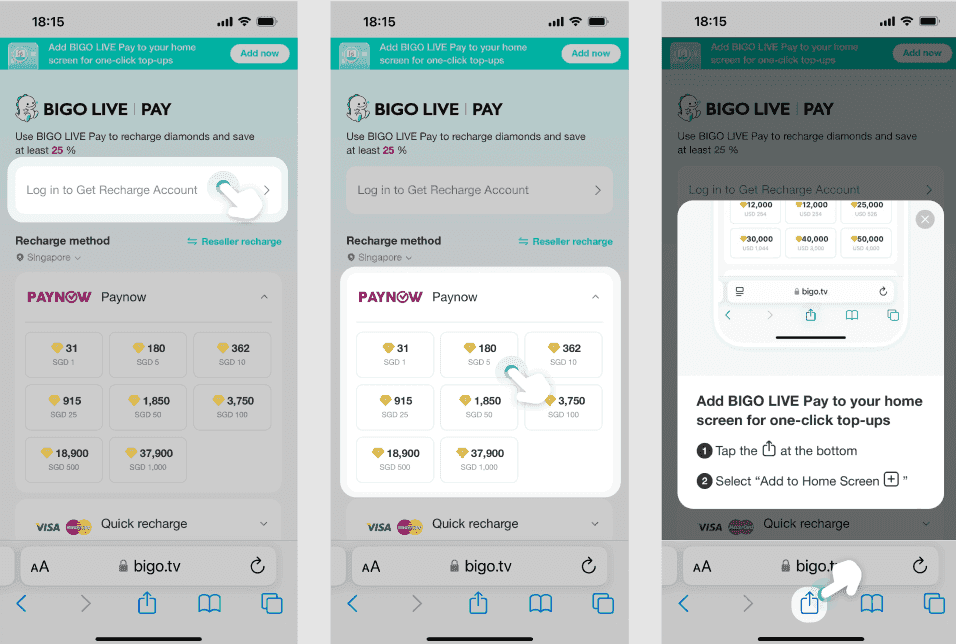
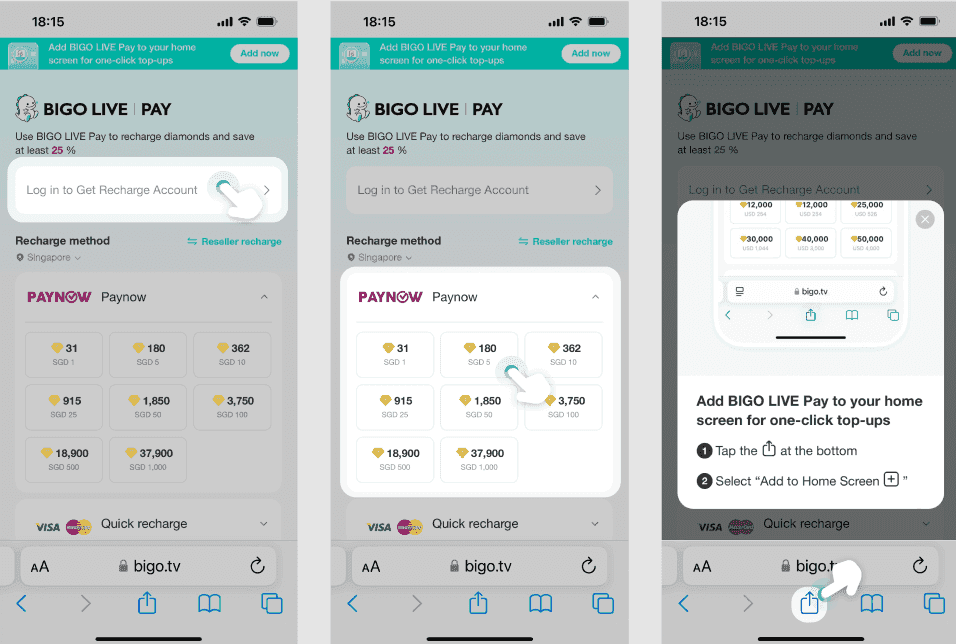
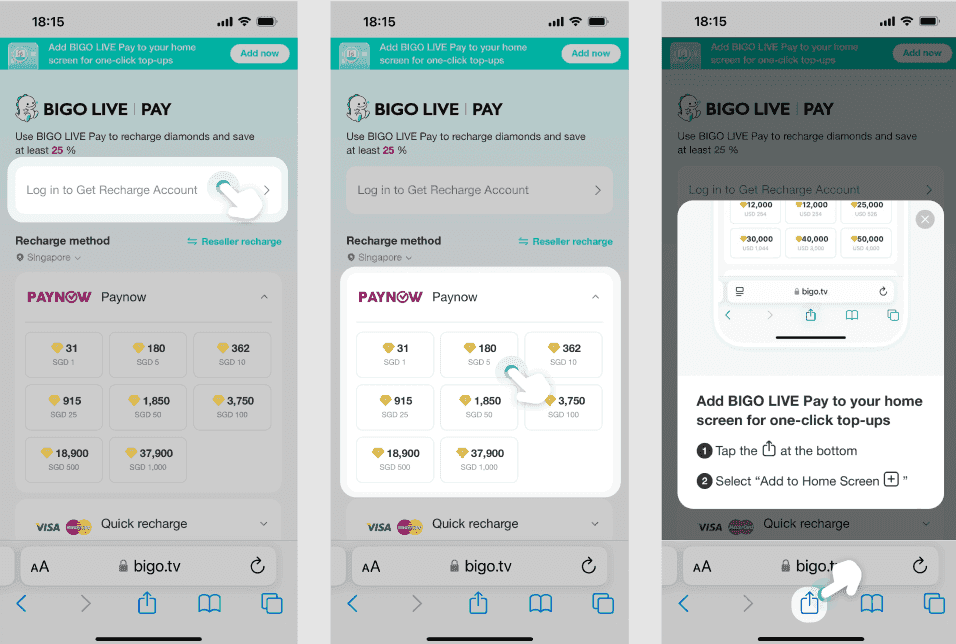
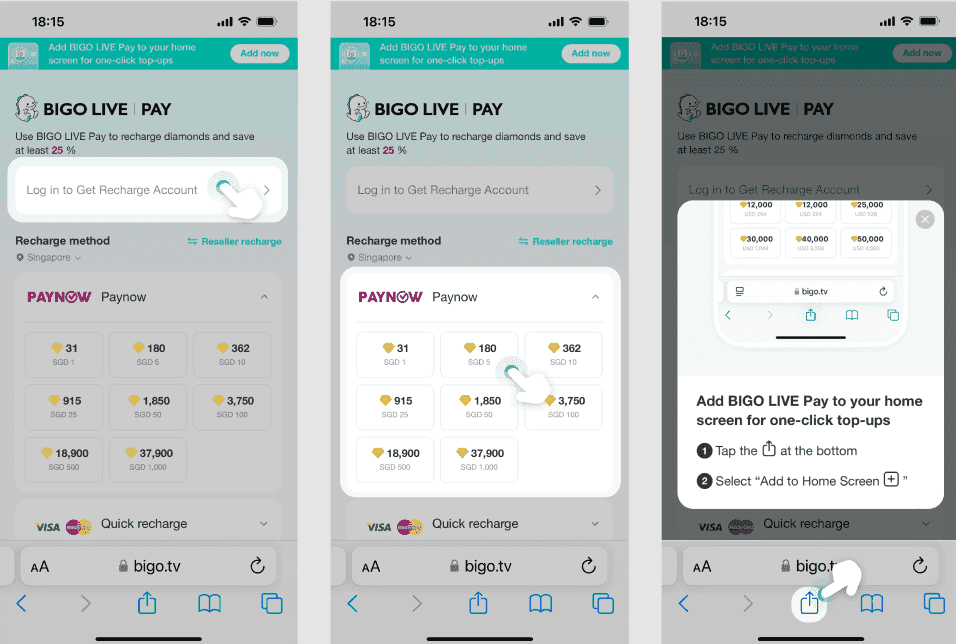
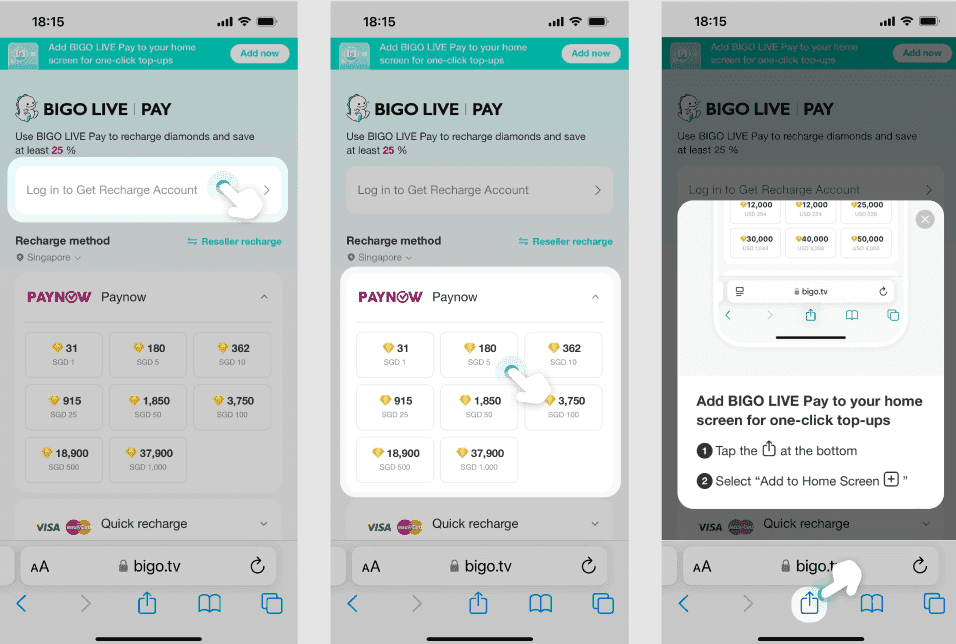
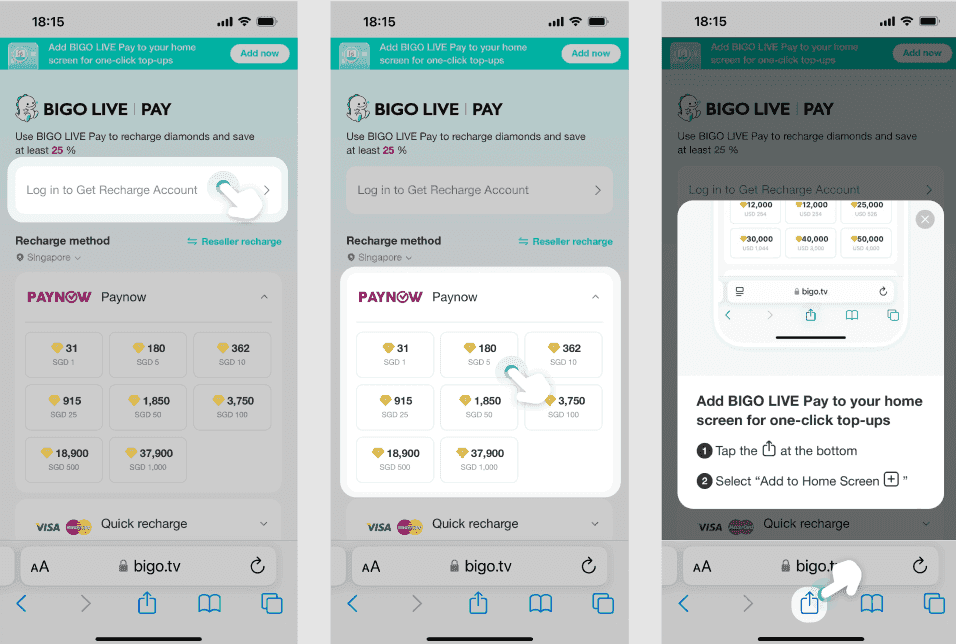
Head over to https://mobile.bigo.tv/live/bigolivepay/index.html?lang=en, log in with your BIGO ID and password, and select your regional payment method. Boom—diamonds ready for your next stream.
Why Go with PayPal or Cards on BIGO?
Look, as someone who's edited countless streaming guides, I can tell you PayPal and cards stand out for their privacy punch, lightning-fast processing, and round-the-clock access—perfect for those spur-of-the-moment gifts during a live session. PayPal shines on the international front, handling currency swaps without those pesky 2-3% bank fees, and neither option slaps you with extra BIGO charges. Plus, both come with built-in buyer protection.
Opt for PayPal if you hate sharing card details; cards keep it straightforward with direct billing.
Keep an eye out for those 15-25% bonus diamonds—buy 3300, get 990 free, for instance.
Bookmark the site for hassle-free repeats.
A Quick Look at the Speed and Security Perks
BIGO locks down transactions with SSL encryption and full PCI-DSS compliance, making global payments 24/7 a breeze. On iOS, you can tap into Face ID for Apple Pay-linked cards; Android folks get Google Play options tailored to your locale. The latest app update—version 6.38.1 from 16 Oct 2025—tweaked things for even better payment reliability.
Turn on 2FA for your account right away.
Stick to private browsing if you're on public Wi-Fi.
Make sure your device is running iOS 13.0 or later (or the Android equivalent), and test the waters with a $0.99 pack to confirm instant crediting. Oh, and if you're shopping around, BitTopup offers killer rates, super-fast delivery, and solid user feedback for BIGO top-ups, complete with dependable support.
Hooking Up PayPal with BIGO
Setting up PayPal on BIGO means one-time authentication per buy, covering 200+ countries with credits zipping in seconds. You log in through the app or email during recharge—no need to hand over sensitive info long-term.
Jump to the recharge section on the site or app.
Pick PayPal and your amount.
Authenticate using your creds, maybe via QR code or a push notification, and you're set instantly.
Step-by-Step: Linking Your PayPal Account
I always recommend linking during a web recharge—better rates than the app, and it handles big hauls without caps, serving all 400 million users. Start small: Test with $1 for 60 diamonds, and verify your email or phone for that one-time code.
Log into BIGO and grab the 1000-diamond package.
Select PayPal and wrap up the authentication.
Diamonds land right away, primed for streaming.
How Verification Works for BIGO Folks
Your first go sends a one-time code to your phone or email, sticking to global security norms without storing your details. After that? Future buys skip the hassle.
Punch in your BIGO login.
Choose your package and PayPal.
Enter the code to seal the deal and unlock easy reuses.
Adding Credit or Debit Cards to BIGO
BIGO welcomes Visa, Mastercard, and American Express, all processed with PCI-compliant tech for quick verifications in 150+ countries. Save your card details securely mid-recharge for one-click future billing—no added fees. International cards might need a nod from your bank first.
Plug in your card number, expiry, and CVV as you go through recharge.
Decide to save it and confirm your billing info.
Finish up, and credits hit in minutes.
Which Card Types Work?
Visa and Mastercard cover the basics with broad acceptance; American Express caters to premium setups, all wrapped in encryption. iOS users can link via Apple Pay for that Face ID ease; Android ties in through Google Play biometrics.
Confirm your issuer supports international use.
Skip VPNs to match your region properly.
Update the app, select your card, input details, and verify with a code.
Entering Cards Securely in the App
The app leans on Touch ID for safety; still, I prefer the website for bulk buys—fewer risks. Android connects via Google Play billing, keeping storage worries at bay.
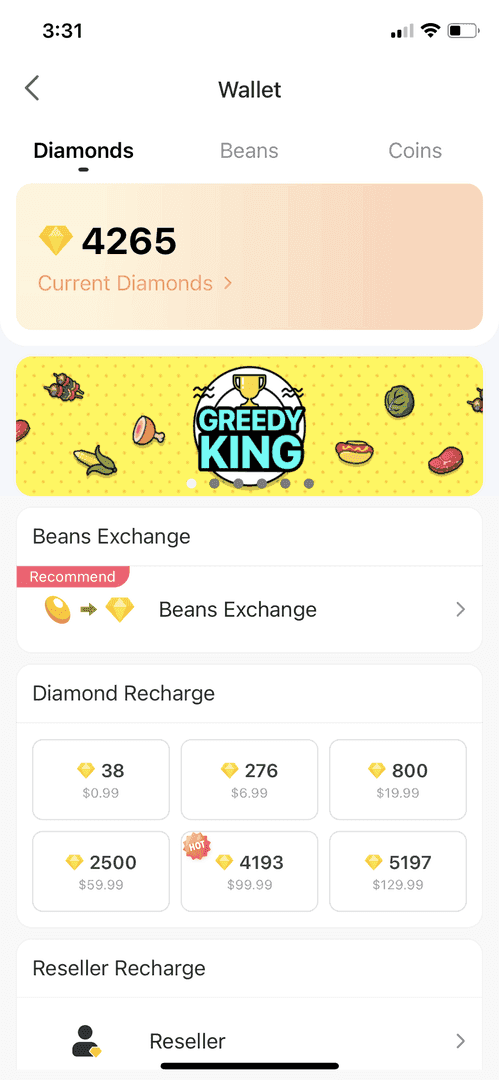
Hit 'Me' > 'Wallet' > 'Recharge'.
Pick your package and card type.
Enter info, save it, and access quickly next time.
For even better deals, snag BIGO Live diamonds via PayPal on BitTopup—they deliver advantageous rates, swift crediting, strong compliance, and quick service that amps up your streaming game.
Your First BIGO Payment: Let's Do This
Kick off with your first payment by picking a package on the official site, choosing PayPal or card, and confirming for instant diamonds. Minimum's $0.99 for 60; the site throws in 30% bonuses on 3300 packs that the app skips.
Log in and pick your method.
Add details and hit confirm.
Refresh the app to see credits roll in.
Recharging with PayPal: The Flow
Grab a package, select PayPal, log in, verify—and it processes in seconds, fee-free. You can even recharge for others using their ID.
Double-check the ID if it's a gift.
Jump in during streams via the gift icon.
Ease in with a small buy, confirm in-app, and use right away.
How Card Transactions Roll
Cards need your CVV and details, shielded by SSL; expect instant credits even on bulk like 5000 diamonds.
Eye a bigger package on the website.
Input card info.
Pay and snag those active bonuses.
Locking Down Security for BIGO Transactions
BIGO layers on SSL and PCI-DSS, with 2FA as a must-do; PayPal brings buyer protection, while cards use top-tier encryption. Everyone over 18 keeps fraud at bay by playing by the rules.
Stick to bigo.tv—verify the domain every time.
Watch for any weird charges.
Enable 2FA, lean on biometrics, and hit up support@bigo.tv if something's off.
PayPal's Shield Against Fraud
No card sharing here—PayPal handles quick reversals and 24/7 currency swaps.
Authenticate each time.
Set your spending limits.
Flag issues on the spot.
How BIGO Encrypts Cards
PCI rules block any snooping; app biometrics crank it up a notch.
Only enter on secure pages.
Keep devices updated to meet standards.
How Fast and When Can You Pay on BIGO?
Credits drop in seconds to minutes, 24/7 for 400 million users. PayPal edges out for international speed; cards win for local direct hits. That 16 Oct 2025 app update? It juiced performance noticeably.
Stick to stable Wi-Fi.
Refresh if there's a lag.
Test small with the minimum pack.
Instant Credits vs. the Occasional Hold-Up
Most sail through instantly; rare delays? Give it 10 minutes and relog. The website tends to be steadier than the app.
Clear your Android cache if needed.
Grab your transaction ID for checks.
Going Global or Local
It's live in 150+ countries—ditch the VPN. Tailored for spots like Asia or the US, with iOS perks like Apple Pay.
Peek at your region settings.
Apple Pay's your speed demon on iOS.
Top up BIGO Live coins with a credit card through BitTopup for instant delivery, wide support, and stellar customer service that makes secure recharges a snap.
PayPal vs. Cards on BIGO: Head-to-Head
Based on user data and platform stats, PayPal edges in privacy and skips those 2-3% cross-border fees; cards deliver direct convenience. Both hit instant speeds, but the website often undercuts with promos.
PayPal: Butter-smooth international conversions.
Cards: Biometrics for US/iOS, plus local tie-ins.
I'd pick PayPal for max privacy—cards if you're chasing Apple Pay quickness. (Editor's take: As a guide vet, PayPal's my go-to for globetrotting streamers.)
Pros and Cons, Streamer Style
PayPal keeps gifting anonymous. Cards? Instant stream access. Downside: Cards can balk internationally.
Trial both with tiny packs.
Swap if one glitches.
Breaking Down Costs and Ease
The website saves 15-30% via bonuses; app tacks on store cuts. PayPal usually nets out cheaper.
Bulk on the site for real savings.
Track everything through your phone apps.
Fixing Common BIGO Hiccups
Payments flop from low balances or restrictions—check and retry. Delays? Refresh or relog. Shoot support@bigo.tv screenshots for 24-hour fixes; refunds only for unauthorized stuff.
Verify balance and bank side.
Kill the VPN.
Update to app version 6.38.1.
Sorting Payment Declines
PayPal or card woes? Ping your issuer, try the other method. Hits newbies hard.
Switch it up.
Ensure a solid connection.
Reaching BIGO Support
Email support@bigo.tv with date, amount, and proof. They aim for 24-hour replies.
Toss in the transaction ID.
Feedback helps with any freezes.
Smart Plays for the BIGO Crew
Cap your app spends, fire up 2FA, and update often. Apps like phone trackers curb overspending.
Keep tabs on accounts.
Test small first.
Recharge mid-stream to boost engagement.
Wisdom from Seasoned Streamers
Biometrics on, site bookmarked, promos scanned. Bulk buys maximize value.
Website for the best deals.
ID-check for gifting.
Keeping Tabs on Payment Updates
Quarterly app checks; 6.38.1 from 16 Oct 2025 brought key tweaks. Eye policy tweaks.
In-app alerts are gold.
Follow official feeds.
Wrapping Up: Jump In and Stream On
BIGO's PayPal and card options deliver instant access, 15-30% bonuses, and streamer-friendly perks like global reach, encryption, and easy fixes for non-stop fun.
Dive into the steps now—start with PayPal or a card. Check out the BIGO Payment Solutions Guide or ping support for more.
FAQ
How do I link PayPal to my BIGO account?
Select PayPal during recharge on website or app, log in with credentials, authenticate via one-time code or notification. No permanent link; credits diamonds instantly in 150+ countries.
What cards are accepted for BIGO payments?
Visa, Mastercard, American Express with PCI-DSS encryption for instant verification. Enter details during recharge, save securely, use iOS/Android biometrics 24/7 globally.
Is PayPal payment on BIGO secure?
Yes, SSL encryption, buyer protection, no card sharing prevent fraud. Enable 2FA, verify bigo.tv, set limits for 400 million users.
How fast are PayPal transactions on BIGO?
Processes in seconds for instant crediting and real-time gifting. Rare delays—refresh after 10 minutes. Version 6.38.1 (16 Oct 2025) improved speed for peak streams.
Can I use international cards on BIGO?
Yes in 150+ countries; verify bank restrictions, disable VPN. PayPal handles conversions better, avoiding 2-3% fees with instant crediting.
What if my BIGO payment with PayPal fails?
Check balance, details, internet; retry with Wi-Fi or switch to card. Contact support@bigo.tv with proof for 24-hour resolution; update app and relog.
👉 buy BIGO Live diamonds PayPal 👈
✅ Official direct recharge, 100% secure
✅ No waiting – top-up arrives in 7 seconds
✅ Big discounts, low prices to save more
✅ 7×24-hour customer service, ready to assist anytime