

Your Apple Gift Card balance works on Apple Vision Pro for visionOS App Store purchases, in-app transactions, and Apple subscriptions — Apple TV+, Apple Arcade, iCloud+, Apple Music, Apple Fitness+. Redeem to your Apple ID on any Apple device and it auto-applies at checkout on Vision Pro. One critical distinction upfront: digital purchases use Apple Gift Cards freely. Buying the Vision Pro hardware itself is a different situation entirely.
Apple Gift Card vs Apple Store Gift Card: Which Works on Vision Pro?
Apple sells two distinct card types. Confusing them is one of the most common mistakes Vision Pro owners make.
For visionOS apps, subscriptions, and in-app content, the standard Apple Gift Card is what you want. The Apple Store Gift Card behaves differently depending on whether you've redeemed it or kept it physical — covered in the hardware section below.
How Apple ID Balance Works on Vision Pro
Once redeemed, your gift card value lands in your Apple ID balance — a single wallet Apple's ecosystem draws from automatically. No setup required on Vision Pro itself; the balance follows your Apple ID wherever you sign in.
The visionOS payment flow differs from iPhone. Instead of Face ID, Vision Pro uses eye-tracking and hand gestures — look at the confirmation prompt, pinch to approve. The underlying logic is identical though: Apple ID balance depletes first, then any backup payment method covers the remainder.
2026 policy update: Nothing changed. Gift card terms remain consistent — U.S.-issued cards work only with a U.S. App Store, no expiration on cards issued since January 1, 2019, and dormancy fees are prohibited. Any new Apple Intelligence features or visionOS purchase categories follow the same Apple ID balance rules.
Step 1 — Redeeming Your Apple Gift Card
Redeem on iPhone or iPad first. It's faster and avoids the tedious eye-tracking text entry on Vision Pro.
Via iPhone or iPad (Recommended)
Open the App Store → tap your profile icon (top right)
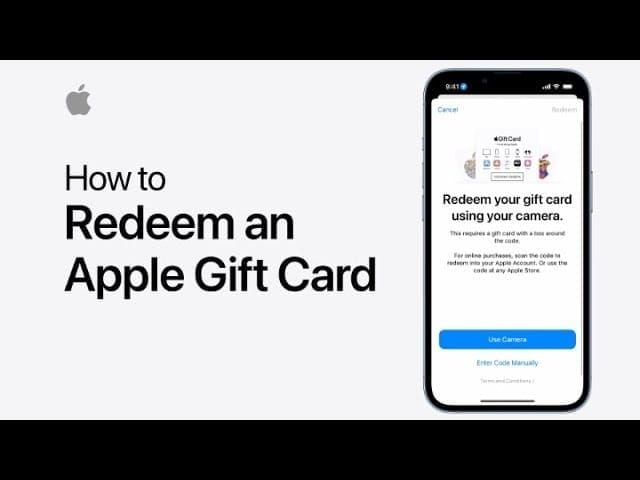
Select Redeem Gift Card or Code
Sign in with your Apple ID if prompted
Scan the barcode or tap Enter Code Manually
Enter the 16-digit code from the back of the card
Tap Redeem — balance updates immediately
Watch for look-alike characters: the letter O vs. number 0, and letter I vs. number 1 cause most failed entries. Check these before assuming the card is faulty.
Via Wallet App
Open Wallet → tap your Apple Account card → More → Redeem → scan or enter code. Same result, different path.
Directly on Apple Vision Pro
You can redeem in visionOS via the App Store account menu. Practically, entering 16 digits via pinch gestures is painful. Use another device unless you have no choice.
Troubleshooting
Code already redeemed — Check your Apple ID purchase history. The balance may already be there.
Not valid for your country — U.S. Apple Gift Cards only work with a U.S. Apple ID. Region mismatch is a hard block with no workaround.
Balance not showing after redemption — Sign out of the App Store on Vision Pro and sign back in. Forces a balance refresh. Widely confirmed fix.
Step 2 — Verifying Your Balance on Vision Pro
Two places to check:
Settings → [Your Name] → Media & Purchases — most reliable, shows accurate figure before purchasing
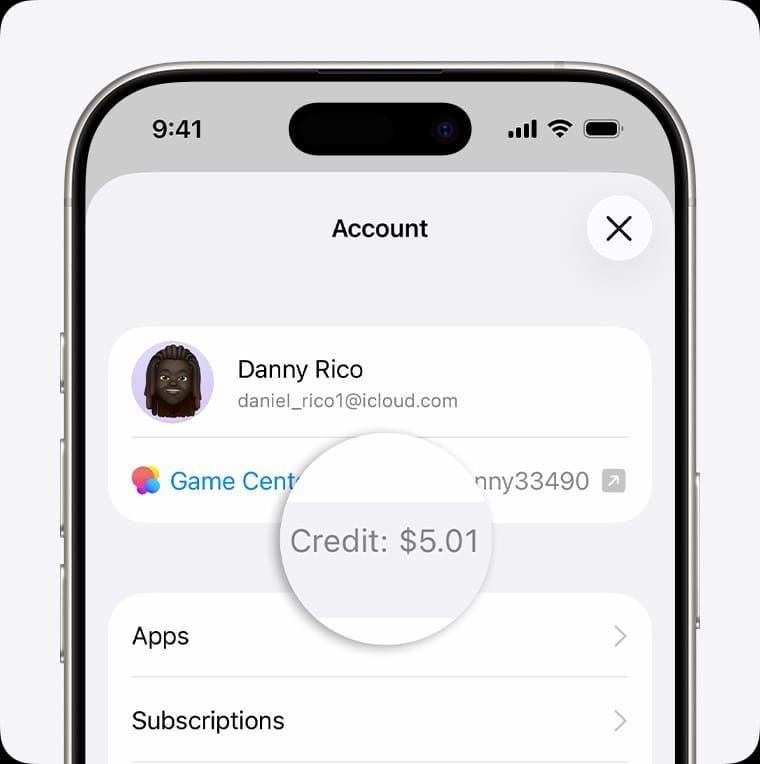
App Store → profile icon — balance appears near the top of your account summary
You can also call 1-800-MY-APPLE (1-800-692-7753) to verify by phone if you're troubleshooting a discrepancy.
Balance Shows $0 After Redemption?
Three causes:
Cache delay — Sign out and back into the App Store on Vision Pro
Wrong Apple ID — Confirm Vision Pro is signed into the same account you redeemed to
Regional mismatch — A non-U.S. card redeemed to a U.S. account may silently fail
Step 3 — Paying for visionOS App Store Purchases
Apple ID balance auto-applies at checkout. You don't select it manually — Vision Pro depletes your balance first, then charges any backup payment method for the remainder.
Paid Apps and Games
Browse the visionOS App Store, look toward the price button, pinch to initiate. The confirmation sheet shows your balance being used. Pinch again to confirm. Spatial computing apps built natively for visionOS often carry premium price points versus their iPhone counterparts — worth having balance loaded before browsing.
I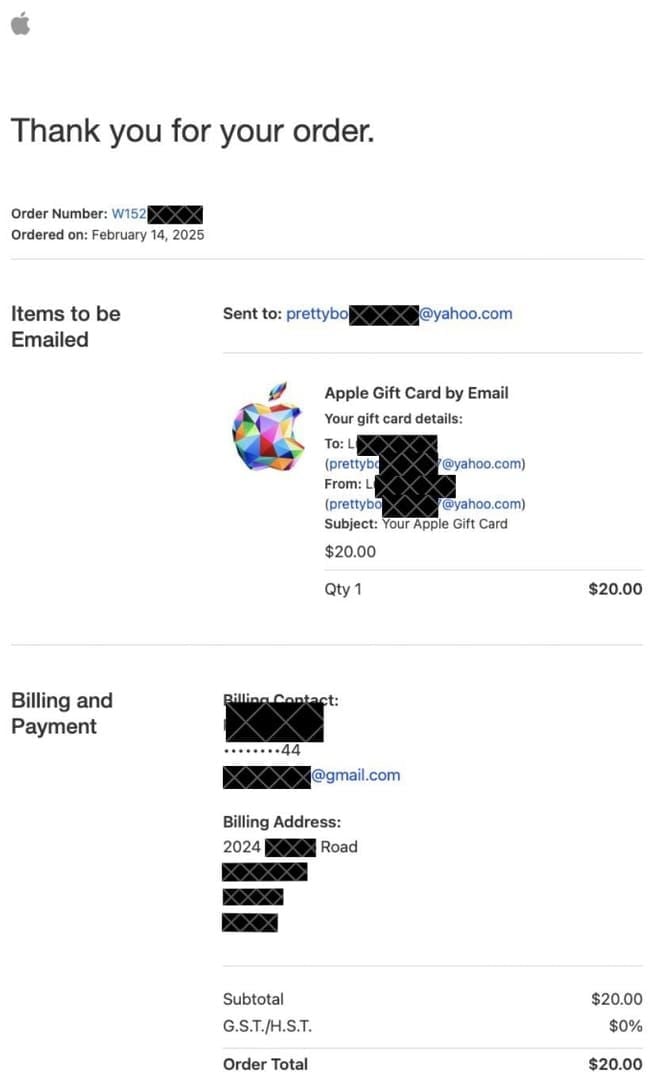
Same flow. The purchase sheet appears within the app's spatial interface, shows the charge against your balance, and requires a pinch-to-confirm. Apple ID balance covers these fully if funds are available.
Partial Balance Purchases
Clean and automatic. If an app costs $9.99 and your balance holds $6.00, Apple charges $6.00 from balance and $3.99 from your backup method in a single transaction. No manual splitting. Officially confirmed behavior.
Setting a Default Payment Method
You don't need to. Balance auto-applies whenever available. To control which backup card handles overages, go to Settings → [Your Name] → Payment & Shipping and order your payment methods by preference.
Step 4 — Subscriptions on Vision Pro
Every major Apple subscription accepts Apple ID balance — including renewals.
Apple TV+, Apple One, Apple Arcade
Apple TV+ is arguably the flagship Vision Pro subscription given its spatial video content. Subscribe through Vision Pro's Settings or the Apple TV app — balance covers it. Apple One bundles work identically. Apple Arcade games represent some of the most polished visionOS experiences available; subscribe through the App Store's Arcade tab and your balance handles monthly renewals automatically.
iCloud+ Storage Upgrades
Go to Settings → [Your Name] → iCloud → Manage Account Storage on Vision Pro. Apple ID balance covers tier upgrades. Given that Vision Pro captures spatial photos and videos that eat storage fast, this is one of the more practical uses of gift card balance.
Renewal Behavior — What Most Guides Skip
Balance covers subscription renewals automatically, but only if sufficient funds exist at the renewal date. If your balance runs low, Apple charges your backup payment method. There's no way to reserve balance for a specific subscription — it's a shared pool.
One confirmed limitation: AppleCare+ cannot be initiated or maintained using Apple Gift Card balance alone. A credit or debit card must be on file. Gift card balance won't satisfy this requirement.
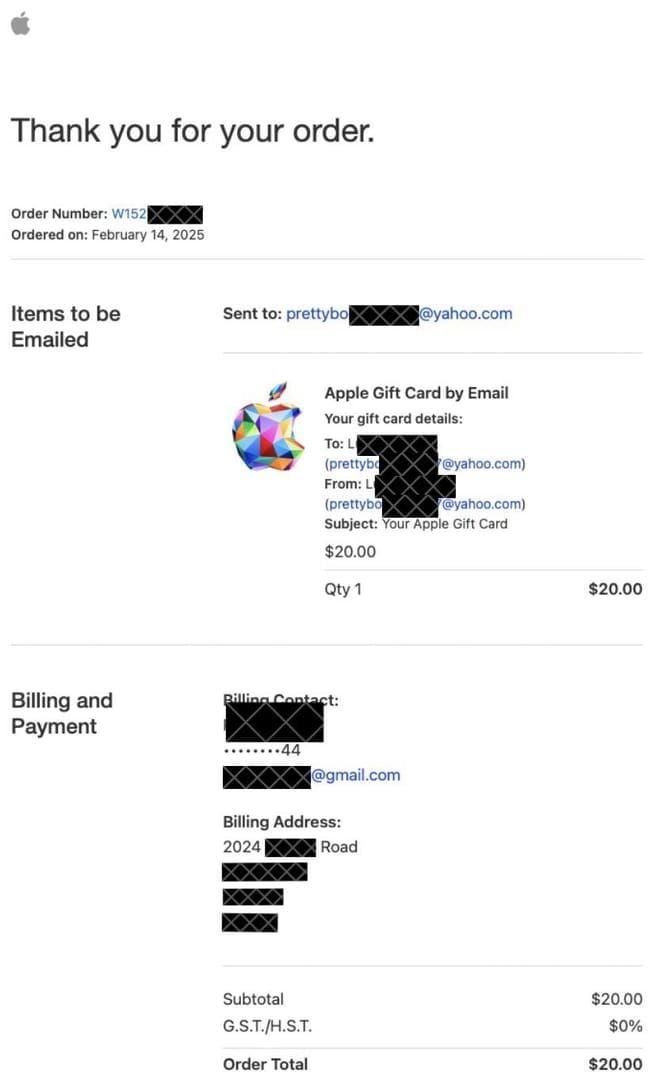
If you're stocking up before renewal dates hit, you can buy Apple Gift Card digital delivery instant to ensure funds arrive in time.
What You Cannot Buy with Apple Gift Card Balance on Vision Pro
Apple Vision Pro Hardware and Accessories
The Vision Pro costs $3,499 at base. Standard Apple Gift Card balance cannot purchase this hardware. Apple Store Gift Cards (gray/silver/gold) can contribute to hardware purchases, but with a critical caveat:
Unredeemed physical Apple Store Gift Cards → usable at Apple retail stores directly
Redeemed Apple Store Gift Card balance → restricted to apple.com and the Apple Store app only
Keep Apple Store Gift Cards unredeemed if you plan to buy Vision Pro accessories in a physical store. Redeeming first locks you to online/app purchases only.
For large hardware purchases using Apple Account balance, community reports flag that balances of $2,000 or more can trigger account-level purchasing blocks. Resolution: call 1-800-692-7753 or 877-377-6362 and specifically request removal of a purchasing block on Apple ID balance after canceled order. Standard support tiers often can't resolve this — ask directly for Post Sales Support.
AppleCare+
Apple Gift Cards cannot start or maintain AppleCare+ recurring payments without a credit or debit card on file. If AppleCare+ keeps failing at hardware checkout, community workaround: remove AppleCare+ from the cart, complete the purchase, then add AppleCare+ separately afterward.
Other Restrictions
Apple Gift Card balance cannot be used for:
Products shipped outside the U.S.
Non-Apple retailer purchases
Government fees or utility bills
Purchasing additional gift cards (no balance-to-card conversion)
Cash redemption (except where state law requires it)
Common Errors and Fixes
This code is not valid for your country or region Hard stop. U.S. Apple Gift Cards are region-locked to U.S. Apple IDs. No workaround exists — you need both a U.S. card and a U.S. Apple ID.
Payment Authorization Failed on partial balance This usually signals a prior canceled order that triggered a purchasing block on your Apple ID balance — not a balance issue. Call Post Sales Support directly. Standard agents are often unaware of this block type and will transfer you repeatedly. Lead with: I need Post Sales Support to remove a purchasing block on my Apple ID balance. A proven workaround: place the order with a credit card first, then call Post Sales Support to switch payment to your Apple ID balance after the order is placed.
Balance not applying at checkout
Sign out of the App Store on Vision Pro, sign back in
Confirm the Apple ID on Vision Pro matches the redeemed account
Check Settings → [Your Name] → Media & Purchases to verify balance is present
Visit getsupport.apple.com if the issue persists
Apple ID not verified An unverified Apple ID blocks both redemption and spending. Complete Apple's standard ID verification before attempting to use balance on Vision Pro.
Tips for Maximizing Gift Card Balance on Vision Pro
Treat Apple ID balance as your digital-only spending layer. It's the right tool for apps, subscriptions, and in-app purchases. It's the wrong tool for hardware, AppleCare+, or anything requiring a recurring billing relationship with a card on file. Structure your spending accordingly — load balance for your visionOS app and subscription budget, keep a card on file for everything else.
Stacking multiple cards works cleanly for digital purchases. Redeem sequentially to build balance. No stated maximum, though community experience suggests balances above $2,000 can attract scrutiny on hardware purchases. For digital spending, stacking is unrestricted.
Family Sharing does not pool Apple ID balances. Each family member's balance is individual and non-transferable. A Vision Pro purchase by a family member bills to their own Apple ID — not yours.
Watch for Apple's gift card bonus promotions — typically around major retail seasons. These can effectively increase your purchasing power for visionOS apps and subscriptions at no extra cost.
To stock up before a big visionOS app launch or subscription renewal cycle, you can purchase Apple Gift Card online redeem code and have funds ready without waiting for physical delivery.
Scam awareness: Apple will never contact you requesting gift card codes as payment for any service, fine, or assistance. Treat your 16-digit code like cash — share it with no one.
Frequently Asked Questions
Can I use an Apple Gift Card to buy apps on Apple Vision Pro? Yes. Apple Gift Cards fund your Apple ID balance, which auto-applies to all visionOS App Store purchases.
How do I redeem an Apple Gift Card on Apple Vision Pro? Easiest method: iPhone or iPad → App Store → profile icon → Redeem Gift Card or Code → scan or enter your 16-digit code. Balance appears on your Apple ID immediately and is accessible on Vision Pro.
Does Apple Gift Card balance work for Apple TV+ and Apple One on Vision Pro? Yes — initial subscriptions and automatic renewals, as long as sufficient balance exists at renewal time.
Can I use Apple Gift Card balance to buy the Vision Pro hardware? Not with standard Apple Gift Card balance. Apple Store Gift Cards can contribute to hardware purchases, but keeping them unredeemed for in-store use is the recommended approach. Large balance hardware purchases online can trigger account blocks requiring Post Sales Support.
What if my balance doesn't cover the full purchase? Apple splits the charge automatically — full balance applies first, remainder bills to your backup payment method. No manual action needed.
Does Apple ID balance expire? No. Cards issued since January 1, 2019 carry no expiration and are exempt from dormancy fees.
Can I use a U.S. Apple Gift Card on Vision Pro while traveling abroad? Your balance stays accessible regardless of location. U.S. cards can only be redeemed to a U.S. Apple ID, but purchases through a U.S. Apple ID while abroad work normally. Specific app availability may vary by region.
Is there a minimum balance required to make purchases? No stated minimum. Even a few cents of balance will apply toward a purchase, with the remainder charged to your backup payment method.