

US consumers lose $212 million annually to gift card fraud. Apple Gift Cards are among the most targeted — liquid, anonymous once redeemed, and irreversible. After the iOS 19.4 Wallet update refined how balances display and redeem, scammers are already exploiting the resulting user confusion. Here are seven concrete actions to lock down your balance against the most common 2026 attack vectors.
What the iOS 19.4 Wallet Update Actually Changed
The update made Apple Account balance more prominent inside Wallet and streamlined the redemption flow. Useful — but it created a brief confusion window that bad actors exploit.
On iOS 16+, tap your Apple Account card > More to see your full balance and redemption history, including charges from auto-renewing subscriptions. iOS 19.4 refines this UI further.
One behavior that hasn't changed but still surprises people: Apple automatically applies your Account balance first before charging any other payment method. Redeem a gift card, and that balance is immediately exposed to your next subscription renewal. Hold unredeemed codes until you're ready for a specific purchase.
What's confirmed vs. rumored: The core security model is unchanged. Codes are still 16-digit alphanumeric strings starting with X. Serial numbers still begin with GCA, PBH, or EPY. Redemption is still locked to the country of purchase. Claims about iOS 19.4 introducing new verification screens or balance transfer features are unconfirmed — treat them as rumors until Apple's support documentation at support.apple.com says otherwise.
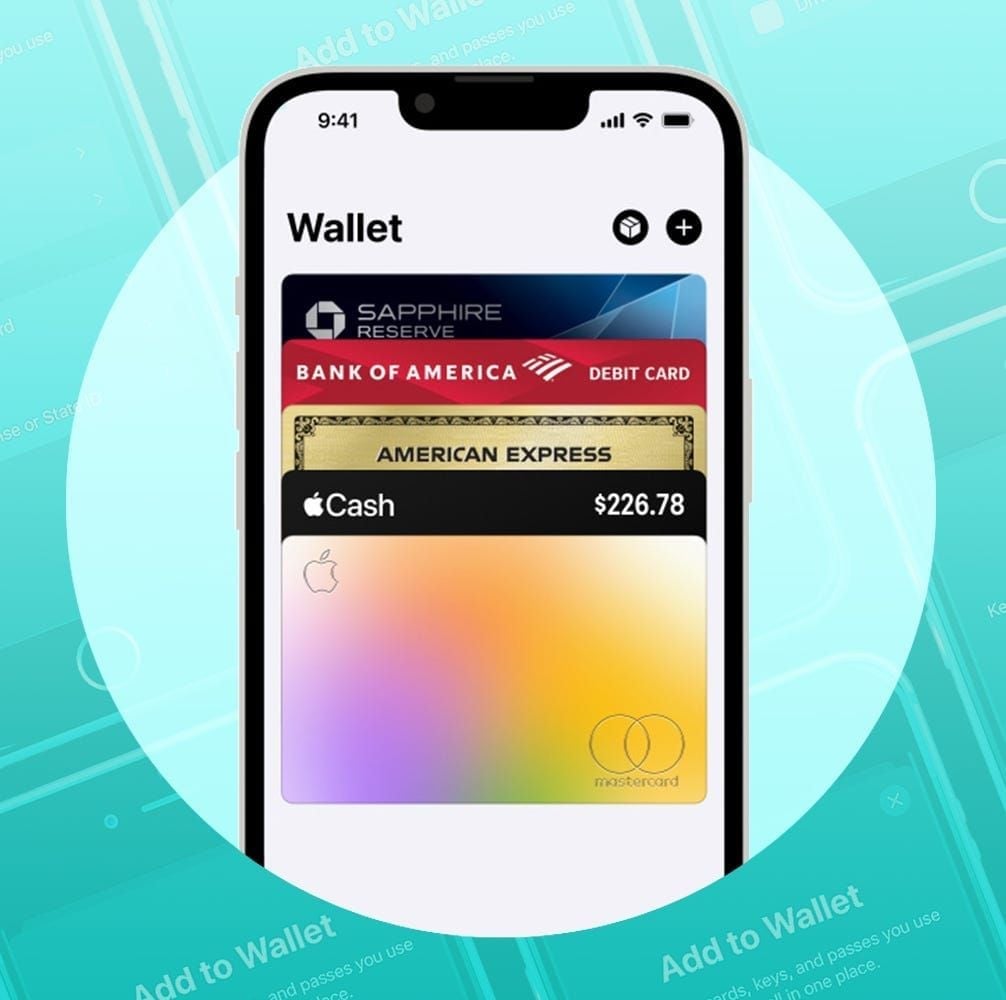
The official redemption path — tap + > Gift Card > scan or enter code — remains unchanged.
Why This Matters More Than Ever
The FTC reported $110 million lost to gift card scams in just the first half of 2023. The trajectory hasn't improved. Community data adds a sobering detail: 26% of gift cards received by consumers already had a zero balance at time of receipt — systematic retail supply chain tampering where cards are pre-scratched, codes photographed, then repackaged before activation.
Scam activity peaks January through April during tax refund season. The pressure tactic is consistent: demands for action within 30 minutes to manufacture panic. Frequent App Store spenders are particularly exposed because they're used to transacting fast.
Tip 1: Lock Down Your Apple ID with Two-Factor Authentication
Your Apple ID is the master key. Anyone who accesses it can spend your Account balance immediately — no additional verification at checkout.
Enable 2FA before you redeem anything: Settings > [Your Name] > Password & Security > Two-Factor Authentication.
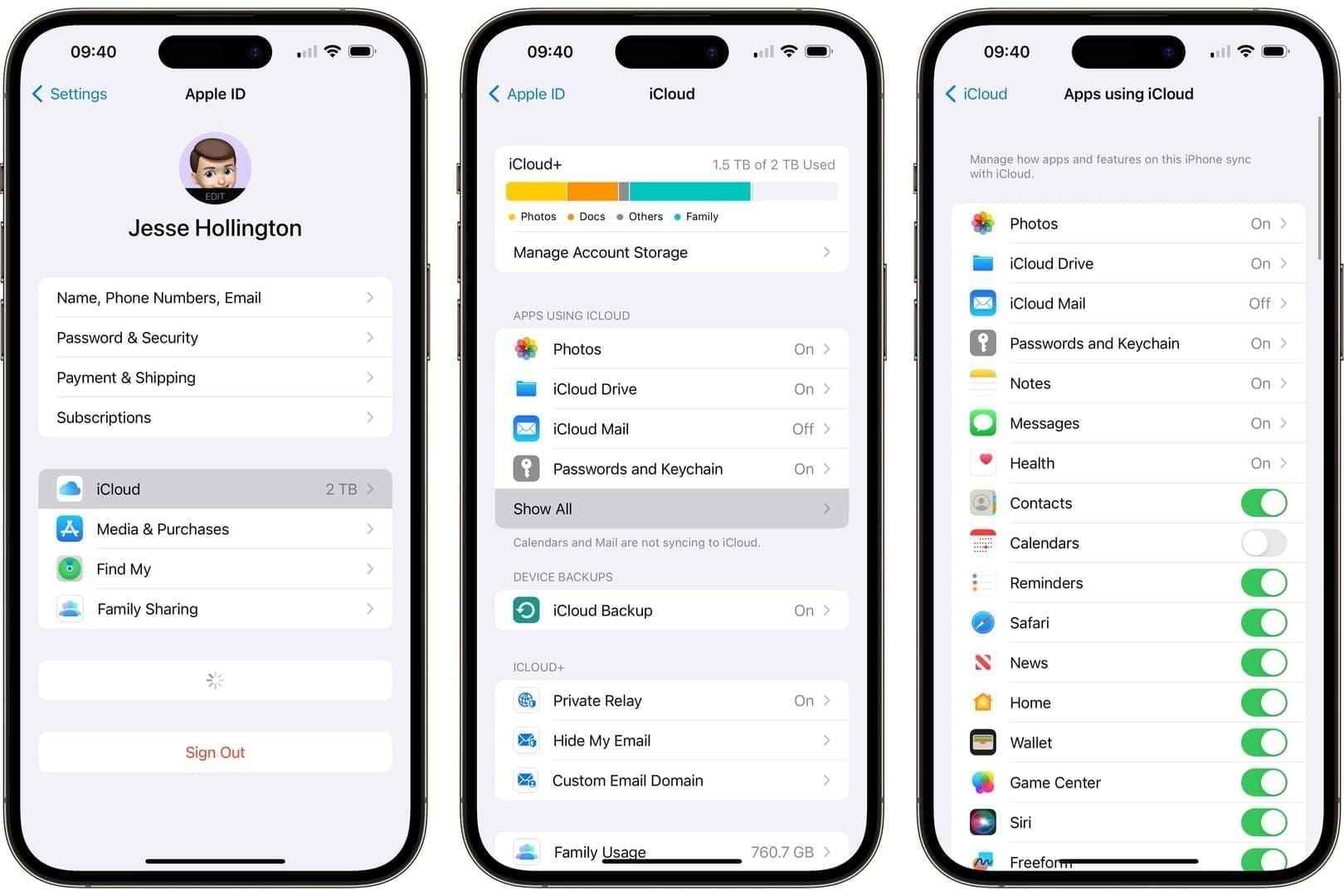
Once a gift card is redeemed, the balance lives inside your Apple Account, not on the card. The card is spent. Your Apple ID is now the only thing standing between that balance and unauthorized use. This is the single highest-leverage action you can take.
Passkeys go further. Apple's passkey implementation is phishing-resistant by design — a passkey can't be entered on a fake website because it's cryptographically bound to the legitimate domain. If your Apple ID supports passkey login, enabling it eliminates the most common credential-theft vector entirely.
Tip 2: Activate Wallet Spending Alerts
Real-time notifications are your early warning system. An alert the moment your balance moves gives you a chance to act before funds are fully drained.
In iOS 19.4: Settings > Notifications > Wallet — ensure notifications are on. For App Store purchase alerts: Settings > [Your Name] > Media & Purchases. Purchase receipts are emailed automatically, but push notifications are faster.
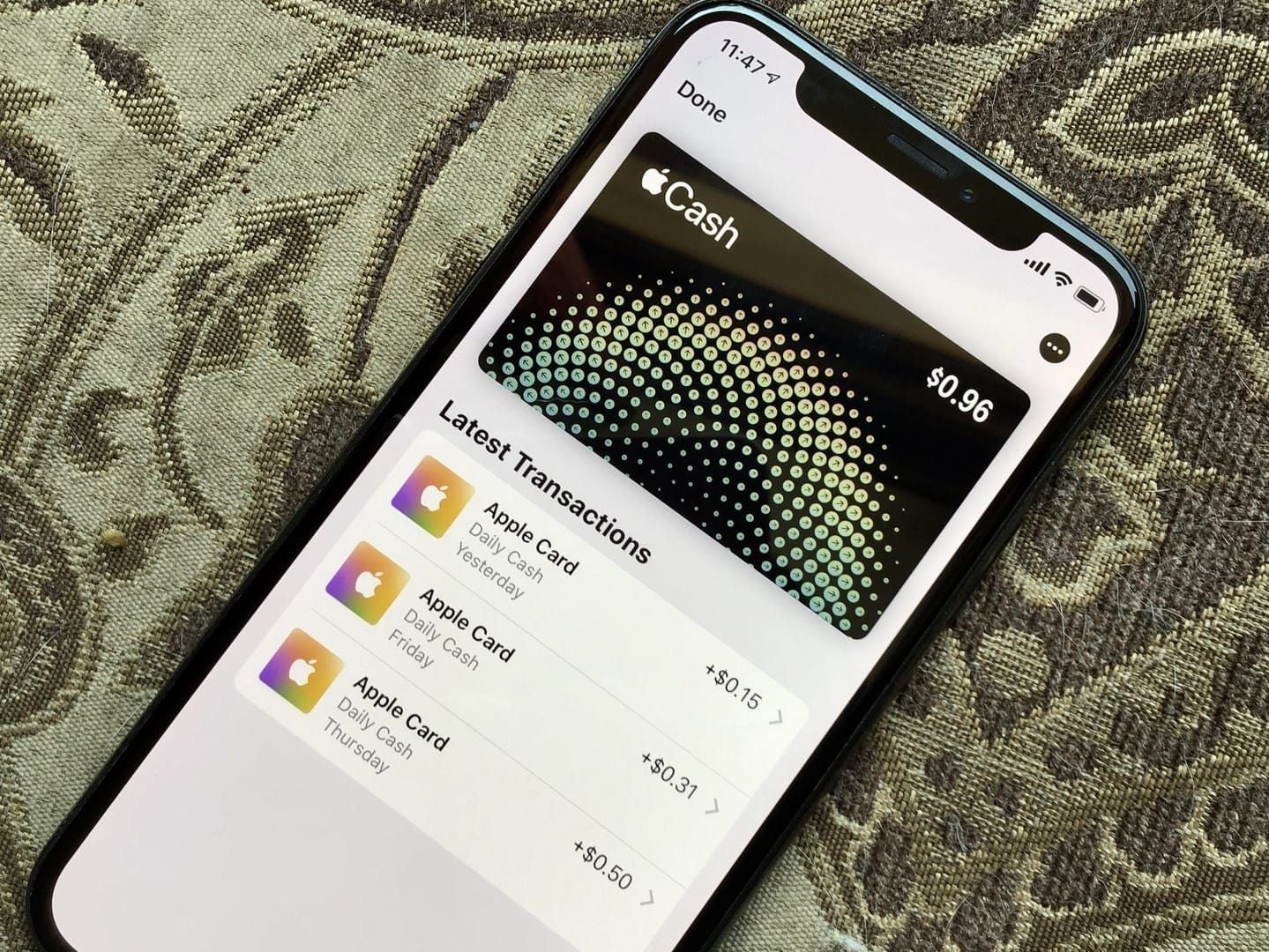
If you get an unexpected alert: Don't tap links in the notification. Go directly to Settings > [Your Name] > Media & Purchases > Purchase History to verify. If you don't recognize the charge, change your Apple ID password immediately and call Apple Support at 800-275-2273 (say gift cards when prompted). Speed matters — recovery is possible if you act before funds are fully redeemed, though success rates vary.
Tip 3: Recognize the Top Scams Targeting US Users in 2026
Most gift card fraud isn't technical hacking. It's social engineering — convincing you to hand over the code voluntarily.
The rule is absolute: No legitimate entity ever requests an Apple Gift Card code as payment or identity verification. Not the IRS. Not Apple Support. Not your utility company. If someone asks for a gift card code, it's a scam.
The gaming angle deserves specific attention. Scammers infiltrate Discord servers and gaming forums, build rapport over days or weeks, then request gift cards under the guise of group buys or tournament fees. If someone you met online asks you to buy Apple Gift Card online instant delivery and send them the code — that's the scam. Legitimate transactions never require sharing a code with a third party.
Tip 4: Only Redeem Through Official Apple Channels
Three safe redemption methods. Use only these.
Wallet app: Tap + > Gift Card > scan barcode or enter code manually
App Store: Tap your profile photo > Redeem Gift Card or Code
Settings: [Your Name] > Media & Purchases > Redeem Gift Card or Code
Any other path — third-party websites, browser extensions, Apple balance checkers — is either a scam or an unnecessary risk. Spoofed pages mimicking apple.com/redeem are sophisticated. The safest habit: never navigate to a redemption page via a link. Type the URL directly or use the in-app flow.
Region lock: US Apple Gift Cards are only redeemable on US Apple IDs. Cross-region redemption is rejected outright — confirmed restriction, not a bug. If you're gifting to someone abroad, they need region-matched cards.
Tip 5: Inspect Physical Cards Before You Buy
Physical cards from retail racks are the highest-risk format. Supply chain tampering is well-documented — cards pre-scratched, codes recorded, then repackaged before activation.
Before you leave the store, check:
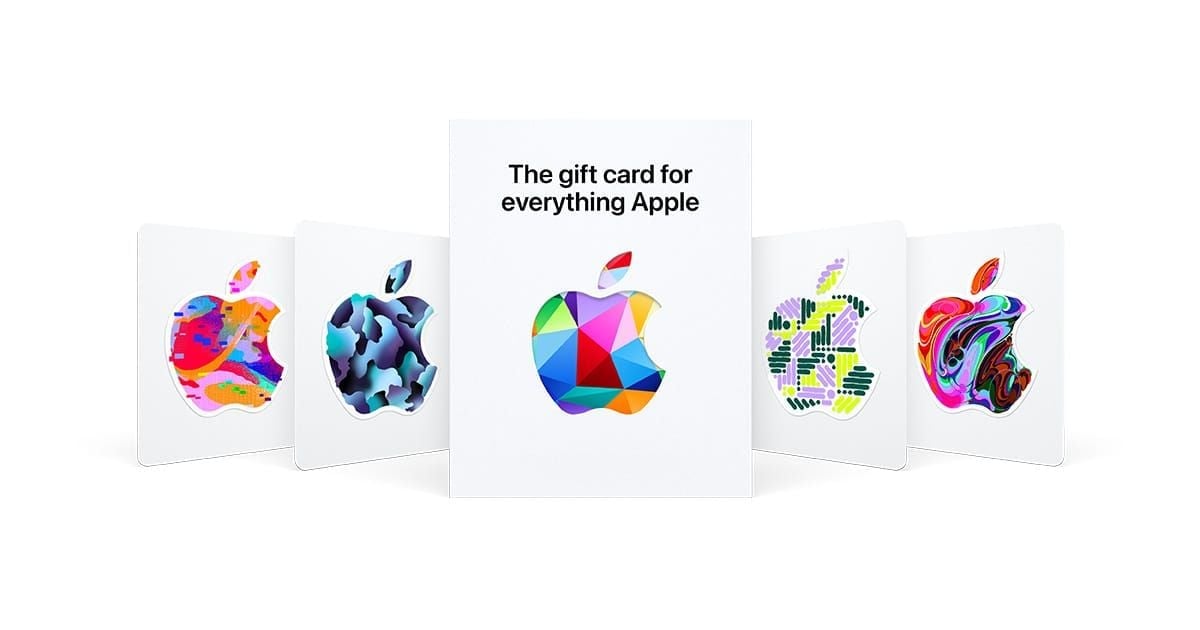
PIN scratch-off panel: intact, no peeling edges, no signs of re-adhesion
Packaging seals: unbroken on all sides, no tears or re-gluing
Card surface: no unusual residue or scratches around the PIN area
Serial number format: begins with GCA, PBH, or EPY
Request cards from behind the checkout counter, not open display racks. Once you have the card, photograph the front, back, and receipt before scratching the PIN — this documentation is essential if you need to dispute a zero-balance card later.
Pay with a credit card, not cash or debit. Credit cards offer chargeback protection if the card turns out to be tampered. Cash leaves you with no recourse.
Digital Apple Gift Cards eliminate physical tampering risk entirely. If you want a verified, tamper-proof option, recharge Apple account balance securely through a reputable digital delivery source rather than picking up a physical card from an open retail rack.
Tip 6: Monitor Your Balance Regularly
Three official ways to check:
App Store: Tap your profile photo — balance displays at the top
Settings: [Your Name] > Media & Purchases
Wallet app: Tap Apple Account card > More (requires iOS 16+)
If your balance doesn't reflect a recent redemption, sign out and back into the App Store and iTunes on all devices. This forces a sync and resolves most display discrepancies without a support call.
Check weekly if you're an active spender. Always check after every redemption. And check immediately after any iOS update — not because updates drain balances, but because update periods are when scammers send fake account verification messages exploiting user uncertainty.
One nuance: Family Sharing members cannot spend your Apple Account balance. Funds are locked to the account owner. Unexpected charges are either subscription renewals or unauthorized Apple ID access — not a Family Sharing member.
Tip 7: Act Fast If Your Balance Is Compromised
Recovery is possible if you move before funds are fully redeemed. But sources conflict on success rates, and Apple makes no guarantees. Treat every minute as critical.
Immediate response sequence:
Secure your Apple ID first. Change your password at appleid.apple.com before calling anyone. If an attacker still has access while you're on hold, they'll drain whatever remains.
Call Apple Support. Dial 800-275-2273, say gift cards. Have your purchase receipt, card photos, and Apple ID ready. Request escalation to Apple Executive Relations if the front-line agent can't help — community experience suggests this path is more effective for tampered-card cases.
Report to the FTC. File at ReportFraud.ftc.gov. Creates an official record and contributes to enforcement. Won't recover funds directly, but it's a necessary step.
Document everything. Screenshots of purchase history, card photos taken before scratching, receipt, and any scammer communications. Documentation separates recoverable cases from unrecoverable ones.
Honest expectations: Apple's official position is that gift card funds are like cash — once redeemed, they're gone. Recovery is not guaranteed. Community reports suggest acting within hours gives the best odds, but even then, outcomes vary. Don't let forum posts convince you recovery is routine. It isn't.
FAQ: Apple Gift Card Security in 2026
Can someone steal my balance without my Apple ID password? Yes — if they have the unredeemed code. Whoever has the 16-digit code can redeem it immediately without your Apple ID. Never share codes via phone, text, email, or DM.
Does Apple refund stolen balances? Not reliably. Recovery is only possible if you report before the scammer redeems the code — and even then it's not guaranteed. Act immediately, document everything, escalate to Apple Executive Relations if standard support fails.
Are digital cards safer than physical ones? Yes, meaningfully so. Physical cards are vulnerable to retail supply chain tampering. Digital cards delivered directly eliminate that attack surface — the code goes straight to you with no third-party interception opportunity.
What specifically changed for gift cards in iOS 19.4? The Wallet UI surfaces Apple Account balance and redemption history more prominently. The core security model — 16-digit codes, region locking, official redemption channels — is unchanged. Claims about new verification screens or balance transfer features remain unconfirmed.
How do I avoid code entry errors? Watch for visually similar characters: B/8, D/O, E/3, G/6, O/Q/0, S/5, U/V, Z/2. Better yet, use the camera scan feature in Wallet — it eliminates manual entry errors entirely.
What if my card already has zero balance at purchase? Photograph the card and receipt immediately. Call Apple Support at 800-275-2273 with your documentation. Return to the retailer with proof of purchase. File an FTC complaint. Zero-balance cards at purchase are a known tamper pattern — retailers are increasingly aware and may offer remediation.
Your Apple Gift Card Security Checklist
Seven actions, in priority order:
✅ Enable 2FA on your Apple ID before redeeming any card
✅ Activate Wallet notifications for real-time spending alerts
✅ Know the scam patterns — no legitimate entity ever asks for a gift card code as payment
✅ Redeem only through official Apple channels — Wallet, App Store, or Settings
✅ Inspect physical cards at point of purchase; photograph before scratching
✅ Check your balance weekly via App Store profile or Wallet app
✅ Act within hours if compromised — secure Apple ID first, then call 800-275-2273
Don't redeem gift cards until you're ready to spend. Apple applies your Account balance automatically to the next purchase or subscription renewal — holding the code until you have a specific use keeps you in control of where those funds go.
The threat landscape isn't shrinking. But with these seven practices in place, your balance is about as protected as it can be in 2026.