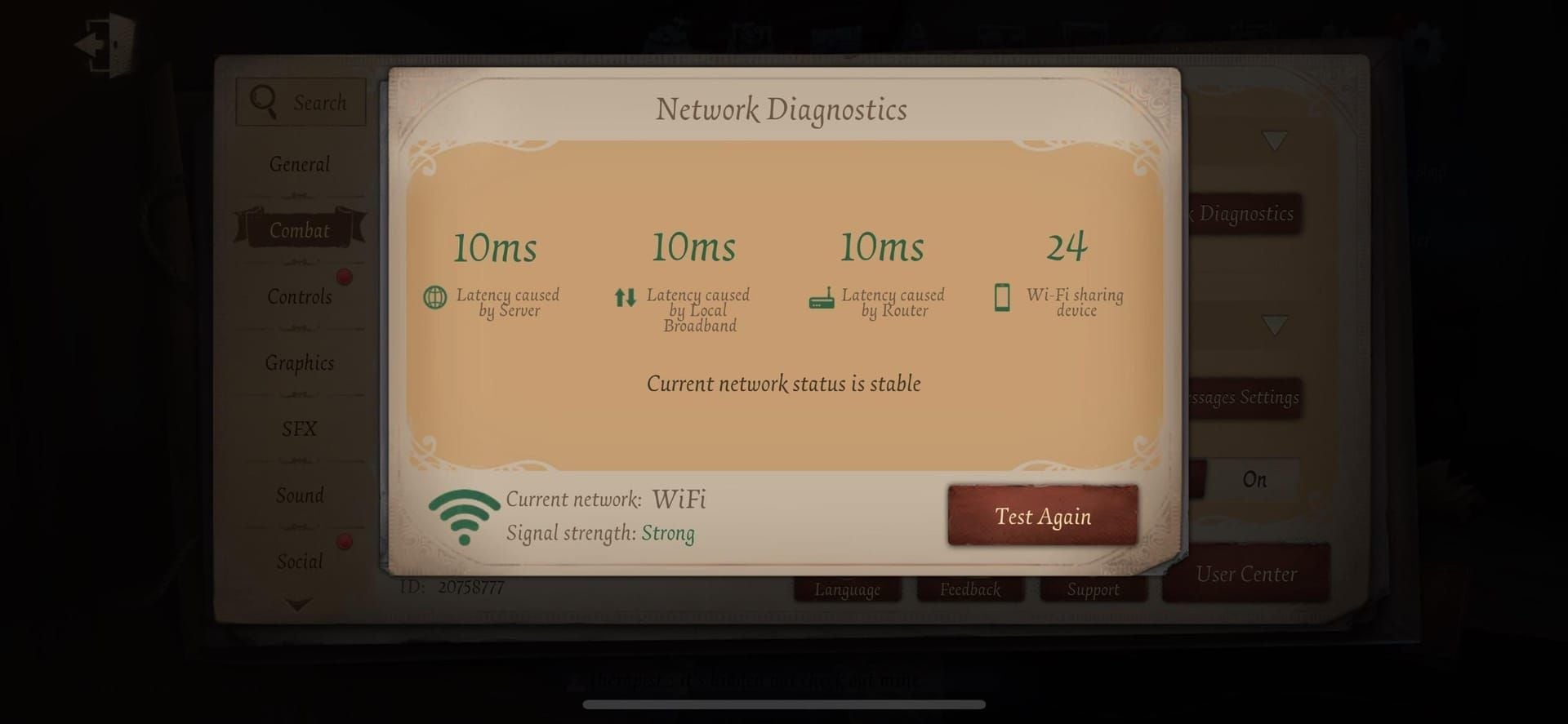
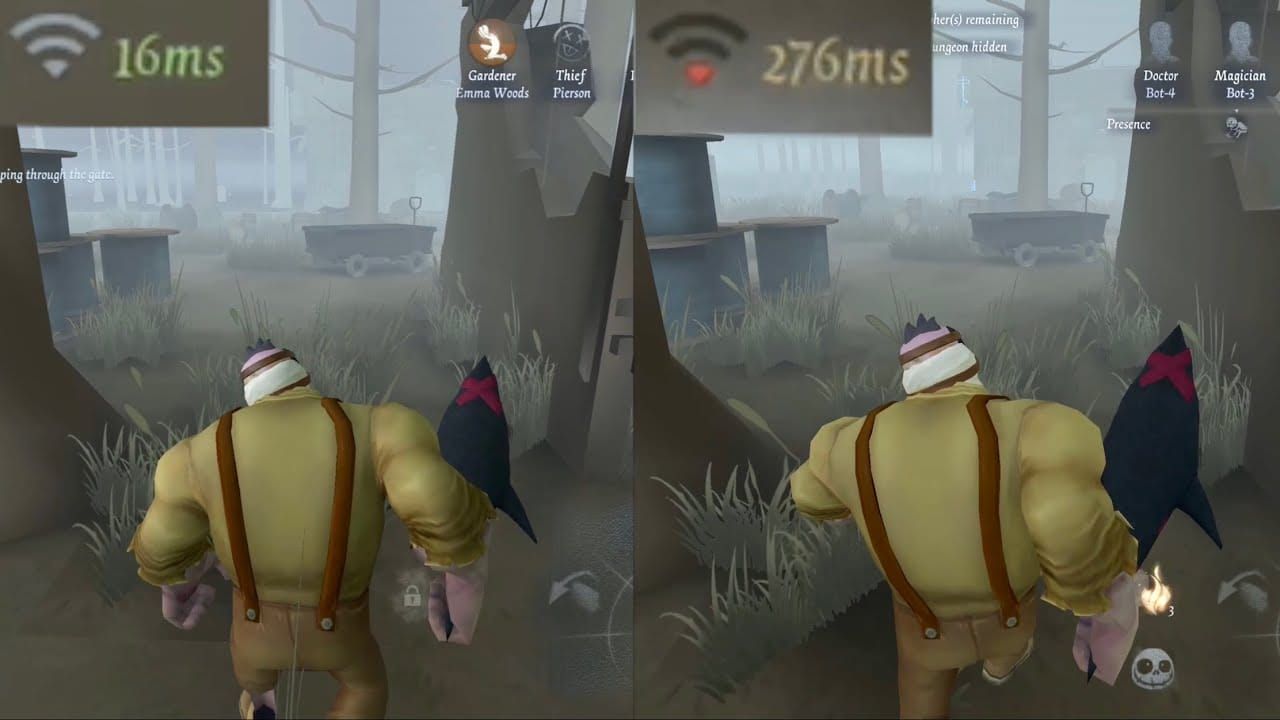
Quick Rundown: That pesky 'Update Failed' hits from storage crunches, ping ballooning to 500-900ms, or ISP throttling during the Nov 6, 2025 hotfix (08:00 UTC+8) and Nov 27 maintenance (240 min). Quick wins: Airplane Mode (drops ping to 190-250ms), cache wipe, DNS tweak to 1.1.1.1, client reboot. Perfect for Season 40 checklists and IJL Tournament Week 3 (Nov 8-9 UTC+9). (48 words)
What's Really Behind Identity V's 'Update Failed' Headache?
Why It Pops Up After the New Installer Drops
Picture this: Nov 6, 2025 hotfix kicks off at 08:00 UTC+8—exit by 10:30 UTC+8, or you're forced into logout after 11:00 UTC+8 until you restart. Servers flip open for Quick Match, Custom, Events, and Logic Path... but Ranked stays dark. Then Nov 27's big maintenance (08:00 UTC+8, 240 min, might stretch) demands a full update haul. Ping surges to 500-900ms? Rubber banding and teleporting ensue. ISPs throttle you from 3mbps down to under 100kbps.
Quick Moves: Keep eyes on announcements. Ping-test Singapore, Hong Kong, or Japan servers before hotfix hits.
Ever chased a cipher just to watch survivors blink away? Yeah, that's the ping spike talking.
Breaking Down Those Error Messages: Storage vs. Network Drama
Aim for 190-250ms ping (<200ms off-peak); off-peak creeps to 350-400ms. The Nov 6 hotfix patches Copycat sculptures, Feaster Tentacle pallets, and decoding glitches. Storage woes? Uncached patches or background apps hogging space. Network? Packet loss or timeouts.
Steps: 1. Log if it's error or maintenance-tied (post-11:00 UTC+8). 2. Eye in-game ping to regional servers. 3. Double-check resources before retrying.
For the Identity V × Conan Doyle Estate Part 2 event (Nov 6 post-maintenance through Dec 5, 23:59 UTC+8), check out the Identity V echoes recharge guide on BitTopup—price edge, instant top-ups, secure deals, regulatory compliant, wide platform love, 24/7 support, killer ratings especially for Bloody Queen - Irene Adler (2888 Echoes).
Pre-Fix Reality Check: Is Your Setup Battle-Ready?
Storage Space: Don't Let It Tank Your Download

Gear up for Nov 27's 240-min downloads. (Ranked comp: 1 RP from July 2025, remember?)
Steps:
Settings > Apps > Identity V > Clear Cache/Storage.
Ditch non-essentials; reboot.
Scope app size after.
Internet Speed Test: Stable or a Ping Nightmare?
Hit Asia servers (Singapore/Hong Kong/Japan), maybe Europe (Frankfurt). Off-peak: 350-400ms. Unplayable zone: 500-900ms, ciphers lagging hard.
Steps:
In-game ping tester during off-peak.
Kill streaming; rank: Wired Ethernet > 5GHz WiFi > 5G > 4G.
—Pro tip from the trenches: Wired always wins for clutch Ranked queues.
Server Status Scan
Nov 6: Most modes live (Ranked offline); Nov 27: Total blackout. Season 40 post-maintenance resets Logic Path to 0, guild points zeroed.
Steps:
Scan announcements before 08:00 UTC+8.
Watch for extensions; schedule restarts.
Run connection hierarchy tests.
Storage Fixes: Step-by-Step Knockout
Wipe That Identity V Cache on Android/iOS

Nixes conflicts, cuts overheating before Nov 27 Season 40 EXP cap (400).
Steps:
Android: Settings > Apps > Identity V > Storage > Clear Cache.
iOS: Offload App > Reinstall from App Store.
Force close, relaunch.
Smart Storage Free-Up
Toggle off emotes/graffiti/cosmetics; drop graphics for 60 FPS (PC max). Grab from official Google Play/App Store.
Steps:
In-game: Settings > Graphics > Low.
Trash temp files; skip cross-region APKs.
Modem/router reboot—hold 30s first.
Official Reinstall: Clean Slate Time
After Nov 6's post-11:00 UTC+8 logout. Progress safe. Shop note: Journalist's Cage (1958 Echoes, 20% off Nov 27-Jan 7, 2026).
Steps:
Uninstall > Redownload official.
Purge leftover cache.
Relaunch and update.
Network Errors? Crush 'Em Like This
Swap Networks or Flip to Mobile Data
Priority: Wired Ethernet > 5GHz WiFi > 5G > 4G LTE. 5GHz dodges interference; flip on QoS.
Steps:
Router/modem restart (30s).
Switch to 5GHz; ping check.
Airplane Mode: Kill data > Toggle on (no signal) > Off > Reactivate data > Relaunch.
VPN? Nah, Try Airplane Mode First for Updates
It slashes 500-900ms to 190-250ms. DNS swaps: 1.1.1.1 or 8.8.8.8.
Steps:
Run that Airplane sequence.
Network settings > DNS tweak; test.
Pause firewall/antivirus briefly.
(As an IDV vet who's farmed every season, Airplane Mode's my secret weapon—feels like cheating.)
DNS Flush + Router Reboot
Kills packet loss ahead of IJL Week 3 (Nov 8-9 UTC+9, matches 12-20 UTC+9). Enable router gaming mode/QoS.
Steps:
Flush DNS via settings.
Router reboot + QoS setup.
Confirm international ping.
Post-fix, stock up for S40 goodies (10 Essence login, Records cap 1900: 350 wk1, 700 wk2, 1100 wk3). How to top up Identity V echoes safely via BitTopup: price perks, speedy credits, compliant, multi-platform, top marks, solid after-sales—like for Cowboy A (988 Echoes, 28% off wk1).
New Installer Quirks: Targeted Troubleshooting
How It Differs from the Old One
Forced restarts push patches. Nov 2025 brings Copycat Role Tips, UI tweaks, Secondary Password. Scribbled Ideas: 25 Logic Points/min (weekly 6000 cap), View Distance 0.5-3x.
Steps:
Bail pre-10:30 UTC+8 on Nov 6.
Restart after logout.
Test new features.
Stuck on Partial Downloads?
Ping/throttling fragments 'em; chase <200ms off-peak. Patches Copycat/Feaster bugs.
Steps:
Hit the network checklist.
Retry off-peak.
Track that 240-min finish.
Force Update with APK/IPA? Official Only
Steps:
Nuke old version.
Install fresh official.
Update pronto.
Platform Breakdowns: Tailored Fixes
Android/Google Play Hiccups

Cache clear, DNS flip, Airplane for spikes.
Steps:
Play Store > Identity V > Update.
Clear Play cache on fail.
Network optimize.
iOS/App Store Snags
Offload/reinstall; kill optimizers.
Steps:
App Store > Update.
Settings > General > iPhone Storage > Offload.
Relaunch.
PC/Emulator Hacks
Wired Ethernet; graphics down; cache purge.
Steps:
Plug in Ethernet.
Task Manager > Kill processes.
Lock 60 FPS.
Lock Down Future Updates: No More Fails
Pre-Update Rituals
Ping test, router reboot, WiFi tune, app closes, cache wipe—prep for Character Days (Luchino/Lily Nov 13-16, 2025).
Steps:
Off-peak ping runs.
Airplane/DNS as backup.
Disable heat-spiking features.
Monitoring Must-Haves
In-game pings to global servers. Ranked's 1 RP comp.
Steps:
Daily ping rituals.
Track announcement clocks.
Identity V Update FAQs: Straight Answers
Why's Identity V throwing 'Update Failed'?
Forced logout post-Nov 6 11:00 UTC+8 sans restart; ping at 500-900ms.
Storage error fix for updates?
Cache clear, apps shut, space free; official reinstall.
Network errors post-installer swap?
ISP throttle, packet loss; Airplane Mode (500-900ms to 190ms), DNS 1.1.1.1.
VPN a must for updates?
Backup only; Airplane/DNS leads.
Android cache clear?
Settings > Apps > Identity V > Storage > Clear Cache; relaunch.
iOS update failed—what next?
Offload app, App Store reinstall, Airplane reset.