

Your TNG Reload Pin is valid for up to 6 months from purchase — officially. In practice, treat 60 days as your real deadline. There's no in-app expiry checker, no grace period, and no automatic refund once a pin lapses. If you're holding an unredeemed code right now, redeem it today.
What Is the TNG Reload Pin Expiration Policy in 2026?
Official: up to 6 months. Practical: 60 days. Here's why that gap matters.
The Clock Starts at Purchase Date — Not When You Scratch the Card
The expiry window begins at purchase date, not when you receive or activate the code. Gift recipients get caught by this constantly — if someone bought you a RM50 pin three months ago and handed it to you last week, you may have days left, not months.
TNG Digital Sdn Bhd officially states a 6-month maximum validity. But community testing consistently sees pins failing around the 60-day mark. Until TNG publishes clearer data, the safe assumption is: redeem within 60 days of purchase. Physical and digital pins share identical expiry rules — no advantage either way.
Two Expiry Timelines Most Guides Confuse
Timeline 1 — The reload pin code: The 10-digit code has a fixed validity window from purchase date. Once it closes, the code is permanently invalid.
Timeline 2 — Your eWallet balance: Once you redeem the pin and credit lands in your Touch 'n Go eWallet, that balance operates under entirely separate rules. It's not subject to the pin's original expiry. Your balance persists as long as your account stays active.
Redeeming converts a time-limited code into a stable balance. That's the whole point — get it redeemed, and the expiry risk disappears.
What's Actually Changed for 2026
No structural change to the reload pin expiry window has been announced. The BNM regulatory framework effective 31 January 2025 governs TNG's 2026 operations, but it affects sanctions screening and compliance — not consumer-facing pin validity.
What has changed in recent years:
The core expiry policy — no refund, no grace period, no rollover — is unchanged going into 2026.
Where to Find the Expiry Date on Your TNG Reload Pin
Physical cards display expiry in MM/YYYY format. No exact day is printed, so assume the first day of that month as your deadline — the most conservative and safest read. Store cards away from heat and sunlight; a faded code is a separate problem from expiry.
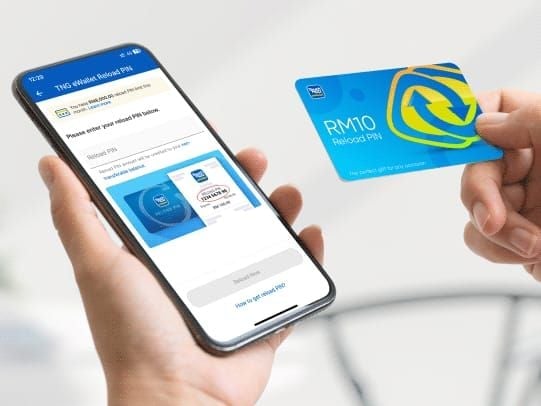
Digital pins show validity in your purchase confirmation email or the platform's order details. The purchase timestamp is your expiry anchor. If you're planning to buy TNG reload pin voucher online, confirm the platform provides a timestamped order confirmation — that's your 60-day reference point.
If the expiry date is missing: Call TNG support at +603-5022 3888 (7am–10pm daily) with your purchase receipt. Without a receipt, your options narrow significantly.
How to Check If Your TNG Reload Pin Is Still Valid
There's no dedicated pre-redemption validity checker in the TNG eWallet app. Your options:
Method 1: Attempt Redemption in the App
Open TNG eWallet on iOS or Android
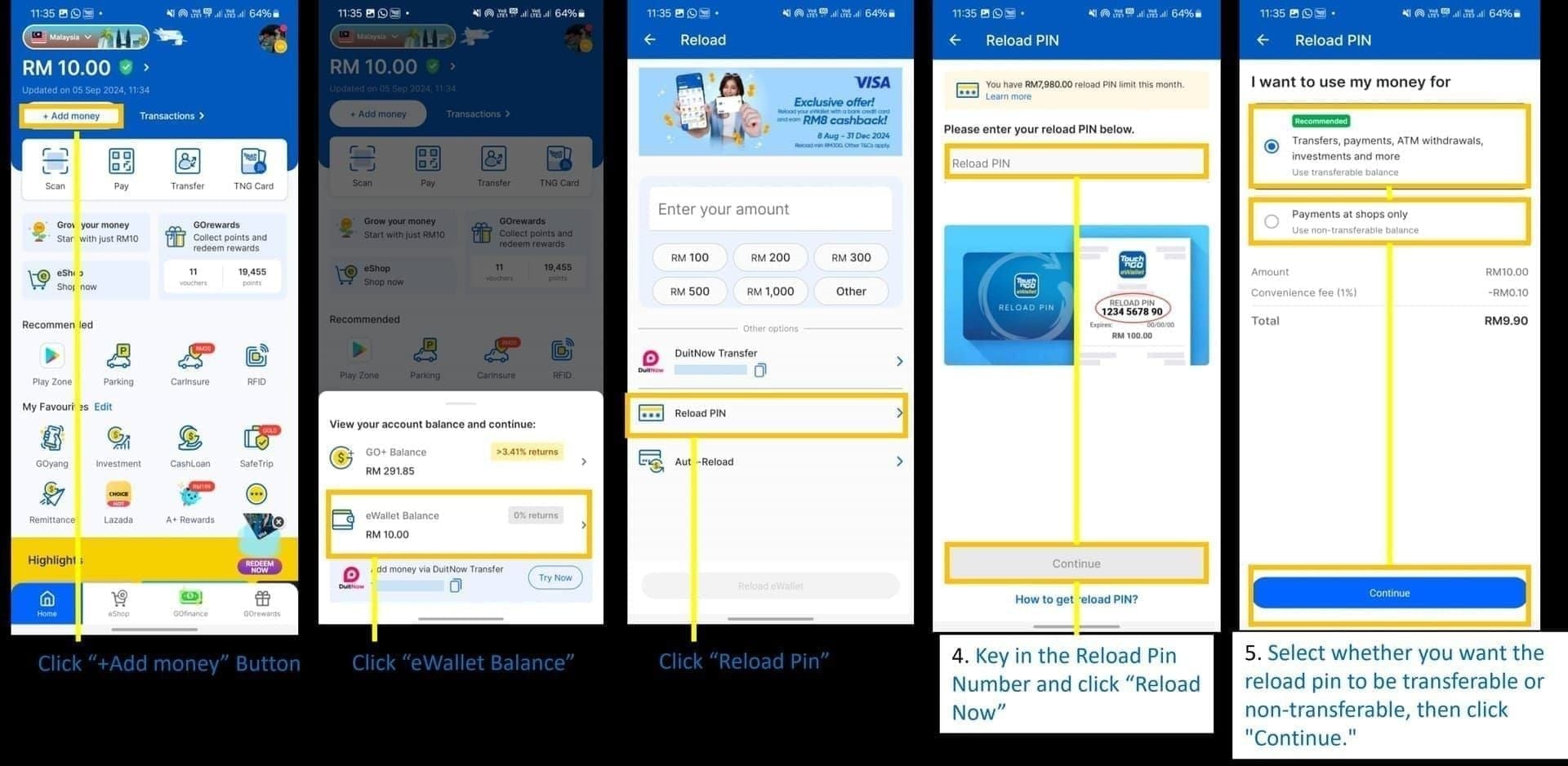
Tap TNG eWallet Reload PIN from the home screen
Enter your 10-digit code (add a leading zero if it appears shorter)
Tap Reload Now
The error response tells you the pin's status — expired returns a different message than invalid or already-used.
Time this during off-peak hours (weekday mornings 7–9am or after 9pm). Peak-time attempts can take up to 2 hours and may return ambiguous timeout errors. Critical: multiple rapid failed attempts lock your account for 72 hours. Wait at least 1 minute between retries. If you get an error on the first attempt, stop and diagnose before trying again.
Method 2: Contact TNG Customer Support
Call +603-5022 3888 with your purchase receipt. Support can manually verify whether a pin has been redeemed, is still valid, or has expired. Most reliable option if you're uncertain and don't want to risk a lockout.
Reading the Error Messages Correctly
Invalid PIN — missing leading zero, wrong region, or already-used code. Don't retry; contact support.
Expired PIN — validity window has closed. Different resolution path applies.
Processing failure — likely a server-side issue, not a pin problem. Retry off-peak before escalating.
How to Check Your TNG eWallet Balance After Redeeming
Your balance displays on the TNG eWallet home screen and updates automatically after redemption. For confirmation:
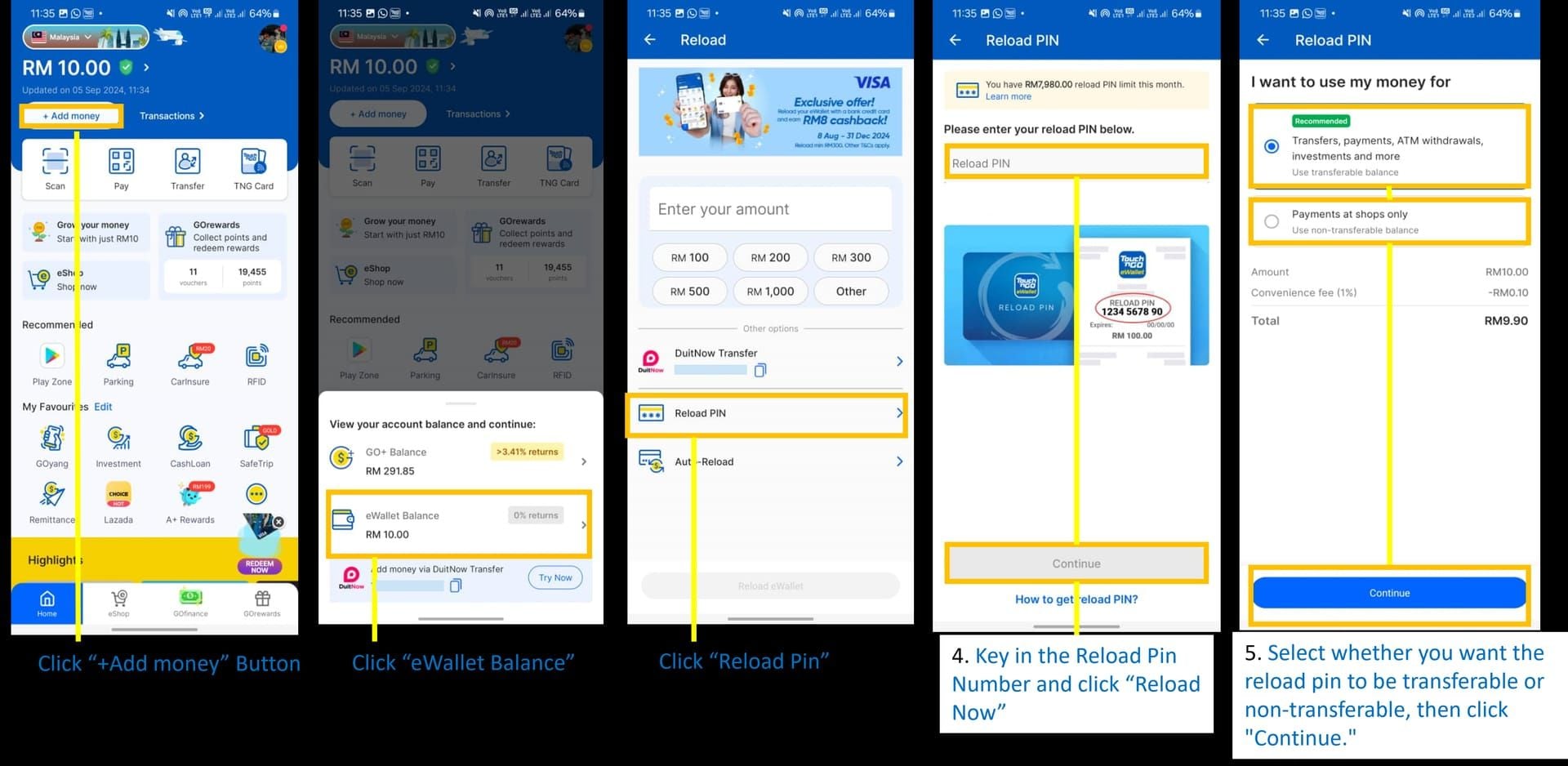
Ope
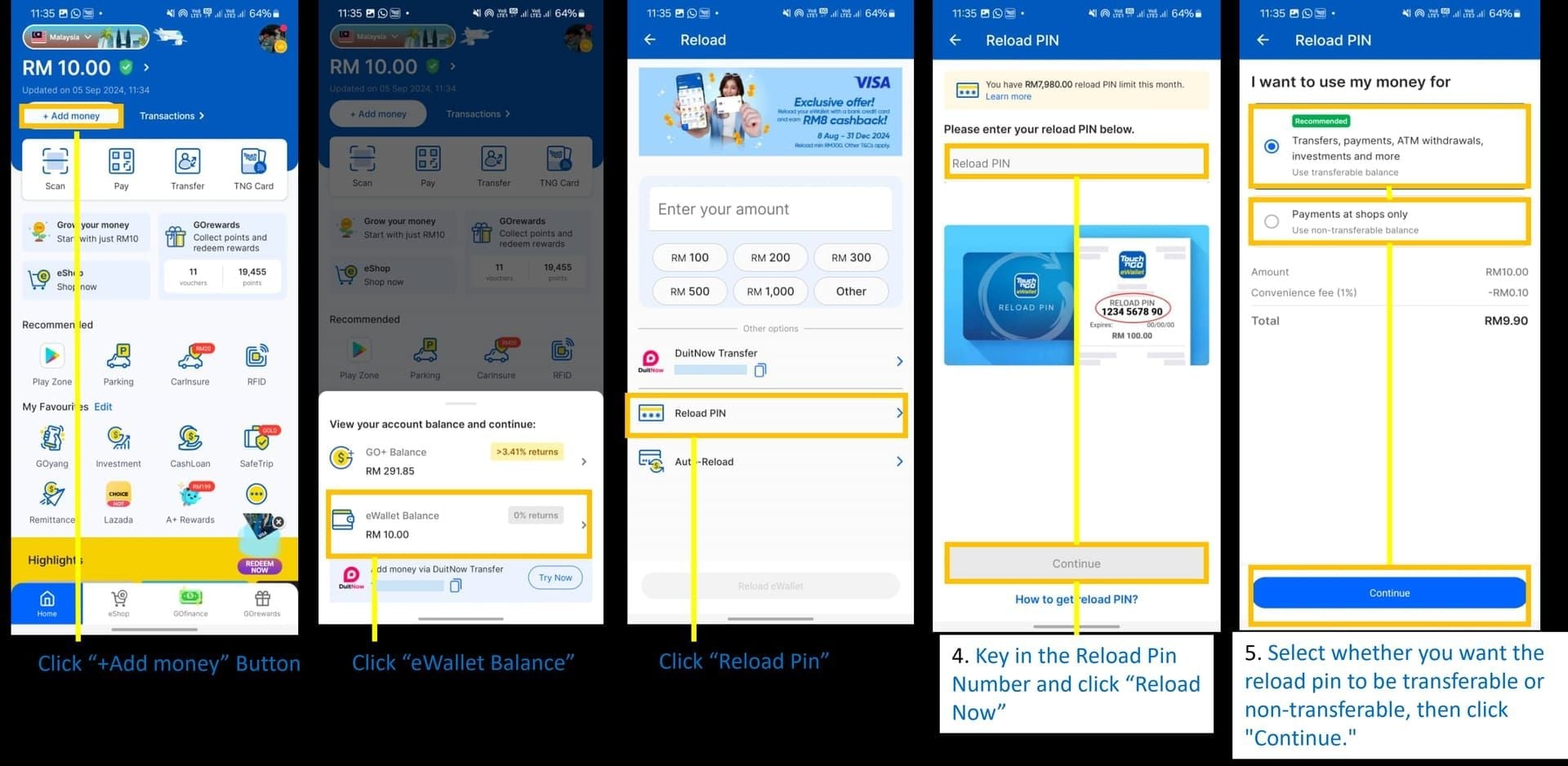
Check the balance figure on the home dashboard
Compare before and after redemption to confirm the credit landed
If the balance doesn't update immediately: Tap into transaction history and look for a Reload PIN entry with today's date and the correct denomination. If it's there, the credit has been applied — display lag is common during peak periods.
Off-peak redemptions process within minutes. During evenings, weekends, and festive seasons, processing can extend up to 2 hours. Don't re-enter the pin if the balance hasn't updated — check transaction history first. If 2 hours pass with no transaction entry, contact support with your pin code and purchase receipt.
What Happens If Your TNG Reload Pin Expires?
Bluntly: the value is lost. TNG's official position is no automatic refund, no grace period, no rollover. There's no official reactivation mechanism. Any third-party service claiming to reactivate expired TNG pins is a scam.
Can TNG Support Help?
Sometimes — but it's not guaranteed or officially documented. Community reports suggest that contacting +603-5022 3888 with a valid purchase receipt proving the pin was never redeemed can result in a manual review and possible replacement. The factors that appear to help:
You have the original purchase receipt with a clear timestamp
The pin was genuinely never redeemed (support can verify this)
You contact support promptly after discovering the expiry
The common failure mode: users who bought pins in bulk, lost track of them, and have no receipt. In those cases, recovery is effectively impossible.
How to Avoid Losing Your TNG Reload Pin Value
Redeem immediately. This is the single most effective strategy. Once redeemed, the credit sits in your eWallet indefinitely under normal account terms. There's no benefit to holding an unredeemed code — it offers no advantage over having the balance already loaded.
Set a day-45 reminder. If you can't redeem immediately, set a calendar alert at day 45 post-purchase — a two-week buffer before the practical 60-day limit. Do this the moment you receive the pin.
Common mistakes that cause accidental expiry:
Bulk buying during promotions without a redemption plan
Receiving gifted pins without knowing the purchase date
Buying pins as festive gifts weeks before giving them — burning through validity before the recipient has the code
Physical cards stored out of sight in wallets or drawers
Discounts exceeding 5–10% without a verifiable reason — a consistent red flag for pre-used or expired stock
If you regularly top up Touch n Go eWallet with pin for gaming or daily spending, build the habit of redeeming at purchase rather than stockpiling codes.
Frequently Asked Questions
Can I extend the expiry of a TNG Reload Pin? No. There's no official extension or reactivation mechanism. Any service claiming otherwise is fraudulent. Redeem before expiry, or contact support immediately after with a purchase receipt.
Does the eWallet balance from a Reload Pin expire separately? No — and this is the key distinction. Once you redeem the pin and credit loads into your eWallet, that balance is no longer subject to the pin's expiry rules. It operates under your standard TNG eWallet account terms.
What if I bought a TNG Reload Pin from an unauthorised source? Two problems: you likely have no verifiable purchase receipt (eliminating your support escalation option), and pins from unauthorised sources carry higher risk of being pre-used or counterfeit. TNG support can verify whether a pin has been redeemed, but can't assist with pins from untraceable channels.
Is there a grace period after a TNG Reload Pin expires? Officially, no. Community reports of successful support-assisted recovery exist, but these are case-by-case manual reviews — not a structured grace period. Don't plan around this.
I received a TNG Reload Pin as a gift — how do I know when it expires? Ask the gift-giver for the purchase receipt or order confirmation. The purchase date — not when you received it — is when the expiry clock started. If no receipt is available, contact TNG support with whatever information you have.
My account got locked after failed redemption attempts. What now? Wait the full 72-hour lock period before retrying. Use the time to verify your code carefully: check for a missing leading zero, confirm it's for the Malaysian market, and ensure it hasn't already been used.
Where to Buy TNG Reload Pins With Clear Validity Terms
The purchase timestamp is your expiry anchor. Authorised sources provide verifiable, timestamped records — you know exactly when your 60-day window starts, and you have documentation for support escalation if needed. Unauthorised resellers often can't provide this, and their pins may have been sitting in inventory for weeks before reaching you.
Discounts exceeding 5–10% without a transparent reason are a consistent red flag for scam or expired stock.
For Malaysian users who want a clear validity start date and instant delivery, BitTopup offers TNG Reload Pins across standard denominations with immediate digital delivery and a timestamped order record. Standard denominations available:
One thing worth doing before your next reload: if you're an unverified (Lite) account holder, your monthly PIN reload limit is RM1,500 with a RM200 maximum balance. Verified (eKYC) accounts allow up to RM8,000 monthly and RM20,000 balance. If you're loading higher-denomination pins regularly, complete eKYC verification first — tap the profile icon in the TNG app, scan your MyKad, and submit. Takes minutes, and removes the balance ceiling that could cause a high-value pin redemption to partially fail.