

Redeeming an iTunes Gift Card HK safely in 2026 comes down to three non-negotiables: confirm your Apple ID is set to the Hong Kong region before entering a single digit, enable two-factor authentication, and never trust a seller offering more than 10% off face value. Region-mismatch errors drove 68% of invalid-code support tickets in Q1 2026, and scam losses average HK$3,000 per victim. Getting this right the first time matters.
Why iTunes Gift Card HK Security Matters More Than Ever
The threat landscape has shifted. Scammers now run coordinated campaigns timed to Lunar New Year (January–February), when HK$1,000 and HK$2,000 denomination cards are in highest demand and buyers are least cautious.
The average victim loses HK$3,000 — typically across four cards. That's deliberate. Fraudsters request multiple smaller denominations to stay below the threshold where buyers instinctively pause. By the time the victim realizes the codes are worthless, all four have been drained remotely.
The 2026 iTunes transition adds confusion. Apple has confirmed iTunes services run until December 2026, with balances auto-migrating to Apple Account. Scammers are exploiting this — urgency messaging like redeem before iTunes shuts down or lose your balance is a confirmed social engineering script circulating in HK Telegram groups right now. Your balance is safe. It migrates automatically. Don't act on that pressure.
iOS 18.4 also changed the redemption environment in a useful way: a new confirmation dialog now displays the card's credited amount and your post-redemption balance before finalizing. The menu path shifted too — Redeem Gift Card or Code now sits under your profile icon in the App Store, not buried in account settings as it was in iOS 16–17. Many existing guides haven't caught up, which is why users report confusion mid-redemption.
How to Redeem iTunes Gift Card HK on iOS 18.4
First: verify your Apple ID region. Go to Settings → [Your Name] → Media & Purchases → View Account → Country/Region. It must show Hong Kong. This single check eliminates the majority of redemption failures.
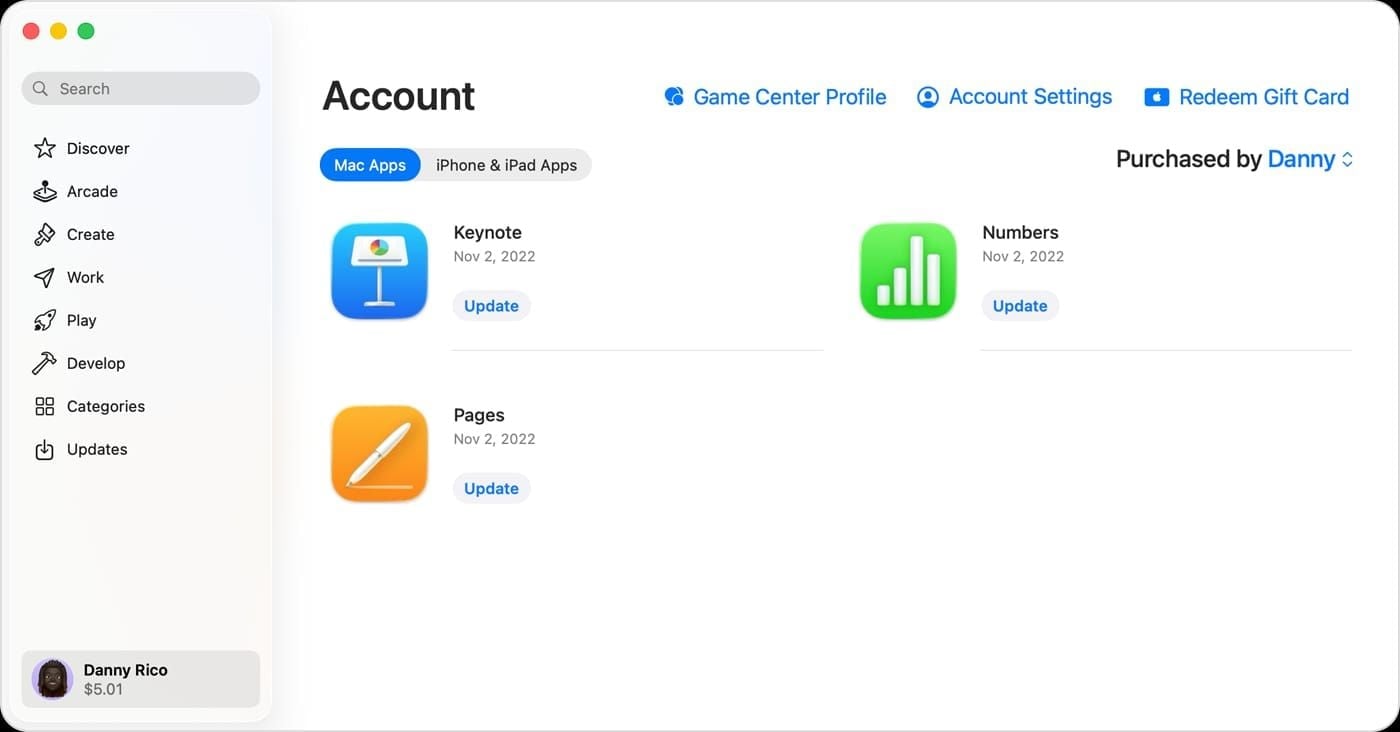
Method 1: Camera Scan via App Store (Recommended)
Fastest method. Eliminates character-confusion errors entirely.
Open the App Store
Tap your profile photo (top-right)
Select Redeem Gift Card or Code
Sign in if prompted
Choose Use Camera — point at the code under the scratch panel

The iOS 18.4 confirmation dialog shows credited amount and new balance
Tap Redeem
The camera method matters more than people realize. HK codes are 16-digit alphanumeric strings starting with X, and the character set includes several visually similar pairs: B/8, D/O, E/3, G/6, O/Q/0, S/5, U/V, Z/2. One wrong character triggers an invalid-code error — and after three failed attempts, your Apple ID locks for 15 minutes (Apple implemented this in November 2025).
Method 2: Manual Entry in App Store
Follow steps 1–4 above, then select Enter Code Manually. Type carefully. Use camera as a fallback if you hit an error.
Method 3: Via Apple Wallet
Open Wallet → tap your Apple Account card → tap More (···) → Redeem → Use Camera or Enter Code Manually → Redeem.
Method 4: Mac
Open App Store → click your name (bottom-left) → Redeem Gift Card → Use Camera or enter code manually → Redeem.
Verify Your Balance Immediately
Check at secure.store.apple.com/shop/giftcard/balance before closing the session. If the credited amount doesn't match the card's face value, call Apple HK Support at 800-908-988 immediately.
Safety Tip 1 — Verify Your Source Before Purchase
The single biggest predictor of a safe redemption is where you bought the card. Everything downstream flows from source quality.
The Pricing Red Flag That Never Lies
Legitimate discounts cap at 5–10% below face value, and even that requires a genuine promotional context. HK$500 cards listed at HK$300–350 represent a 30–40% discount. Community consensus is unambiguous: discounts of 30–50% below face value are always fraudulent. The economics don't work for legitimate sellers.
Authorized channels include Apple retail stores, major HK electronics chains, convenience stores, and verified online platforms. For online purchases, look for transparent business registration, clear refund policies, and established reviews — not a Telegram handle or a Carousell listing with zero history.
When you need to buy iTunes gift card Hong Kong online safe, the platform's delivery mechanism matters: instant digital delivery from verified inventory is meaningfully safer than codes sourced from unknown third parties.
Test-buy strategy: purchase a HK$50 or HK$100 card first, redeem immediately to confirm the code works, then proceed with larger denominations. This one habit prevents the majority of multi-card losses.
Physical vs. Digital: A Real Trade-off
Physical cards from reputable HK retailers are safer from digital fraud — no one can pre-redeem a code that hasn't been scratched. But physical cards are vulnerable to retail-level tampering. Digital codes from a verified seller eliminate tampering risk but require trusting the platform's security. Both are viable. Match the format to a trustworthy source.
Safety Tip 2 — Enable Two-Factor Authentication
2FA is your backstop. Even if a scammer obtains your Apple ID credentials, they can't redeem a gift card without the verification code sent to your trusted device.
How to Turn On 2FA
Settings → tap [Your Name]
Select Password & Security
Tap Two-Factor Authentication → Turn On
Verify your trusted phone number
Under two minutes. Once enabled, any redemption attempt from an unrecognized device triggers a 6-digit approval code on your trusted device — a fraudster without physical access to your iPhone can't complete the transaction.
Gift card codes, once obtained, can be redeemed by anyone who has them — unless your Apple ID requires 2FA for new device sign-ins. The protection isn't on the code itself; it's on account access. If your credentials were ever exposed in a data breach (check haveibeenpwned.com), 2FA is the difference between a compromised account and a secure one.
Safety Tip 3 — Inspect Your Code Before Redemption
Most fraud guides skip physical inspection. That's a gap — HK's retail gift card market has documented cases of tampered cards returned to store shelves.
Physical Card Checklist
Before scratching the panel on any physical card:
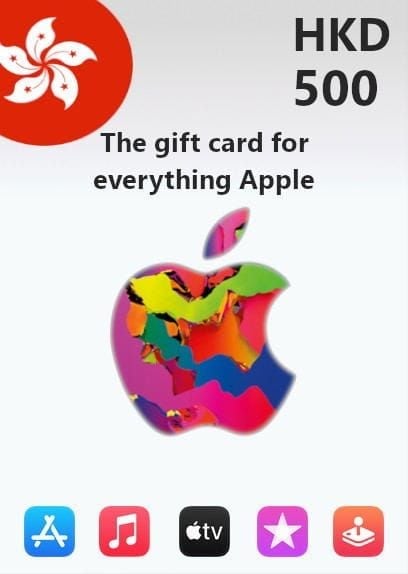
Scratch-off panel: Uniformly matte, no shine, bubbling, or uneven texture suggesting resealing
Hologram: Intact, shows color-shift when tilted — cracking or peeling is a red flag
Residue: Glue residue around panel edges suggests the card was opened and resealed
Purchase location: Buy from behind the counter, not open display racks accessible to the public
If anything looks off, don't scratch it — return it to the retailer immediately.
Digital Code Format Check
A legitimate iTunes Gift Card HK code is exactly 16 alphanumeric characters starting with X. Serial numbers on packaging are prefixed GCA, PBH, or EPY. If a code doesn't match this format, it's not a valid HK card — contact the seller before attempting redemption.
Pre-Scratch Documentation
Photograph the front, back, and serial number of any card before scratching the panel. If you later get an already redeemed error, this documentation is what Apple Support needs to investigate. Without it, your case is significantly harder to resolve.
Safety Tip 4 — Recognize Phishing and Social Engineering
Most HK iTunes Gift Card scams in 2026 don't involve fake cards. They involve real cards that victims hand over willingly after being manipulated.
The Fake Apple Support Script
Someone claiming to be Apple HK Security tells you your account has been compromised and you need to purchase iTunes Gift Cards to verify your identity or secure your balance. They ask you to scratch the cards and read the codes aloud.
Apple never requests gift card codes for taxes, bills, debts, or support verification. This is official Apple policy. If anyone — regardless of how official they sound — asks for a gift card code as payment or verification, hang up and call Apple HK directly at 800-908-988.
Fake Redemption Pages
Phishing pages mimicking the App Store redemption interface are circulating in HK. Legitimate Apple redemption happens within the App Store app or at apple.com domains. Any website asking you to enter your iTunes Gift Card code that isn't the official balance checker (secure.store.apple.com) or the App Store app itself is fraudulent.
2026 Scam Scenarios Actually Reported in HK
Lunar New Year gift scams: Fraudsters send gifted iTunes codes via WhatsApp that are already redeemed, then claim the recipient must send their own card as exchange confirmation
iTunes transition urgency: Messages claiming your balance will be lost during migration unless you verify by sharing your code
Fake promotional rebates: Offers mimicking Apple's legitimate March 2026 promotion (real deadline: 15 March 2026, approval by 15 April 2026) but directing users to phishing forms
The urgency tied to the 2026 transition is effective precisely because the transition is real. Scammers layer legitimate facts around fraudulent requests.
Safety Tip 5 — What to Do If You Suspect a Scam
Speed matters. The intervention window is narrow.
4-Step Post-Scam Protocol
Step 1 — Document everything first. Photograph the card front, back, serial number, any receipts, and screenshots of communications. This is non-negotiable for any support or legal process.
Step 2 — Call Apple HK Support at 800-908-988. Report immediately. If codes haven't been fully redeemed, Apple may be able to flag them. Once a code is redeemed, recovery is difficult — but reporting creates a case record.
Step 3 — Initiate a chargeback within 60 minutes if you paid by credit card or PayPal. This is why community consensus strongly recommends these payment methods — crypto and bank transfers offer zero chargeback protection.
Step 4 — Report to HK authorities:
Hong Kong Police e-Report Centre: erc.police.gov.hk
Hong Kong Consumer Council: consumer.org.hk
HKPC Cybersecurity Incident Response Centre
File all three. They serve different functions and collectively create the strongest paper trail for any recovery attempt. Most English-language guides omit these HK-specific channels entirely.
Can You Get a Refund?
Officially, iTunes Gift Cards HK are non-returnable once redeemed. Fraud cases are treated differently from voluntary redemptions — Apple's fraud team does review documented cases, and chargeback through your payment provider is a parallel avenue. Don't assume refund is impossible, but don't assume it's guaranteed either.
Troubleshooting Common Redemption Errors
The Region Lock Issue
68% of invalid-code support tickets in Q1 2026 trace back to region mismatch — not fake cards. iTunes Gift Card HK is region-locked to Hong Kong Apple IDs. A card bought in HK cannot be redeemed on a Mainland China, Taiwan, or US Apple ID.
Switching your Apple ID region to Hong Kong requires: zero existing balance, no active subscriptions, and a valid HK payment method. Clear your balance and cancel active subscriptions first — otherwise the region change will be blocked.
If you want to top up Apple gift card HK instant delivery without the region-switching headache, the cleanest solution is maintaining a dedicated HK Apple ID for HK App Store purchases.
Expiry, Balance, and Refund Policy (2026 Confirmed)
iTunes Gift Cards HK have no expiry date. Balances don't diminish over time, no dormancy fees, no use it or lose it pressure. A card purchased today holds its full value indefinitely.
Balances stack without limit. For risk management, buy multiple smaller-denomination cards from trusted sources rather than one large card — if one code is problematic, you've limited your exposure. HK$50–HK$200 cards are the recommended test-buy range for new sellers.
Check your balance at secure.store.apple.com/shop/giftcard/balance. If the balance doesn't match what you expect after redemption, contact Apple HK Support immediately.
On the 2026 iTunes transition: balances auto-migrate to Apple Account when iTunes services end in December 2026. You don't need to do anything. Any message suggesting you must act now to preserve your balance is a scam.
Frequently Asked Questions
Can I use a Mainland China iTunes Gift Card on a HK Apple ID? No. Region-locked, full stop. The card's region must match your Apple ID's region exactly.
Why does my balance look wrong after redemption? Usually a pending update — wait a few minutes and refresh. If it persists, verify your Apple ID region is set to Hong Kong (Settings → [Your Name] → Media & Purchases → Country/Region). A region mismatch can cause the balance to appear in the wrong currency or not at all.
Is it safe to buy from third-party online platforms? Depends entirely on the platform. Look for transparent business credentials, instant digital delivery from verified inventory, and clear dispute resolution. Always test with a small denomination first, and pay with a credit card or PayPal to preserve chargeback rights.
Safest way to enter a code without the camera? Type slowly and cross-reference each character against the known confusion pairs: B/8, D/O, E/3, G/6, O/Q/0, S/5, U/V, Z/2. Given the 15-minute lockout after three wrong attempts, accuracy on the first try is worth the extra 30 seconds.
Does Apple ever ask for gift card codes during support calls? Never. Apple's official policy is explicit: they will never request gift card codes for taxes, bills, debts, fines, or account verification. Any such request is fraud, full stop.
How do I report a fake seller in Hong Kong? Report to the Hong Kong Police e-Report Centre (erc.police.gov.hk), the Hong Kong Consumer Council (consumer.org.hk), and Apple HK Support at 800-908-988. File all three — they serve different functions and collectively build the strongest case.
The 2026 iTunes Gift Card HK landscape rewards preparation. Verify your region before you redeem, enable 2FA before you need it, inspect before you scratch, and know exactly who to call if something goes wrong. The scams are sophisticated — but they all rely on a buyer who skips one of these steps.