

iTunes Gift Card Hong Kong redemption failures in March 2026 trace back to three causes almost every time: region mismatch, character confusion in the 16-digit code, or sync delays triggered by the March promotional deadline. Fix the region first, enter codes manually, and you'll clear roughly 90% of problems without calling Apple Support.
What's Happening Right Now
Most failures are account-level problems, not defective cards. Two March-specific wrinkles are worth knowing upfront.
The March 15 rebate submission deadline (approvals by April 15) pushed simultaneous redemptions higher than usual, causing occasional sync delays where balances briefly vanish after redemption. Separately, the 2026 HKD-USD peg adjustment (range: 7.75–7.85) raised App Store prices 8–18% across many categories — bundles that were HK$78 are now HK$88. If your balance looks short, check whether the price changed, not the card.
Missing March 15 forfeits up to HK$1,800 in promotional credit. No extensions. Prioritize that deadline above everything else if you're in the promotion.
iTunes services are confirmed through December 2026, and HK balances transition seamlessly to Apple Account — no urgency to spend down before any cutoff.
Quick Diagnostic
How to Redeem Correctly
Manual entry beats camera scanning every time. Scratch-off residue causes scan failures even on perfectly valid cards.
iPhone/iPad (iOS 17/18):
Open App Store → tap profile icon (top right)
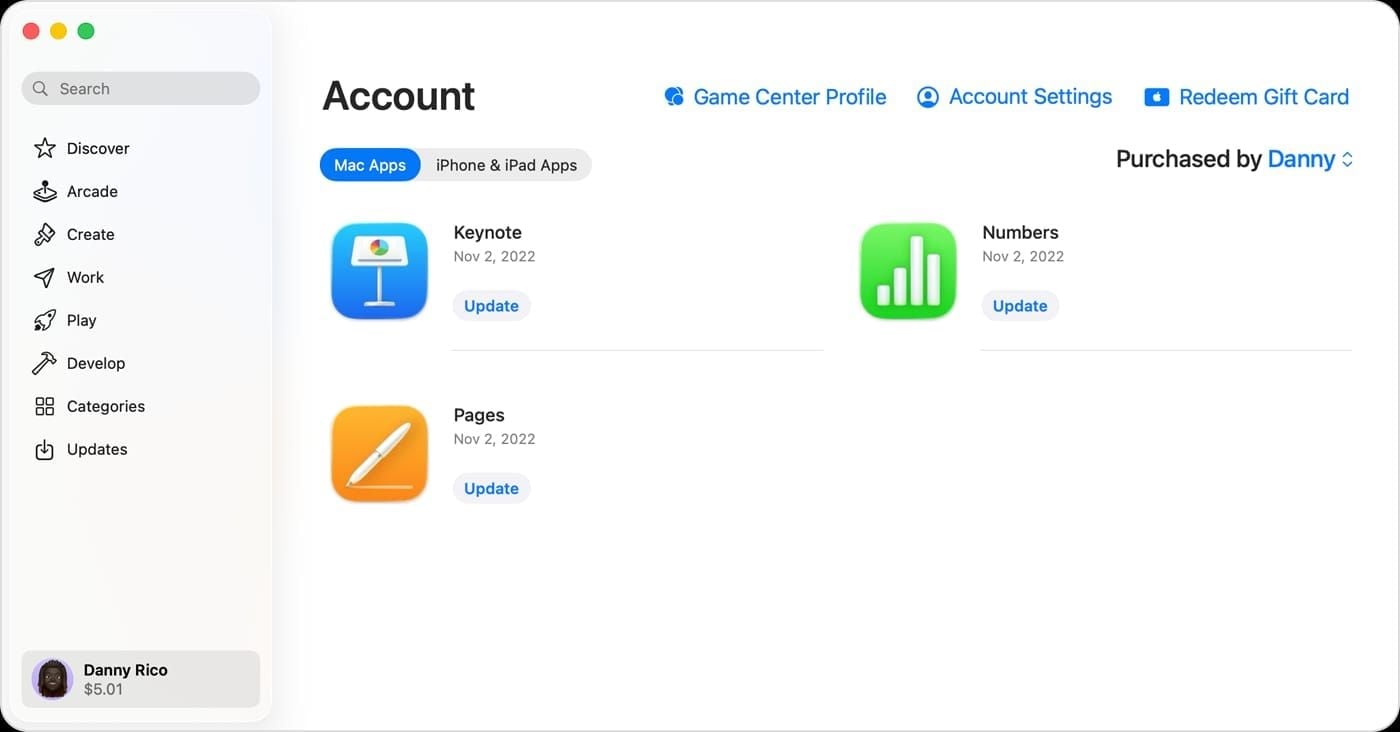
Tap Redeem Gift Card or Code
Select Enter Code Manually
Type the 16-digit code starting with X — no spaces, no dashes
Tap Redeem
Mac: App Store → click your name in the sidebar → Redeem Gift Card → enter code manually.
Apple Wallet: Open Wallet → tap your Apple Account card → tap ··· → Redeem → Enter Code Manually.
Before You Type Anything
HK iTunes Gift Card codes are 16-digit alphanumeric strings starting with 'X'. The GCA, PBH, or EPY codes on the card back are serial numbers for support — not the redemption code.
70% of invalid code reports come down to character confusion. Check these pairs:
B vs 8 / D vs O / E vs 3 / G vs 6
O vs Q vs 0 / S vs 5 / U vs V / Z vs 2
Type the code in Notes first, then copy-paste into the redemption field. This bypasses iOS autocorrect, which has been known to silently fix characters in the redemption input.
Error Code Fix Guide
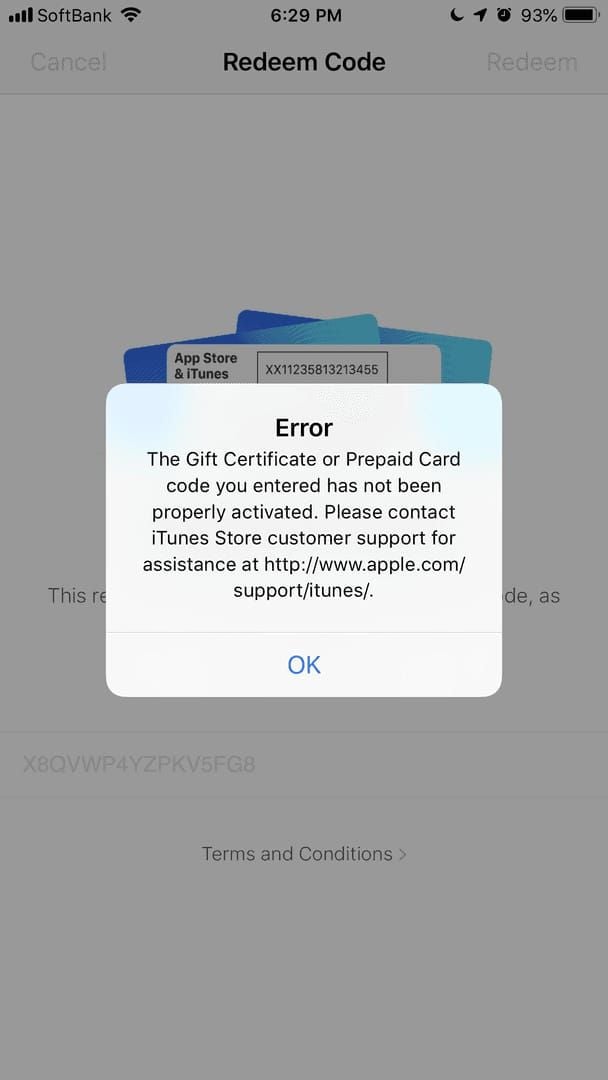
This code is not valid
Almost always a character entry error. Re-enter manually using the checklist above. If it still fails, the card may be counterfeit or damaged — photograph front and back immediately, find your receipt, and call 800-908-988 with the serial number.
This code has already been redeemed
Usually a sync problem, not actual prior redemption.
Sign out of App Store and iTunes on every linked device
Restart your primary device
Sign back in and check your balance — it may already be there
If the balance isn't there after signing back in, treat it as potential fraud. Document everything and call 800-908-988.
This code is not valid for your region
The most common error — roughly 30% of failed HK redemptions.
The card is fine. Your Apple ID region isn't Hong Kong.
HK iTunes Gift Cards are region-locked. A card bought in Hong Kong won't redeem on a US, UK, or any other regional Apple ID. Check your region: Settings → [Your Name] → Media & Purchases → View Account → Country/Region.
Redemption Button Greyed Out
You're not signed in, or you're on the wrong account. Go to Settings → [Your Name] and confirm you're on your HK Apple ID. Gamers managing multiple regional accounts hit this constantly — sign out of the current account first.
Code Accepted, Balance Not Showing
The redemption went through. Sign out of the App Store, wait 60 seconds, sign back in. Still zero? Check App Store → Profile → Purchase History — a pending purchase may have consumed the balance immediately on redemption.
An Unknown Error Occurred
Apple's catch-all server error. Wait 15–30 minutes and retry. If it persists: disable your VPN. VPN use during redemption flags your account and causes failures — this is a documented HK community issue. Use regular Wi-Fi.
Camera Scan Not Working
Switch to manual entry. Every time.
Checking Your Balance
Fastest: App Store → tap profile icon → balance shows directly below your account name.
Browser: Visit secure.store.apple.com/shop/giftcard/balance — sign in with your HK Apple ID.
Phone: Call 800-908-988 and request a balance check. Most reliable if you suspect a discrepancy, since agents can see full transaction history.
Why Balance Shows Zero After Redemption
Three causes, in order of likelihood:
Sync delay — sign out and back in to force a refresh
Pending purchase consumed the balance — check purchase history immediately
Wrong Apple ID — redeemed on one account, checking another
The brief disappearance phenomenon (balance appears then vanishes) is a known sync issue. It resolves within minutes. Don't call support until you've signed out and back in at least once.
Stacking Multiple Cards
No redemption limit — stack as many HK codes as you want on one Apple ID. Balances draw down oldest credit first. Given the ongoing App Store price increases, pre-loading balance now locks in your HKD purchasing power. Subscriptions adjust at renewal; pre-loaded balance retains its HKD value indefinitely.
Region Compatibility
Apple's regional licensing ties gift card balances to specific storefronts. An HK card credits HKD to the Hong Kong storefront — if your Apple ID points to the US storefront, there's no valid destination. That's not a bug; it's by design.
Switching Your Apple ID Region to Hong Kong
Settings → [Your Name] → Media & Purchases → View Account
Tap Country/Region → Change Country or Region
Select Hong Kong
Agree to HK App Store terms
Enter a valid HK payment method or select None
What you lose: Apps, subscriptions, and purchases tied to your previous storefront. Active subscriptions may cancel or fail to renew.
What you keep: Apple ID, iCloud data, photos, contacts, existing balance.
Honest take most guides skip: if you have significant purchases or active subscriptions on a non-HK Apple ID, create a separate HK Apple ID instead of switching regions. Switching and switching back is risky — community experience shows this can cause balance loss on revert.
Special Scenarios
Physically Unreadable Code
Photograph front and back immediately. Find your purchase receipt. Call 800-908-988 with the serial number (GCA/PBH/EPY prefix). Apple can verify and reissue if the card was never redeemed — but they need the original receipt. Without it, options are limited.
Card Shows Already Redeemed Right After Purchase
This is fraud. Average HK iTunes Gift Card scam loss: HK$3,000 across roughly 4 cards, with peaks around Lunar New Year.
Recovery steps:
Document everything — card photos, receipt, serial number, seller details
Call 800-908-988 to report the fraudulent redemption
Contact your credit card company for a chargeback
File a report at the HK Police e-report center
Prevention: legitimate resellers discount HK iTunes cards by 1–5% maximum. Any offer at 30–50% below face value is fraudulent, no exceptions. HK$50 is the safest denomination for testing a new seller. HK$100–HK$200 limits exposure if something goes wrong.
One step most guides omit: enable Two-Factor Authentication before redeeming any card. Settings → [Your Name] → Password & Security → Turn On Two-Factor Authentication. This protects your balance even if your credentials are compromised.
Third-Party Purchase
Wait 24 hours before redeeming cards bought from third-party retailers. Apple's fraud prevention window sometimes holds codes redeemed immediately after third-party purchase.
Using HK iTunes Balance for Mobile Gaming
Your HK iTunes balance applies automatically to App Store purchases, including in-app purchases. Apple draws from gift card balance first before charging any linked payment method — nothing special required.
If a game uses its own in-game currency, the flow is: App Store purchase → deducts HK iTunes balance → credits in-game currency. The gift card never touches the game's economy directly.
If Purchases Are Charging Your Card Instead
Two things to check: confirm you're on the correct HK Apple ID in the App Store (not a different regional account), and verify your balance covers the full purchase. Apple doesn't always split payment between gift card balance and payment method for a single transaction — if the balance is short, it may default entirely to your payment method.
Timing Purchases Around 2026 Price Changes
The 8–18% price increases are already live for one-time IAPs. Subscriptions hold their current price until renewal. Pre-loading balance now via buy iTunes gift card HKD online instant delivery locks in HKD purchasing power before further adjustments.
HK$500 is the community sweet spot for active mobile gamers — covers most monthly IAP budgets and iCloud+ annual plans. HK$2,000 suits family sharing setups but carries higher exposure if something goes wrong.
Contacting Apple Support HK
Troubleshoot yourself first for: invalid code, already redeemed, or region mismatch — the steps above resolve these 90%+ of the time.
Escalate to Apple Support for: physically unreadable codes, suspected fraud, or balance that never appeared after signing out and back in twice.
Bring to every support call: front/back card photos, purchase receipt, serial number (GCA/PBH/EPY), your Apple ID email, and transaction ID if purchased digitally. Agents resolve disputes significantly faster with all of this ready.
Expiry, Terms & 2026 Policy Summary
HK iTunes Gift Cards do not expire. No maintenance fees, no dormancy charges, no time pressure.
One common confusion: the Apple Store Gift Card (gray/white/silver/gold design) is a separate product and cannot be redeemed in the HK App Store. Only the iTunes Gift Card (blue/music-themed design) works for HK App Store and in-app purchases.
Where to Buy Safely
Trustworthy retailers: transparent pricing (1–5% max discount), explicit Hong Kong region labeling, instant or near-instant digital delivery. Anything offering 30%+ off, requiring unusual payment methods, or vague about region is a red flag.
For mobile gamers mid-session or chasing a limited-time event, instant delivery matters. You can purchase iTunes Hong Kong card for App Store recharge through BitTopup — HK-region cards delivered digitally across all standard denominations.
FAQ
Why is my HK gift card not working today? Region mismatch, character entry error, or VPN interference — in that order of likelihood. Disable VPN, verify Apple ID region in Settings, re-enter the code manually with the character checklist.
How long until the balance shows? Usually instant. If not, sign out of the App Store, restart, sign back in. The sync delay is temporary and doesn't mean the redemption failed.
Can I get a refund on a redeemed card? Generally no. The exception is fraud — if you can prove unauthorized redemption, call 800-908-988. Apple can investigate and potentially restore the balance.
Is buying from third-party sites safe? Yes, if pricing is within 1–5% of face value. Wait 24 hours after purchase before redeeming. Avoid anything discounted 30%+.
What denominations are available? HK$50, HK$100, HK$150, HK$200, HK$500, HK$1,000, HK$2,000. HK$50 for testing a new retailer. HK$500 for regular gamers. HK$2,000 for family sharing.
Can I use HK balance for iCloud+ or Apple One? Yes — applies to all Apple services billed through the HK App Store. Subscription prices may be higher at renewal under 2026 pricing changes, but your balance value doesn't change.
What's the March 2026 promotional deadline? Rebate submission closes March 15, 2026. Approvals by April 15. Missing it forfeits up to HK$1,800 with no extensions.
Most HK iTunes Gift Card redemption issues in March 2026 resolve in under five minutes once you've correctly identified whether it's a card problem, an account problem, or a sync problem. Work through the diagnostic table, apply the specific fix, and you're done. If nothing here works, call 800-908-988 with your card photos and receipt — that's the fastest path to a human who can actually see your account history.