

Third-party platforms like BitTopup deliver 25–29% more Delta Coins than the official store for the same spend. The clearest example: the 1280+200 bundle at S$19.29 versus paying $19.99 for just 1280 coins in-app. For April 2026 specifically — with seasonal wipes scheduled and new content dropping — platform choice and timing together can mean the difference between covering a full Deluxe Battle Pass or coming up short.
Why April 2026 Is the Right Time to Top Up
April sits between two 90-day seasonal wipe windows (March and June 2026). That's the sweet spot for stockpiling. Delta Coins persist across PC seasonal wipes even when Battle Pass progress resets — community testing confirms this consistently — which means coins purchased now carry forward and effectively reduce your recovery cost by 25–35% heading into the June cycle.
Unconfirmed reports suggest Team Jade may introduce bonus coin rates or conversion adjustments in April. Nothing's official yet, but if previous seasons hold as a pattern, limited-time double-coin windows tend to align with major operator or weapon skin releases. Watch official patch notes closely. If a bonus event activates, the 6480-coin tier historically offers the best stacking value.
Don't wait until a wipe forces your hand. Top up during April's active event window, hold unspent coins, and you enter the next season ahead.
Delta Force Currency: What You're Actually Buying
Delta Coins are the premium currency for operators, weapon skins, Battle Pass access, and gacha pulls. They're not earnable through normal gameplay in meaningful quantities — this is a hard purchase currency.
Key spend thresholds:
Special Battle Pass: 520 coins
Deluxe Battle Pass: 720 coins
Operator bundles / weapon skins: 480–1480 coins depending on rarity
Gacha pulls: variable, premium pulls consume coins directly
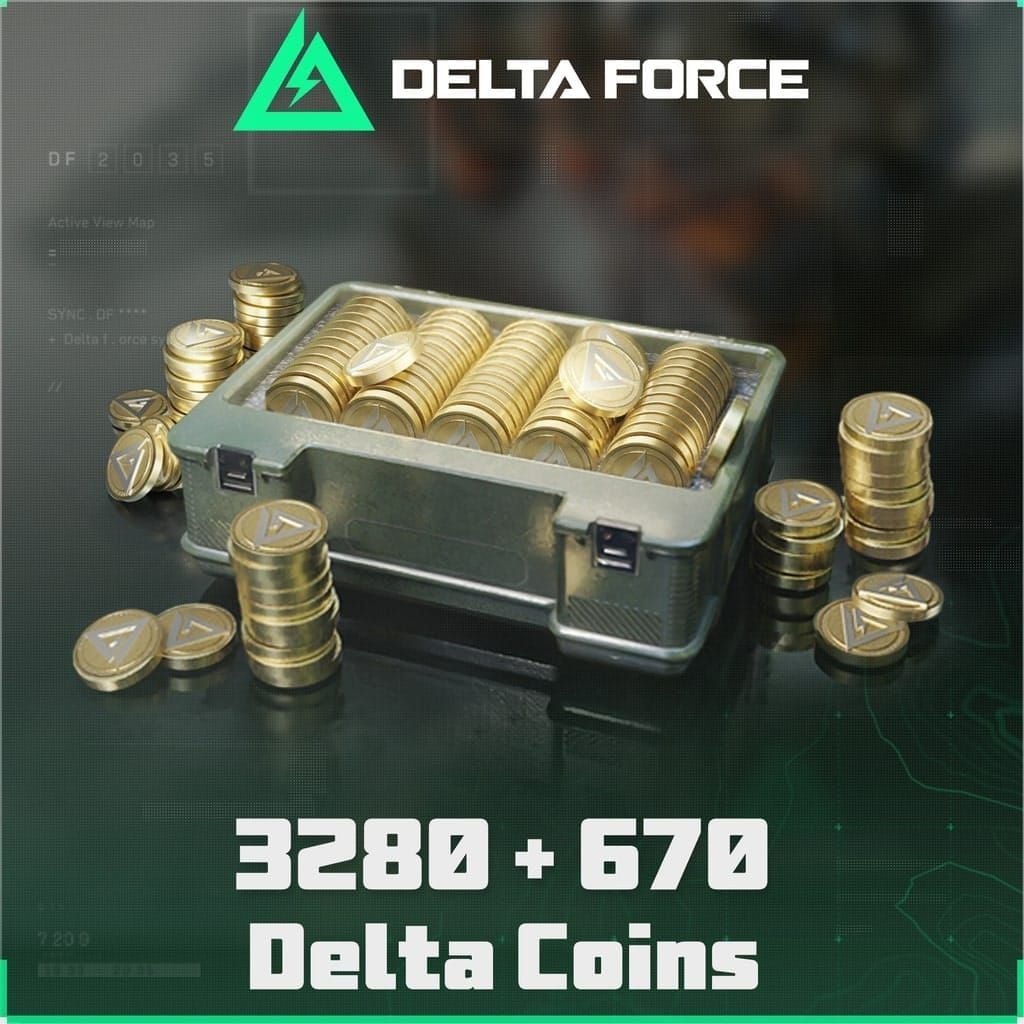
The 680-coin pack is the community's go-to for casual players — covers the Special Battle Pass with coins to spare. Competitive players targeting the Deluxe Pass plus a cosmetic buffer should look at the 1280+200 bundle. That 200-coin bonus on third-party platforms is what pushes it from just enough to banked for next season.
All Platforms Compared
Three viable routes in April 2026: the official in-game store, Steam, and authorized third-party platforms.
Official store charges base rates with no processing surcharge and zero bonus coins at standard pricing. The upside is absolute account safety and eligibility for official promotions — including buy-3-get-1-free events that occasionally appear. For players who prioritize zero risk over maximum value, this is the default.
Steam introduces a specific wrinkle: pending transactions must be cancelled before initiating a new top-up, or you'll hit an unpaid order error. Steam also applies regional pricing that can work for or against you depending on billing region. European players absorb VAT on top of the base price, which meaningfully erodes value.
Authorized third-party platforms — BitTopup being the most relevant here — offer structured bonus coin tiers across every bundle size, ranging from 25% on smaller packs to 29% on the value tier. If you're looking for the Delta Force cheapest top up platform April 2026, third-party platforms consistently win on raw coin-per-dollar math, provided you use a low-fee payment method.
One regional note: Garena Delta Force (Taiwan/SEA servers) uses a separate Garena UID system. Confirm your server before purchasing — coins sent to the wrong region can't be recovered.
Bonus Coin Rates: Full Bundle Breakdown
| Bundle Tier | Official In-App | Third-Party (S$) | Bonus Coins | Effective Discount |
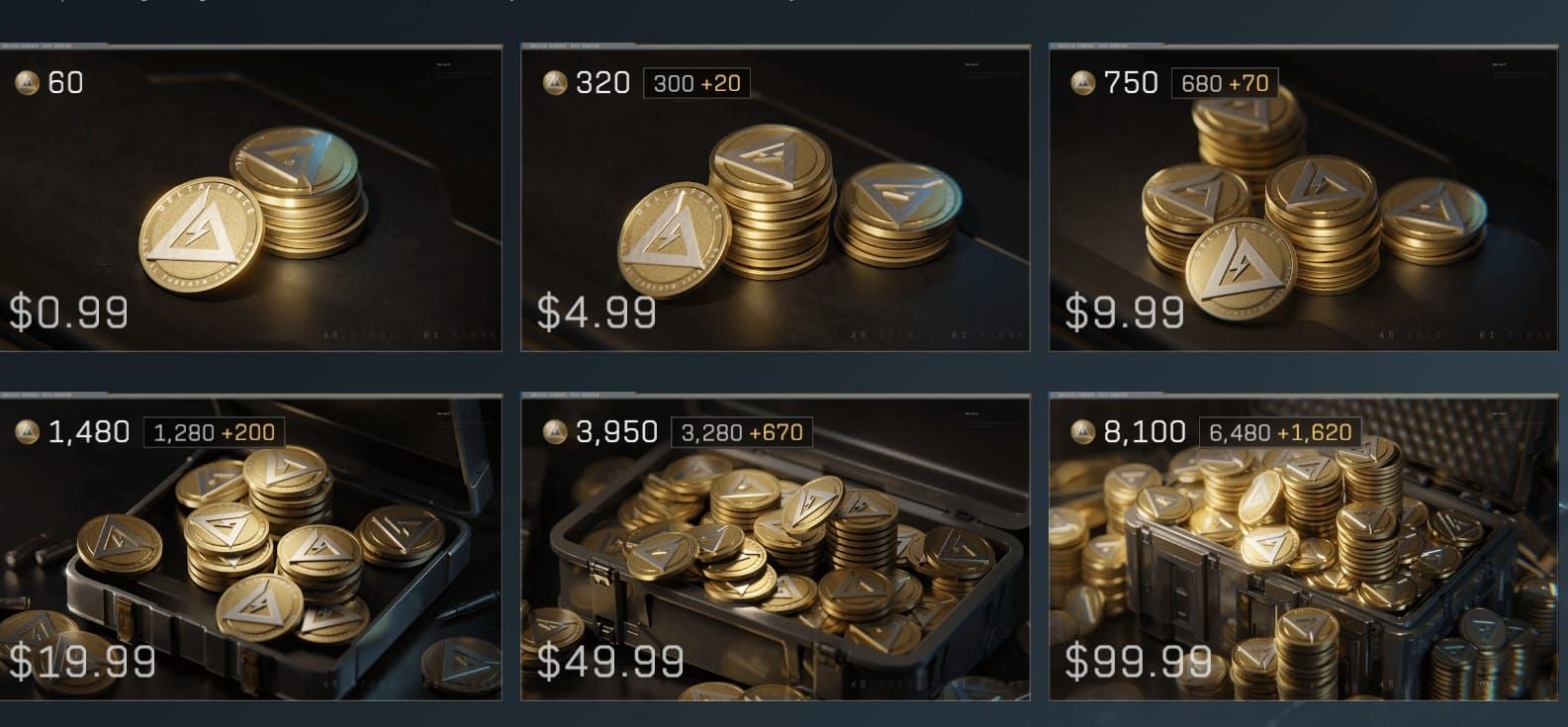
|---|---|---|---|---| | Small (300 coins) | $4.99 | S$5.02 | +20 coins | ~25% off equivalent | | Mid (420 coins) | ~$6.99 est. | S$6.76 | +40 coins | ~28% off | | Popular (680 coins) | $9.99 | S$9.26 | +70 coins | ~28% off | | Value (1280 coins) | $19.99 | S$19.29 | +200 coins | ~29% off | | Large (3280 coins) | $49.99 | S$48.06 | +670 coins | significant | | Mega (6480 coins) | $99.99 | S$95.00 | +1620 coins | ~25%+ | | Ultra (12960 coins) | — | S$267.78 | +3240 coins | — | | Max (19440 coins) | — | S$353.62 | +4860 coins | — |
Community testing puts the effective rate on large bundles at approximately $0.012–0.015 per coin, versus $0.016–0.018 per coin on small packs. The math strongly favors going larger when your budget allows.
The 1280+200 bundle at S$20.16 all-in (community-verified) is the best single-purchase value for most players — covers the Deluxe Battle Pass (720 coins) and leaves 760 coins banked. That's real carry-forward value heading into the next wipe.
Micro top-ups (18 coins at S$0.32, 30 at S$0.54, 60 at S$1.04) carry the worst per-coin rate. Use them only to bridge a specific shortfall.
Hidden Fees: The True Cost Per Platform
Most comparison guides list fees in isolation. Here's the combined impact on what you actually pay per coin.
Payment Method Fees (Third-Party)
The net cost-per-coin on the 1280+200 bundle via PayNow: S$19.30 ÷ 1480 coins = ~S$0.013 per coin. Via credit card: S$19.59 ÷ 1480 = ~S$0.0132. Compare that to the official store's $19.99 for 1280 coins = $0.0156 per coin. The third-party advantage holds even after fees — but only if you're not using a high-fee method on a small bundle.
Currency conversion is a separate layer. If your bank charges a foreign transaction fee on SGD purchases (common for US-issued cards), add 1–3% to your effective cost. This is the fee most players never account for. A no-foreign-fee card or local e-wallet eliminates it entirely.
Referral discounts can offset fees meaningfully:
1 friend referred: 8% off (up to S$10 savings)
3 friends: 10% off (up to S$15)
5 friends: 12% off (up to S$20)
If you're coordinating with a squad, this stacks well against the credit card surcharge.
Regional Pricing: Best Platform by Location
Regional packages are tied to your payment billing region, not your game server — a commonly misunderstood mechanic.
MENA players have a structural advantage. Community data shows 35,000 coins for AED 172 (~$46.80 USD), roughly 16% cheaper than the equivalent USD third-party rate. At the 100,000-coin tier, AED 487 (~$132.60 USD) is approximately 19% cheaper than USD pricing. If you have access to MENA billing, this is the most cost-efficient route available in April 2026.
SEA players using PayNow or GrabPay get the lowest processing fees on third-party platforms. The Garena server caveat still applies — confirm you're on the international client before purchasing through non-Garena channels.
North American players should factor in foreign transaction fees when using SGD-denominated platforms. A no-fee travel card or PayPal (where supported) keeps the third-party advantage intact. The official store in USD avoids conversion entirely but sacrifices the bonus coin margin.
European players face VAT on Steam and official store purchases — 19–25% depending on country. That makes third-party platforms proportionally more attractive for EU buyers. The VAT hit on a €99.99 purchase is larger than any processing fee on a third-party platform.
How to Top Up via BitTopup: Step-by-Step
Under five minutes when you have your UID ready.
Launch Delta Force and log in
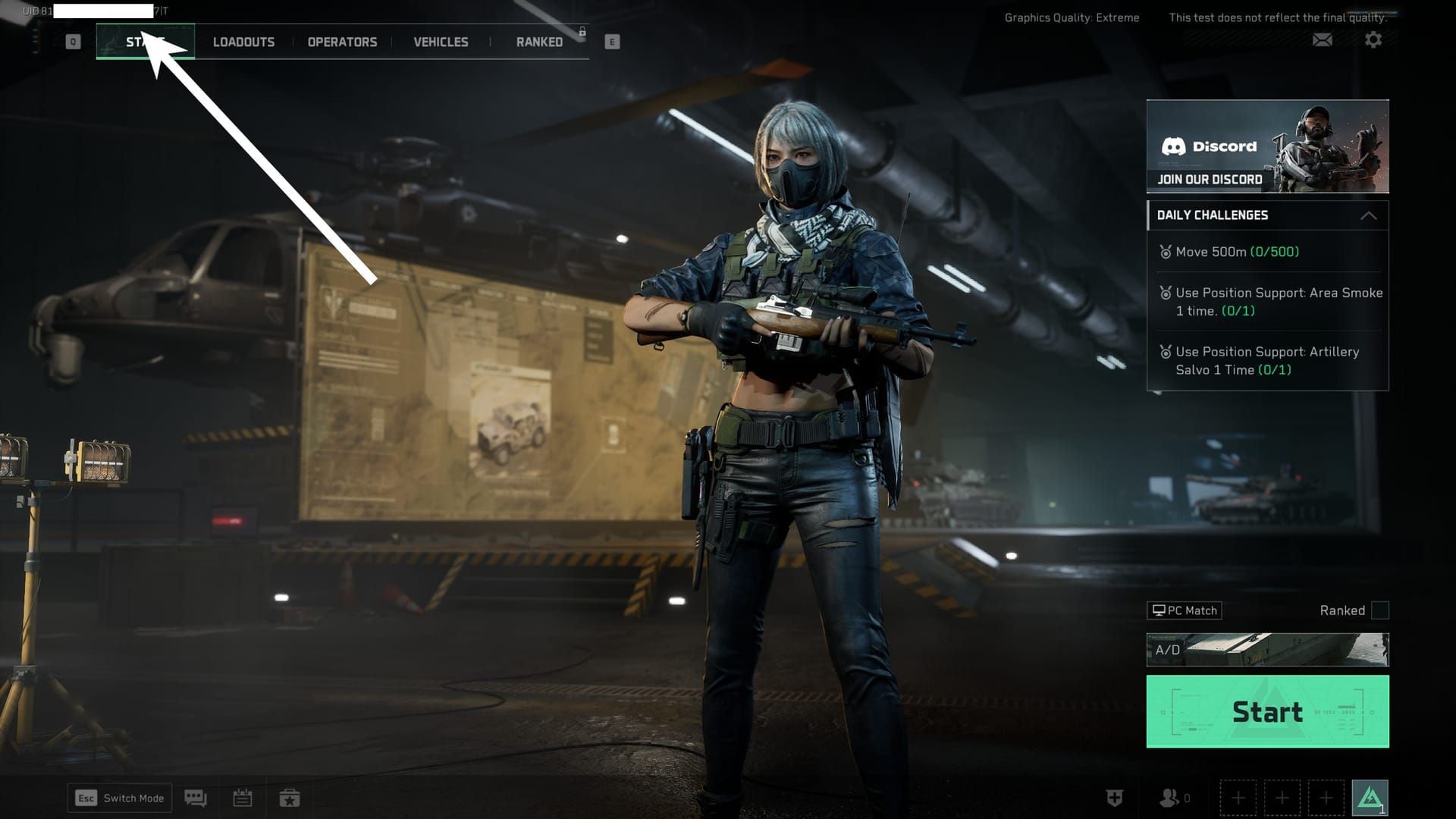
Navigate to your profile/character page (top-left of main screen) — your UID is the numeric code at the bottom-right. Screenshot it.
Go to BitTopup, select your Delta Force bundle
Enter your UID — not your email, not your password, just the numeric UID. Any platform requesting login credentials is a red flag.
Select your payment method — PayNow or GrabPay for lowest fees
Complete payment and wait 1–5 minutes for delivery
Community data: 98% of orders arrive within 3 minutes, 100% within 5. If coins haven't appeared after 5 minutes, log out of Delta Force completely and log back in — this triggers a balance refresh that resolves most delayed delivery cases.
Wrong UID entry means coins go to the wrong account with no refund possible. Always screenshot your UID before entering it. This is the single most common and most preventable top-up error.
For large purchases (10,000+ coins), community experience suggests splitting into multiple transactions during off-peak hours to minimize traffic-related delays.
Best Bundle by Player Type
Don't buy the 300-coin pack as a regular strategy — the per-coin rate is worse and it doesn't cover a full Battle Pass. It exists for bridging a specific shortfall, nothing more.
Account Safety: What to Look For
The core rule: legitimate platforms request only your UID, never your password, email, or phone number. If a site asks for login credentials, leave immediately.
Before using any third-party platform for the first time, start with a small transaction — the 60-coin pack at S$1.04 is purpose-built for this. Verify delivery before committing to a large purchase. Check community forums and player reports; they surface problems faster than any official review system.
Enable two-factor authentication on your Delta Force account at least 48 hours before any major top-up. Keep screenshots of your UID, payment confirmation, and order receipt — these are your evidence trail if anything goes wrong.
The official store is ban-proof and carries zero delivery risk. Its trade-off is cost: no bonus coins at standard rates, no way to match the per-coin value of a structured third-party bonus program. For players who value absolute certainty over marginal savings, official is the right call.
Common Problems and Fixes
Coins not credited after 5 minutes: Log out completely, wait 60 seconds, log back in. Resolves the majority of cases. Still missing after 15 minutes? Contact platform support with your order ID and UID screenshot.
Steam pending transaction error: Cancel any pending Steam transactions before initiating a new top-up. Known Steam-specific issue — the platform blocks new purchases until cleared.
Wrong UID entered: No recovery path. Coins are irreversibly sent to whatever UID was entered. Screenshot before entry, every time.
Payment declined: Your card issuer may be blocking the foreign transaction. Try PayNow or GrabPay — higher approval rates for SGD transactions than international credit cards.
Refund reality check: Official store refunds follow platform policies (Steam, iOS, Android) and are possible within standard windows. Third-party platforms generally don't offer refunds once coins are delivered. That's standard across the category, not a red flag specific to any platform.
Final Verdict
By player type:
Safety over savings: Official store
Casual/Battle Pass buyer: Third-party 680+70 or 1280+200 via PayNow
Competitive/seasonal stockpiler: Third-party 3280+670 or 6480+1620, timed before the June wipe
MENA players: Regional pricing route — best absolute value available anywhere
April 2026 is genuinely one of the better months to spend. Coins persist across the upcoming wipe, potential bonus events may activate based on seasonal patterns, and third-party bonus rates are at their strongest documented levels. If you're going to spend this season, spend now rather than post-wipe.
Check current bundle rates at the Delta Force Delta Coins recharge best discount deal page before committing.
FAQ
Which platform gives the most bonus coins in April 2026? Third-party platforms offer 25–29% bonus coins over the official in-app rate. The 1280+200 bundle is the best single-tier value — approximately 29% more coins than buying 1280 coins directly through the official store at the same price point.
Are there hidden fees on third-party platforms? Yes. Processing fees run S$0.01 (PayNow/GrabPay) to S$0.30 (credit card/Google Pay). Your bank may also charge a foreign transaction fee on SGD purchases. Use a local e-wallet to eliminate most of this. The bonus coin margin still outweighs fees on mid-to-large bundles.
How fast does BitTopup process Delta Force top-ups? 98% of orders arrive within 3 minutes, 100% within 5. If coins haven't appeared after 5 minutes, log out and back into Delta Force to trigger a balance refresh.
Does the first-purchase bonus apply on all platforms? Official promotions like buy-3-get-1-free are specific to the official store. Third-party platforms run their own bonus structures independently. These don't stack with official first-purchase promotions — they're separate systems.
Is it safe to top up outside the official store? Safe on platforms that request only your UID — never your password or email. Start with a small test transaction on any new platform. Enable 2FA on your account before any large purchase.
What if my coins don't arrive? Log out and back into Delta Force first — resolves most cases. Still missing after 15 minutes? Contact platform support with your order ID, UID screenshot, and payment confirmation. For official store issues, contact Delta Force support directly through the official game website with your transaction receipt.