Delta Force launches optional 90-day seasonal wipes in 2026, resetting safeboxes to two slots while preserving Delta Coins, cosmetics, and ammo. Players opt-in via a 14-day window starting day 76. This guide covers liquidation tactics, safebox optimization, and currency conversion to maximize value retention.
Understanding Delta Force Seasonal Wipe 2026
What Is a Seasonal Wipe
Delta Force runs 90-day wipe cycles in 2026: March, June, September, December. You control participation through opt-in. Wipes reset Operations progression, quests, and stash inventory while maintaining Delta Coins, claimed Battle Pass rewards, and cosmetics.
The system targets progression inflation. Operations levels return to zero, vendor reputation drops to baseline, crafting stations reset completely. Premium investments persist—Delta Coins survive all wipes, providing consistent purchasing power.
For economy management, Delta Force top up online through BitTopup ensures premium currency reserves that survive every wipe cycle.
Opt-In vs Automatic Wipe
Opt-in begins 14 days before each wipe (day 76 of 90). Notifications arrive at 30, 14, 7 days, 24 hours, and 1 hour before the window opens.
Opting in grants exclusive boss spawning privileges and 1.5x-2x XP multipliers for two weeks post-wipe. Prestige rewards unlock at 3, 5, and 10 seasonal completions.
Opt-out players maintain current progression but forfeit seasonal rewards and boss encounters.
Safe Box Shrinkage Formula
All participants reset to exactly two slots post-wipe, regardless of pre-wipe size.
Pre-wipe configurations:
Ultimate Safe Box: 3×3 grid (9 slots) - costs 1.8M Tekniq Alloy
Premium Safe Box: 2×3 (6 slots)
Advanced Safe Box: 2×2 (4 slots)
Items exceeding two slots get automatically deleted—no overflow storage or currency conversion exists.
Timeline and Preparation Window
2026 seasons run 90 days each. Global Open Beta launched December 5, 2025, establishing S1 baseline.
The 14-day opt-in window (day 76) is your entire prep period. Critical markers:
Day 7: Trigger final liquidation decisions
Day 1 (24 hours): Last chance for safebox optimization
Delayed preparation causes market saturation, reduced liquidity, and value loss.
The 14-Day Pre-Wipe Countdown Checklist
Days 14-11: Inventory Audit
Catalog every weapon, armor piece, medical supply, and mission gear. This reveals total items vs. two-slot capacity.
Identify which two items deserve safebox protection based on replacement cost, rarity, and post-wipe utility. Document current market values.
Assess Tekniq Alloy reserves—it resets completely. Ammo survives wipes, making it the primary conversion vehicle. Blueprint unlocks also persist.
Days 10-8: High-Value Item Protection
Designate your two protected safebox items. Consider early-game progression needs—starter zone weapons often provide better value than endgame gear.
Complete ongoing quests aggressively. Quest progression resets to zero, losing all accumulated progress. Focus on quests offering permanent blueprint unlocks or substantial Tekniq Alloy rewards.
Evaluate vendor reputation. Purchases made at elevated reputation tiers remain valid until deployment. Consider buying valuable blueprints before reputation resets.
Days 7-5: Currency Conversion
Execute primary Tekniq Alloy conversion. Ammo represents the safest target since it survives wipes completely. Medical supplies also persist.
Unlock permanent blueprints using remaining Tekniq Alloy. Verify which blueprints persist—quest-reward blueprints typically survive, vendor-purchased ones often reset.
For premium currency reserves, buy Delta Force recharge instant through BitTopup to secure Delta Coins that persist through all wipes.
List non-protected items on markets. Early liquidation (days 7-5) achieves better rates than last-minute sales. Accept reasonable offers rather than holding for optimal prices.
Days 4-1: Final Preparations
Deploy high-value gear in final pre-wipe raids. Items scheduled for deletion convert to immediate gameplay value. Treat these as free opportunities for high-risk strategies.
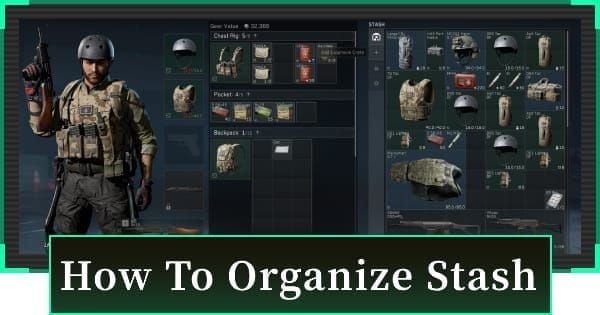
Verify safebox contents match your two-item plan. Remove all items except designated protected assets. Double-check that protected items fit within two slots.
Complete final ammo and medical supply purchases. Spend every remaining Tekniq Alloy—leaving currency unspent represents pure loss.
Review opt-in confirmation: Access Extraction Mode menu → seasonal transition interface → review rewards → confirm opt-in.
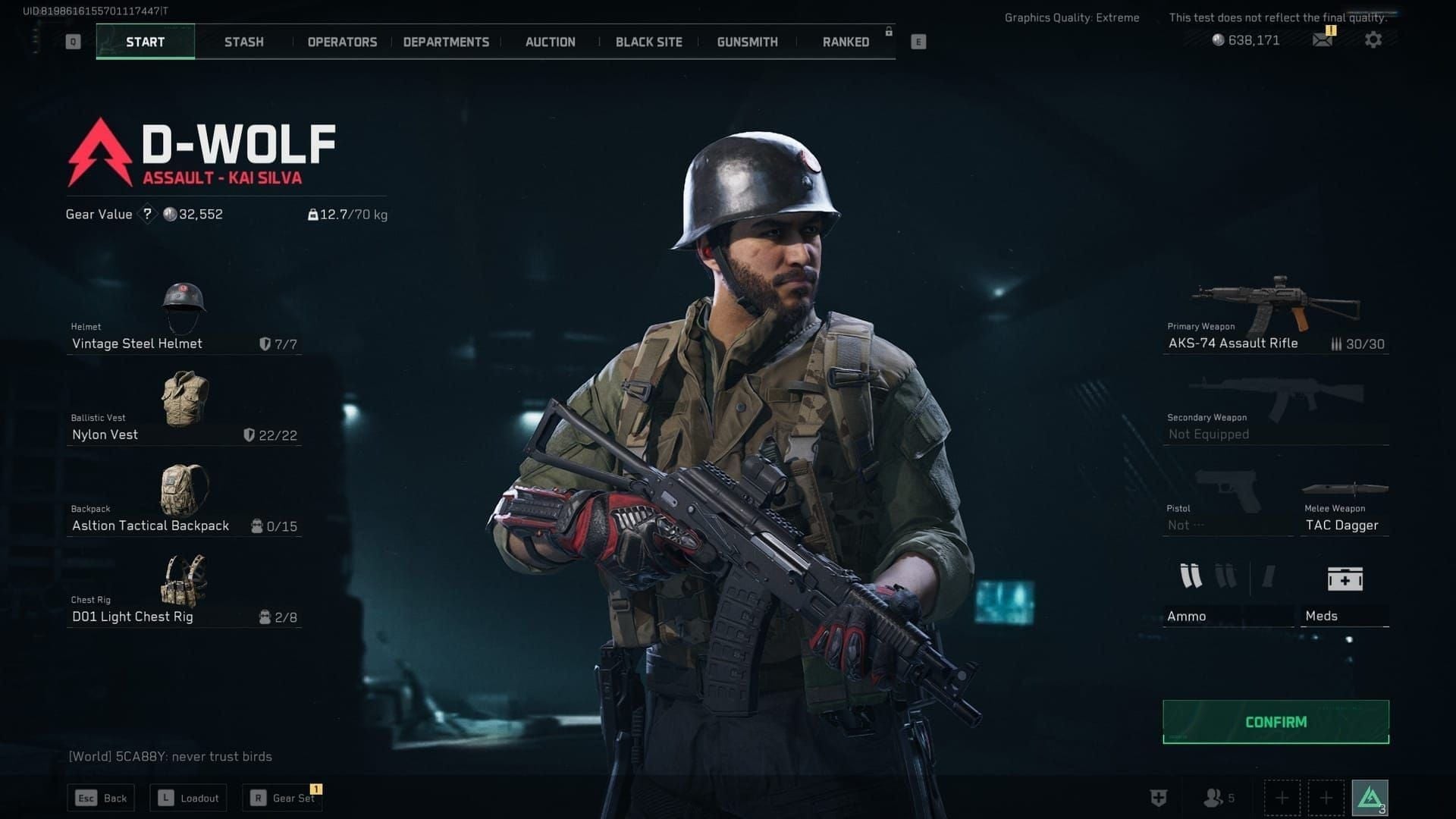
Safe Box Shrinkage: What You Need to Know
How Size Reduction Works
Safebox shrinkage operates on absolute reset—no proportional reductions. Every participant returns to exactly two slots.
Reduction executes instantaneously when wipe activates. No grace period exists. Items in slots 3-9 face immediate deletion without compensation.
Players who invested 1.8M Tekniq Alloy in Ultimate Safe Box upgrades lose that capacity entirely.
Calculating Post-Wipe Storage
Post-wipe storage: two slots, period. Slot efficiency varies by item type.
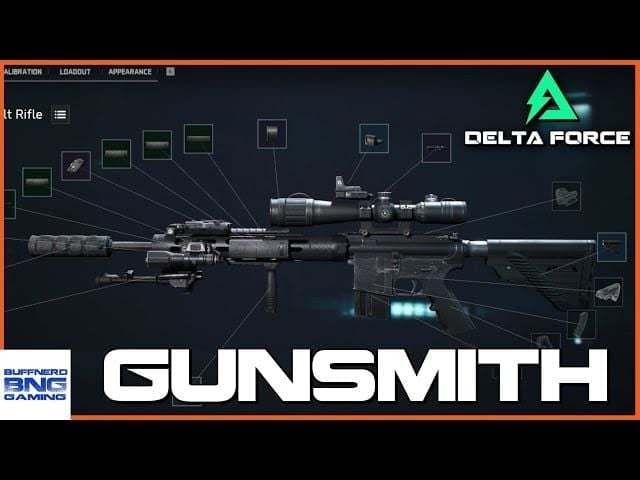
Single weapons occupy one slot regardless of modifications, making fully-modded weapons more slot-efficient.
Stackable items (ammo, medical supplies) occupy single slots regardless of quantity. 500 rounds = 1 round in space consumption.
Non-stackable items (armor, mission gear, unique weapons) each consume individual slots.
Items Deleted vs Items That Transfer
Deleted: All stash inventory exceeding two safebox slots—weapons, armor, medical supplies beyond capacity, mission gear.
Transfer successfully: Anything within two protected safebox slots, plus all persistent elements (Delta Coins, cosmetics, claimed Battle Pass rewards).
Claimed Battle Pass rewards persist permanently. Unclaimed rewards disappear when progression resets. Complete and claim all rewards before wipe.
Priority System for Retention
Tier 1: Items that can't be replaced—limited-edition event items, pre-order bonuses, founder-exclusive gear with functional advantages.
Tier 2: High-investment items—fully-modded weapons with rare attachments, high-tier armor with optimal stats, crafted items requiring substantial materials.
Tier 3: Easily replaceable items—standard weapons, common armor, basic medical supplies. Deploy or liquidate rather than protect.
Item Liquidation Priority Matrix
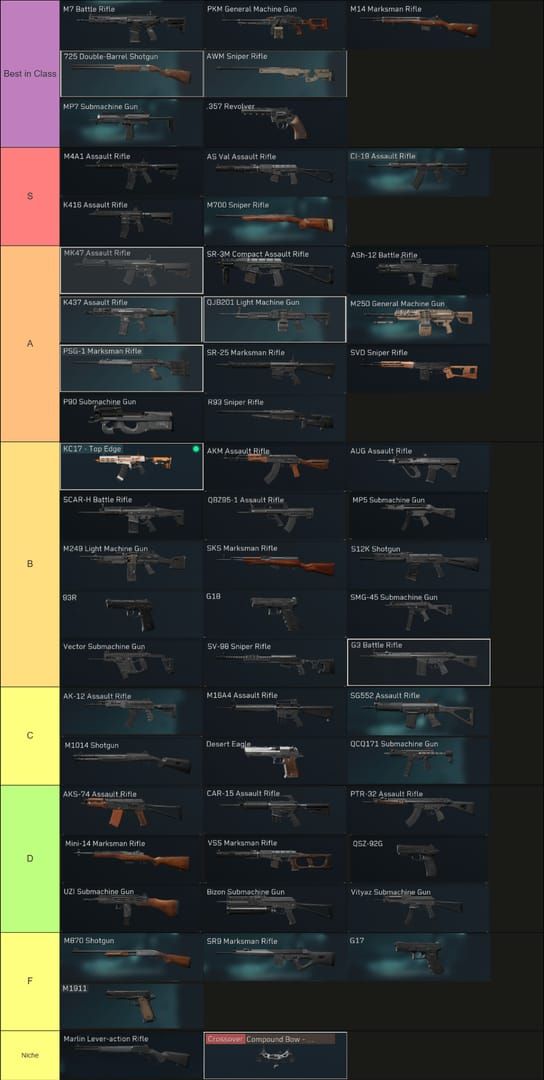
Tier 1: Immediate Liquidation (Low Post-Wipe Value)
Consumables with limited shelf life: Mission-specific gear loses value when quest progression resets. Sell immediately (days 14-11) for maximum value before saturation.
Common-tier weapons and armor: Readily available replacements flood post-wipe markets. Early sales achieve 200-300% better prices than late sales (days 3-1).
Crafting materials: Crafting stations reset completely, making materials temporarily useless. Convert to finished products or sell to opt-out players.
Tier 2: Conditional Sales
Mid-tier weapons: If market prices exceed 70% of total investment (base + mods), liquidate. Below that, deployment extracts more value.
Good armor pieces: Compare market prices vs. expected post-wipe replacement costs. If replacement takes under 15 hours, liquidate. If 20+ hours, consider protection.
Excess ammo stockpiles: Ammo persists, but excessive stockpiles create opportunity costs. If you hold 10,000 rounds but consume 500 per session, sell 8,000 for Tekniq Alloy conversion.
Tier 3: Protected Assets
Rare weapons: Unique stat distributions or limited availability from difficult quests, boss defeats, or time-limited events justify safebox allocation.
High-tier armor: Optimal stat rolls representing 40+ hours of farming provide substantial post-wipe advantages.
Fully-modded platforms: Weapon worth 200K Tekniq Alloy + 300K in mods = 500K total value. Calculate post-wipe replacement timeline before deciding.
Special Cases: Event Items
Event-exclusive items: Cosmetic event items persist automatically. Functional event items with gameplay advantages require safebox allocation if they can't be re-acquired.
Limited-edition pre-order items: Often persist through account-level flags, regenerating automatically post-wipe. Check documentation before wasting safebox slots.
Seasonal-exclusive items: If permanently unavailable after current season, protect. If returning in future seasons, liquidate or deploy.
Currency Conversion Strategies
Premium vs In-Game Currency
Delta Coins: Only currency with guaranteed wipe survival. All balances persist across every cycle.
Tekniq Alloy: Resets completely. No conversion mechanisms, refunds, or compensation. Every unspent unit = total value loss.
Vendor reputation: Resets to baseline, but items purchased at elevated reputation remain valid. Use high reputation to purchase valuables before reset.
Optimal Exchange Rates and Timing
Ammo conversion: Rates remain stable throughout pre-wipe period. Demand persists post-wipe.
Blueprint unlocks: Fixed costs, but availability windows vary. Prioritize time-sensitive unlocks (days 14-11), then permanent-availability blueprints (days 7-5).
Market-based conversions:
Days 14-11: Premium prices (unaware players)
Days 10-6: Moderate prices (increasing awareness)
Days 5-1: Severe compression (desperate sellers)
Converting Items to Tradeable Currency
Price items at 80-90% of normal value during early windows for quick sales. Capturing 80% through guaranteed sales beats holding for 100% that never materializes.
Bulk lots: Bundle complementary items (weapon + ammo, armor sets) at 85% of individual sum. Creates buyer incentive while maintaining reasonable returns.
Consumable deployment: Use medical supplies, grenades, mission gear in pre-wipe raids. Converts inventory to gameplay advantages without market dependency.
BitTopup Top-Up Strategy
Strategic Delta Coin acquisition before wipes creates post-wipe purchasing power. Fresh economies feature limited supply and high demand. Players with reserves can buy underpriced items from desperate sellers (first 48 hours), then resell at normal prices.
BitTopup provides competitive pricing with fast delivery. Secure transactions support time-sensitive pre-wipe and post-wipe needs.
Post-wipe XP multipliers (1.5x-2x for two weeks) create accelerated progression. Delta Coin reserves enable Battle Pass purchases, XP boosters, and premium items that maximize multiplier value.
What Carries Over After Wipe
Permanent Account Elements
Persist permanently:
Boss completion status
Black-Site unlocks
Map unlocks
Warfare mode progress (never resets)
Cross-progression: Requires level 10 minimum in both Warfare and Operations. Warfare provides stable foundation while Operations cycles seasonally.
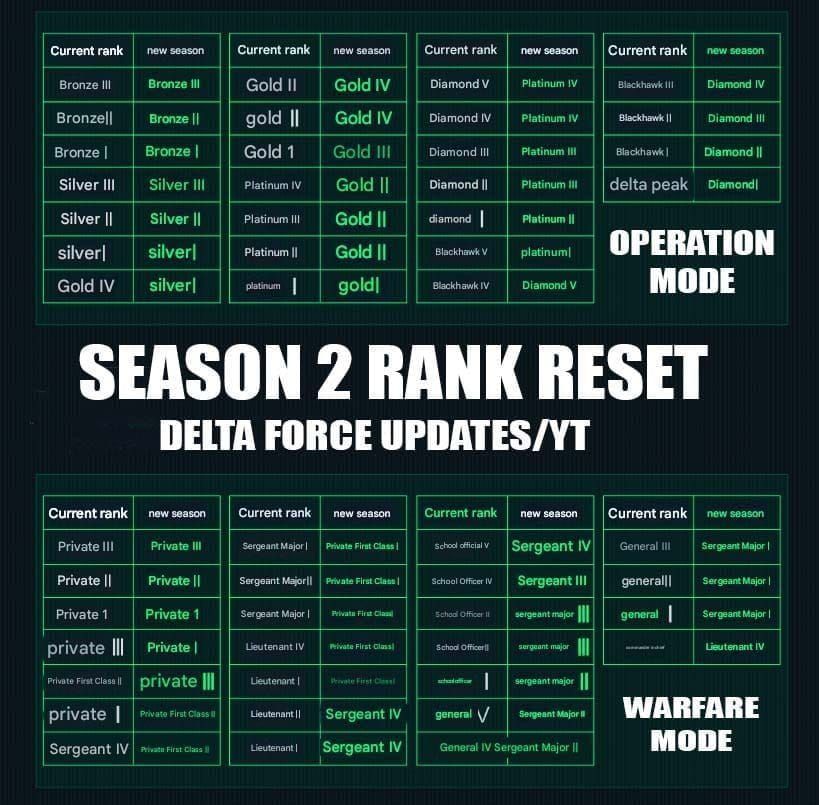
Ranked resets:
Marshal → Lieutenant IV
General I-V → Sergeant I
Colonel I-V → Sergeant II
Lieutenant I-IV → Corporal I
Corporal I-III → Private I
Private I-III → Private III
Weapon Blueprints and Unlocks
Blueprint persistence depends on acquisition method. Quest-reward blueprints typically persist. Vendor-purchased blueprints often reset with reputation.
Crafting station blueprints reset when stations reset. Even with blueprint knowledge, crafting infrastructure must be rebuilt.
Weapon modification unlocks: Progression-based mods reset with Operations levels. Mods purchased with persistent currency or earned through permanent achievements remain accessible.
Cosmetics and Operator Skins
All cosmetics persist permanently—operator skins, weapon skins, emotes, visual customizations never reset. Safest long-term account investment.
Battle Pass cosmetic rewards claimed before wipes remain accessible. Unclaimed rewards disappear when tier progression resets.
Event cosmetics maintain permanent status even if events never return. Creates long-term account distinction.
Battle Pass Progress
Tier progression resets to zero, eliminating unclaimed rewards. Claimed rewards persist permanently.
Premium Battle Pass purchases provide value only for claimed rewards. Maximize value by completing tiers and claiming before wipe.
Prestige milestone rewards (3, 5, 10 completions) accumulate across multiple cycles, creating permanent account enhancements.
Common Pre-Wipe Mistakes
Mistake #1: Hoarding Low-Value Consumables
Players protect common medical supplies or basic ammo in safeboxes, wasting slots on items replaceable within 2-3 hours post-wipe.
Fix: Deploy all common consumables in pre-wipe raids. Reserve safebox slots for items requiring 20+ hours to replace.
Mistake #2: Panic Selling High-Retention Items
Market saturation triggers panic selling at 40-50% of normal value. Deploying valuable gear in raids extracts better value than panic sales.
Fix: Establish minimum acceptable prices (days 14-11). If items don't sell by day 5, commit to deployment rather than discounted sales.
Mistake #3: Ignoring Conversion Deadlines
Delayed Tekniq Alloy conversion leads to sold-out targets and forced suboptimal conversions at 30-40% of optimal value.
Fix: Execute primary conversions (days 10-8) when full inventory remains available. Reserve days 7-5 for secondary conversions. Use days 4-1 for verification only.
Mistake #4: Failing to Optimize Safebox Layout
Random item selection wastes value-preservation potential. Stackable items provide exponentially better value density than non-stackable items.
Fix: Calculate value-per-slot for all candidates. Divide total value (replacement cost + mods) by slots consumed. Protect the two highest value-per-slot items.
Opt-In Decision Framework
Benefits of Opting In
Boss spawning privileges: Exclusive access to high-value loot encounters unavailable to non-participants.
XP multipliers: 1.5x-2x for two weeks post-wipe. Reach pre-wipe levels in 40-50 hours vs. normal 80-100 hours.
Prestige rewards: Exclusive cosmetics, permanent stat bonuses, unique features at 3, 5, 10 completions.
Risks and Drawbacks
Complete progression reset: Drop from endgame to starter capabilities. Lose access to high-tier content, advanced crafting, vendor relationships. Requires 40-100 hours re-progression.
Economic reset: Tekniq Alloy balances, vendor reputation, market position all disappear.
Time investment: Maintaining top-tier status demands consistent 15-20 hour weekly commitments.
Player Profile Analysis
Should opt-in:
Competitive players seeking ranked advancement
Content creators needing fresh-start content
Players with 15+ weekly hours
Should opt-out:
Casual players with under 10 weekly hours
Players satisfied with current progression
Those preferring gradual advancement over cyclical resets
How to Opt-Out
Opt-out requires no action—ignore the seasonal transition interface. Players who don't confirm opt-in automatically preserve current state.
Maintains: Operations levels, quest completion, vendor reputation, crafting stations, stash inventory, current safebox capacity.
Forfeit: Boss spawning privileges, seasonal rewards, prestige progression. Separate matchmaking pools may have longer queues.
Post-Wipe Preparation
First 24 Hours Strategy
Capitalize on XP multipliers immediately: Focus on high-XP quests and efficient progression routes, not economic activities.
Avoid early market purchases: Extreme price volatility first 24-48 hours. Wait 72 hours for 40-60% better pricing.
Establish vendor reputation quickly: Early gains unlock crucial blueprints. Prioritize vendor-specific quests while multipliers amplify reputation gains.
Resource Farming Routes
Fresh economies create temporary scarcity. Common materials become valuable first week post-wipe.
Ammo production materials: Highest demand spikes. Farm days 1-3, sell days 4-7 when demand peaks.
Crafting station upgrade materials: Players rushing reconstruction need specific materials in large quantities. Premium pricing during reconstruction rush.
Leveraging Pre-Wipe Planning
Protected safebox items: Immediate capability advantages accelerate quest completion and enable earlier access to higher-difficulty content.
Persistent ammo stockpiles: Eliminate early-game constraints. Engage encounters aggressively without conservation concerns.
Blueprint knowledge: Understanding which blueprints provide maximum early-game value focuses reconstruction efforts.
Using BitTopup to Accelerate Progression
Delta Coin reserves enable immediate Battle Pass purchases, capturing maximum value from two-week XP multiplier window.
Premium progression items stack multiplicatively with seasonal bonuses. 20% XP boost + 2x seasonal multiplier = 2.4x effective gain. Reach endgame in 30-40 hours vs. 80-100 hours.
BitTopup's instant delivery ensures currency availability when post-wipe opportunities emerge. Time-sensitive market opportunities and competitive progression races benefit from immediate purchasing power.
FAQ
What happens to my items during Delta Force seasonal wipe? Stash inventory (weapons, armor, medical supplies, mission gear) gets removed. Only items in two protected safebox slots survive. Delta Coins, cosmetics, ammo, and claimed Battle Pass rewards persist permanently.
How much does the safe box shrink in Delta Force 2026 wipe? All safeboxes reset to exactly two slots. Ultimate (9 slots), Premium (6 slots), and Advanced (4 slots) all shrink to baseline two-slot configuration. Excess items get deleted automatically.
Should I opt-in to Delta Force seasonal wipe? Opt-in benefits competitive players seeking boss privileges, 1.5x-2x XP multipliers, and prestige rewards. Casual players (under 10 weekly hours) achieve better satisfaction through opt-out, preserving existing progression.
What items should I sell before Delta Force wipe? Sell common weapons/armor, mission consumables, and crafting materials during days 14-11 when markets remain liquid. Convert Tekniq Alloy to ammo or permanent blueprints. Deploy high-value gear in pre-wipe raids rather than accepting panic-sale discounts.
Does premium currency reset in Delta Force seasonal wipe? Delta Coins persist permanently across all wipes. Tekniq Alloy and soft currencies reset to zero. Vendor reputation resets to baseline. Only Delta Coins provide guaranteed currency retention.
What carries over after Delta Force seasonal reset? Delta Coins, cosmetics, ammo, claimed Battle Pass rewards, boss completion status, Black-Site unlocks, map unlocks, and Warfare progress all persist. Operations levels, quests, vendor reputation, crafting stations, blueprints, and stash inventory reset to baseline.