

BIGO Beans withdrawals fail primarily due to account verification mismatches—40% of rejections stem from name discrepancies between BIGO profiles and payment accounts. The platform operates on 210:1 conversion (210 Beans = $1 USD), 6,700 Bean minimum ($31.90), and mandatory 48-hour hold on new earnings. Processing takes 7-10 days under $1,000 or 30-35 days for larger amounts. This guide identifies 15 failure causes with actionable fixes.
Understanding BIGO Beans Conversion in 2026
The 210:1 Conversion Rate
BIGO maintains fixed 210 Beans = $1 USD globally. 6,700 Beans = $31.90, max 1,050,000 Beans = $5,000 per withdrawal. The 210,000 Bean threshold ($1,000) determines processing speed and verification requirements.
Regional tax deductions apply post-conversion: India 18% GST, EU 20% VAT, US 1099 forms for $20,000+ annual earnings.
Why 6,700 Beans Minimum
This threshold offsets transaction costs: $3 base + 2% FX fees for bank transfers, Payoneer's $3 flat fee. Below this triggers immediate insufficient balance error.
The system excludes Beans under 48-hour hold from available balance—you might see 6,700 total but only 5,000 available if 1,700 were recently earned.
48-Hour Hold Period
Every Bean enters mandatory 48-hour security hold before withdrawal. Earned Monday 3 PM = available Wednesday 3 PM. This prevents fraud and verifies earnings legitimacy.
Your wallet shows two balances: total Beans (including held) and available Beans (cleared for withdrawal). Policy violations extend holds 3-14 days. Failed withdrawals refund within 24 hours.
15 Common Withdrawal Failure Reasons
Reason 1: Incomplete Account Verification
Unverified accounts can't withdraw. Requires SMS phone verification, 18+ age confirmation via government ID, exact name matching between BIGO profile and payment account.
Fix: Complete all verification badges in profile settings. Submit government IDs (both sides for national IDs/licenses, full page for passports) at minimum 1200x900px resolution. Processes within 24-48 hours.
Reason 2: Below 6,700 Beans Minimum
Error appears when total balance exceeds 6,700 but available balance (excluding held Beans) falls short.
Fix: Wait for held Beans to clear 48-hour period or earn until available balance reaches 6,700. Check Beans tab in Wallet for exact available amount.
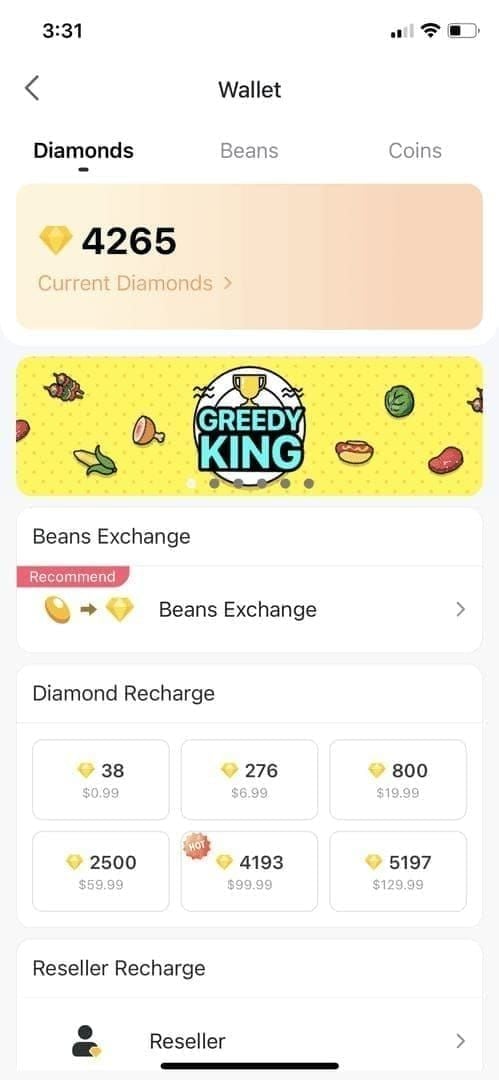
Reason 3: Payment Method Not Linked Properly
Single character difference in account holder names triggers automatic rejection. Must match BIGO account name exactly—including middle initials, spacing, character order.
Fix: Verify payment details in Wallet settings. For bank transfers, confirm routing numbers, account numbers, holder names match official documents. Payoneer requires $200 minimum (42,000 Beans) and active status.
Reason 4: Regional Restrictions
Payment method availability varies by region. M-Pesa operates only in Kenya (KES 30-50 fees, KES 1,000 minimum), Payoneer serves 100+ countries.
Fix: Check available payment methods in Wallet settings. Contact feedback@bigo.tv or +65 63519330 for region-specific guidance.
Reason 5: Insufficient Documentation
Withdrawals exceeding 210,000 Beans ($1,000) require enhanced ID verification beyond standard account verification.
Fix: Submit clear, high-resolution copies with all four corners visible, readable text, no blur/crop. Processing resumes within 3-5 business days.
Reason 6: Exceeding Weekly Limits
One withdrawal per 7-day rolling period, 1,050,000 Bean ($5,000) maximum per request. Second withdrawal within seven days triggers rejection.
Fix: Track withdrawal dates carefully. Rolling period starts from last successful completion, not submission. Wait full seven days before next request.
Reason 7: Incorrect Withdrawal Passcode
Three incorrect entries lock account for 24 hours, blocking all withdrawals.
Fix: Reset passcode through phone verification if forgotten. Avoid rapid retries—double-check each digit. 24-hour lockout can't be bypassed.
Reason 8: Beans Under 48-Hour Hold
Newly earned Beans don't immediately join withdrawable balance.
Fix: Calculate exact hold expiration times. Beans earned Monday 3 PM = available Wednesday 3 PM. Check Wallet's available balance (not total) before withdrawing.
Reason 9: Weekend/Holiday Processing Delays
Weekend submissions add 2-4 days to standard processing. The 3-5 working day window excludes Saturdays, Sundays, regional banking holidays.
Fix: Submit Monday-Wednesday for fastest processing. Factor regional holidays into expected completion dates.
Reason 10: Bank Account Information Errors
Incorrect routing numbers, SWIFT codes, account numbers cause immediate rejection. International transfers require additional codes (IBAN for Europe, IFSC for India).
Fix: Verify all banking details against official statements. Use copy-paste for long number sequences. Contact bank to confirm required codes for international transfers.
Reason 11: Account Under Security Review
Unusual activity patterns trigger automatic security checks pausing withdrawals. Sudden earning spikes, login location changes, multiple failed attempts flag accounts.
Fix: Maintain consistent streaming schedules and login patterns. If flagged, contact support with documentation proving legitimate activity. Reviews resolve within 3-5 business days.
Reason 12: Missing Tax Documentation
Annual earnings exceeding regional thresholds require tax documentation. US broadcasters need W-9 forms before processing $20,000+ cumulative annual withdrawals.
Fix: Submit required tax forms proactively when approaching thresholds. Check regional requirements in account settings. Processing resumes within 5-7 business days.
Reason 13: Outdated App Version
Running outdated BIGO Live versions creates data sync problems between device and payment servers. Withdrawal interface may display incorrect balances or fail to submit requests.
Fix: Update to latest BIGO Live version from official app stores. Clear app cache: Settings > Apps > BIGO Live > Clear Cache. Restart app and verify available balance refreshes.
Reason 14: Payment Processor Outages
Third-party payment processors occasionally experience technical difficulties blocking transaction processing. Typically resolve within 24-48 hours without user intervention.
Fix: Wait 24 hours and retry if receiving generic processing errors. Check BIGO's official social channels for maintenance announcements. Escalate to support if persisting beyond 48 hours.
Reason 15: Conflicting Withdrawal Requests
Submitting multiple withdrawal requests before previous ones complete creates processing conflicts. System may reject newer requests or freeze all pending transactions.
Fix: Submit only one withdrawal at a time. Wait for complete processing (7-10 days under $1,000, 30-35 days over $1,000) before initiating another. Cancel duplicates through Wallet interface.
Account Verification: #1 Withdrawal Blocker
Account verification failures cause 40% of all rejections. The platform's multi-layer verification requires precise information matching across all connected accounts and documents.
Required Documents Checklist
Complete verification demands:
Government-issued photo ID: Passports (full page), national ID cards (both sides), driver's licenses (both sides) at minimum 1200x900px resolution
Phone verification: SMS code to registered mobile number matching account phone
Payment account documentation: Bank statements or Payoneer confirmations showing account holder name matching BIGO profile exactly
Enhanced verification for 210,000+ Beans adds:
Proof of address: Utility bills or bank statements dated within 90 days
Selfie verification: Photo holding ID next to face with current date written on paper
Source of earnings documentation: Streaming schedules or gift receipts for large deposits
Completing Identity Verification
Tap profile icon > Settings > Account Verification
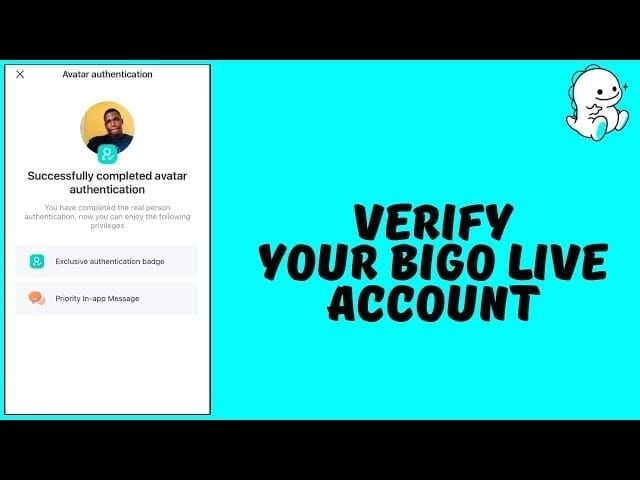
Select Identity Verification and choose document type
Photograph ID ensuring all four corners visible, no glare, text clearly readable
Submit phone number for SMS verification code
Enter six-digit code received within 60 seconds
Create six-digit withdrawal passcode (different from login password)
Confirm passcode by re-entering
Processing completes within 24-48 hours for standard verifications, 3-5 business days for enhanced verifications. You'll receive in-app notification when status changes.
Fixing 'Verification Failed' Errors
Common rejection reasons:
Image quality issues: Blurry photos, glare, cropped corners—resubmit with better lighting and stable camera
Name mismatches: John Smith on BIGO but J. Smith on ID—update BIGO profile to exact ID name
Expired documents: IDs must have 30+ days validity remaining—renew before resubmitting
Underage accounts: Must be 18+ for withdrawals—no workaround exists
Resubmissions process at same speed as initial attempts. Fix all issues before retrying to avoid multiple rejections triggering extended review periods.
Payment Method Problems
Payment method configuration errors account for 25% of withdrawal failures. The platform supports bank transfers, Payoneer, and region-specific options like M-Pesa.
Bank Account Linking Errors: 7 Quick Fixes
Name mismatch: Change BIGO account name to match bank account exactly
Routing number: Confirm 9-digit routing number matches bank documentation (US accounts)
SWIFT code: Verify 8-11 character SWIFT/BIC code for international transfers
Account type: Distinguish checking vs. savings—some banks reject transfers to wrong type
Currency compatibility: Ensure bank accepts USD deposits or specify local currency conversion
Beneficiary address: Provide complete bank branch address including postal codes
Re-linking: Remove existing connection, wait 24 hours, re-add with corrected information
Bank transfer fees: $3 base + 2% FX fee. $100 withdrawal incurs $5 total fees, nets $95.
Why Payment Methods Get Declined
Declines occur when processors detect risk factors:
New account linkage: First-time payment methods undergo additional verification—allow 48-72 hours
Recent account changes: Modifying bank details within 30 days triggers security reviews
Geographical mismatches: Bank location differs from BIGO registration country—provide explanation to support
Inactive accounts: Bank accounts with no activity (90+ days) may reject transfers—make small deposit to reactivate
Closed accounts: Verify account remains open before submitting withdrawal
Payoneer requires $200 minimum (42,000 Beans), charges $3 flat fee. M-Pesa operates only in Kenya with KES 30-50 fees, KES 1,000 minimum.
Alternative Cash Out Methods
If bank transfers fail repeatedly:
Payoneer option: Create free Payoneer account, link to BIGO, withdraw to Payoneer wallet, transfer to local bank
Different bank: Use account at different institution—some banks have better international transfer compatibility
Regional payment services: Check Wallet for country-specific options like M-Pesa (Kenya), GCash (Philippines), Paytm (India)
Each method maintains 210:1 conversion but varies in fees and processing times. Payoneer typically processes fastest (3-5 business days) while bank transfers extend to 7-10 days under $1,000.
For reliable BIGO transactions without withdrawal complications, BitTopup provides secure BIGO diamonds instant recharge with guaranteed processing and competitive rates.
Updating Payment Details Safely
Changing payment methods mid-withdrawal cancels pending requests and refunds Beans within 24 hours. To update safely:
Wait for all pending withdrawals to complete (check Wallet > Transaction History)
Navigate to Wallet > Payment Methods
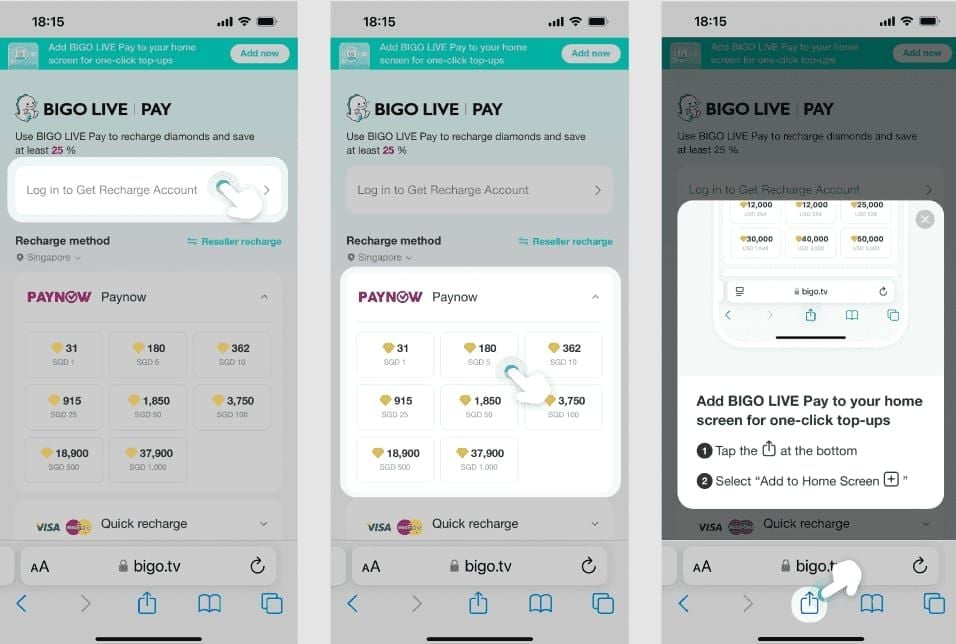
Select existing method and choose Remove
Wait 24 hours for system to clear old connection
Add new payment method with complete, verified information
Submit test withdrawal of minimum 6,700 Beans
Proceed with larger withdrawals after successful test
Never update payment details while withdrawals show Pending or Processing status. Creates conflicts requiring manual support intervention delaying processing 5-10 additional business days.
The 48-Hour Hold Period Explained
The mandatory 48-hour hold on newly earned Beans serves multiple security and verification functions.
Security Checks During Hold
During 48 hours, BIGO's systems verify:
Earnings legitimacy: Confirms gifts came from real users, not fraudulent accounts
Account activity patterns: Checks for unusual earning spikes indicating potential fraud
Payment source validation: Verifies gift senders used legitimate payment methods
Policy compliance: Reviews stream content associated with earnings for violations
These automated checks run continuously. Most Beans clear exactly at 48-hour mark unless flagged for manual review, extending holds 3-14 days.
Why Holds Extend Beyond 48 Hours
Extended holds occur when:
Large single gifts: Gifts exceeding $500 value trigger enhanced verification adding 24-48 hours
New broadcaster accounts: Accounts under 30 days old face 72-96 hour holds on first earnings
Policy violation investigations: Content under review holds all associated earnings until resolution
Payment disputes: If gift sender initiates chargeback, related Beans freeze pending dispute outcome
System doesn't notify of extended holds—Beans simply remain unavailable past standard 48 hours. Check Transaction History for status updates.
Monitoring Withdrawal Status
Track progress through:
Wallet > Beans tab: Shows available balance (cleared) vs. total balance (including held)
Transaction History: Lists each earning with timestamp and hold expiration time
Withdrawal Status: Displays current stage—Pending, Processing, Completed, or Failed
In-app notifications: Alerts when Beans clear hold or withdrawals complete
Under 210,000 Beans: expect 7-10 total calendar days (48-hour hold + 3-5 business days processing). Over 210,000 Beans: 30-35 calendar days (48-hour hold + 25-30 business days processing).
If Hold Exceeds 72 Hours
After 72 hours without Beans clearing:
Check Transaction History for specific earnings batch status
Review recent streams for potential policy violations
Verify no payment disputes in notifications
Contact support at feedback@bigo.tv with transaction IDs and timestamps
Escalate if no response within 48 hours by calling +65 63519330
For under 210,000 Beans, escalate after 7 business days total. For over 210,000 Beans, escalate after 35 calendar days.
Balance Calculation Errors
Insufficient balance errors often appear despite wallets showing adequate Beans. These discrepancies stem from how the platform calculates withdrawable amounts vs. displayed totals.
Calculating Withdrawable Beans
True withdrawable balance equals:
Total Beans - Beans Under 48-Hour Hold - Reserved Beans = Available for Withdrawal
Example:
Total Beans: 10,000
Earned yesterday (in 48-hour hold): 3,500
Reserved for pending transactions: 0
Available for withdrawal: 6,500 Beans
Despite showing 10,000 total, you can't withdraw because available balance (6,500) falls below 6,700 minimum. Always reference Available not Total when planning withdrawals.
Hidden Deductions
Several factors reduce withdrawable amounts:
Pending withdrawals: Beans allocated to in-process withdrawals remain deducted until completion or failure
Disputed earnings: Beans from gifts under chargeback investigation become temporarily unavailable
Platform adjustments: Corrections for system errors or duplicate credits
Regional tax reserves: Some countries automatically reserve tax percentages (18% India GST, 20% EU VAT)
Check Transaction History for itemized deductions. Disputed earnings show Under Review status. Tax reserves appear as Tax Withholding line items.
Pending vs. Available Beans
Wallet displays three balance types:
Total Beans: All Beans regardless of status
Pending Beans: Earnings in 48-hour hold
Available Beans: Cleared Beans eligible for immediate withdrawal
Only Available Beans count toward 6,700 minimum. Broadcaster with 8,000 Total might have only 4,000 Available if 4,000 remain Pending.
Pending Beans automatically convert to Available exactly 48 hours after earning. Beans earned Monday 3 PM shift to Available Wednesday 3 PM without action required.
Fixing 'Insufficient Balance' With Enough Beans
If Available Beans exceed 6,700 but withdrawals still fail:
Force app refresh: Close BIGO Live, clear app cache, restart device, reopen app
Check ghost transactions: Review Transaction History for stuck pending withdrawals consuming balance
Verify calculation: Manually add Available Beans shown in Wallet—app display bugs occasionally show incorrect totals
Wait 24 hours: Temporary sync issues resolve automatically
Contact support: If persisting beyond 24 hours with screenshots showing Available balance exceeding 6,700
Ghost transactions from failed attempts sometimes remain Pending indefinitely, blocking those Beans. Support can manually clear within 24-48 hours.
Regional Withdrawal Restrictions
BIGO Beans conversion rate 2026 remains 210:1 globally, but regional regulations create varying withdrawal experiences.
Countries With Modified Conversion Rates
Base 210:1 rate applies universally, but post-conversion deductions vary:
India: 18% GST deducted automatically—6,700 Beans yields $26.16 after tax vs. $31.90
European Union: 20% VAT required—broadcasters receive $25.52 net from 6,700 Beans
United States: No upfront deduction, but annual earnings over $20,000 require 1099 tax form
Kenya: M-Pesa fees (KES 30-50) plus currency conversion from USD to KES
Deductions apply after conversion but before payment disbursement. Wallet shows gross amounts; deposits reflect net amounts after regional deductions.
Payment Method Availability by Region
Bank Transfer (Global): Available worldwide, $3 base + 2% FX fee, 7-10 day processing under $1,000
Payoneer (100+ countries): Requires $200 minimum (42,000 Beans), $3 flat fee, 5-7 day processing
M-Pesa (Kenya only): KES 1,000 minimum, KES 30-50 fees, 3-5 day processing
Regional services: GCash (Philippines), Paytm (India) appear in Wallet based on registration country
Check Wallet > Payment Methods for available options. If preferred method doesn't appear, your region doesn't support it.
Local Regulations Impact
Banking regulations create region-specific requirements:
China: Requires government-issued business license for broadcaster earnings withdrawals
Indonesia: Mandates tax identification number (NPWP) for withdrawals exceeding IDR 10 million annually
Brazil: Requires CPF registration and proof of address dated within 90 days
Middle East: Some countries restrict international payment platform access
Non-compliance triggers automatic rejection with generic error messages. Contact support for region-specific documentation requirements.
Workarounds for Region-Locked Methods
If preferred payment method unavailable:
Payoneer intermediary: Create Payoneer account (100+ countries), withdraw BIGO earnings to Payoneer, transfer to local bank
Alternative bank accounts: Some international banks offer better cross-border transfer compatibility
Regional payment services: Explore country-specific options in Wallet settings
VPN limitations: Using VPNs to access region-locked methods violates terms and triggers account suspension—avoid
Each workaround maintains 210:1 conversion but may add intermediate fees. Payoneer's $3 BIGO fee plus Payoneer-to-bank transfer fees can total $5-8 for small withdrawals.
Technical Errors and System Glitches
Payment processing failed messages sometimes stem from technical issues rather than account problems.
App Version Issues
Outdated BIGO Live apps create sync problems causing:
Incorrect balance displays: App shows outdated Bean counts
Withdrawal button unresponsive: Tapping Exchange Rewards produces no response or crashes
Error code loops: Repeated generic errors without specific failure reasons
Payment method sync failures: Linked accounts don't appear in withdrawal interface
Fix: Update to latest BIGO Live version from official app stores. Clear app cache: Settings > Apps > BIGO Live > Storage > Clear Cache. Restart device before reopening app.
Server-Side Processing Errors
Platform-wide technical issues affect multiple users simultaneously. Indicators:
Generic error messages: Processing failed, please try again later without specific codes
Widespread reports: Multiple broadcasters reporting identical issues on social channels
Maintenance notifications: Official BIGO announcements about scheduled/emergency maintenance
Partial feature outages: Other Wallet functions also malfunctioning
Resolve automatically within 24-48 hours without user intervention. Repeated withdrawal attempts during outages may flag account for excessive retries.
Cache and Data Problems
Corrupted local data creates persistent failures. Symptoms:
Withdrawal interface shows old payment methods already removed
Available balance doesn't update after 48-hour hold expires
Transaction History missing recent earnings/withdrawals
App freezes when accessing Wallet
Complete cache clearing:
Note login credentials (you'll need to re-login)
Settings > Apps > BIGO Live > Storage > Clear Cache
Settings > Apps > BIGO Live > Storage > Clear Data
Uninstall BIGO Live completely
Restart device
Reinstall from official app store
Login and verify information syncs correctly
Resolves 90% of persistent technical issues but requires re-entering payment methods and verification information.
When to Contact Support
Self-troubleshoot first (24-48 hours) for:
First-time withdrawal attempts with verification errors
Balance calculation discrepancies
Payment method linking issues
App version or cache problems
Contact support immediately for:
Withdrawals stuck Processing beyond expected timeframes (7 business days under $1,000, 35 calendar days over $1,000)
Account lockouts from incorrect passcode entries
Beans disappearing from available balance without corresponding transaction
Repeated failures after fixing all identified issues
Provide complete documentation: screenshots of error messages, transaction IDs, timestamps, troubleshooting steps attempted. Support responds within 24-48 hours to feedback@bigo.tv or via phone +65 63519330 for urgent issues.
Preventing Future Withdrawal Failures
Proactive account management eliminates 80% of common payment issues.
Pre-Withdrawal Checklist: 10 Items
Available balance confirmation: Wallet > Beans tab shows Available (not Total) exceeds 6,700
48-hour hold expiration: Verify newest earnings cleared using Transaction History timestamps
Payment method validation: Linked account shows Verified status with green checkmark
Name matching accuracy: Account holder name on payment method exactly matches BIGO profile
Verification status current: All verification badges (phone, ID, age) show active status
Seven-day period elapsed: Last withdrawal completed at least 7 days ago
Amount within limits: Withdrawal request between 6,700-1,050,000 Beans
Passcode accessibility: Remember six-digit withdrawal passcode (not login password)
App version current: Running latest BIGO Live version
No pending transactions: Transaction History shows no stuck Pending withdrawals
Completing this takes 3-5 minutes but prevents 90% of common rejections.
Maintaining Verification Status
Verification doesn't expire automatically, but certain events trigger re-verification:
Password changes: Changing login password requires SMS re-verification
Payment method updates: New bank accounts or Payoneer connections need separate verification
Long inactivity: Accounts inactive 90+ days may require ID re-submission
Large withdrawal attempts: First withdrawal exceeding 210,000 Beans triggers enhanced verification
Maintain verification by:
Keeping phone number current and accessible for SMS codes
Updating government ID before expiration (30+ days validity required)
Streaming regularly to avoid inactivity flags
Submitting enhanced verification documents proactively when approaching $1,000 threshold
Best Practices for Monthly Cash Outs
Optimal timing: Submit Monday-Wednesday to avoid weekend processing delays.
Strategic amount planning: Withdraw amounts just under 210,000 Beans ($1,000) to maintain 3-5 day processing vs. 25-30 day enhanced verification. If monthly earnings exceed this, split into multiple weekly withdrawals.
Payment method consistency: Use same verified payment method for all withdrawals. Switching triggers additional verification delays.
Documentation readiness: Keep current government ID, proof of address, bank statements accessible for potential verification requests.
Transaction tracking: Maintain spreadsheet logging withdrawal dates, amounts, completion times to identify patterns if issues arise.
Advanced Troubleshooting
Persistent withdrawal fails after exhausting standard solutions require escalation procedures.
Escalation Process
Days 1-3: Self-troubleshooting using checklist verification, cache clearing, payment method validation
Days 4-7: Initial support contact via feedback@bigo.tv with complete documentation
Days 8-14: Follow-up email referencing original ticket number, adding new error messages/symptoms
Days 15+: Phone escalation to +65 63519330 requesting supervisor review, citing ticket number and timeline
For under 210,000 Beans, escalate after 7 business days. For over 210,000 Beans, escalate after 35 calendar days.
Documentation for Support Tickets
Required screenshots:
Wallet > Beans tab showing Available balance
Transaction History displaying relevant earnings and withdrawal attempts
Error messages (full screen, not cropped)
Payment method settings showing verification status
Account verification page showing all badges
Written information:
Exact withdrawal amount attempted
Date and time of withdrawal attempt (include timezone)
Payment method type
Complete error message text
Troubleshooting steps already attempted
Transaction ID numbers from failed attempts
Supporting documents:
Government ID used for verification
Bank account statement showing account holder name
Previous successful withdrawal confirmations (if applicable)
Support processes complete tickets 60% faster when documentation is thorough and organized.
Recovery Timeline by Failure Type
Verification mismatches: 3-5 business days after submitting corrected documentation
Payment method errors: 24-48 hours after updating account details
Technical glitches: 24-48 hours for platform-side issues, immediate for app-side fixes
Security holds: 3-14 days depending on investigation complexity
Enhanced verification (over $1,000): 25-30 business days from complete documentation submission
Disputed earnings: 14-30 days pending chargeback investigation
Policy violations: 7-21 days for review, potential permanent withdrawal suspension for serious violations
Timelines assume complete, accurate information submission. Incomplete documentation restarts clock from zero.
FAQ
Why does BIGO require 6,700 Beans minimum?
The 6,700 Bean threshold ($31.90 at 210:1 rate) covers transaction processing costs including $3 base bank transfer fees and 2% FX charges. Prevents micro-withdrawals that would incur fees exceeding withdrawal value.
How long does the 48-hour hold take?
Exactly 48 hours from when Beans are earned. Beans credited Monday 3 PM = available Wednesday 3 PM. Hold runs continuously for each earning batch. Policy violations extend holds 3-14 days, amounts exceeding $500 in single gifts add 24-48 hours.
What's the BIGO Beans conversion rate in 2026?
Standardized 210 Beans = $1 USD globally. Converts to $31.90 for 6,700 minimum, $5,000 for 1,050,000 maximum. Regional tax deductions apply after conversion: 18% GST India, 20% VAT EU.
Can I withdraw without account verification?
No. Withdrawals require complete verification including SMS phone verification, 18+ age confirmation via government ID, exact name matching between BIGO profile and payment account. Unverified accounts can't access Exchange Rewards function.
Why is my withdrawal stuck on pending?
Pending indicates either 48-hour hold hasn't expired or payment processing is underway. Under 210,000 Beans process in 3-5 working days after hold, totaling 7-10 calendar days. Over 210,000 Beans require 25-30 working days, totaling 30-35 calendar days. Weekend submissions add 2-4 days.
What happens if withdrawal fails after 48 hours?
Failed withdrawals automatically refund Beans to available balance within 24 hours. You'll receive in-app notification explaining failure reason. Fix identified problem using error message guidance, then resubmit. 48-hour hold doesn't restart for refunded Beans—they're immediately available for retry.
Tired of withdrawal failures? BitTopup provides reliable BIGO diamonds top-up with guaranteed processing, competitive pricing, instant delivery, and 24/7 customer support.