Bigo Live withdrawal scams are getting more sophisticated, targeting streamers through fake payment acceleration offers, phishing emails, and fraudulent agency requests. Here's what's alarming: 40% of legitimate withdrawals fail due to verification issues alone—and scammers are exploiting this confusion. With streamers earning anywhere from $600 to $20,000+ monthly, the stakes couldn't be higher. This guide breaks down the top 7 withdrawal scams we're seeing in 2025 and gives you a bulletproof 15-point safety checklist.
Understanding Bigo Live Withdrawal Scams: The 2025 Landscape
The withdrawal scam game has evolved dramatically this year. We're seeing fraudsters target streamers' hard-earned Beans through increasingly sophisticated schemes—fake payment acceleration services, official-looking support emails, and bogus agency partnerships that would fool even experienced broadcasters.
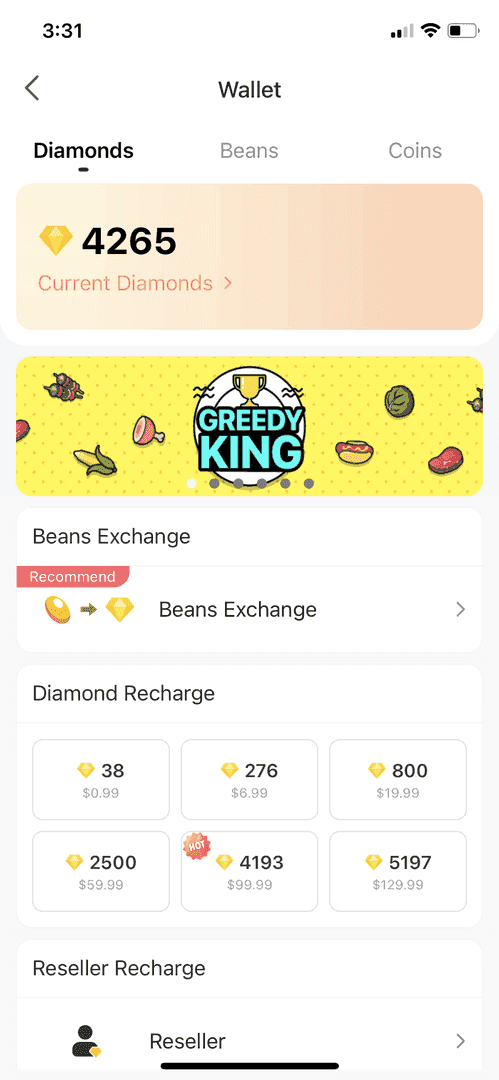
What makes these scams particularly dangerous? They exploit the legitimate complexity of Bigo's withdrawal system. The platform's six-step in-app procedure comes with specific thresholds and verification requirements that honestly confuse even seasoned streamers. When you're dealing with the standard conversion rate of 210 Beans to $1 USD and minimum withdrawal thresholds of 6,700 Beans ($31.90), there's plenty of room for scammers to create helpful workarounds.
Agency-contracted broadcasters face the biggest targets on their backs. When you're pulling in serious monthly earnings, fraudsters see dollar signs.
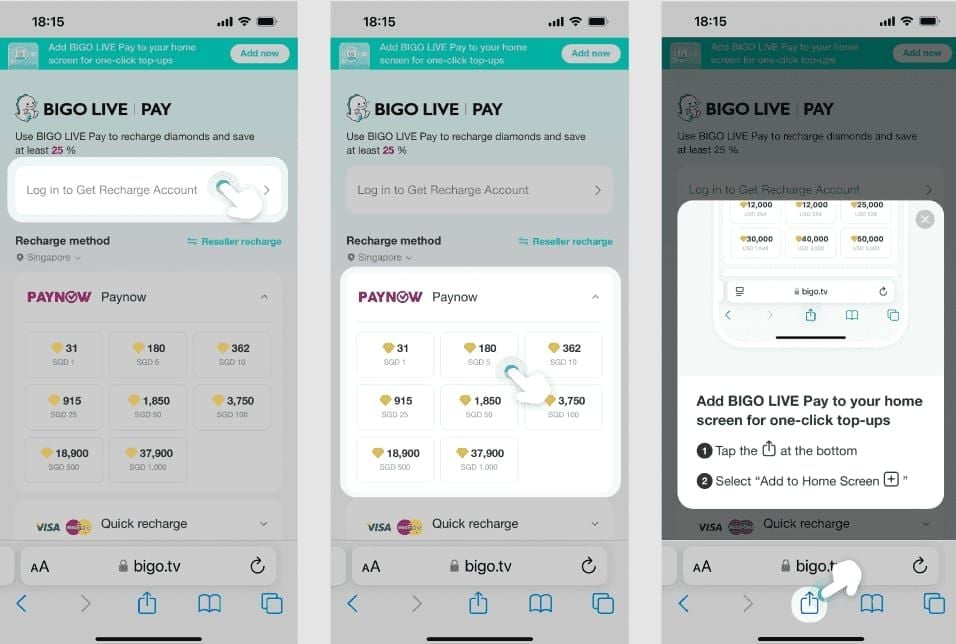
For streamers who want to maintain secure transactions across all their Bigo Live activities, platforms like BitTopup provide recharge Bigo Live safe withdrawal diamonds with verified security measures that complement safe withdrawal practices.
What Actually Qualifies as a Withdrawal Scam on Bigo Live
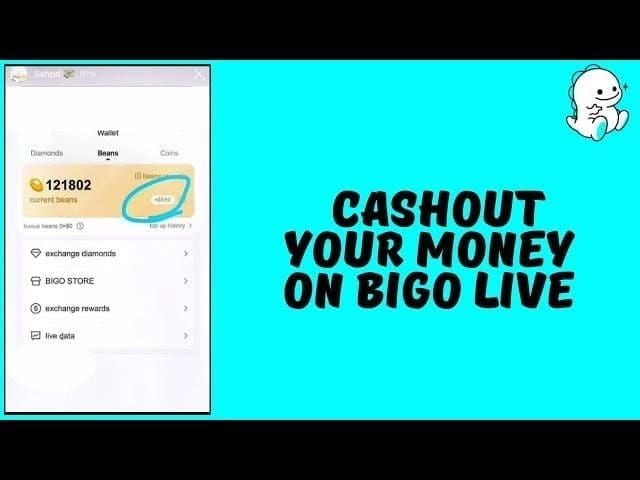
Here's the thing—legitimate Bigo Live withdrawals happen one way only: Profile → Wallet → Beans → Exchange Rewards → Payment Method → Confirmation. That's it. No shortcuts, no premium services, no external websites.
If someone's asking you to bypass this process, demanding external payments, or requesting your login credentials? That's fraud, plain and simple.
The red flags are pretty clear once you know what to look for. Promises of faster processing than the standard 3-5 days for amounts under $1,000. Upfront fees to unlock your withdrawals. Offers to convert Diamonds directly to cash—which is impossible since only Beans can be withdrawn.
And here's a particularly sneaky one: scammers exploit that 48-hour hold period on new earnings by offering immediate access for a fee. Don't fall for it.
Why Streamers Are Prime Targets in 2025
The platform's explosive growth created a perfect storm. More high-earning broadcasters with substantial Bean balances, but also more confusion about the increasingly complex withdrawal requirements.
Agency-related fraud has intensified big time. We're seeing fake agencies promising 20-40% commission rates while demanding upfront documentation fees. Real agencies require 32 hours streamed plus 130,000 Beans monthly—but they never charge application fees. Ever.
Then there's the romance scam angle. Emotional manipulation leading to gift cashout requests has become disturbingly common.
The Financial Impact: Real Losses from Recent Cases
The numbers are sobering. About 20% of users report encountering scams, with withdrawal-related fraud representing a growing segment of those cases.
Average losses? We're talking $200 to $2,000, with mid-tier streamers getting hit hardest. These are broadcasters who have substantial earnings but lack experience with large transactions—making them perfect targets.
Processing delays compound the problem. While amounts under $1,000 process in 3-5 days, larger withdrawals take 25-30 days. That anxiety-inducing wait creates the perfect window for scammers to swoop in with expedited service offers.
And remember that 40% failure rate for withdrawals due to name mismatches? That's creating additional vulnerability windows that fraudsters are absolutely exploiting.
The Official Bigo Live Withdrawal Process Explained
Step-by-Step Legitimate Cashout Procedure
Let's walk through the only legitimate way to get your money out. Eight mandatory steps, all within the Bigo Live app:
Open your app and log into your verified account → Navigate to Profile → Select Wallet → Choose Beans → Tap Exchange Rewards → Select your verified payment method (bank card or Payoneer) → Enter withdrawal amount (minimum 6,700 Beans) → Confirm transaction.

This process cannot—and I can't stress this enough—be completed through external websites, third-party services, or email requests. Anyone telling you otherwise is running a scam.
Understanding Beans to Currency Conversion
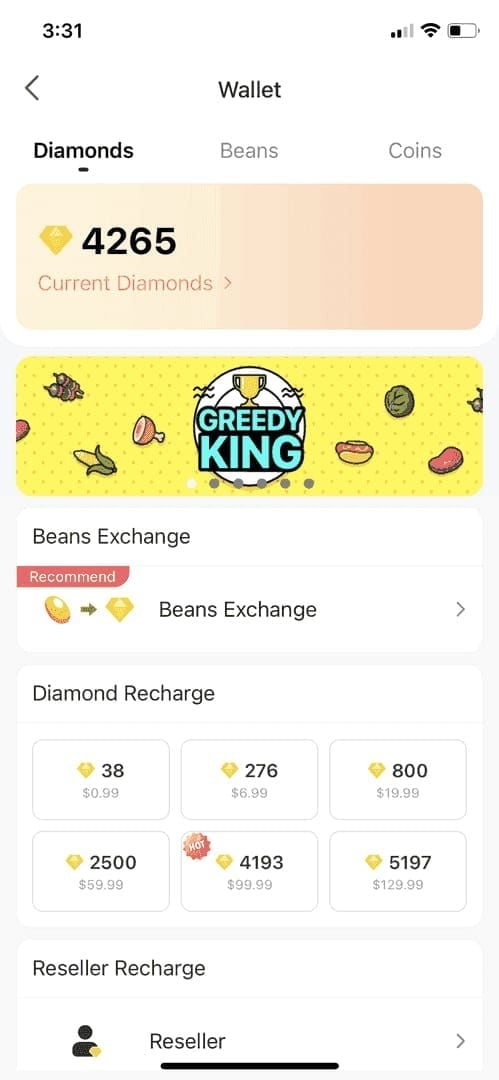
Beans represent your actual earnings from viewer gifts. They convert to cash at a fixed rate of 210 Beans per $1 USD. This rate stays consistent across regions and can't be improved through external services.
Here's where it gets tricky: Diamonds convert to Beans at a 1:1 ratio when you receive them as gifts, but they can't be directly withdrawn. They must first become Beans through the gift-receiving process.
Scammers often promise direct Diamond-to-cash conversion. It's impossible. Don't believe it.
Payment Threshold Requirements by Region
The universal minimum withdrawal threshold sits at 6,700 Beans ($31.90 USD). Maximum limits cap individual transactions at 1,050,000 Beans with weekly exchange limits.
Agency-contracted streamers face additional hurdles: 32 hours streaming plus 130,000 Beans monthly to maintain withdrawal eligibility.
For streamers seeking reliable diamond recharge services for their viewers, buy Bigo scam-free cashout coins through verified platforms ensures a secure gift economy while you focus on safe withdrawal practices.
Expected Processing Timelines for Withdrawals
Withdrawals under $1,000 complete within 3-5 days. Amounts $1,000+ require 25-30 days for additional verification—yes, it's frustrating, but that's the reality.
Direct deposit alternatives take 1-2 weeks with enhanced security. New earnings face that mandatory 48-hour hold before withdrawal eligibility kicks in.
Bank card withdrawals incur a $3 base fee plus 2% foreign exchange charges. Payoneer offers a flat $3 fee but requires a minimum $200 account balance.
Payment method verification requires exact name matching between your Bigo account, government ID, and financial account. This prevents 40% of withdrawal attempts—which explains why scammers can easily exploit frustrated streamers.
Top 7 Bigo Live Withdrawal Scams Exposed in 2025
Scam #1: Fake Payment Acceleration Offers
This one's everywhere right now. Scammers contact streamers claiming they can process withdrawals faster for 10-15% fees, exploiting frustration with standard 3-5 day processing.
They promise instant transfers through premium processing channels via direct message, email, or comments using official-looking branding. The hook? They request upfront payment through gift cards, cryptocurrency, or wire transfer to activate expedited service.
Red flags: upfront payment requests, processing times faster than official standards, communication outside the Bigo Live app.
Scam #2: Phishing Emails Mimicking Bigo Support
These campaigns are getting scary good. Streamers receive emails that look like they're from Bigo Live support, claiming withdrawal issues that need immediate attention.
The emails request login credentials, payment information, or verification documents to resolve fabricated problems. They often reference specific withdrawal amounts or dates to seem legitimate, creating urgency by claiming account suspension or fund freezing without immediate action.
Here's the truth: authentic Bigo communications occur through in-app notifications only. They never request passwords or payment details via email.
Scam #3: Third-Party Payment Processor Fraud
Scammers promote external payment services claiming better exchange rates, lower fees, or faster processing than official channels. These services request account access to facilitate withdrawals, then steal credentials or redirect funds.
Variations include fake cryptocurrency exchanges, unauthorized payment apps claiming Bigo partnerships, and bulk withdrawal services.
Using external services violates terms of service and results in account suspension. Don't risk it.
Scam #4: Agency Fee Advance Requests
Fake agencies contact streamers with lucrative partnership offers, then request upfront fees for processing, verification, or contract preparation.
They promise unrealistic commission rates (20-40%) and guaranteed earnings while demanding payments for background checks, equipment, or training. Some impersonate legitimate agencies or create convincing fake websites.
Remember: legitimate agencies never charge application fees or require upfront payments. Period.
Scam #5: Account Verification Payment Demands
This scam exploits that 40% verification failure rate by offering verification assistance services. Scammers claim special relationships with Bigo support to resolve name mismatches, incomplete KYC verification, or account restrictions—for a fee, of course.
These offers typically arrive right after legitimate withdrawal failures, targeting frustrated streamers at their most vulnerable moment.
Verification issues resolve through official support channels at no cost via the app's feedback system (Me → Feedback).
Scam #6: Beans Transfer Conversion Scams
This sophisticated scam targets streamers with excess Diamonds wanting withdrawable Beans conversion. Scammers offer to receive Diamond gifts and transfer equivalent Beans back minus service fees, exploiting the fact that only Beans can be withdrawn.
Scammers receive the gifts but never transfer promised Beans. Variations include promises to multiply Beans through investment schemes.
Legitimate Diamond-to-Bean conversion only occurs through the natural gift-giving process. There are no shortcuts.
Scam #7: Fake Tax Withholding Notifications
Scammers send official-looking notifications claiming tax obligations on Bigo earnings require immediate payment to prevent account freezing or legal action.
These notifications request payment through gift cards, wire transfers, or cryptocurrency for international tax compliance, complete with fake reference numbers and government logos.
Tax obligations for streaming income are handled through normal tax filing procedures—not payments to third parties.
Red Flags: How to Identify Fraudulent Withdrawal Requests
Suspicious Communication Patterns to Watch For
Legitimate Bigo communications arrive through in-app notifications, use consistent branding, and never create artificial urgency.
Fraudulent communications? They're full of grammatical errors, inconsistent formatting, or unofficial email addresses. They use pressure tactics like limited time offers, account suspension warnings, or immediate action required.
If scammers contact you through multiple channels simultaneously, that's a dead giveaway—official communications follow single, documented channels.
Email and Message Authentication Checks
Authentic emails originate from verified domains and include specific account information scammers can't access. Check sender addresses carefully—fraudulent emails use similar but incorrect domains.
Official messages reference your username and include transaction IDs or dates matching your activity. Generic greetings like Dear User indicate mass phishing attempts.
Never click suspicious email links. Log into the Bigo app directly and check official notifications.
Unusual Payment Method Requests
Legitimate withdrawals only support bank cards and Payoneer accounts linked through the official app interface.
Any requests for gift cards, cryptocurrency, wire transfers, or cash apps indicate fraud. Scammers claim alternative methods offer better security, faster processing, or lower fees.
Official payment methods undergo strict verification requiring exact name matches with government identification—this can't be bypassed through external services.
Pressure Tactics and Urgency Language
Fraudulent requests use artificial urgency to prevent you from researching or seeking advice. Common phrases include act within 24 hours, limited availability, account suspension, or funds forfeited.
Legitimate withdrawal processes operate on predictable timelines without arbitrary deadlines. When you encounter urgent requests, always verify through official channels—legitimate issues remain resolvable regardless of immediate response timing.
The 15-Point Safe Cashout Checklist for Bigo Streamers
Pre-Withdrawal Security Verification (Points 1-5)
Point 1: Verify Account Security Settings - Enable two-factor authentication through SMS verification. Make sure your registered phone number is current and accessible.
Point 2: Confirm Payment Method Verification - Ensure your linked bank card or Payoneer shows Verified status. The name must exactly match your Bigo account name and government ID.
Point 3: Review Recent Account Activity - Check your streaming history, gift receipts, and Bean balance for any unauthorized activity. Look for unfamiliar transactions, balance changes, or unknown location logins.
Point 4: Validate Minimum Balance Requirements - Confirm your Bean balance meets the 6,700 minimum threshold and earnings are older than 48 hours.
Point 5: Document Current Balance and Transaction Intent - Screenshot your current Bean balance, account verification status, and intended withdrawal amount for dispute evidence.
During Withdrawal Process Checks (Points 6-10)
Point 6: Use Only Official App Interface - Access withdrawal exclusively through: Profile → Wallet → Beans → Exchange Rewards. Never use external websites or third-party services.
Point 7: Verify Processing Fee Accuracy - Confirm fees match official rates: $3 flat fee for Payoneer or $3 plus 2% foreign exchange for bank cards.
Point 8: Double-Check Recipient Information - Verify payment method details display correctly before confirming. Ensure recipient name, account numbers, and processing method match verified information.
Point 9: Confirm Transaction ID Generation - Legitimate withdrawals generate official transaction IDs within the app interface. Save that reference number for tracking.
Point 10: Avoid Expedited Processing Offers - Decline any offers for faster processing, better exchange rates, or reduced fees during the withdrawal process.
Post-Withdrawal Confirmation Steps (Points 11-15)
Point 11: Monitor Official Processing Timeline - Track withdrawal status through the official app. Expect 3-5 days for amounts under $1,000, 25-30 days for larger withdrawals.
Point 12: Verify Payment Receipt - Confirm funds arrive in your designated account within expected timeframes. Check that the received amount matches your withdrawal minus official fees.
Point 13: Maintain Transaction Records - Keep screenshots of withdrawal confirmation, transaction ID, and payment receipt for 30+ days.
Point 14: Review Account Security Post-Transaction - Check for unauthorized changes to account settings, payment methods, or security configurations after withdrawals.
Point 15: Update Security Measures - Change your account password after large withdrawals, review connected devices, and consider updating two-factor authentication.
Protecting Your Bigo Live Account from Payment Fraud
Enabling Two-Factor Authentication: Complete Setup Guide
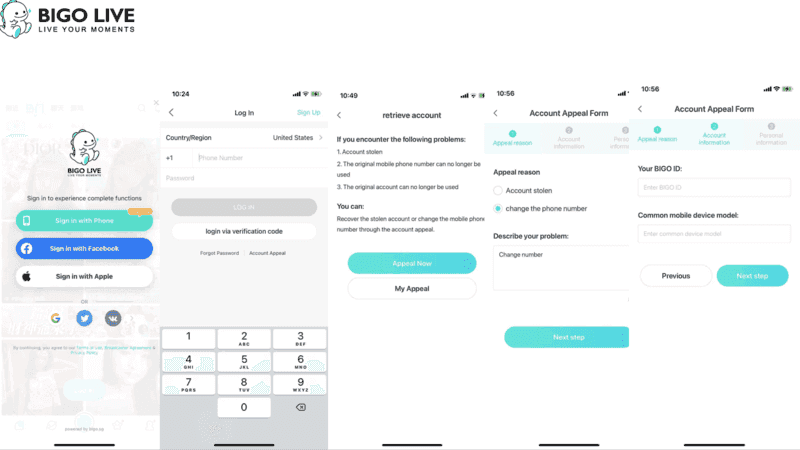
Navigate to Settings → Security → Two-Factor Authentication within the Bigo Live app. Enter your current phone number and verify through the SMS code. This number becomes your secondary authentication, preventing access even with compromised passwords.
Enable 2FA for all account changes including payment modifications, withdrawal requests, and security updates. It's your best defense.
Password Security Best Practices for Streamers
Create unique, complex passwords exceeding 12 characters with uppercase letters, lowercase letters, numbers, and symbols. Avoid personal information like birthdays, names, or streaming schedules that are discoverable through social media.
Use password managers for secure credential generation and storage. Change passwords immediately after suspicious activity, successful withdrawals, or shared account access.
Regular 90-day password updates provide additional protection—yes, it's annoying, but it works.
Securing Your Linked Payment Methods
Verify payment methods only through the official Bigo app interface. Ensure payment account names exactly match your Bigo account names and government identification.
Monitor linked bank accounts and Payoneer statements for unauthorized transactions, especially around withdrawal processing times. Set up account alerts for all transactions.
Remove unused payment methods from your Bigo accounts—inactive methods create additional attack vectors.
Recognizing Account Takeover Warning Signs
Watch for login notifications from unfamiliar locations, unexpected password reset emails, or uninitiated account information changes.
Monitor your streaming schedules and earnings patterns for disruptions indicating unauthorized access. Check email regularly for Bigo notifications about security changes, payment updates, or withdrawal requests.
Immediate response to unauthorized changes prevents complete account compromise.
What to Do If You've Been Targeted or Scammed
Immediate Actions to Limit Damage
Change your Bigo Live password immediately and enable two-factor authentication if it's inactive. Check your Bean balance, withdrawal history, and linked payment methods for unauthorized changes.
Document any discrepancies with timestamped screenshots for evidence. Contact your bank or Payoneer immediately if financial information was shared or payments authorized to scammers.
Request account monitoring, transaction blocks, or card replacements as needed.
Reporting to Official Bigo Live Support Channels
Access official support through the Bigo Live app: Me → Feedback → Report Issue. Provide comprehensive information including your username, transaction IDs, fraudulent communication screenshots, and detailed scam descriptions.
Include specific dates, amounts, and any compromised personal information. Follow up within 48 hours if you don't receive an initial response.
Documenting Evidence for Investigation
Collect all scammer communications including emails, direct messages, comments, and external website interactions. Save everything as screenshots with visible timestamps and sender information.
Document your legitimate account activity before and after scam attempts including normal withdrawal patterns, streaming schedules, and earnings history.
Maintain organized records of recovery actions including support tickets, bank communications, password changes, and security updates.
Safe Practices for Bigo Live Financial Transactions
Using BitTopup for Secure Diamond Recharge
When your viewers need Diamond purchases to support your streams, recommend secure recharge platforms that protect both you and your community from fraud.
BitTopup provides verified, secure Diamond recharge services with competitive pricing and reliable delivery. The platform's security measures include encrypted transactions, verified payment methods, and customer protection policies preventing chargebacks and fraud that could affect your earnings.
BitTopup's excellent customer service and high user ratings demonstrate the reliability that protects your streaming ecosystem.
Verifying Agency Legitimacy Before Partnership
Research potential agencies thoroughly before signing contracts or sharing personal information. Legitimate agencies provide verifiable business registration, established track records with other streamers, and transparent contract terms without upfront fees.
Contact current agency streamers directly to verify their experiences, earnings consistency, and support quality. Review agency contracts for realistic commission rates, clear performance requirements, and standard business terms.
Avoid agencies promising unrealistic earnings, demanding upfront payments, or using high-pressure sales tactics.
Tracking Your Earnings with Proper Documentation
Maintain detailed records of your streaming income including daily Bean earnings, gift receipts, withdrawal transactions, and associated fees.
Use spreadsheets or accounting software to track earnings patterns, peak performance periods, and withdrawal timing. Save monthly statements of Bigo earnings and withdrawal history through the app's reporting features.
Regular documentation creates paper trails supporting financial planning and security monitoring.
Frequently Asked Questions
How do I know if a Bigo Live withdrawal request is legitimate? Legitimate withdrawals only occur through the official Bigo Live app interface: Profile → Wallet → Beans → Exchange Rewards. Any request outside this process indicates fraud. Official withdrawals never require additional fees beyond the standard $3 plus applicable foreign exchange charges.
What are the most common Bigo Live payment scams in 2025? The top scams include fake payment acceleration offers promising faster processing for fees, phishing emails mimicking Bigo support requesting login credentials, third-party payment processors claiming better rates, fake agency fee requests, and fraudulent account verification services exploiting confusion around legitimate withdrawal processes.
How long does official Bigo Live withdrawal take? Official processing times are 3-5 days for withdrawals under $1,000, and 25-30 days for amounts $1,000+. New earnings have mandatory 48-hour hold periods before withdrawal eligibility. Any promises of faster processing indicate scam attempts.
What's the minimum withdrawal threshold on Bigo Live? Minimum withdrawal is 6,700 Beans ($31.90 USD) at the standard conversion rate of 210 Beans per dollar. This threshold applies globally and can't be reduced through external services. Maximum individual transactions are capped at 1,050,000 Beans with weekly limits.
What should I do if I suspect a Bigo withdrawal scam? Immediately change your password and enable two-factor authentication. Document fraudulent communications with screenshots, check your account for unauthorized changes, and report through the official app (Me → Feedback). Contact your bank if financial information was shared—never send money to resolve withdrawal issues.