

Securing a MICO Coin top up refund requires complete documentation: Transaction ID, wallet history screenshots, MICO User ID, purchase timestamp, and payment verification. Properly documented cases resolve within 24-72 hours, while incomplete submissions face rejection or 5-14 day investigations. This guide covers exact documentation requirements and submission process to maximize approval chances in 2026.
Understanding MICO Coin Refund Eligibility in 2026
Three primary scenarios qualify for refunds. Missing coins after purchase account for 90% of tickets—the most common valid claim. Duplicate charges resolve within 24-48 hours when properly documented. Unauthorized transactions carry 40-50% success rates and require 7-14 days investigation.
Contact support within 48 hours of issues to maintain eligibility. This timeframe ensures transactions remain fresh in system logs and increases resolution speed. Approved refunds process within 7-14 business days.
When purchasing through platforms like BitTopup, you get mico coin top up refund request proof documentation that streamlines verification. Complex server error cases resolve in 3-7 days, while bulk errors affecting multiple users may extend to 14-30+ days.
Valid Refund Scenarios: Failed Transactions, Missing Coins, Duplicate Charges
Failed transactions occur when payment processes but coins never reach your wallet. Before submitting refund requests, try the logout/login method that resolves 60% of missing coins: Profile > Settings > Logout, wait 30-60 seconds, log back in. This syncs your wallet balance with MICO's servers.
Duplicate charges from technical glitches resolve fastest—24-48 hours—because transaction records clearly show duplication. Server errors during peak periods (7-11 PM) add 15-30 minutes to delivery times, so wait 30 minutes for card payments and 4 hours for bank transfers before submitting tickets.
Delivery windows by payment method:
Credit/debit cards: 5 minutes (95%), 30 minutes (100%)
PayPal/digital wallets: instant to 15 minutes
Cryptocurrency: 20-30 minutes
Bank transfers: 1-4 hours
Submit tickets only after these windows expire.
Non-Refundable Situations: Used Coins, Gifted Items, Promotional Bonuses
MICO maintains strict non-refund policies for:
Coins spent on gifts, virtual items, or live stream interactions
Promotional coins from events/bonuses (expire in 30-90 days)
Gifted coins received from other users
Account violations triggering coin forfeiture
Wallet history tracks all coin usage, making refund claims for consumed currency impossible. Ensure your device has 500MB+ free storage for top-ups—insufficient space causes delivery failures that complicate refund claims.
Time Limits for Refund Requests
The 48-hour contact window is your primary deadline. While wallet history displays 90 days of transactions, submitting claims beyond 48 hours significantly reduces approval likelihood and extends investigation timelines.
Properly documented cases submitted within this window resolve in 24-72 hours. Initial automated responses arrive immediately, first human replies within 2-8 hours. Cases submitted after 48 hours enter 5-14 day extended review processes.
The Complete Proof Pack: Essential Documents for MICO Coin Top Up Refund Request
A complete proof pack contains five critical components:
Transaction ID - Primary reference linking your claim to payment records
Wallet history screenshots - Account activity showing balance before/after disputed transaction
Payment proof - Must display Transaction ID, exact amount, timestamp, last 4 digits of payment method
MICO User ID - Permanent 8-12 digit numeric string
Purchase timestamp - Expected delivery window verification
Platforms like BitTopup automatically generate comprehensive mico transaction id wallet history for refund documentation, eliminating manual collection errors.
Transaction ID: Your Primary Reference Number
The Transaction ID appears in three locations: in-app transaction history, email confirmations, and payment gateway records. Manual UID entry carries 12-15% error rate—use copy-paste methods.
Transaction ID formats vary by payment method:
Card transactions: 16-20 character codes
Cryptocurrency: 40-64 character hash strings
Bank transfers: 10-15 characters (varies by country)
Cross-reference your Transaction ID against payment gateway records to ensure accuracy. Mismatched IDs trigger automatic rejection and restart the review process.
Wallet History Export: Comprehensive Account Activity Record
Access wallet history through Profile > Wallet > History, displaying 90 days of records. Your refund case requires screenshots covering the disputed transaction date plus 2-3 days before and after.
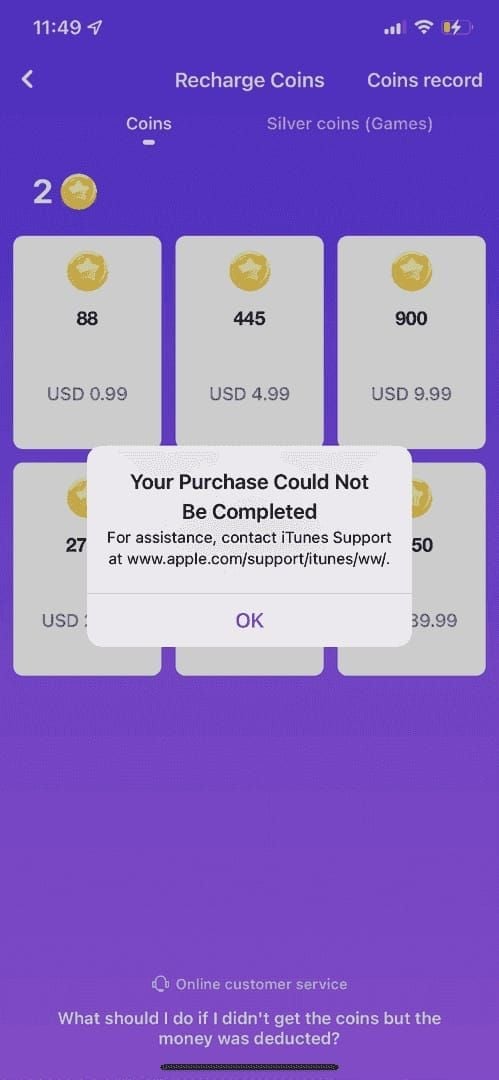
Wallet history screenshots must capture:
MICO UID at top
Transaction list in middle
Current balance at bottom
Set device to maximum brightness and disable dark mode for clearest quality. Cropped images missing any elements face rejection.
Payment Receipt: Bank or Payment Gateway Confirmation
Payment receipts provide third-party verification. Must show:
Exact amount charged
Merchant name (MICO or payment processor)
Transaction date and time
Last 4 digits of payment method
Bank statement screenshots should capture full transaction line including pending/completed status. PDF statements from online banking offer higher quality than mobile screenshots.
Digital wallet receipts (PayPal, Apple Pay, Google Pay) should include the payment provider's transaction ID. This creates a verification chain: payment provider ID → MICO Transaction ID → wallet history. Complete chains resolve in 24-72 hours versus 5-14 days for partial documentation.
Account Information: UID and Registration Details
Your MICO UID is the permanent account identifier. Copy accurately: Open MICO app, tap profile icon, long-press UID under username, tap Copy. This eliminates 12-15% manual entry error rate.
UID/region mismatch causes 90% of missing coin issues. Verify account region matches payment method's country before purchasing. Region changes require government ID, 3-month residence proof, SMS verification, process within 24-48 hours, limited to once per 12 months.
Include registered email and phone number in submissions. Outdated contact information extends resolution times by 3-5 days.
How to Locate Your MICO Transaction ID (Step-by-Step)
Three methods exist for retrieving Transaction ID: in-app navigation (fastest for recent transactions), email confirmations (permanent records), and payment gateway cross-references (verification strength).
Screenshot your purchase confirmation screen before closing—often contains all required proof pack elements.
Method 1: In-App Transaction History Navigation
Launch MICO Live app, tap profile icon (bottom-right)
Select Wallet from profile menu
Tap History to view complete transaction log
Scroll to disputed purchase (reverse chronological order)
Tap transaction to open detail view
Long-press Transaction ID, tap Copy
Take full-screen screenshot showing Transaction ID, purchase amount, coin quantity, payment method, and status. Ensure device status bar remains visible for timestamp verification.
Method 2: Email Confirmation Retrieval
MICO sends automated confirmations to registered email within 1-5 minutes. Search inbox for emails from MICO using keywords: purchase, transaction, coins. Check spam/promotions folders.
Email confirmations contain Transaction ID in message body, plus purchase timestamp, amount charged, coin quantity, and payment method—essentially a pre-formatted proof pack.
Forward confirmation email to yourself or screenshot entire message including headers showing sender, recipient, and received timestamp.
Method 3: Payment Gateway Records Cross-Reference
Access payment method's transaction history through bank app, credit card portal, or digital wallet. Locate charge from MICO or payment processor.
Payment gateways display their own transaction IDs distinct from MICO's. Include both IDs in proof pack: MICO's Transaction ID from app and payment provider's reference number. This dual-ID approach creates unbreakable verification chain.
Capture screenshots showing pending versus completed status. Status progression proves payment completed successfully, strengthening missing coins claims.
Transaction ID Format and Verification Tips
Verify Transaction ID doesn't contain common transcription errors:
Number zero vs letter O
Number one vs letter I or lowercase L
Number eight vs letter B
These visual similarities cause 8-10% of manual entry errors.
Cross-check Transaction ID against multiple sources—app history, email confirmation, payment gateway—to ensure consistency. Mismatched IDs indicate documentation error requiring correction before submission.
Exporting MICO Wallet History: Complete Documentation Guide
Wallet history exports provide comprehensive transaction context separating approved refunds from rejected claims. Support teams analyze complete transaction patterns to verify disputed purchases represent genuine anomalies.
The 90-day wallet history window captures sufficient context for any legitimate refund case. Transactions older than 90 days fall outside standard refund eligibility.
Accessing Wallet History in MICO Live App
Navigate to profile (tap bottom-right icon) > Wallet > History. Interface displays transactions in reverse chronological order. Each entry shows transaction type (purchase, gift sent/received, expenditure), amount, timestamp, and status.
Support teams examine 2-3 days of activity before and after disputed purchases to identify patterns. History showing regular, legitimate usage strengthens cases versus sparse or suspicious activity.
Selecting the Correct Date Range for Your Refund Case
Capture wallet history screenshots covering disputed transaction date plus 48 hours before and after. This 5-day window provides sufficient context without overwhelming support teams.
Date range must include:
Wallet balance before purchase
Disputed transaction itself
Balance afterward
This progression proves coins never credited. Missing any element weakens your case and triggers additional verification requests.
For multiple related transactions (several failed attempts), capture the entire sequence. Sequential failed transactions followed by successful payment but missing coins represent strong refund cases when properly documented.
Export Formats: Screenshot vs PDF vs Email Request
Screenshots represent fastest, most accessible method. Use device's native screenshot function. Take multiple overlapping screenshots if transaction list exceeds one screen, ensuring each includes MICO UID for continuity.
PDF exports through customer support add 24-48 hours with no verification advantage over proper screenshots. Email requests for transaction history serve as backup when app access issues prevent screenshots—extends timeline by 2-4 days.
Ensuring All Transaction Details Are Visible
Each wallet history screenshot must display:
MICO UID at top
Transaction list showing type and amount
Timestamps for each transaction
Current status indicators
Wallet balance
Set device to maximum brightness before capturing. Disable dark mode—support teams prefer light-background screenshots for clarity. Verify transaction amounts display completely without truncation.
Screenshot Best Practices for Refund Evidence
Screenshot quality directly correlates with approval speed. Clear, comprehensive screenshots resolve in 24-72 hours, while poor-quality images trigger 3-5 day delays for clarification requests.
Support teams review hundreds of requests daily. Screenshots requiring zooming, enhancement, or interpretation get deprioritized. Investing 5 minutes in proper technique saves 3-7 days processing time.
Required Elements: Timestamp, Amount, Status, Transaction ID
Every screenshot must capture device status bar showing current date and time. This proves screenshot recency and prevents submission of outdated images.
Transaction amounts must appear in full, including currency symbols and decimals. Partial amounts like 99... instead of 99.99 trigger verification failures.
Status indicators—Completed, Pending, Failed, Processing—provide critical context. Completed payment with missing coins represents strongest refund case. Capture status indicators clearly in every screenshot.
Transaction IDs must appear completely within screenshot boundaries. If ID spans multiple lines or appears in small font, take close-up screenshot of ID field plus full-screen context shot.
Resolution and Clarity Standards
Modern smartphones capture screenshots at native display resolution (typically 1080p+), providing sufficient clarity. Avoid third-party screenshot apps that compress images or add watermarks—these raise authenticity concerns.
Review each screenshot immediately by zooming to verify text readability. Transaction IDs, amounts, and timestamps should remain crisp at 200% zoom. Blurry screenshots indicate camera shake or low device resolution.
Natural lighting produces clearest screenshots when photographing computer screens. Avoid flash creating glare spots. If photographing screens, shoot at slight angle to minimize reflection while keeping text readable.
Full-Screen Capture vs Cropped Images: What Works Better
Full-screen captures provide maximum context and authenticity verification. Support teams see device type, app version, and interface elements confirming screenshot legitimacy. These contextual clues accelerate verification versus tightly cropped images.
Cropped screenshots raise red flags in automated verification. Tight crops could hide manipulated elements or remove context revealing claim weaknesses. While not automatically rejected, cropped images receive additional scrutiny extending processing 1-3 days.
Submit both full-screen context shots and zoomed detail captures for complex cases. Full-screen proves authenticity while zoomed version ensures small text readability.
Avoiding Common Screenshot Mistakes That Delay Approval
Never edit, annotate, or modify screenshots before submission. Red arrows, circles, or text additions trigger authenticity reviews adding 2-4 days. Support teams prefer raw, unmodified screenshots.
Avoid screenshots with notification banners, pop-ups, or overlays obscuring transaction details. Dismiss all notifications and close pop-ups before capturing.
Rename files descriptively—MICOTransactionID.png, WalletHistory.png, BankStatement.png—to facilitate faster review.
Submitting Your MICO Coin Refund Request: The Exact Process
Proper navigation and form completion determine whether your case enters 24-72 hour fast track or 5-14 day extended review queue.
Initial automated responses arrive immediately, confirming receipt and providing reference number. First human replies appear within 2-8 hours for properly documented cases.
Accessing the Refund Request Form in MICO Live
Open MICO app, navigate to profile (bottom-right icon)
Select Settings (gear icon, top-right of profile)
Scroll to Help & Support or Customer Service
Tap Help & Support to open support center
Select Payment Issues category
Choose subcategory matching your situation: Coins Not Received, Duplicate Charge, Unauthorized Transaction, or Other Payment Problems
Proper category selection routes tickets to specialized support teams, reducing resolution time by 1-2 days versus generic submissions.
Filling Required Fields: Account Details, Transaction Information, Issue Description
Account details auto-populate from profile: MICO UID, registered email, phone number. Verify information displays correctly—outdated contact details delay resolution 3-5 days.
Transaction information requires manual entry:
Transaction ID (copy-paste, don't type)
Purchase date and time
Amount charged
Coin package purchased
Payment method used
Issue description field (500-1000 characters): Write clear, factual descriptions without emotional language. Example: Purchased 1000 coins for $9.99 via credit card on January 15, 2026 at 3:45 PM. Payment processed successfully (Transaction ID: ABC123XYZ789) but coins never appeared. Attempted logout/login refresh without success. Wallet history shows no record despite bank statement confirming charge.
Uploading Proof Documents: File Size and Format Requirements
Upload interface accepts JPG, PNG, PDF files up to 5MB each. Compress oversized PDFs using free online tools while maintaining readability.
Upload documents in logical order:
Transaction ID screenshot
Wallet history
Payment proof
Additional context
This sequence matches support teams' verification workflow, accelerating review. Interface typically allows 5-10 attachments per submission.
Label files descriptively: TransactionIDScreenshot, WalletHistoryJan15, BankStatementCharge.
Confirmation and Reference Number for Follow-Up
Upon successful submission, system generates confirmation screen displaying ticket reference number (6-10 digit code). Screenshot this immediately. Reference number enables status tracking and provides proof of submission.
Automated email confirmation arrives within 1-5 minutes containing reference number, submission timestamp, and issue summary. Save this email for easy retrieval during status checks.
Confirmation screen estimates initial response time—usually 2-8 hours for first human contact. This applies to properly documented submissions. Incomplete cases receive automated requests for additional information, restarting timeline.
Refund Processing Timeline and Status Tracking
Standard cases follow predictable patterns. The 24-72 hour resolution window applies to properly documented cases with clear-cut issues: missing coins after confirmed payment, obvious duplicate charges, or server errors during known outages. These comprise approximately 70% of refund requests.
Standard Review Period: 24-72 Hours for Complete Submissions
Hour 0-2: Automated receipt confirmation and ticket assignment. Initial automated response immediate, first human contact within 2-8 hours.
Hour 2-24: Support team reviews documentation, verifies Transaction ID against system logs, cross-references payment gateway records, examines wallet history. Complete documentation enables verification within 8-12 hours.
Hour 24-48: Investigation results undergo supervisor review for approval. Refund approvals generate automated processing requests to finance teams. Rejections trigger notification emails explaining decision and appeal options.
Hour 48-72: Approved refunds enter payment processing queues. Refunds return via original payment method:
Card refunds: 3-5 business days
Digital wallet refunds: 1-2 business days
Bank transfers: 5-7 business days
Total 7-14 business day timeline includes this payment processing period.
Extended Cases: 5-7 Days for Complex Investigations
Complex cases requiring extended investigation:
Unauthorized transaction claims (40-50% success rate, 7-14 days)
Region mismatch issues
Bulk server errors affecting multiple users
Conflicting documentation
Unauthorized transaction investigations involve security team review, device fingerprint analysis, IP address verification, sometimes government ID submission. These layers protect against fraud but extend timelines to 7-14 days.
Server error cases during known outages resolve faster (3-7 days) because system logs show technical failure. Cases claiming server errors during periods with no logged issues face skeptical review and potential rejection, extending investigation to 10-14 days.
Bulk errors affecting multiple users simultaneously trigger mass refund processes taking 14-30+ days. These receive public acknowledgment through MICO's official channels.
How to Check Your Refund Request Status
Access status tracking: Profile > Settings > Help & Support > My Tickets or Support History. Your refund ticket appears with reference number, submission date, and current status.
Status indicators:
Received (0-8 hours)
Under Review (8-48 hours)
Pending Additional Information (requires your response)
Approved (refund processing initiated)
Rejected (with explanation)
Resolved (refund completed or issue closed)
Pending Additional Information requires immediate attention. Support teams allow 48-72 hours for responses before automatically closing tickets. Check registered email for clarification requests and respond promptly.
What to Do If You Don't Receive Response Within Expected Time
Standard cases exceeding 72 hours warrant follow-up. Reply to confirmation email with ticket reference number and polite status inquiry. Avoid opening duplicate tickets—fragments your case across multiple agents and extends resolution.
Extended cases approaching maximum timeline (7 days for unauthorized transactions, 14 days for server errors) justify escalation requests. Use phrases like requesting supervisor review or escalation to senior support.
If email follow-ups receive no response within 24 hours, attempt in-app support chat if available. Live chat agents check ticket status and add priority flags for overdue cases. Provide reference number immediately.
Common Refund Rejection Reasons and How to Avoid Them
Approximately 35-40% of first-time refund requests face rejection due to preventable documentation errors. Rejected cases receive explanation emails detailing specific deficiencies. Address every listed issue in resubmissions—partial corrections still result in rejection.
Incomplete Documentation: Missing Transaction ID or Wallet History
Missing Transaction IDs account for 25-30% of rejections. Support teams can't verify claims without this primary reference. Cases with only payment proof but no Transaction ID enter extended investigation requiring manual transaction matching, adding 5-7 days if processed at all.
Wallet history omissions represent 20-25% of rejections. Payment proof confirms you paid, but wallet history proves coins never arrived. Without wallet history, support teams can't distinguish between legitimate missing coin cases and users who received then spent coins immediately.
Incomplete proof packs missing any of five core elements—Transaction ID, wallet history, payment proof, MICO UID, or timestamp—face automatic rejection.
Unclear Screenshots: Low Resolution or Partial Information
Low-resolution screenshots below 720p face rejection for unverifiable details. Transaction IDs and amounts must remain readable without enhancement. If your device produces low-resolution screenshots, photograph your screen with higher-quality camera, ensuring no glare.
Partial screenshots cropping critical elements—MICO UID, timestamps, status indicators, full transaction amounts—trigger rejection. Support teams won't request clarification for obviously incomplete submissions.
Blurry screenshots from camera shake or poor focus receive rejection. Review every screenshot at 200% zoom before submission. If text appears blurry, retake. Five minutes quality control prevents 3-5 days resubmission delays.
Outside Refund Window: Requests Submitted After 7-Day Limit
The 48-hour optimal submission window and 7-day maximum eligibility represent hard deadlines. Cases beyond these windows face rejection unless extraordinary circumstances apply—extended hospitalization, natural disasters, or documented technical issues preventing earlier submission.
Late submissions require additional justification explaining delay. Generic excuses like I forgot or I was busy don't qualify. Document legitimate delay reasons with supporting evidence: hospital discharge papers, travel itineraries, or technical support tickets showing app access issues.
Wallet history displays 90 days of transactions, creating false impression that 90-day-old purchases qualify. The display window exists for record-keeping, not refund eligibility. Submit claims within 48 hours regardless of transaction age.
Ineligible Cases: Coins Already Used or Account Violations
Wallet history showing coin expenditures after disputed transaction timestamp proves coins were received and used, disqualifying refund eligibility. Support teams examine complete wallet activity, not just disputed transactions. Spending coins then claiming they never arrived results in permanent refund privilege revocation.
Account violations—terms of service breaches, fraudulent activity, or chargeback history—trigger automatic refund rejection. Chargebacks represent most severe violation, causing permanent account, ID, and device bans within 24-48 hours. Coins from disputed transactions and all previous purchases face forfeiture.
Appeals of chargeback bans require 30+ days with success rates below 15%. Legitimate refund requests through proper channels avoid this catastrophic outcome entirely.
How to Strengthen Your Refund Case for Resubmission
Resubmissions must address every deficiency listed in rejection emails. Create checklist from rejection explanation and verify each item before resubmitting. Partial corrections result in re-rejection.
Add supplementary documentation beyond minimum requirements for borderline cases: bank statements, payment gateway transaction histories, email confirmations, screen recordings of wallet refresh attempts.
Write detailed, chronological issue descriptions: January 15, 2026, 3:45 PM: Purchased 1000 coins via Visa ending in 1234. Transaction ID ABC123XYZ789 confirmed via email at 3:46 PM. 3:50 PM: Checked wallet, coins not present. 4:00 PM: Performed logout/login refresh, coins still missing. 4:15 PM: Verified bank charge posted. 4:30 PM: Checked wallet history, no record of purchase. 4:45 PM: Submitted refund request. This timeline demonstrates due diligence and legitimate concern.
Expert Tips for Faster MICO Coin Refund Approval
Professional documentation practices separate 24-72 hour resolutions from 5-14 day extended cases. Support teams prioritize well-organized, complete submissions requiring minimal verification effort.
Submit Complete Proof Pack in First Attempt
Gather all five core elements before beginning submission: Transaction ID, wallet history screenshots, payment proof, MICO UID, detailed timestamp information. Lay out all screenshots in folder, verify each contains required elements, then proceed.
Pre-submission checklist:
Transaction ID visible and complete?
Wallet history shows before/after balance?
Payment proof displays full amount and timestamp?
MICO UID appears in screenshots?
All images clear at 200% zoom?
Checking these five items takes 2 minutes but prevents 3-5 day resubmission cycles.
Organize screenshots in verification order: Transaction ID first, wallet history second, payment proof third, supplementary evidence last. This sequence matches support team workflow.
Use Clear, Professional Language in Issue Description
Avoid emotional language, accusations, or threats. Phrases like This is unacceptable, I demand immediate refund, or I'll report you trigger defensive responses and deprioritize tickets.
Structure descriptions chronologically: purchase action, expected outcome, actual outcome, troubleshooting attempted, current status.
Specify desired outcome clearly: Requesting coin delivery to complete original purchase or Requesting refund to original payment method. Clear outcome requests prevent confusion about whether you want coins delivered or payment refunded.
Cross-Verify All Transaction Details Before Submission
Compare Transaction ID across all documentation sources: app history, email confirmation, payment gateway. Mismatched IDs indicate documentation error requiring correction. Consistent IDs signal legitimate, well-documented claims.
Verify amounts match exactly across payment proof and purchase records. A $9.99 bank charge should correspond to 1000-coin purchase at standard rates (110 coins per $1 globally, 143 coins per $1 in MENA regions). Mismatched amounts trigger fraud alerts and extended investigation.
Confirm timestamps align logically: purchase time, email confirmation time (1-5 minutes later), bank charge time (immediate to 24 hours later depending on payment method). Illogical sequences indicate documentation errors or fraudulent claims.
Maintain Organized Records of All Purchase Communications
Create dedicated email folder for MICO purchase confirmations. This organization enables instant retrieval of Transaction IDs and purchase details. Searching scattered inboxes adds 15-30 minutes to proof pack assembly and increases error likelihood.
Screenshot every purchase confirmation screen before closing. This immediate documentation captures Transaction ID, amount, timestamp, and coin package in single image. Store screenshots in cloud-synced folder for access across devices.
Keep simple spreadsheet logging purchases: date, amount, coin quantity, Transaction ID, payment method. This personal record enables quick identification of missing transactions and provides reference for refund submissions. Five minutes monthly maintenance saves hours during refund situations.
Preventing Future Top-Up Issues: Why BitTopup Is the Safer Choice
While understanding refund processes provides essential knowledge, preventing problems entirely offers superior outcomes. Third-party platforms specializing in game currency top-ups provide advantages over direct in-app purchases.
BitTopup's verified transaction processing delivers instant confirmation for every purchase. Transparent pricing eliminates hidden charges causing unexpected payment amounts. Competitive rates match or beat official pricing, providing value without sacrificing reliability.
Verified Transaction Processing with Instant Confirmation
BitTopup generates comprehensive transaction records automatically: order number, Transaction ID, purchase timestamp, coin quantity, payment amount, delivery status. These records provide complete proof packs instantly, eliminating manual screenshot assembly.
Real-time delivery tracking shows coin transfer progress from payment confirmation through wallet crediting. This transparency enables immediate issue identification—if delivery stalls, you know within minutes rather than waiting through full delivery windows.
Automated delivery confirmation emails arrive within 60 seconds of wallet crediting, providing timestamped proof of successful completion. These confirmations serve as permanent records accessible from any device, unlike in-app histories limited to 90 days.
Transparent Pricing and No Hidden Charges
BitTopup displays total costs upfront: coin package price, applicable fees, final charge amount. This transparency prevents expected $9.99 but charged $10.49 discrepancies that complicate refund cases.
Competitive pricing matches official rates while offering frequent promotions and bulk discounts. These savings accumulate significantly for regular purchasers—10-15% annual savings for weekly buyers, 20-25% for daily purchasers.
Multiple payment method options—cards, digital wallets, cryptocurrency, bank transfers—enable selection of your fastest, most reliable method. Choosing instant processing methods (cards, digital wallets) over slower options (bank transfers) reduces delivery time from hours to minutes.
24/7 Customer Support for Immediate Assistance
BitTopup's round-the-clock support responds to inquiries within 5-15 minutes via live chat, compared to 2-8 hours for email-based systems. This immediate access resolves simple issues—delivery delays, payment confirmations, account questions—in minutes rather than days.
Support agents access complete transaction histories instantly, eliminating proof pack assembly requirement for basic inquiries. Describe your issue, provide order number, and agents retrieve all necessary documentation from platform records.
Multilingual support teams communicate in your preferred language, reducing misunderstandings that extend resolution times.
Secure Payment Gateway with Purchase Protection
BitTopup's certified payment processing meets international security standards, protecting financial information through encryption and tokenization. This infrastructure prevents unauthorized transaction scenarios triggering 7-14 day investigations with 40-50% success rates.
Purchase protection policies guarantee coin delivery or full refund within 24 hours. This eliminates uncertainty of 24-72 hour investigation periods and potential rejection. If coins don't arrive, refunds process automatically without proof pack submission.
Transaction monitoring systems identify and flag anomalies in real-time—duplicate charges, incorrect amounts, delivery failures—triggering automatic investigation before you notice issues. Proactive problem resolution prevents most refund scenarios entirely.
Frequently Asked Questions
How long does MICO Coin refund take in 2026? Standard cases with complete documentation resolve within 24-72 hours for investigation. Approved refunds then process within 7-14 business days: card refunds 3-5 days, digital wallets 1-2 days, bank transfers 5-7 days. Complex cases involving unauthorized transactions or server errors extend to 7-14 days investigation before refund processing begins.
Where to find Transaction ID in MICO Live app? Open MICO app, tap profile icon (bottom-right), select Wallet, tap History. Locate purchase in transaction list and tap to open details. Transaction ID appears at top. Long-press ID and tap Copy. Alternatively, check email for purchase confirmation sent within 1-5 minutes—Transaction ID appears in email body.
What documents are required for MICO Coin refund? Complete proof pack requires: Transaction ID from app history or email, wallet history screenshots showing transactions before/after disputed purchase, payment proof (bank statement or payment gateway receipt) displaying charge with timestamp, MICO User ID (8-12 digit number under profile username), purchase timestamp with expected delivery window. All screenshots must be clear, full-screen captures without cropping.
Can I get refund if MICO Coins didn't arrive? Yes, missing coins after confirmed payment represent most common valid refund scenario (90% of tickets). First try logout/login refresh (Profile > Settings > Logout, wait 60 seconds, log back in)—resolves 60% of cases. If coins remain missing after refresh and delivery window expired (30 minutes for cards, 4 hours for bank transfers), submit refund request with complete documentation within 48 hours.
What makes MICO refund request get rejected? Common rejection reasons: incomplete documentation missing Transaction ID or wallet history (45-50%), unclear screenshots with low resolution or cropped information (20-25%), submissions outside 48-hour optimal window (15-20%), ineligible cases where wallet history shows coins were received and spent (10-15%). Avoid rejection by submitting complete proof packs with clear, full-screen screenshots within 48 hours, and never initiate chargebacks which trigger permanent bans.
How to check MICO Coin purchase history? Access through Profile > Wallet > History in MICO app. Displays 90 days of transactions including coin purchases, gifts sent/received, expenditures, promotional bonuses. Each transaction shows type, amount, timestamp, status. Tap individual transactions for complete details including Transaction ID. For permanent records beyond 90 days, save purchase confirmation emails or maintain personal spreadsheet logging purchase dates, amounts, Transaction IDs.