

Recharge Likee diamonds using only your 10-digit User ID—no password needed. Works with PayPal, PIX, cards. First purchases: 24-48 hours. Repeat orders: 5-30 minutes. Covers ID-only steps, payment security, delivery verification, and avoiding scams (42,751 accounts banned in 2026).
What Is No-Login Diamond Top-Up?
No-login recharge requires only your 10-digit numerical User ID instead of account credentials. Likee's payment system separates identification from authentication—your ID routes diamonds directly without login access, eliminating password-sharing risks.
The process uses three-layer verification: User ID validation, payment authentication, delivery confirmation. Payment platforms communicate with Likee servers using your ID as the routing key. This prevents the 60-70% delivery failures from ID mismatches.
Why ID-only is safer: No credential theft risk. The 42,751 banned accounts in 2025 involved credential-sharing schemes, not ID-only purchases. You get transaction traceability through payment records (PayPal, PIX, cards) without exposing login sessions.
Platforms like BitTopup let you top up likee diamonds without login using just your User ID with PayPal, PIX, and competitive pricing.
2026 system requirements:
iOS 12.0+ / Android 6.0+
1GB storage minimum (2GB+ recommended)
1-2 Mbps internet speed
Disable VPN completely (wait 10-15 minutes before purchase)
Finding Your Likee User ID
Your User ID is the permanent 10-digit numerical code required for all transactions. Wrong IDs cause 60-70% of top-up failures.
Method 1 - Profile:
Open Likee app
Tap profile icon (top-left)
Select View Profile
Copy 10-digit ID below username
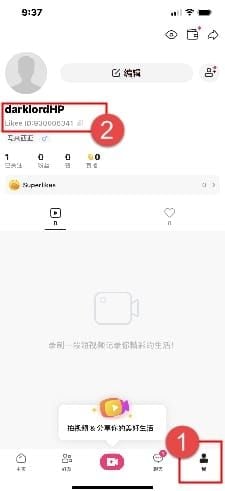
Method 2 - Quick Access:
Tap bottom-right avatar
Tap profile picture
ID appears under nickname
User ID vs Username: User ID = permanent 10-digit number (1234567890). Username = customizable display name with letters/symbols. Payment systems need the numerical ID only.
Common mistakes:
Extra spaces/characters when copying
Confusing 0 (zero) with O (letter), 1 (one) with l (lowercase L)
Regional formatting (1,234,567,890 vs 1234567890)—use raw 10 digits only
Entering username instead of numerical ID
Always paste IDs instead of typing. Verify exactly 10 digits, no spaces.
PayPal Diamond Top-Up Guide
PayPal works in 180+ countries with buyer protection and instant confirmation.
Setup requirements:
Confirmed email verification
Linked payment method (bank/card)
Sufficient balance/credit
Account region matches payment method country
Checkout process:
Select diamond package
Enter 10-digit Likee User ID
Choose PayPal payment
Click Proceed to Checkout
Log into PayPal (not Likee)
Review transaction details
Confirm payment
Wait for confirmation screen
Receive order confirmation
Processing times: 2-5 minutes off-peak (2-6 AM), 45-60 minutes peak hours (6-10 PM).
Security features:
Purchase Protection for eligible transactions
Enable 2FA (password + mobile code)
Set instant transaction alerts (not daily summaries)
Currency conversion: PayPal adds 2.5-4% above mid-market rates. Maintain balance in merchant's currency to minimize fees.
PIX Payment for Brazilian Users
PIX processes payments in under 60 seconds, 24/7, zero fees for individuals.
How PIX works: Real-time bank transfers via QR codes or alphanumeric keys. Payment settles in 10 seconds through Central Bank infrastructure. Merchant receives instant confirmation, triggering diamond delivery.
PIX tutorial:
Select package, enter User ID
Choose PIX payment
Platform generates QR code/key
Open Brazilian bank app
Navigate to PIX section
Scan QR or paste key
Verify merchant name/amount
Confirm with bank authentication
Screenshot confirmation receipt
First purchases: 24-48 hours (80% within 24 hours). Repeat purchases: 5-30 minutes, often under 10 minutes off-peak.
PIX advantages:
Fastest confirmation: under 60 seconds
Zero fees (vs 2-4% card fees)
Bank-level security with real-time fraud monitoring
No currency conversion for Brazilian users
When you buy likee diamonds with paypal or PIX on BitTopup, PIX delivers fastest for Brazilian accounts.
ID-Only Top-Up Walkthrough
Entering User ID:
Paste ID (don't type manually)
Verify exactly 10 digits, numbers only
Check character count shows 10/10
Green validation = correct, red = error
Compare pasted ID with profile ID character-by-character
Selecting packages:
100-20,000 diamonds available
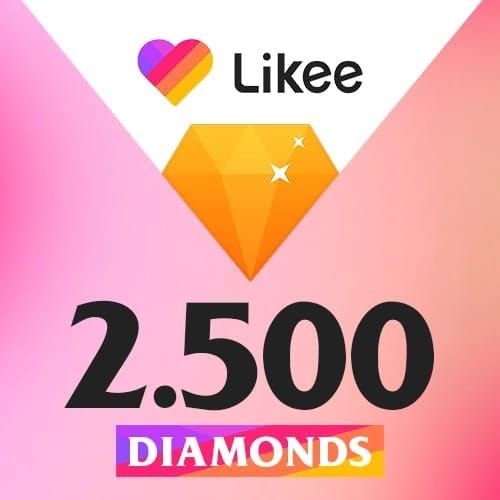
Entry (100-500): casual users
Power (5,000+): 10-20% bonus during promos
First-time limit: 100-500 diamonds for first 30 days
Daily limits: one purchase/day for 500/2,000/4,500 packages
Payment completion:
Redirects to payment processor's secure gateway
Merchant never handles payment credentials
PayPal: log into PayPal account
PIX: authenticate via banking app
Cards: enter details on PCI-compliant form
Screenshot transaction confirmation
Verifying delivery:
Check Profile > Wallet > Transaction Log
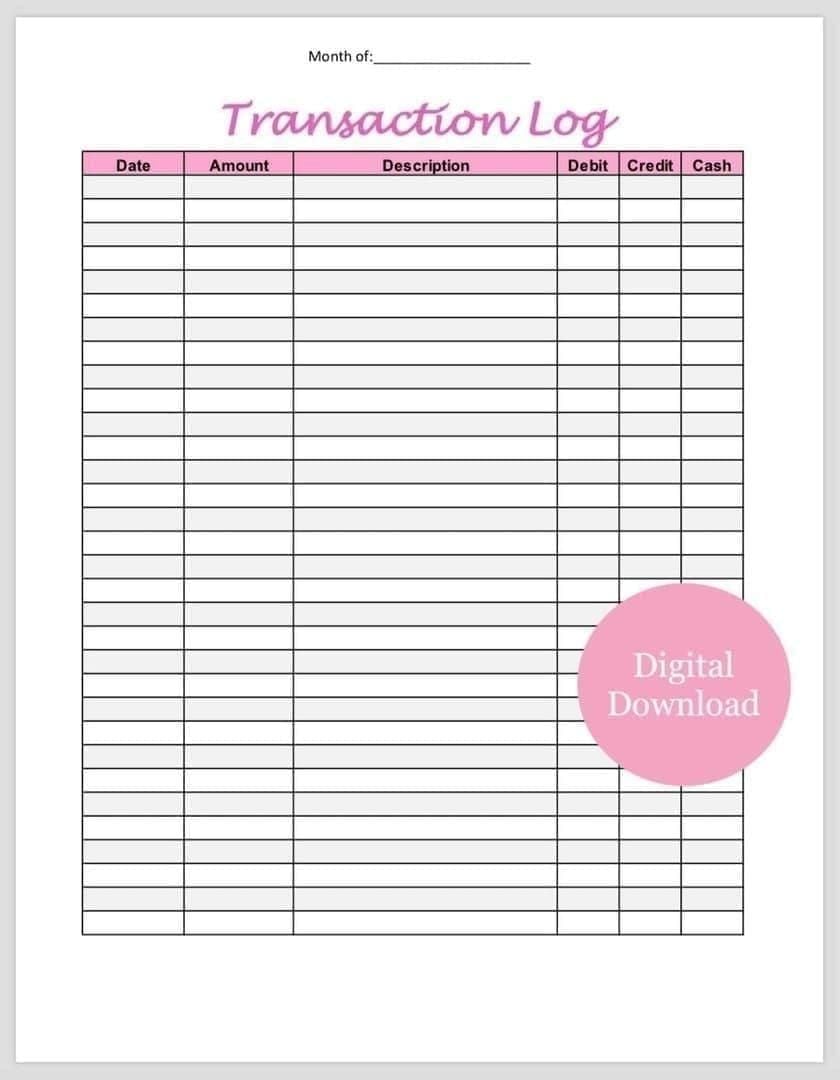
Green checkmark = delivered, clock = pending, red X = failed
Manual refresh: pull down on Wallet screen
Updates every 15-30 minutes automatically
If delayed beyond 48 hours, clear app cache:
Android: Settings > Apps > Likee > Storage > Clear Cache
iOS: Settings > General > iPhone Storage > Likee > Offload App
Avoiding Fake Diamond Sellers
42,751 accounts banned in 2025 for diamond scams.
Red flags:
50-70% discounts (legitimate max: 20%)
Requests for passwords/login credentials
No HTTPS encryption (missing padlock icon)
Misspelled domains (.xyz, .top extensions)
No business registration info
Auto-responder support only
Scam tactics:
Fake payment confirmations with bogus tracking
Phishing pages mimicking PayPal/banks (check domain: paypal.com not paypa1.com)
Post-purchase verification requests for credentials
Verification checklist:
Business registration number visible
Live chat responds in 2-5 minutes
Official payment processor partnerships (verifiable logos)
Mixed reviews with specific details (not all 5-star generic praise)
If scammed:
Stop all communication immediately
PayPal: open dispute in Resolution Center within 180 days
Change all passwords, enable 2FA
Report to IC3 (US), Action Fraud (UK), or local authorities
Security Best Practices
Never share credentials: Login access grants complete account control. Violates Terms of Service, risks permanent ban. Third-party storage creates persistent vulnerability.
Payment gateway security:
PCI DSS compliance required
3D Secure authentication (Verified by Visa, Mastercard SecureCode)
Tokenization (single-use tokens replace card numbers)
Account protection:
Enable 2FA (SMS or authenticator app)
Set instant login alerts
Change password every 90 days (12+ characters, unique combinations)
Never reuse passwords across platforms
Transaction records:
Save order confirmations, payment receipts, delivery notifications
Verify transaction ID, date/time, diamond quantity, payment amount, User ID
Cross-reference payment processor records with merchant confirmations
Delivery Times & Troubleshooting
Expected timeframes:
First-time: 24-48 hours (80% within 24 hours, 90% within 48 hours)
Repeat: 5-30 minutes
Off-peak (2-6 AM): 1-10 minutes
Peak (6-10 PM): 45-60 minutes (50-100% longer)
If diamonds don't arrive:
Manual refresh wallet (pull down)
Verify User ID matches order confirmation
Clear app cache
Check payment processor confirmation
Common errors:
Payment Failed: insufficient funds, expired card, international restrictions
Invalid User ID: wrong format (must be exactly 10 digits, numbers only)
Transaction Pending beyond 48 hours (first-time) or 2 hours (repeat): contact support
Network issues: disable VPN, wait 10-15 minutes, enable airplane mode for 10 seconds
Contacting support: Prepare: transaction ID, purchase date/time, package amount, payment method, User ID
Live chat: 2-5 minute response
Email: 2-hour response
Use specific details: Purchased 1,000 diamonds at 3:45 PM March 15, transaction ID ABC123, PayPal confirmed, not in wallet after 36 hours, User ID 1234567890
Maximizing Diamond Value
Package pricing:
Entry (100-500): $1-$5
Mid-tier (1,000-5,000): $10-$50
Premium (10,000-20,000): $100-$200
Per-diamond cost drops 30-40% at higher quantities
Promotional bonuses:
10-20% bonus diamonds on select packages
Major periods: Lunar New Year, platform anniversaries, Black Friday, December holidays
Flash sales: 20-30% bonuses for 2-24 hours
First-purchase: 10-50% bonus (once per account)
Regional differences:
Currency-based pricing reflects local purchasing power
Payment fees: cards 2-4%, PayPal 3-5%, PIX 0%
European prices include VAT (15-25%)
US prices exclude sales tax
Cost-saving strategies:
Bulk buy during promos (5,000 diamonds + 15% bonus = 5,750 total)
PIX for Brazilian users (zero fees)
Compare PayPal conversion vs card foreign transaction fees
Complete account verification before purchasing (skip first-time delays)
Why BitTopup Is Safest
Security certifications:
Verified PayPal, PIX, card network partnerships
PCI DSS compliance (annual audits, vulnerability testing)
Valid SSL encryption (browser padlock icon)
Payment options:
PayPal: 180+ countries, buyer protection
PIX: Brazil, zero fees, sub-60-second confirmation
Cards: Visa, Mastercard, regional networks
Crypto (where legal): privacy, lower fees
Delivery guarantee:
24-48 hours first-time (80% within 24 hours)
5-30 minutes repeat purchases
Automated delivery triggers on payment confirmation
Customer support:
Live chat: 2-5 minute response
Email: 2-hour response
Likee-specific transaction expertise
Trust indicators:
Verified user reviews with specific details
Transparent business registration/address
High transaction volume (thousands monthly)
FAQ
Can I buy diamonds without logging in? Yes. Enter your 10-digit User ID at checkout, pay via PayPal/PIX/card. Diamonds deliver in 24-48 hours (first-time) or 5-30 minutes (repeat).
How do I find my User ID? Tap profile icon > View Profile > copy 10-digit number below username. Or tap avatar > profile picture > ID under nickname.
Is no-password recharge safe? Safer than credential-sharing. You never provide passwords. Payment processors handle financial data; platforms receive only User ID.
What payment methods work? PayPal (180+ countries), PIX (Brazil, zero fees), Visa/Mastercard globally. Availability varies by platform/region.
How long for delivery? First-time: 24-48 hours. Repeat: 5-30 minutes. Off-peak (2-6 AM): 1-10 minutes. Peak (6-10 PM): 45-60 minutes.
How to spot fake sellers? Red flags: 50%+ discounts, password requests, no HTTPS, unverifiable business info, auto-responder support only, all 5-star generic reviews.
Ready for secure recharge? Visit BitTopup for instant top-up with PayPal, PIX, ID-only options. No login required—just your User ID for immediate delivery with official protection!