

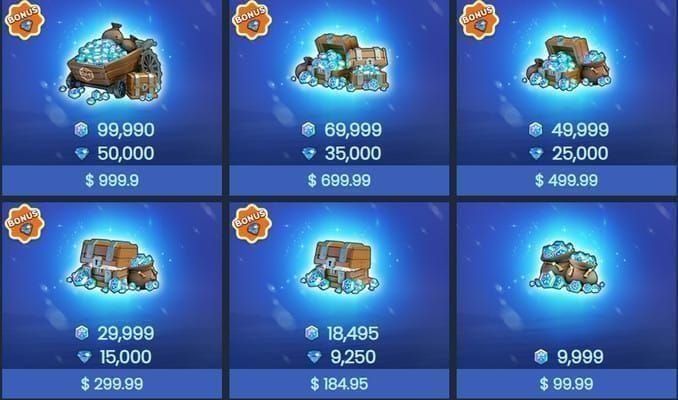
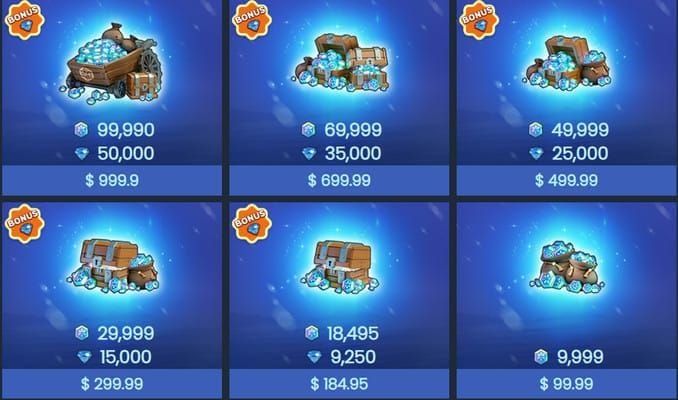
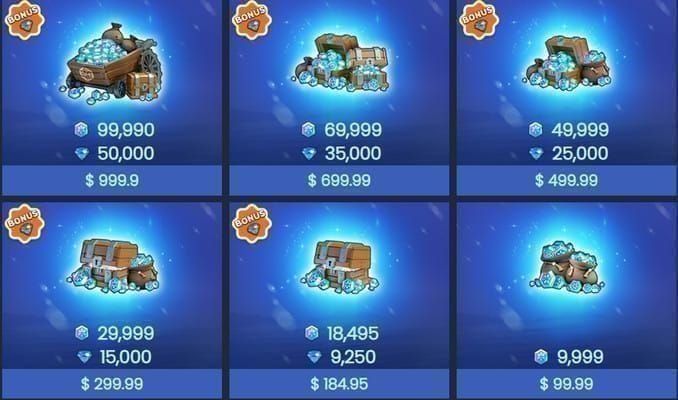
You can gift Frost Stars in Whiteout Survival — but not the way most players assume. As of June 2026, there's no wallet-to-wallet transfer button inside the game. Instead, gifting happens through the official store at store.centurygames.com/wos, where you enter a recipient's Player ID and buy them a Frost Star pack that lands in their in-game mail. One Frost Star equals 1 cent USD, so a 999 Frost Star bundle costs $9.99, per the official Whiteout Survival Facebook announcement from April 2026.
That's the entire trick. No alliance rank gate, no friendship status, no daily cap. If you have someone's Player ID and a payment method, you can send them Frost Stars in under two minutes. The catch — and the part that trips people up — is that there is zero in-game "gift Frost Star" button, which sends half the community hunting through menus that don't exist.
Below, I'll walk through exactly how the system works, why it's built this way, the errors that cost players real money, and whether gifting is actually worth it.
Can You Actually Gift Frost Stars in Whiteout Survival?
Yes — through the official store using a Player ID, not through any in-game menu. This is the single biggest point of confusion, so let's kill the myth fast: there is no direct character-to-character Frost Star transfer. The official mechanics confirm Frost Stars are issued only to the logged-in character at purchase, and they can't even be moved between two characters on the same account, let alone gifted across accounts in-game.
What "gifting" really means here
When players say "gift Frost Stars," what actually happens is a top-up redirect. You go to the official store, enter your friend's or alliancemate's Player ID, pay for a pack, and the Frost Stars get delivered straight to their in-game mail. You're not transferring your own balance — you're buying them a fresh pack under their ID. Community testing across Reddit's r/whiteoutsurvival confirms this ID method is the standard approach for alliance support.
Why people can't find the gift option
Because it isn't in the game. I've watched newer players spend 20 minutes digging through the Alliance menu, the Mail System, and the Frost Star Exchange Shop looking for a "send gift" toggle. It's not there. The official store is a separate web storefront, not an in-app feature. Frost Stars are explicitly not part of Alliance Gift levels or the Help System — they're a standalone premium top-up.
What changed in June 2026?
Nothing. After checking multiple 2026 patch searches, no June 2026 update altered Frost Star gifting mechanics. No new bugs surfaced in Discord or Reddit threads for that window either. The ID-based top-up method has stayed evergreen, which actually makes this one of the more stable systems to document — what worked in spring 2026 still works now.
Why Does the Gifting System Work the Way It Does?
Frost Stars are restricted to ID-based store top-ups because they're a premium real-money token, not an earnable in-game currency. The official Facebook Q&A put it plainly: "Frost Star is a game token... 1 Frost Star is equal to 1 cent (USD)." When a currency is pegged 1:1 to real money, developers have strong reasons to keep it from flowing freely between accounts.
How Frost Stars fit the economy
Frost Stars buy any in-game pack or deal at 1:1 value — 100 Frost Stars unlocks a $1 pack, and so on. They're earnable only through real-money purchases; there are no free daily login sources confirmed by the official store. That's the core difference from Gems, which you can farm through gameplay. Gems have broader everyday use, but Frost Stars exist purely to convert dollars into pack-buying power.
Why no free transfers
Allowing direct account-to-account transfers of a cash-pegged token would open the door to currency laundering, scam markets, and chargeback abuse. By forcing every "gift" through the official store with a paid transaction and a target Player ID, the developers keep a clean paper trail. Each gift is a fresh purchase, not a redistribution of existing balance. It's clunky for players, but it's deliberate.
Where the 5% bonus comes in
Here's an underused detail: the official store runs 5% bonus Frost Stars on select packs, surfacing periodically across 2025–2026 Facebook posts. So a qualifying purchase that normally yields 999 Frost Stars can deliver roughly 1,049 instead. When you're gifting, timing your purchase to a bonus window stretches the recipient's value at no extra cost. Most casual gifters never check for this.
One caveat the store FAQ states explicitly: official store purchases don't count toward some top-up benefits or Gem events. If you're chasing a specific in-game top-up milestone, gifting via the store may not credit it — verify before assuming.
What Are the Requirements Before You Can Gift?
Almost nothing — and that's the good news. According to all community sources, there's no account level, alliance membership, or friendship requirement to gift Frost Stars via the official store. You don't need to be R4 or R5, you don't need VIP, and the recipient doesn't need a minimum City or Furnace level to receive them.
The only real requirement: a correct Player ID
The recipient's Player ID is a numeric string located under their avatar name (top-left of their profile). That's the one mandatory piece. Without it, nothing works; with the wrong one, your money goes to a stranger. Per the topuplive guide (May 2026), this is the single most important field to verify.
No daily limits or cooldowns
There are no documented daily gifting limits or cooldowns for Frost Star top-ups. Unlike alliance gifts or the Help System, which carry daily caps, the store will happily process as many gift purchases as your payment method allows. For alliance leaders coordinating support during SvS, that's a meaningful advantage — you can stack multiple gifts in a single session.
What the recipient must do
The recipient should ideally be logged in at the time of purchase to guarantee delivery to the correct character, per official mechanics. The Frost Stars then arrive via in-game mail. There's no acceptance step, no friend-request confirmation, no pending-gift queue. It just shows up.
If your alliance is gearing up for a heavy event and you're short on tokens, you can buy Whiteout Survival Frost Star top up discount to keep the gifts flowing without waiting on official-store bonus cycles.
Why Do So Many Players Hit Gifting Errors?
The number-one error is sending Frost Stars to the wrong Player ID — and unlike a misclick in-game, this one costs real money with no easy refund. The topuplive guide flags this as the most common mistake, and I've seen it play out in alliance chats more than once.
The wrong-ID disaster
Player IDs are long numeric strings. Transpose two digits and your $9.99 lands in a random stranger's mailbox on some other server. There's no "undo." Always copy-paste the ID when possible, or have the recipient screenshot their profile so you're matching against the exact string. Community consensus across Facebook groups is blunt: verify the recipient before sending large amounts.
Cross-server and cross-region limits
Frost Stars are tied to a specific server and character — there's no cross-server gifting. If you enter an ID, the system delivers to that exact account on its home server. You can gift someone in a different state from your store account, but the stars are bound to their server identity, not yours. This trips up players who assume gifting works like a friend list that spans servers. It doesn't.
"I don't see the gift option" — explained
This isn't an error, it's a misunderstanding. There is no in-game gift option for Frost Stars, full stop. If you're searching the Mail System or Alliance menu, you'll never find it because the entire gifting flow lives on the external official store. Once players internalize that, the "missing button" problem evaporates.
Wrong-character delivery
If the recipient is logged out or logged into a different character on a multi-character account, delivery can route incorrectly. The fix: coordinate timing so they're logged into the intended character when you hit pay.
Frost Star Gifting vs Other Sharing Methods: Which Is Better?
For actual Frost Stars, the official store top-up is the only method — but it helps to see how it compares against in-game sharing systems players often confuse it with.
The table reveals the core truth: Frost Star gifting bypasses every in-game social gate. Alliance Gifts and Friend Help have caps and membership rules, but they don't move Frost Stars at all — they distribute other rewards. If your goal is specifically Frost Stars, the store is your one and only lane.
Value and acquisition at a glance
What this table makes painfully clear: there is no free path to Frost Stars. Every one of them traces back to a real-money purchase. So when you "gift" them, you're gifting cash value — treat the decision with that weight.
How Do You Gift Frost Stars Step-by-Step?
Follow this exact sequence and you'll never hit a delivery problem. The flow comes straight from the official store process, validated by the topuplive May 2026 walkthrough.
Get the recipient's Player ID. Have them open their profile and read the numeric string under their avatar name. Copy-paste or screenshot it — don't retype from memory.
Go to the official store: store.centurygames.com/wos.
Enter the recipient's Player ID in the top-up field. The system should display the matching character name — confirm it matches your friend.
Select the Frost Star pack you want (e.g., 999 Frost Stars for $9.99). Check for any active 5% bonus before finalizing.
Pay. The Frost Stars arrive in the recipient's in-game mail, ready to spend on packs.
Branching advice by player type
Alliance leaders: Coordinate timing so recipients are logged in, especially during SvS healing pushes. With no cooldown, you can batch multiple gifts in one session.
Casual gifters: Send smaller packs first as a test if you're unsure about the ID. Confirm receipt, then scale up.
Cross-server friends: Confirm they're in a different state, then gift to their server-specific ID. Don't expect the stars to follow them if they migrate.
Common pitfalls to avoid
Don't share login credentials to "gift" — the topuplive safety tips are explicit: never hand over your account. Use the ID method only.
Don't assume the store purchase credits your own top-up events. The FAQ confirms it may not.
Don't skip the name-match confirmation step. That's your last safety net before money leaves your account.
When official-store bonuses aren't running and you need tokens fast, a Whiteout Survival Frost Star cheap recharge keeps your alliance support uninterrupted with quick delivery.
How Should F2P and Spenders Approach Gifting Differently?
F2P players should almost never gift Frost Stars — and spenders should gift strategically, not emotionally. Since Frost Stars come only from real money, gifting them is pure cash output with no in-game reciprocity.
F2P-friendly approach
If you're free-to-play, my honest advice: don't spend cash just to gift a friend. There's no free Frost Star farm to replenish what you give away. Your better play is receiving — let spenders in your alliance support you during events, and focus your own energy on Gem-based progression and the Frost Star Exchange Shop for deals when you do occasionally top up.
Spender strategy
If you spend regularly, gifting becomes a genuine alliance tool. During SvS or major events, dropping a $9.99 pack on a key alliancemate's defense can swing a fight. The Reddit consensus is clear that this is worth it for alliance support — recipients use the stars for packs that boost the whole team. Time your gifts to the 5% bonus windows for free extra value.
When third-party top-up makes sense
If the official store is slow or out of a bonus cycle, platforms like BitTopup offer convenient, fast delivery for Frost Star recharges — useful when your alliance can't afford to miss a gift cycle before an event window closes. Just keep the recipient's correct ID on hand regardless of where you purchase.
How Do You Earn More Frost Stars to Gift?
You don't earn them — you buy them. This is the hard truth the official store confirms repeatedly: Frost Stars are earnable only via real-money packs, with no free daily login source. There's no farming routine, no event grind, no Lighthouse mission that drops Frost Stars into your lap for free.
The only real "sources"
Direct packs at 1:1 cent value (999 for $9.99 being the standard bundle).
5% bonus purchases on select official packs during 2025–2026 promo windows — the closest thing to "free" stars you'll get.
That's it. Anyone promising a free Frost Star farm is selling something. The smartest "earning" move is simply timing purchases to bonus events and using the Frost Star Exchange Shop efficiently so each star buys maximum value.
Editor's Take: Is Gifting Frost Stars Even Worth It?
After tracking how Frost Stars move through alliances across multiple event seasons, here's my honest verdict: gifting is worth it for active spenders supporting a tight alliance — and a waste of money for almost everyone else.
Let me address the two controversies head-on. First, the "is it really gifting?" debate. Side A says it's true gifting because the stars land in your friend's mail; Side B argues it's just a redirected top-up, not a wallet transfer. I side with B on mechanics but A on outcome — yes, it's technically a fresh purchase under their ID, but functionally your friend receives premium currency they didn't pay for. Both are right; the term is loose, but the result is real.
Second, the safety question: official store versus third-party top-up. The evidence leans official for reliability — no tax surprises, eligibility for the 5% bonus, and a clean transaction trail. That said, I won't pretend third-party convenience has no place; platforms like BitTopup deliver fast and fill the gap when official bonus cycles are dry. Just guard your account credentials either way, because the real risk isn't the platform — it's careless ID entry and credential sharing.
My strongest opinion? You should never top up Frost Stars solely to gift a friend as a casual gesture. The cash-to-value ratio of a one-to-one transfer is poor compared to using that same money on your own progression or a coordinated alliance-wide event push. Gifting earns its keep only when it's tactical — healing a frontline defender in SvS, equipping a key player before a decisive battle. Sentiment is expensive in this game. Spend with intent, verify every digit of that Player ID, and time it to a bonus window. Do that, and gifting becomes a sharp alliance weapon rather than a money sink.
Frequently Asked Questions About Gifting Frost Stars
Can you gift Frost Stars to friends in Whiteout Survival? Yes, but only through the official store at store.centurygames.com/wos by entering your friend's Player ID — there's no in-game transfer button. The Frost Stars arrive in their in-game mail. No friendship status or alliance membership is required.
Is there a daily limit on gifting Frost Stars? No. There are no documented daily gifting limits or cooldowns for Frost Star top-ups. You can send multiple gifts in a single session, which is especially useful for alliance leaders coordinating event support.
Why can't I see the gift Frost Star option? Because it doesn't exist in-game. Frost Star gifting happens entirely on the external official store, not in the Mail System, Alliance menu, or Frost Star Exchange Shop. Stop searching the app — head to the store instead.
Can you transfer Frost Stars between servers? No. Frost Stars are tied to a specific server and character, so there's no cross-server gifting or transfer. When you enter a Player ID, delivery routes to that exact account on its home server only.
What level do you need to gift Frost Stars? None. There's no account level, Furnace level, alliance, or VIP requirement to gift or receive Frost Stars via the official store. The only requirement is a correct recipient Player ID.
What's the difference between Frost Stars and Gems? Frost Stars are a premium token pegged to real money (1 = 1 cent) used to buy packs and deals, with no free sources. Gems are earnable through gameplay and have broader everyday uses. Frost Stars are pay-only; Gems are farmable.
What happens if I enter the wrong Player ID? Your Frost Stars go to the wrong account with no easy recovery — this is the most common and costly error. Always copy-paste the ID and confirm the displayed character name matches before paying.
Final Verdict: The Smartest Way to Share Frost Stars
To gift Frost Stars in Whiteout Survival as of June 2026, skip the in-game menus entirely and use the official store at store.centurygames.com/wos — enter the recipient's Player ID, pick a pack (999 Frost Stars for $9.99), and pay. The stars land in their in-game mail with no level gates, no cooldowns, and no daily limits. Time it to a 5% bonus window for extra value, and triple-check that ID.
This guide is for active spenders who want to support an engaged alliance during events like SvS. It's not for F2P players hoping to find a free transfer — that path doesn't exist. Gift with intent, verify every digit, and treat each gift like the real-money transaction it is.