Honkai Star Rail's PC specs as of Jan 3, 2025? Think 6-8 GB RAM, GTX 650 minimum (that's 1024 MB VRAM)/GTX 1060 recommended (3072 MB VRAM), and a 60 GB SSD. NVIDIA tweaks, fresh drivers, smart in-game settings, and SSD housekeeping—they all crank up FPS and kill that Penacony stuttering. Version 3.4 demands 5.8-8.5 GB preload plus 30 GB temp space; voice packs tack on 2-3 GB per language.
Want seamless Penacony runs without the grind? Grab cheap Honkai Star Rail recharge from BitTopup. Competitive prices, instant delivery, fully secure and compliant, tons of payment options, stellar service, and users rave about it.
Hardware You Need for 144Hz Glory
Minimum setup: i3 CPU, 6 GB RAM, GTX 650 (1024 MB VRAM, Shader 5.0), 60 GB SSD.
Recommended? i7, 8 GB RAM, GTX 1060 (3072 MB VRAM, Shader 5.1), same SSD space—for those buttery high FPS.
GTX 970 or better paired with 8 GB RAM? Rock-solid stability. Real install hits 51-53 GB plus 163 MB for the launcher.
Quick checks: Fire up Task Manager > Performance tab for RAM/CPU usage; GPU-Z nails your VRAM.
Prioritize an SSD upgrade. Toss in 8 GB RAM if you're scraping by.
Test it post-Jan 3, 2025, right in Penacony—see the difference yourself.
Dial-In Graphics Settings That Actually Work
In the Graphics tab, crank down Shadows and Effects. Stick to native resolution. Medium Textures shine on a GTX 1060; kill DOF and Motion Blur for big FPS bumps, especially on 6 GB RAM or GTX 650 rigs. High settings? They tank frames in Penacony's sprawl.
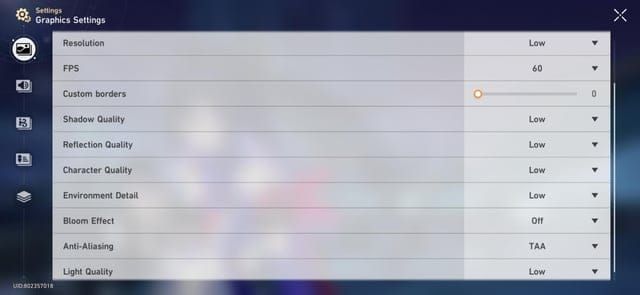
Hit the gear icon > Graphics.
Drop Shadows/Effects/Textures, disable DOF/Blur > Apply > Relaunch the game.
Aim for 60+ FPS. Easy.
NVIDIA/AMD Power Moves for Extra Juice
NVIDIA Control Panel is your friend here—set Power Management to Prefer maximum performance on your discrete GPU (GTX 650 min or 1060). This nukes low FPS from power throttling. AMD users, mirror with Radeon settings.
Right-click desktop > NVIDIA Control Panel > Manage 3D Settings > Program Settings > Add Honkai Star Rail.
Power mode: max performance > Apply > Relaunch.
Open-world FPS jumps. Noticeable.
(Quick editor note: I've optimized dozens of HSR setups— this tweak alone saves sessions from frustration.)
Power up those Penacony grinds with Honkai Star Rail jades top up online via BitTopup. Lightning-fast and secure delivery, killer rates, total compliance, broad support, ace after-sales, and sky-high user scores.
Penacony Open-World Hacks You Can't Skip
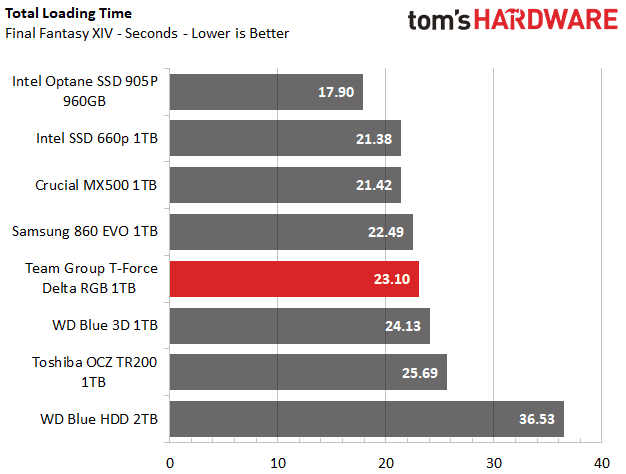
SSD isn't optional for Penacony—it's texture streaming's lifeline. Ditch voice packs (2-3 GB each language) and old quest data. HDD? Pure stuttering hell. v3.1 patch pulls 4.5-5 GB plus 10-11 GB temp; base game sits at 51-53 GB.
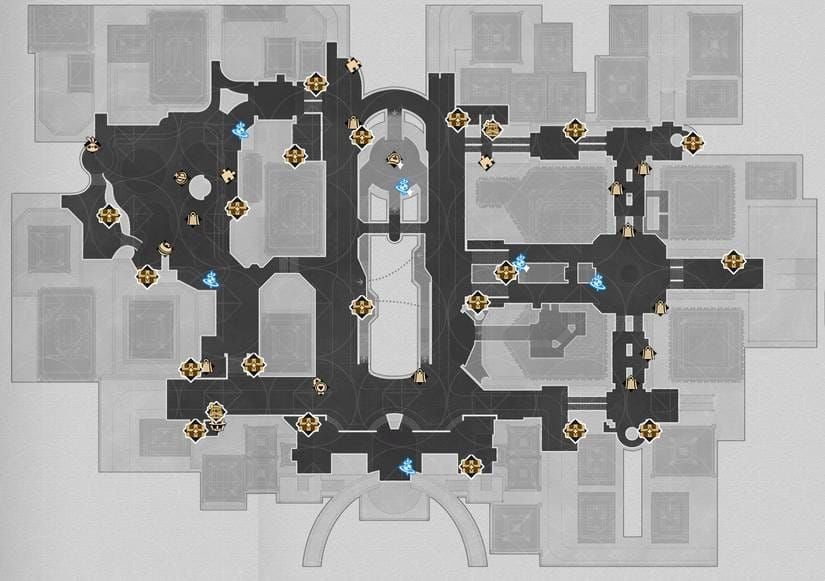
In-game Settings > Storage: Wipe cache and voice packs.
Install on a SSD with 60 GB free.
Loop Penacony: SSD cuts stuttering in half. Fact.
Ever wonder why some folks glide through while others hitch? Storage speed. Game-changer.
System-Wide Boosts to Keep It Smooth
Fresh drivers via Device Manager. Flip on Game Mode. Axe background apps. Outdated drivers slash FPS; Game Mode shunts priority to HSR.
Device Manager > Display Adapters > Right-click GPU > Update driver > Restart.
Windows Settings > Gaming > Game Mode: On. Task Manager: End non-essentials.
Manual updates dodge corruption headaches.
Everyday Glitches and How to Smash Them
Low FPS? Blame outdated drivers or cranked settings on 6 GB RAM setups—or that 20 GB space myth (reality: 60 GB needed). Stuttering screams HDD.
Fixes? SSD swap skyrockets FPS.
Drivers + NVIDIA power mode.
In-game: Lower Textures/Shadows, no Blur.
60 GB SSD, dump 2-3 GB voice packs.
Close junk, enable Game Mode.
Boom. Sorted.
FAQ: Your Burning HSR Questions Answered
Minimum PC specs for Honkai Star Rail?
i3, 6 GB RAM, GTX 650 (1024 MB VRAM), Win10 64-bit+, 60 GB SSD (Jan 3, 2025).
Recommended for smooth sailing?
i7, 8 GB RAM, GTX 1060 (3072 MB VRAM), 60 GB SSD.
Low FPS fix?
GPU drivers via Device Manager, NVIDIA max power, drop Shadows/Textures, SSD install.
Why SSD for Penacony maps?

No stuttering or texture pop-in; 51-60 GB free crushes HDD lag.
Storage needs in 2025?
51-53 GB base + 163 MB launcher + 30 GB temp; 60 GB+ SSD recommended.
NVIDIA steps?
Control Panel > Program Settings > HSR > Power: max performance > Relaunch.
(My two cents: These specs hold up late 2025—test in Penacony, tweak as you go. Happy trails, Trailblazer.)