Quick Answer: GASH Pay (package IDcom.gashpay.personal) is the fastest way for Taiwan players to monitor Main Wallet Balance, GASH Points, and Bonus Credits across 3,000+ supported games. Updated January 28, 2026 to version 1.7.8.2, it requires Android 7.0+ and displays your full balance dashboard in under two minutes. This guide covers setup, expiration mechanics, and five strategies to maximize points before they expire.
What Is the GASH Card Balance Check App?
GASH Pay is the official mobile tool for Taiwan GASH accounts, covering three distinct balance types:
Main Wallet Balance — direct cash-equivalent loaded from physical or digital GASH Cards; spends like currency in supported games
GASH Points — separate reward currency earned through purchases and events; carries expiration dates and withdrawal minimums
Bonus Credits — promotional top-up rewards; most time-sensitive of the three
Treating all three as interchangeable is the single most common mistake Taiwan players make when planning redemptions.
Why the App Beats Other Methods
With 100,000+ downloads and a 65.55 MB footprint, GASH Pay delivers real-time data on one dashboard. The web portal requires multi-page navigation; SMS inquiry returns only a single balance figure with no expiration detail. For managing multiple balance types simultaneously, the app wins.
What's New in 2026
Version 1.7.8.2 (January 28, 2026) refined the Points Dashboard display, improved redemption flow speed, and surfaces expiration warnings more prominently on the home screen. Registration still requires a Taiwan mobile number for SMS verification. The app is region-locked — Hong Kong GASH cards are explicitly rejected by Taiwan accounts, so confirm your card region before purchasing.
Step-by-Step Tutorial: How to Use the GASH Card Balance Check App
Step 1: Download and Install
Search Google Play using exact package ID com.gashpay.personal to avoid counterfeit listings. Requirements: Android 7.0+, 65.55 MB storage. iOS users search GASH Pay in the App Store and verify the developer matches the official GASH publisher.
Step 2: Log In Securely
Open GASH Pay
Select Taiwan as your region before entering credentials
Enter your registered Taiwan mobile number and password
Complete SMS two-factor verification
Confirm your GASH Member Center dashboard loads
Pro tip: Skipping region selection prevents your card balance from displaying correctly. Don't skip it.
Step 3: Navigate the Balance Dashboard
The home screen displays all three balance types simultaneously. Tap Points Detail to expand your GASH Points breakdown, including exact expiration dates per batch. Different batches earned at different times carry different expiry dates — the app lists each separately.
Step 4: Read Your Balances and Expiration Dates
Main Wallet Balance — displayed in GASH units (G)
GASH Points — color-coded urgency: green (90+ days), yellow (30–89 days), red (under 30 days)
Bonus Credits — shows promotional source and individual expiry
Act on red-flagged items first.
Understanding GASH Points Expiration
How It Works
Each points batch carries a validity window tied to when it was issued, not when you last used the app. Inactivity doesn't reset the clock — a misconception that costs players thousands of points annually.
Where to Find Exact Expiry Dates
Navigate to Top-Up → Points History in GASH Pay. Each transaction line shows points earned, source event, and precise expiration timestamp. Sort by expiration date (earliest first) to prioritize which batches to spend.

Common Myths Debunked
Myth: Spending any points resets all expiration dates. Fact: Only the specific batch spent is affected.
Myth: Main Wallet Balance expires like Points. Fact: It doesn't share the same expiration mechanics.
Myth: You can transfer expiring points to another account. Fact: GASH Points are non-transferable under current Taiwan policy.
5 Proven Ways to Maximize GASH Points Before Expiration
Method 1: Redeem for High-Value In-Game Items First
Direct in-game item exchanges deliver the highest per-point value. G1000–G3000 point packages convert to 800–3,000 diamonds in supported titles — outperforming most other redemption paths. Identify which games in your library offer diamond or premium currency exchanges and prioritize those when points approach expiry.
Method 2: Stack Points During Bonus Redemption Events
Three seasonal windows deliver the best multipliers:
Chinese New Year: January–February
Mid-year gaming season: June–July
Year-end events: November–December
Time your largest redemptions to these windows so expiring points generate bonus returns before disappearing. Monitor the GASH Pay home screen banner for event-specific offers.
Want to top up ahead of these events? Buy GASH points online with instant delivery through BitTopup — competitive pricing, instant card delivery, so you never miss a bonus window.
Method 3: Use Points for Game Subscriptions and Monthly Passes
Monthly passes offer predictable, high-value per-point returns because they replace purchases you'd make anyway. If you actively play a title with a monthly pass system, redeeming expiring points toward that subscription eliminates cash spend while clearing points before their deadline.
Method 4: Convert Points to Digital Goods in the GASH Ecosystem
The GASH Member Center exchange catalog supports digital goods beyond direct game currency. It rotates periodically — during November–December bonus seasons, it typically expands with higher-value options. Check it monthly if you carry a significant points balance.
Method 5: Set Up Two-Stage Expiration Reminders
GASH Pay's 2026 update made expiration warnings more visible, but go further:
Open Points Detail in the app
Note the earliest-expiring batch's expiration date
Set a calendar reminder 14 days before
Set a second reminder 3 days before
Decide your redemption method in advance — act immediately when the reminder fires
This two-reminder system ensures strategic redemption instead of a rushed, low-value one.
App vs. Other Balance Check Methods
GASH Pay app: All three balance types on one screen, color-coded expiration indicators, fastest path from balance check to redemption. Best for daily monitoring and redemption execution.
Web portal (GASH Member Center): Requires separate navigation for each balance type, no urgency indicators. Best for detailed account history and transaction records.
SMS inquiry: Returns Main Wallet Balance only — no expiration detail, no Points breakdown. Useful for a quick cash-balance spot-check without app access. Never rely on it for expiration management.
Troubleshooting the GASH Card Balance Check App
Balance Shows Incorrectly
Log out completely and log back in — the app syncs on full login cycles, not screen refreshes. Allow 1–2 minutes after a card redemption before expecting the updated balance.
App Won't Load or Crashes
Confirm Android 7.0 or higher
Clear cache: Settings → Apps → GASH Pay → Clear Cache
Reinstall via package ID
com.gashpay.personalVerify stable internet connection — GASH Pay requires active data to authenticate
Check for updates beyond version 1.7.8.2
Login Errors
Most failures stem from region mismatch (not selecting Taiwan first) or expired SMS codes. Always confirm Taiwan region before submitting credentials. If your Taiwan mobile number has changed, initiate account recovery through the GASH Member Center web portal.
Security Best Practices
Never check your balance on shared/public devices. If unavoidable, use private/incognito mode via the web portal and log out manually after every session.
Enable 2FA: Account Settings → Security in GASH Pay. Any login from an unrecognized device triggers SMS verification.
Recognize phishing: Legitimate GASH communications never request your card serial number or password via SMS, email, or social media. Navigate directly to the official app — never click links in unsolicited messages.
Real Player Scenario: How One TW Gamer Saved 3,000 Expiring Points
A Taiwan player accumulated 3,000 GASH Points across three bonus events, each with a different expiration date. Assuming all points shared the same expiry, they delayed action. The app's red-flag indicator (introduced in the 2026 update) surfaced the earliest-expiring batch — 1,200 points with only 11 days remaining.
Using Points History, they mapped the full picture:
1,200 points expiring in 11 days
900 points expiring in 45 days
900 points expiring in 78 days
They set calendar reminders for each batch, then cross-referenced the GASH exchange catalog. The 1,200 expiring points redeemed for in-game diamonds at the G1000 conversion rate — approximately 960 diamonds, the highest available per-point return for their primary game.
Result: Full value recovered from all 3,000 points across three planned redemptions. Total diamond equivalent exceeded what a direct cash purchase would have delivered outside an event period.
How to Top Up Your GASH Card and Never Run Low
Why a Buffer Balance Matters
A low Main Wallet Balance forces small, reactive top-ups that miss bonus event windows. Maintaining a buffer heading into January–February, June–July, and November–December seasons ensures you can execute large redemptions when multipliers are active.
Buy Instantly via BitTopup
Top up your GASH wallet for gaming through BitTopup for instant digital delivery, competitive pricing, and support for 1–25 cards per transaction — practical for both individual top-ups and bulk purchases before major gaming seasons.
Choosing the Right Denomination
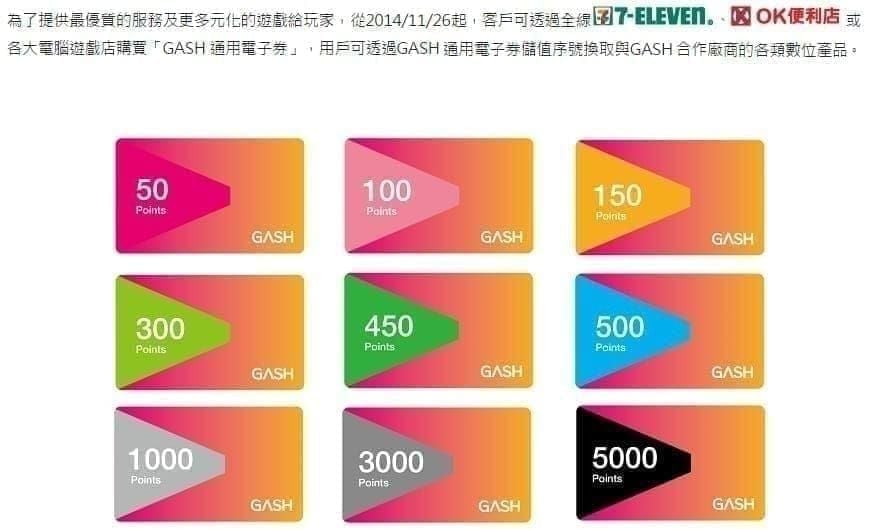
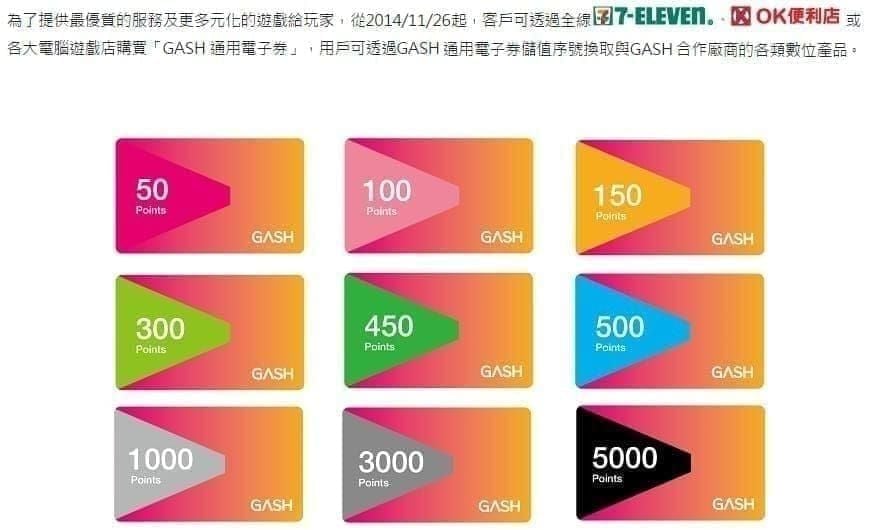
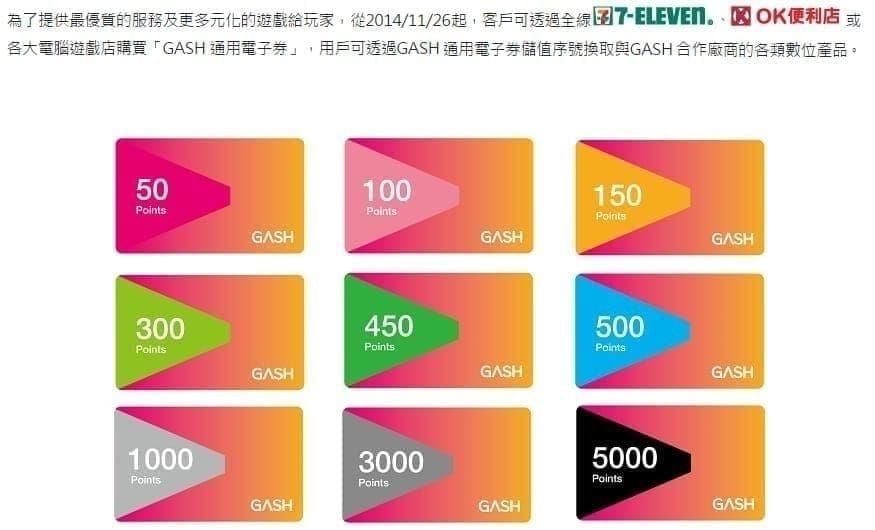
G100: $3.28 USD (save $0.57 vs. regular $3.85)
G300: $9.81 USD (save $1.74 vs. regular $11.55)
G500: $16.37 USD (save $2.88 vs. regular $19.25)
G1000: $32.73 USD (save $5.76 vs. regular $38.49)
G3000: $98.19 USD (save $17.31 vs. regular $115.50)
G5000: $163.64 USD (save $28.86 vs. regular $192.50)
G10000: $327.29 USD (save $57.70 vs. regular $384.99)
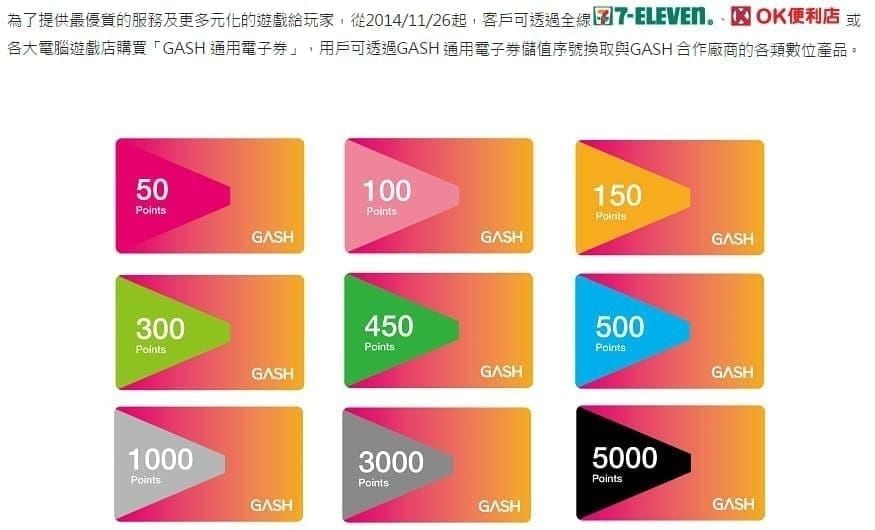
Casual players topping up monthly: G300–G500 offers the best flexibility-to-savings ratio. High-frequency players across multiple titles: G3000+ delivers the most significant absolute dollar savings.
Frequently Asked Questions
Q1: How do I check my GASH Card balance in 2026? Download GASH Pay viacom.gashpay.personal on Google Play, log in with Taiwan region selected, and your Main Wallet Balance, GASH Points, and Bonus Credits all appear on the home dashboard simultaneously.
Q2: What's the difference between GASH Card balance and GASH Points? Main Wallet Balance is direct cash-equivalent value from a card purchase. GASH Points are a separate reward currency with expiration dates and withdrawal minimums. They're not interchangeable.
Q3: When do GASH Points expire and how do I find the exact date? Expiry is tied to when each batch was issued, not your last login. Find exact dates at Top-Up → Points History — each batch lists its precise expiry timestamp. Batches under 30 days are flagged red on the home screen.
Q4: What happens if I don't use GASH Points before they expire? They're permanently forfeited — no recovery option, no grace period under current Taiwan policy. Proactive monitoring via the app's alert system is essential.
Q5: What's the fastest way to spend GASH Points before expiry? Direct in-game diamond conversions at the G1000–G3000 rate (800–3,000 diamonds) deliver the highest per-point value. The full redemption path through GASH Pay takes under five minutes from Points Dashboard to in-game credit confirmation.
Q6: The app shows the wrong balance — what do I do? Log out fully and log back in to trigger a complete data sync. If the discrepancy persists after 2–5 minutes, clear the app cache or reinstall viacom.gashpay.personal. For persistent errors, verify your actual balance through the GASH Member Center web portal while troubleshooting the app.
Don't let another point expire. Visit BitTopup to instantly purchase GASH Card value at competitive rates — secure transactions, fast digital delivery, trusted by thousands of Taiwan gamers.