

Delta Force: Hawk Ops requires Windows 10 64-bit, Intel i3-4150/AMD FX-6300, 8GB RAM, GTX 660/HD 7870/A380 with 2GB VRAM, and 88GB SSD storage as minimum specs. Recommended specs include i5-6500/Ryzen 5 1500X, 16GB RAM, GTX 1060 5GB/RX 5500 XT for optimal 60+ FPS performance at 1080p.
Delta Force: Hawk Ops System Requirements Overview
Here's the thing about Delta Force: Hawk Ops – it's built on Unreal Engine 5, which means you're getting all the fancy tech like Nanite virtualized geometry and Lumen global illumination. Translation? Your hardware's gonna work for its money.
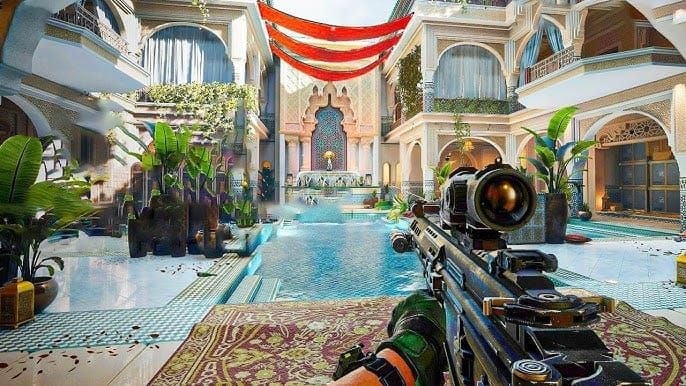
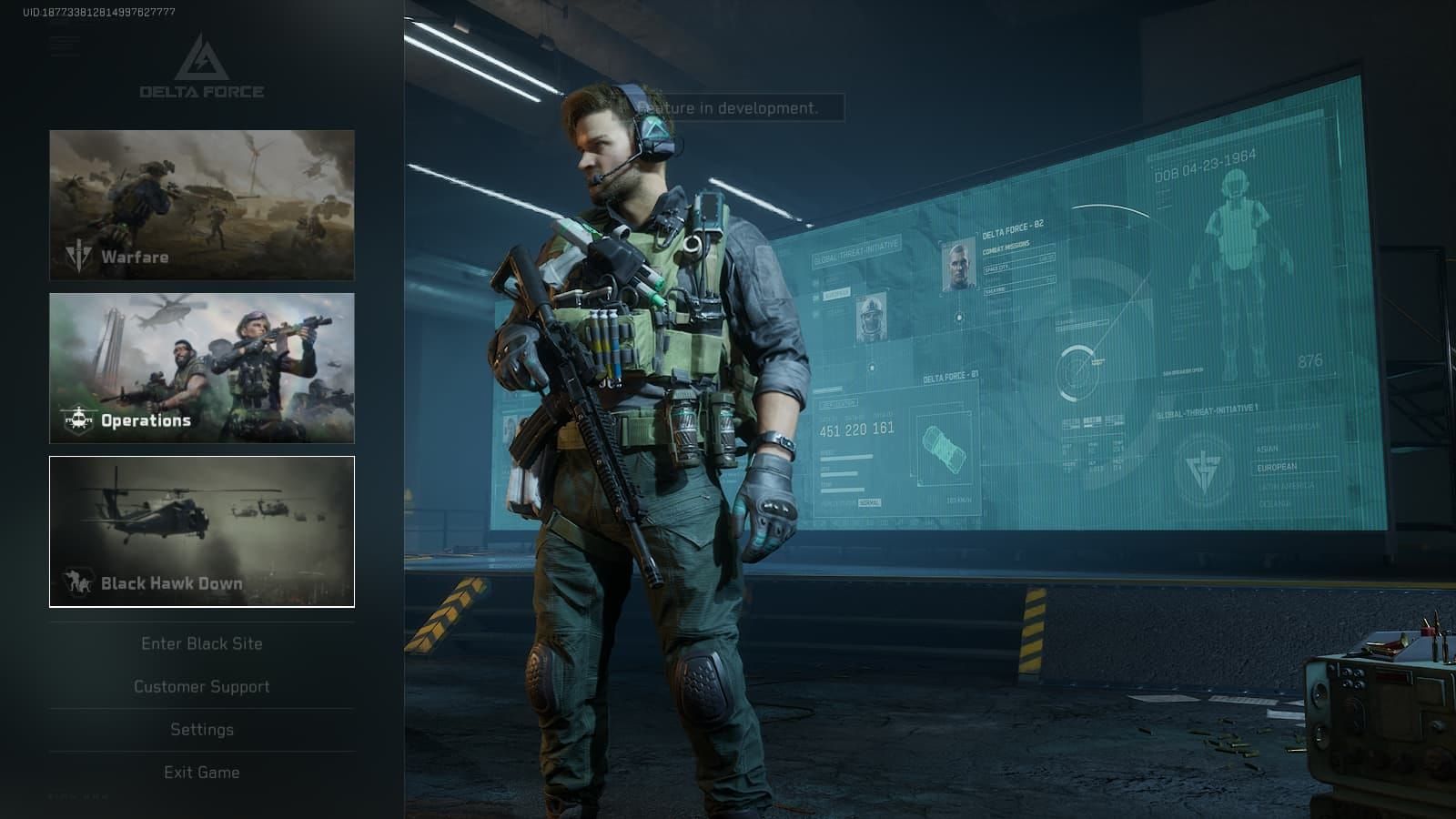
The game throws everything at you: massive 32v32 PvP battles in Warfare mode, the tense extraction shooter Operations, and a full remake of the Black Hawk Down campaign. Pretty ambitious for a free-to-play title, honestly. What's interesting is they've kept the minimum specs surprisingly accessible – we're talking GTX 660 era hardware, which is roughly 8 years old at this point. Smart move for player adoption.
For players seeking in-game purchases, Delta Force Hawk Ops top up services through BitTopup provide secure, fast transactions with competitive pricing and 24/7 customer support.
Minimum System Requirements
Operating System & Processor
Windows 10 64-bit is non-negotiable here – no getting around DirectX 12 compatibility. The CPU floor sits at Intel Core i3-4150 or AMD FX-6300. We're looking at 4th gen Intel from 2014, which feels ancient but still gets the job done.
These quad-core processors will push 30-45 FPS on low settings during regular gameplay. But here's where it gets dicey – those 32-player Warfare matches? Yeah, expect some serious frame drops. The CPU just can't keep up with all that chaos.
Memory & Graphics
8GB RAM is technically the minimum, but I'll be straight with you – it's cutting it close. Really close. Community feedback shows RAM usage hitting 97% on 8GB systems, and that's when you start getting audio crackling and those annoying stutters that'll get you killed mid-firefight.
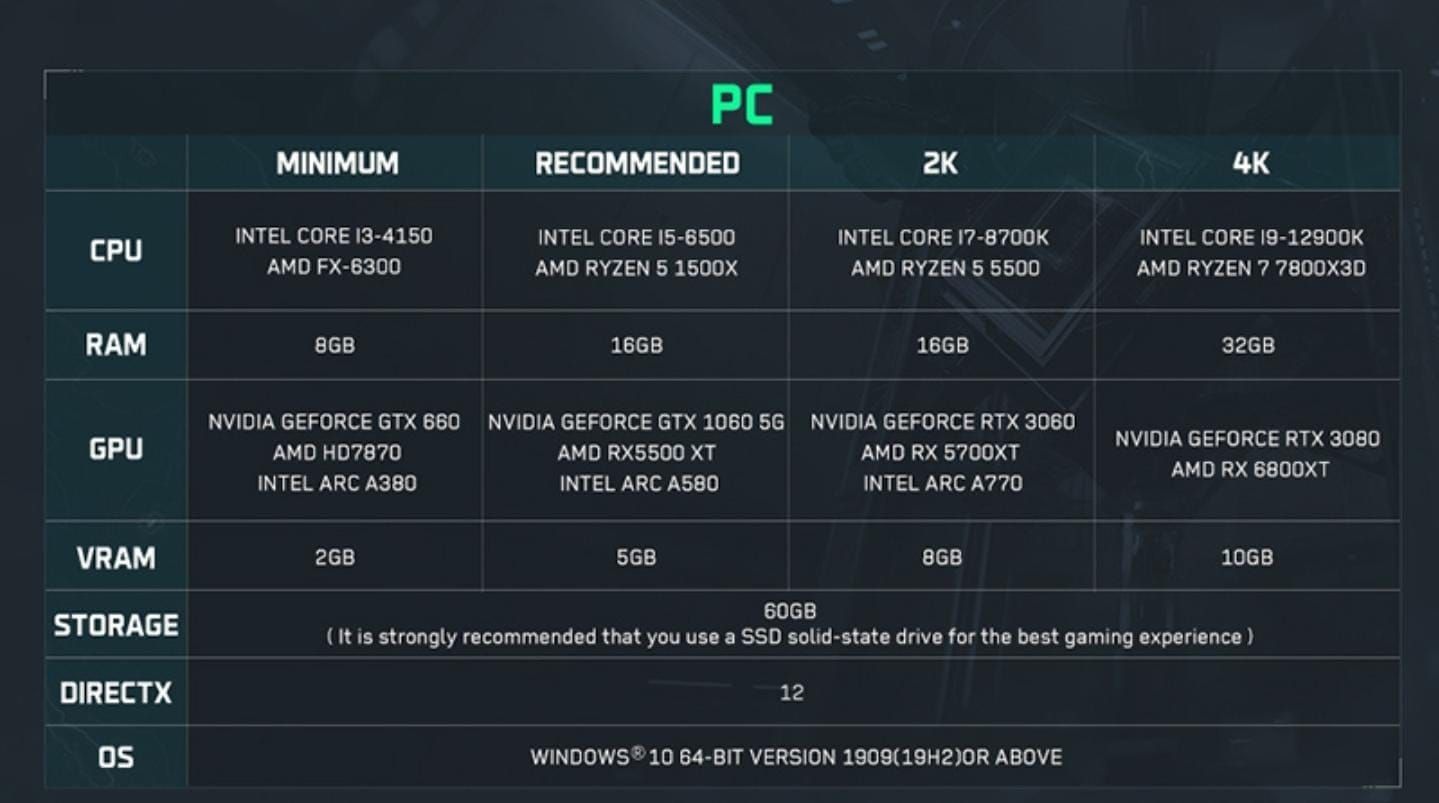
Graphics-wise, you're looking at NVIDIA GeForce GTX 660, AMD Radeon HD 7870, or Intel Arc A380 with 2GB VRAM. These cards can handle DirectX 12 rendering at 1080p on low settings, targeting that magical 30+ FPS mark. Not pretty, but playable.
Storage Requirements
88GB of storage space – and before you ask, yes, that's a lot. The breakdown is roughly 50-60GB for the base game plus another 28GB for the Black Hawk Down campaign.
SSD isn't technically required, but trust me on this one – it should be. HDD users are reporting 1-3 minute loading times in Operations mode. That's enough time to make coffee while your teammates are already looting. SSD cuts this to seconds and eliminates that mid-match stuttering that'll drive you crazy.
Recommended System Requirements
CPU & GPU Performance
Now we're talking. Intel Core i5-6500 or AMD Ryzen 5 1500X processors make a world of difference. These chips handle those intense 32v32 battles without breaking a sweat while maintaining a solid 60+ FPS.
GPU-wise, you want NVIDIA GeForce GTX 1060 5GB, AMD RX 5500 XT, or Intel Arc A580. That extra VRAM (5GB vs 2GB minimum) prevents texture pop-in and lets you crank up shadow quality without tanking performance. Medium to high settings at 1080p 60 FPS becomes totally achievable.
Memory & Storage Optimization
16GB RAM is where the magic happens. Memory usage drops to a comfortable 80% during intensive gameplay, and those audio issues? Gone. The system finally has room to breathe.
SSD storage becomes even more critical with the recommended specs. The game uses World Partition streaming technology (fancy way of saying it loads world chunks on-demand), and SSD reduces stuttering by about 70% compared to mechanical drives. That's not marketing speak – that's real-world performance improvement.
For budget-conscious players, buy Delta Force credits cheap through BitTopup offers excellent value with instant delivery and verified security protocols.
Performance Analysis by Component
CPU Impact & GPU Requirements by Resolution
The performance gap between that minimum i3-4150 and recommended i5-6500 becomes really obvious in CPU-heavy scenarios. Ryzen processors tend to offer 20-30% better frame consistency when things get hectic in those 32-player matches.
Here's what you can expect across different setups:
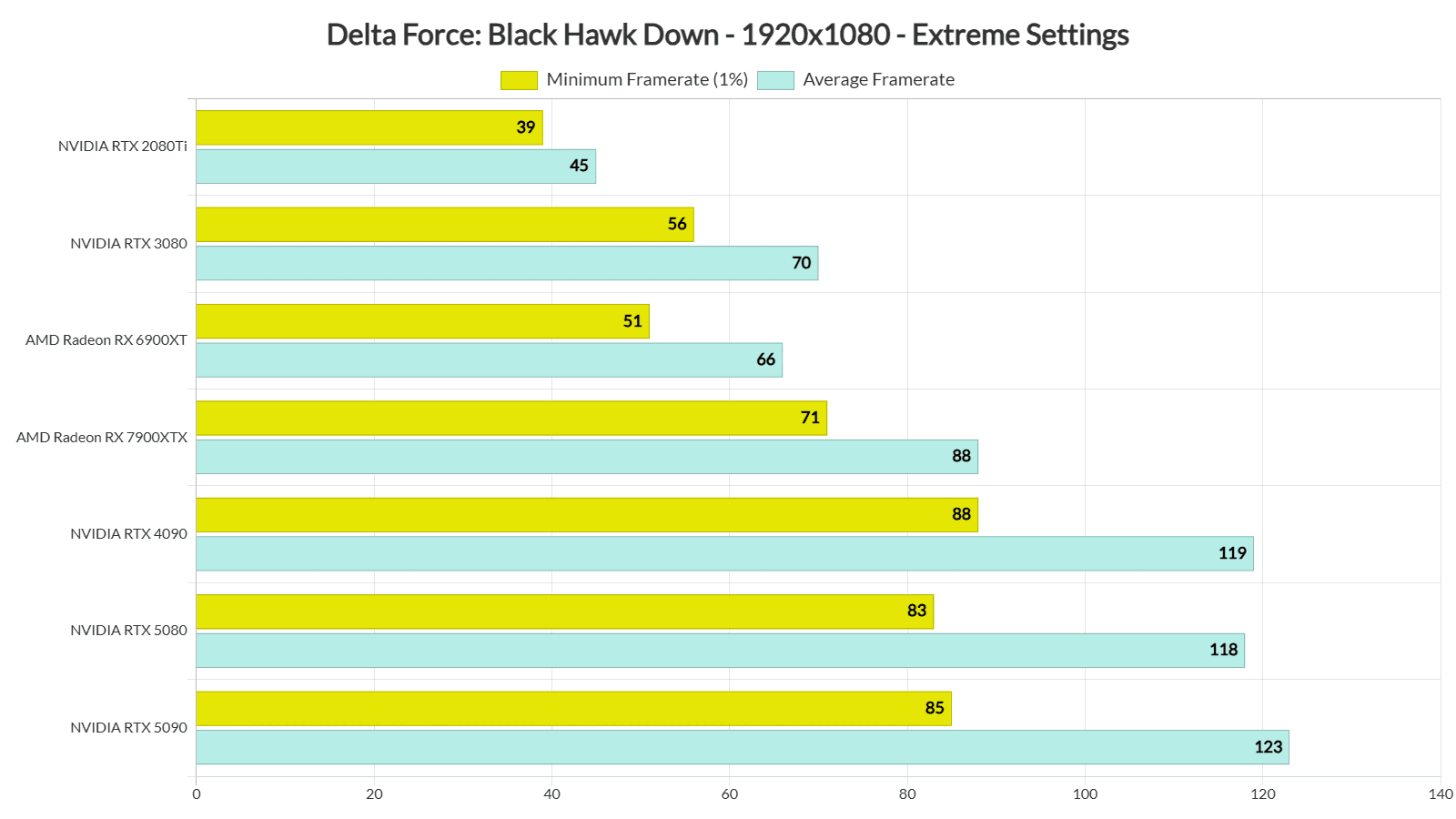
1080p Low (GTX 660): 30-45 FPS with basic textures – functional but not pretty
1080p High (GTX 1060): 60-100+ FPS with enhanced effects – this is the sweet spot
1440p (RTX 3060): 60 FPS with DLSS/FSR enabled – gorgeous and smooth
4K (RTX 3080): 60 FPS ultra settings with ray tracing – if you've got the hardware
VRAM requirements scale dramatically. 2GB gets you in the door, but 4K gaming with maximum texture quality? You're looking at 10GB+ easily.
Memory Usage & Storage Performance
Delta Force is aggressive with memory usage, especially in those extraction modes where every texture and sound effect needs to be ready instantly. 16GB becomes the practical minimum because of memory leaks that require periodic restarts on 8GB systems. Not ideal, but that's the reality.
SSD enables DirectStorage technology, which reduces CPU overhead significantly. For competitive play, NVMe SSDs are honestly the way to go – every millisecond matters when you're trying to extract with valuable loot.
System Compatibility Checking
Verification Tools & Benchmark Examples
Want to check if your system can handle it? Windows has built-in tools that'll give you the basics. Right-click Start button, hit System for OS/processor/RAM specs. Right-click desktop, go to Display settings > Advanced display for GPU info. Run dxdiag to verify DirectX 12 compatibility.
Real-world performance examples from the community:
RTX 3060: 143 FPS at 1080p ultra settings (absolute beast)
GTX 1030: 24-39 FPS at low settings (barely playable, honestly)
RX 6750 XT: 25 FPS at maximum settings (overkill settings, but impressive)
i9-10900K: 80 FPS with 8 cores vs 54 FPS single-core (shows CPU scaling)
Hardware Upgrade Recommendations
Budget to High-End Builds
Working with a tight budget? Prioritize GPU upgrades first. Moving from GTX 660 to GTX 1060 level gives you roughly 50% FPS improvements – that's huge bang for your buck. RAM expansion from 8GB to 16GB provides stability gains that you'll notice immediately. Budget around $200-300 for meaningful improvements.
Mid-range builds should target RTX 3060 or RX 6600 XT paired with Ryzen 5 5600 or Intel i5-12400. Add 16GB DDR4-3200 and a 1TB NVMe SSD, and you've got a solid 1080p high settings machine.
Going high-end? RTX 4070 or RX 7800 XT enable beautiful 1440p gaming with ray tracing enabled. Pair with Ryzen 7 7800X3D or Intel i7-13700K, 32GB DDR5, and high-speed NVMe storage. Overkill for most, but future-proof for years.
Optimization for Lower-End Systems
Graphics Settings & System Tweaks
Running on older hardware? Here's your optimization playbook: Graphics preset to Low, motion blur and depth of field disabled (they're just eye candy anyway), shadows reduced to Medium, texture filtering to Low, ambient occlusion disabled, unlimited FPS cap enabled, V-Sync disabled. These tweaks can improve performance by 20-50% on minimum systems.
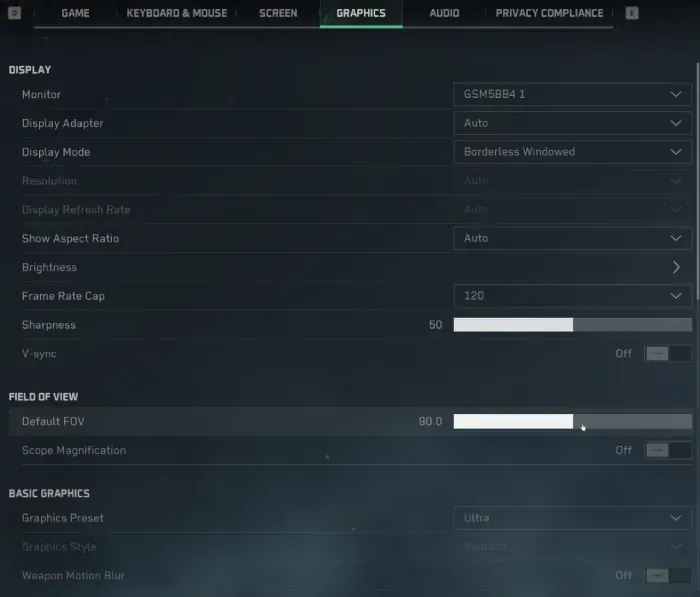
System-level optimizations matter too. Close unnecessary background apps, update GPU drivers to latest versions, enable Game Mode in Windows 10/11, and monitor temperatures to prevent thermal throttling. Latest NVIDIA drivers (572.83+) or AMD equivalents often include game-specific optimizations. Enable NVIDIA Reflex or AMD Anti-Lag for reduced input latency – every competitive advantage helps.
FAQ
What are the minimum system requirements for Delta Force: Hawk Ops? Windows 10 64-bit, Intel i3-4150 or AMD FX-6300, 8GB RAM, GTX 660/HD 7870/A380 with 2GB VRAM, 88GB SSD storage, DirectX 12 compatibility. Bare minimum, but it'll run.
Can I run Delta Force on 8GB RAM? Technically yes, but you'll hit 97% RAM usage causing audio crackling and stuttering. 16GB RAM is strongly recommended for a smooth experience.
Is SSD required for Delta Force: Hawk Ops? Not mandatory, but the difference is night and day. SSD dramatically improves loading times and eliminates stuttering. HDD users face 1-3 minute loading times – painful in a competitive shooter.
What graphics card do I need for 60 FPS? GTX 1060 5GB or RX 5500 XT minimum for 1080p 60 FPS on medium settings. RTX 3060 recommended for high settings with headroom.
Can integrated graphics run Delta Force? Nope. Dedicated graphics cards are required – minimum GTX 660 level performance necessary. Integrated graphics just can't handle the workload.
How much storage space does Delta Force require? 88GB total including base game (50-60GB) and Black Hawk Down campaign (28GB). Leave some extra space for updates – they're inevitable.