

Chamet withdrawal under review affects thousands of creators weekly, primarily from face verification failures (70%), User ID errors (40%), and multi-account detection (40%). This guide reveals five critical triggers causing delays and provides a proven 24-48 hour resolution protocol. Learn how device fingerprints, timing strategies, and verification techniques resolve pending withdrawals while understanding the Thursday 06:00 UTC+8 settlement schedule processing earnings from Monday 00:00-Sunday 23:59 UTC+8.
Understanding Chamet Withdrawal Under Review Status
Withdrawal under review is a security checkpoint activating when automated systems detect irregularities. This temporarily pauses cashout while verification confirms account authenticity and transaction legitimacy. Unlike permanent blocks, it's a protective measure for creators and platform integrity.
Multi-layered algorithms cross-reference your request against behavioral patterns, device signatures, and identity data. Discrepancies between current requests and historical activity trigger manual examination. First-time withdrawals automatically undergo 24-48 hour review regardless of other factors.
For immediate coin access during processing, Chamet coins top up through BitTopup provides instant delivery with secure payment.
What Under Review Means
Under review means your withdrawal entered the verification queue analyzing transaction authenticity. The platform examines your User ID (8-12 digits via Profile > Settings > Account Information), withdrawal amount versus earning patterns, and device characteristics.
Status appears in withdrawal history with a timestamp. Your Beans remain in balance but lock from additional withdrawal attempts. Minimum threshold: 100,000 Beans ($10 USD). Withdrawal button activates at 1,200 Beans, though submitting below minimum triggers immediate rejection.
Why Reviews Exist
The review system addresses three concerns: identity theft prevention, multi-account abuse detection, payment fraud mitigation. Processing millions weekly makes Chamet a fraud target. Automated reviews filter 60-80% of suspicious activities before manual verification.
Enhanced scrutiny applies to substantial earnings. Semi-verified KYC accounts ($5,000 daily limits) and fully-verified accounts ($10,000 daily limits) receive stricter verification on large withdrawals, balancing security with user experience.
Typical Duration: 24-48 Hours
Standard reviews resolve within 24-48 hours for fully-verified KYC users. Basic KYC accounts: 3-5 business days. Semi-verified: 1-3 business days with prompt documentation.
Timing matters. Weekly settlement processes every Thursday 06:00 UTC+8. Earnings accumulate Monday 00:00-Sunday 23:59 UTC+8. Submissions by Wednesday evening UTC+8 include in next Thursday batch. Example: January 8, 2026 settlement at 06:00 UTC+8 processed December 29, 2025-January 4, 2026 earnings.
Impact on Your Account
Review freezes the specific amount but doesn't affect streaming, receiving gifts, or accumulating Beans. Account remains functional for content creation—only cashout temporarily restricted. Locked Beans return to available balance if rejected, allowing immediate resubmission after fixing issues.
Three failed face verifications trigger extended 3-5 business day manual review. Successful verification releases withdrawal for standard settlement processing. Account standing unaffected unless investigation uncovers policy violations.
The 5 Critical Triggers
Five primary triggers account for 90%+ of review cases. Understanding these enables proactive vulnerability fixes before submission, reducing review likelihood and delays.
Trigger Overview
Risk-scoring algorithms assign weighted values to behavioral indicators. Face verification failures: 70% of cases. User ID errors and multi-account detection: 40% each. Percentages overlap—single requests often trigger multiple flags simultaneously.
Device fingerprints analyze screen resolution, timezone, language, sensor configurations creating unique signatures. Unrecognized devices cross-reference historical login patterns. Sudden device changes without location shifts raise red flags.
Multiple Triggers Compound Time
Multiple simultaneous triggers extend beyond 24-48 hours. Face verification failure + new device + different geographic location = 5-7 business days investigation. Each trigger adds verification layers support teams must individually address.
Compounding particularly impacts creators changing devices, traveling internationally, attempting withdrawals without updating credentials. Switching Android to iOS while abroad then failing face verification triggers four flags: device mismatch, IP geographic inconsistency, face failure, unusual activity.
Trigger #1: VPN Detection and IP Inconsistencies
VPN usage is a common trigger—virtual networks mask locations creating IP patterns inconsistent with registration data. Detection algorithms identify VPN traffic through IP reputation databases, connection speed anomalies, DNS patterns.
How Detection Works
Platform maintains real-time databases of VPN server IPs, data center ranges, proxy endpoints. Requests from flagged addresses automatically initiate review. Beyond IP blacklisting, algorithms analyze connection characteristics: packet timing, MTU sizes, routing hops distinguishing VPN from direct ISP.
Advanced detection examines WebRTC leaks, DNS inconsistencies, timezone mismatches. Singapore VPN server with Philippine timezone settings triggers immediate geographic flags. Multi-factor checks prevent simple bypass attempts.
Why VPN Triggers Review
VPN-masked withdrawals raise fraud concerns—hijackers commonly use location-masking tools. Legitimate owners accessing from consistent locations for months, then suddenly withdrawing from different countries via VPN mirrors account takeover patterns.
Platform can't distinguish privacy-conscious users from malicious actors without verification. Review requests supplementary identity confirmation validating ownership, protecting relocated creators while filtering fraud.
Geographic Mismatches
Requests from countries different than registration or typical patterns trigger scrutiny. System tracks historical logins establishing geographic baselines. Sudden Southeast Asian to European shifts without travel documentation raise flags.
Suspicious patterns: rapid location changes impossible through conventional travel. Manila request followed six hours later by London request indicates sharing or unauthorized access. Geolocation cross-references flight schedules and timezone logic identifying impossible scenarios.
VPN Fix Protocol
Disable all VPN/proxy before resubmitting. Connect directly through ISP from registered location or typical region. Clear browser cache and app data removing residual VPN traces.
If legitimately relocated, update location via Profile > Settings > Account Information before withdrawals. Submit proof of address (dated within 3 months) to support via in-app chat. Proactive verification prevents geographic flags and establishes new baseline.
Trigger #2: Device Fingerprint Changes
Device fingerprinting creates unique identifiers for each device accessing your account. Digital signatures combine hardware specs, software configs, behavioral patterns into composite profiles recognizing authorized devices and flagging unfamiliar access.
What Is Device Fingerprint
Fingerprinting collects dozens of characteristics: screen resolution, installed fonts, GPU renderer, audio context, sensor availability. Combination creates statistically unique profiles (collision rates <0.01%), reliably distinguishing devices even when users mask identities.
System tracks behavioral biometrics: typing speed, touch pressure, navigation gestures. Usage patterns add dynamic layers to static hardware fingerprints, making spoofing difficult. Requests from devices lacking behavioral history require additional verification.
New Device Impact
First-time withdrawals from new devices automatically trigger 24-48 hour review while establishing baseline trust. Protects against stolen devices or emulators bypassing security. Initial review creates reference data for future transactions.
Minimize delays: log into new device 72+ hours before withdrawals. Perform normal activities—browse content, send messages, view profiles—establishing behavioral patterns. Activity history demonstrates legitimate usage, reducing review likelihood.
Multiple Device Patterns
Simultaneous sessions from multiple devices with different fingerprints trigger multi-account detection. While Chamet permits multi-device usage, requests during overlapping sessions from geographically distant devices raise sharing concerns. Platform expects single-user patterns.
Suspicious: rapid device switching during withdrawal. Starting request on Android, completing face verification on iOS minutes later suggests sharing or bot activity. System expects consistent device usage throughout entire workflow.
Device Verification Steps
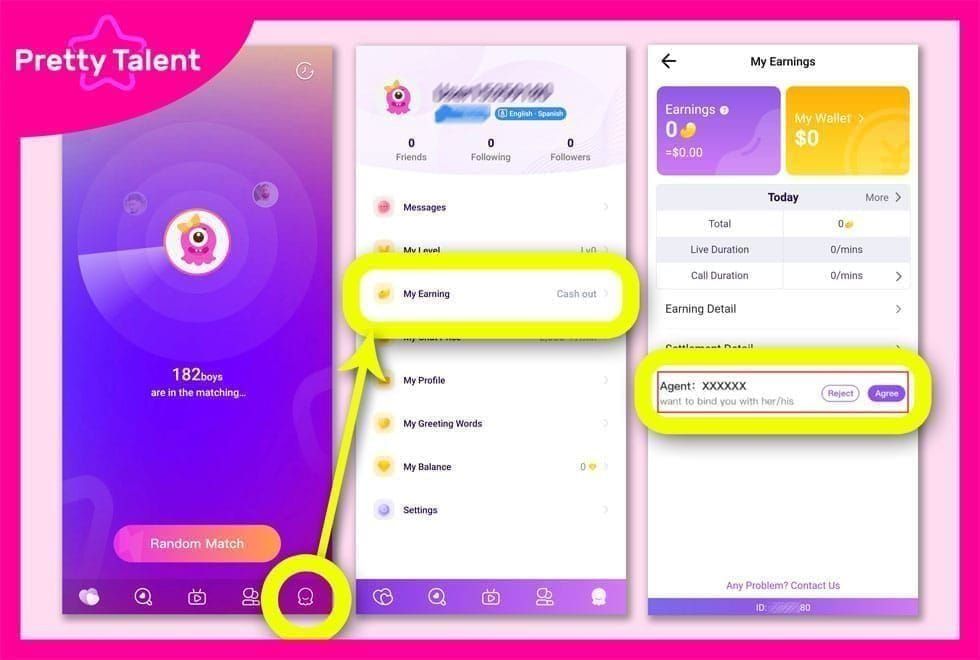
Resolve fingerprint mismatches via Profile > Settings > Security > Trusted Devices. Platform displays all active sessions—remove unrecognized fingerprints, confirm authorized access. Removing suspicious devices immediately strengthens security profile.
Android fix: Settings > Apps > Chamet > Force Stop, wait 15 seconds, Clear Cache. Resolves 60% of device sync issues by removing corrupted fingerprint data.
iOS fix: Swipe up closing Chamet completely, then Settings > General > iPhone Storage > Chamet > Offload App to reset device registration without losing account data.
Trigger #3: Face Verification Failures
Face verification failures account for 70% of review cases—the single most impactful trigger. Facial recognition employs liveness detection algorithms distinguishing live humans from photos, videos, 3D masks, requiring precise execution.
System Requirements
Requires minimum 5MP front camera with autofocus, battery >50%, 500MB+ free storage for temporary processing. Access via Profile > My Earnings > Withdraw > Face Verification. System captures multiple frames analyzing micro-movements and texture confirming physical presence.
Optimal conditions: 30-40cm face-to-camera distance, eye-level positioning within oval guide, even lighting without harsh shadows/backlighting. Avoid glasses, hats, masks obscuring facial features. Front-facing natural light or soft indoor lighting works best.
Common Rejection Reasons
Liveness detection fails when users perform movements too quickly or incompletely. Required actions: nod head up/down slowly through full range, tilt left/right 30-degree angles, blink deliberately 1 second, open/close mouth fully showing teeth, shake head side to side. Rushing or partial motions trigger rejection.
Poor image quality from insufficient lighting, focus issues, motion blur causes 40% of failures. Algorithm requires sharp, well-lit facial images extracting biometric features for comparison. Attempting verification in dim environments, while moving, or with dirty lenses produces unusable images.
Lighting, Angle, Quality Standards
Position facing window during daytime or use soft overhead lighting evenings. Avoid direct sunlight creating harsh shadows, eliminate backlighting from windows/lamps behind you silhouetting features. Algorithm requires even illumination across entire face mapping geometry and texture.
Camera angle impacts success rates. Hold device eye level with lens aligned horizontally with eyes—not angled upward from chest or downward from above. Distorted perspectives alter facial proportions preventing accurate biometric matching.
How to Complete Successfully
Submit during UTC+8 mornings 06:00-10:00 weekdays when server load lowest, processing speeds peak. Wait minimum 30 minutes between retries avoiding rapid-attempt fraud flags. Three failures within short timeframes activate extended 3-5 business day manual review.
Before starting: clean camera lens, ensure adequate lighting, remove accessories. Follow prompts precisely, performing each action slowly and completely. System provides real-time feedback—keep face centered within green outline throughout sequence. Cache clearing resolves 80% of verification loop issues.
Trigger #4: Account Activity Anomalies
Behavioral analysis algorithms establish baseline activity patterns tracking earning rates, streaming schedules, gift reception, withdrawal frequencies. Significant deviations trigger anomaly detection flagging potentially compromised accounts or fraud.
Sudden Large Withdrawals
Requests exceeding 300% of average historical cashouts activate enhanced verification. Typical $50-100 weekly, then suddenly $500 = potential takeover behavior. Fraudsters gaining access commonly attempt maximum immediate withdrawals creating spike patterns.
Platform cross-references amounts against recent earnings. Requesting cashouts exceeding accumulated Beans from current settlement period raises flags. Attempting $200 withdrawal with only $80 earned during Monday-Sunday window suggests calculation errors or fraudulent balance manipulation.
Unusual Coin Accumulation
Sudden Bean spikes without corresponding streaming hours/viewer engagement increases trigger fraud detection. System expects proportional relationships between time invested, audience size, earnings generated. 500% earning increases without viewership growth suggests gift manipulation or unauthorized transfers.
Suspicious: receiving large gifts exclusively from newly created accounts or minimal activity accounts. Mirrors coin laundering schemes where fraudsters create multiple accounts transferring stolen coins through legitimate creators. Platform monitors gift sender profiles flagging suspicious donor patterns.
Inactive Account Withdrawals
Accounts dormant 30+ days suddenly resuming activity exclusively for withdrawals trigger takeover protocols. Legitimate creators maintain consistent engagement; compromised accounts show dormancy-then-withdrawal sequences as fraudsters access abandoned accounts.
System examines activity types during reactivation. Accounts logging in, navigating directly to withdrawal without viewing content/interacting, then submitting cashouts exhibit classic hijacking behavior. Legitimate returning users browse content, check messages, gradually resume normal usage before withdrawals.
Trigger #5: Payment Method Verification Mismatches
Payment method discrepancies between account registration and withdrawal destination trigger identity verification. Platform requires exact name matching across financial touchpoints preventing money laundering, ensuring creators receive rightful earnings.
Name Verification Requirements
Registered Chamet name must precisely match payment method name: spelling, character order, formatting. Even minor variations—John Smith vs J. Smith or Maria Santos vs Maria S. Santos—trigger holds. System performs exact string matching without fuzzy logic or nickname recognition.
For USDT-TRC20 cryptocurrency withdrawals, requires 34-character wallet addresses starting with T. Verify accuracy through TRONSCAN blockchain explorer before submission—incorrect addresses = permanent fund loss. USDT-TRC20 processes in 24-48 hours with $1.20 platform fee + $1-2 network fees, faster than traditional banking.
Bank Account Discrepancies
Requests to bank accounts under different names than Chamet profile trigger immediate identity verification. Platform can't legally transfer to third-party accounts, requiring proof destination belongs to you despite name variations. Commonly affects married creators using maiden names on older accounts.
Submit government ID showing legal name, plus marriage certificates, court orders, or official documentation explaining discrepancies. Basic KYC: 18+ age verification, government ID valid 30+ days beyond submission. Semi-verified KYC: adds proof of address dated within 3 months. Fully-verified KYC: secondary ID from different authority + video verification calls.
Payment Method Change Impact
Switching withdrawal payment methods from previous destinations triggers enhanced verification regardless of name matching. Platform interprets changes as potential takeover indicators—fraudsters commonly redirect earnings after gaining unauthorized access.
If legitimately changing methods, update information 7+ business days before withdrawals. Submit verification documentation proactively via in-app chat explaining reason with supporting evidence (bank closure notices, new account confirmations). Advance preparation prevents withdrawal delays.
The 24-48 Hour Fix: Complete Resolution Protocol
Resolving under review requires systematic verification execution, strategic timing, proactive support communication. This protocol achieves 24-48 hour resolution for fully-verified KYC when followed precisely.
Immediate Actions (First 2 Hours)
Upon notification, immediately verify User ID accuracy via Profile > Settings > Account Information or Profile > My Profile. Confirm 8-12 digit identifier matches exactly what you submitted. User ID errors cause 40% of failures—highest-priority verification.
Check device connection, disable active VPN/proxy/location-masking tools. Connect directly through ISP from typical location. Clear app cache using Android force-stop or iOS offload eliminating corrupted data interfering with verification.
Document Preparation Checklist
Assemble required documents based on KYC tier and identified triggers:
Basic KYC: Government ID valid 30+ days beyond submission, 18+ age proof, clear selfie matching ID
Semi-verified: Add proof of address dated within 3 months (utility bills, bank statements, government correspondence)
Fully-verified: Secondary ID from different authority (passport + driver's license, or national ID + birth certificate), video verification readiness
Prepare for video calls: quiet well-lit environment, stable internet, physical IDs ready for real-time display.
For reliable coin access during verification, buy Chamet coins instant recharge through BitTopup delivers immediate top-ups with 24/7 support.
Step-by-Step Verification Submission
Navigate to Profile > My Earnings > Withdraw > Face Verification
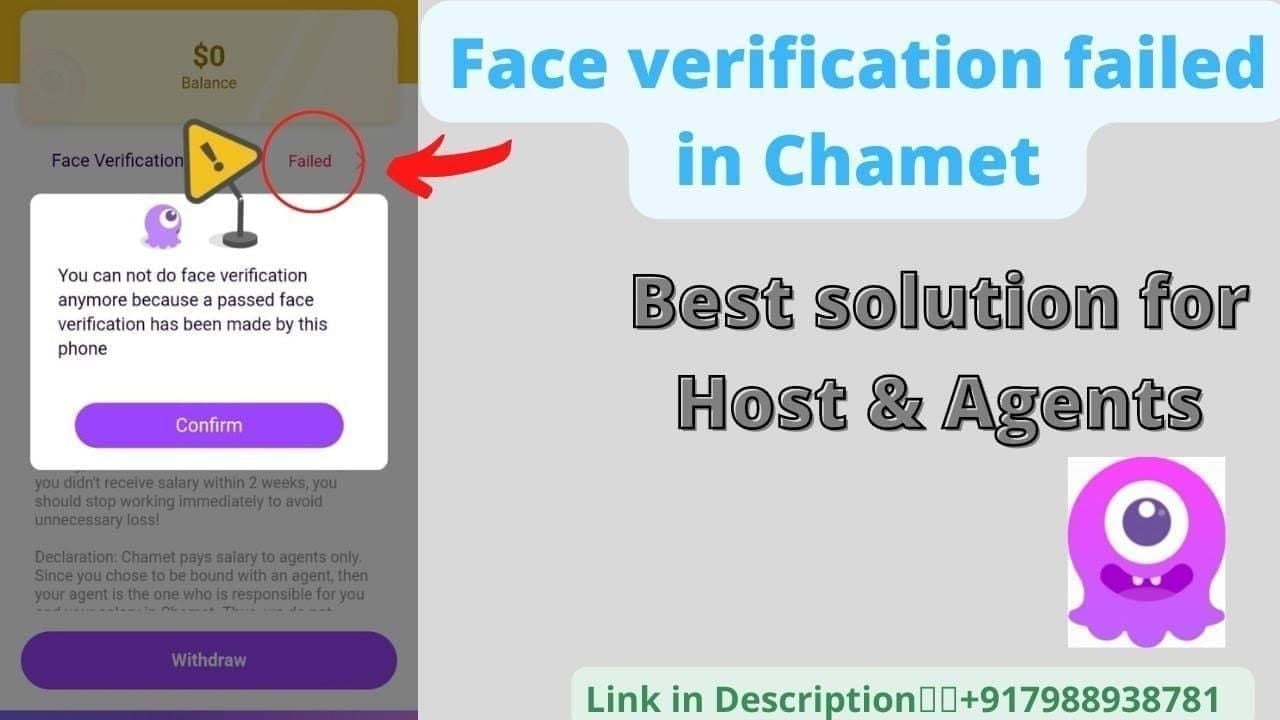
Follow optimal conditions: 30-40cm camera distance, eye-level positioning, even lighting
Perform each movement completely: full head nods, 30-degree tilts, 1-second blinks, complete mouth opening, side-to-side shakes
If verification succeeds but review persists, access in-app chat
Provide User ID, withdrawal timestamp, assembled documents
Clearly explain legitimate circumstances triggering flags (device changes, travel, payment updates)
Support resolves 80% of escalated cases within 24-48 hours with complete upfront information.
Follow-Up Timeline
Monitor withdrawal status every 12 hours via My Earnings. If unchanged:
Fully-verified: Escalate after 24 hours
Semi-verified: Escalate after 48 hours
Basic KYC: Allow full 3-5 business days
Send follow-up via in-app chat referencing original ticket number. Avoid multiple tickets for same issue—fragments case across agents delaying resolution. Include User ID, original timestamp, verification steps completed.
After 48 Hours Without Resolution
Escalate through phone support +628111446644 during weekdays 9:00-17:00 UTC+8 or Saturdays 10:00-15:00 UTC+8. Phone escalation achieves faster response for complex cases requiring manual investigation.
Request specific trigger explanation and additional documentation needed. Ask estimated completion timeline based on case complexity. Document all communication: agent names, ticket numbers, promised dates for potential further escalations.
Prevention Strategies: Avoiding Future Reviews
Proactive account management significantly reduces review likelihood, enabling consistent cashout success and predictable earnings access.
Account Security Best Practices
Enable two-factor authentication via Profile > Settings > Security > Two-Factor Authentication
Use strong unique passwords: uppercase, lowercase, numbers, symbols, 12+ characters minimum
Avoid password reuse across platforms—credential stuffing attacks compromise accounts through leaked databases
Review active sessions via Profile > Settings > Security > Active Sessions, terminate unrecognized devices
Update registered email/phone ensuring you receive security alerts
Device Management Guidelines
Maintain consistent device usage for withdrawals—designate one primary device for cashouts. If switching devices, transition gradually: log into new device, use for normal browsing/streaming 72+ hours, attempt small test withdrawals before large requests.
Register new devices proactively via Profile > Settings > Security > Trusted Devices before withdrawals. Advance registration establishes fingerprints in security database preventing new device flags. Limit total registered devices to 2-3 maximum avoiding multi-device access triggers.
VPN and Network Recommendations
Avoid VPN entirely when accessing withdrawal functions, even for general browsing privacy. If VPN mandatory for your region, disable specifically during withdrawal submission and face verification. Consistent direct ISP connections from registered location create clean access patterns minimizing geographic flags.
For frequent travelers, update location settings before departure, submit location change documentation proactively. Notify support of planned travel dates/destinations via in-app chat requesting temporary geographic flag adjustments. Advance communication prevents legitimate travel triggering location mismatch reviews.
Regular Verification Maintenance
Complete face verification updates quarterly even when not actively withdrawing, maintaining current biometric data. Prevents authentication failures from appearance changes (hairstyles, facial hair, weight fluctuations) altering facial geometry impacting recognition accuracy.
Update KYC documentation 30 days before expiration maintaining continuous verification status. Government IDs, proof of address, secondary identification all have validity periods—proactive renewal prevents verification lapses triggering enhanced review. Set calendar reminders for document expiration dates.
Expert Tips from Successful Creators
Experienced creators navigating multiple withdrawal cycles develop strategies maximizing cashout success and minimizing delays.
Real Success Stories
Creators maintaining fully-verified KYC with consistent device usage and regular withdrawal patterns achieve 95%+ first-attempt approval. Those submitting by Wednesday evening UTC+8 for Thursday 06:00 UTC+8 batch processing receive funds within standard 24-48 hour USDT-TRC20 timeline—total elapsed time submission to wallet: 3-4 days.
Successful creators emphasize face verification preparation, performing test authentications during optimal morning hours (06:00-10:00 UTC+8) weekdays when server processing peaks. Slow deliberate liveness actions with 2-3 second pauses between movements achieve higher success than rapid execution. Cache clearing before attempts resolves 80% of persistent loop issues.
Common Mistakes to Avoid
Most frequent error: submitting multiple withdrawal requests while one remains under review, creating overlapping transactions compounding verification complexity. Wait for complete resolution before initiating new cashouts. Multiple pending requests trigger fraud detection preventing rapid account draining.
Creators commonly fail verifying User ID accuracy before submission, causing 40% of failures. The 8-12 digit identifier must match exactly—single-digit errors = immediate rejection. Always copy-paste User IDs directly from Profile > Settings > Account Information rather than manually typing eliminating transcription errors.
Maximizing Success Rate
Establish predictable withdrawal patterns: cash out similar amounts on consistent schedules. Weekly $50-100 withdrawals create baseline behavioral data reducing anomaly detection sensitivity. Sudden shifts to monthly $400 withdrawals trigger pattern change flags even within KYC tier limits.
Time submissions strategically around Thursday 06:00 UTC+8 settlement. Submit Wednesday evening ensuring inclusion in next batch, avoiding weekend submissions delaying processing until following week.
January 2026 schedule:
Submit by Jan 7 evening → Jan 8 settlement
Submit by Jan 14 evening → Jan 15 settlement
Submit by Jan 21 evening → Jan 22 settlement
Submit by Jan 28 evening → Jan 29 settlement
FAQ: Chamet Withdrawal Review
Why is my Chamet withdrawal under review?
Review triggered by security flags: face verification failure (70% of cases), User ID errors (40%), multi-account detection (40%), device fingerprint changes, VPN usage, or payment mismatches. First-time withdrawals automatically undergo 24-48 hour review. Check verification status via Profile > My Earnings, complete pending face authentication.
How long does review take?
Fully-verified KYC: 24-48 hours. Semi-verified: 1-3 business days. Basic KYC: 3-5 business days. Duration extends when multiple triggers activate or documentation requires manual verification. Withdrawals process weekly Thursday 06:00 UTC+8—submit by Wednesday evening for next settlement batch (earnings Monday 00:00-Sunday 23:59 UTC+8).
Can VPN cause withdrawal problems?
Yes. VPN triggers immediate reviews—virtual networks mask geographic location creating IP patterns inconsistent with registration data. Detection algorithms identify VPN through IP reputation databases, connection anomalies, DNS patterns. Disable all VPN, connect directly through ISP before submitting requests avoiding geographic inconsistency flags.
What is device fingerprint in withdrawals?
Device fingerprint creates unique identifiers combining screen resolution, timezone, language, sensor configs, installed fonts, behavioral patterns (typing speed). Chamet uses digital signatures recognizing authorized devices, flagging unfamiliar access. New device logins trigger automatic 24-48 hour reviews establishing baseline trust. Maintain consistent device usage, register new devices 72+ hours before cashouts.
How to pass face verification for withdrawal?
Position face 30-40cm from camera at eye level within oval guide, ensure even lighting without shadows, use minimum 5MP front camera with battery >50%. Perform liveness actions slowly: nod head up/down completely, tilt left/right 30 degrees, blink deliberately 1 second, open/close mouth fully, shake head side to side. Submit during UTC+8 mornings 06:00-10:00 weekdays for optimal server performance. Clear app cache before attempts—resolves 80% of loop issues. Three failures trigger 3-5 business day manual review.
What documents does Chamet need for review?
Basic KYC: government ID valid 30+ days beyond submission, 18+ age verification. Semi-verified KYC: adds proof of address dated within 3 months (utility bills, bank statements, government correspondence). Fully-verified KYC: secondary ID from different issuing authority + video verification call readiness. For payment mismatches: documentation explaining name variations (marriage certificates, court orders). Assemble proactively, submit via in-app chat with User ID and withdrawal timestamp for fastest resolution.