Quick Answer: The Chamet withdrawal issue in March 2026 stems from face verification failures (blocking 70% of withdrawals), KYC re-verification triggers, and app cache conflicts. March 2026 settlement dates are every Thursday — the 5th, 12th, 19th, and 26th — at 06:00 UTC+8. Minimum withdrawal threshold: 100,000 Beans ($10 USD). Diamond recharges remain safe and unaffected when you use the correct UID and a stable connection.
What's Causing the March 2026 Chamet Withdrawal Issue?
The March 2026 update introduced stricter face liveness verification and revised KYC tier requirements, directly hitting the withdrawal pipeline for host accounts. You'll see pending statuses, failed face scans, and delayed payments — especially if you haven't re-completed identity verification since the update.
The update also changed how the app syncs earnings between local cache and server, creating temporary balance discrepancies. These look alarming but typically resolve within one processing cycle.
Withdrawal issues affect Chamet hosts converting Beans to cash. Viewers purchasing Diamonds are largely unaffected, though both may notice delayed balance refreshes due to server sync lag.
Genuine Issue vs. Normal Delay
You're experiencing a real withdrawal issue if:
Withdrawal button stays inactive despite holding 100,000+ Beans
Face verification loop fails repeatedly with no error explanation
Submitted requests show pending beyond Wednesday 23:59 UTC+8 cutoff
Monday–Sunday UTC+8 earnings aren't reflected in the withdrawal queue
Normal delays happen when you submit after the Wednesday cutoff — settlement simply moves to the following Thursday.
Chamet Diamonds: What You Need to Know
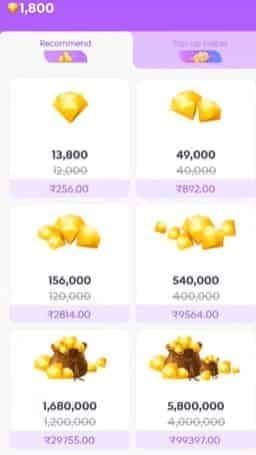
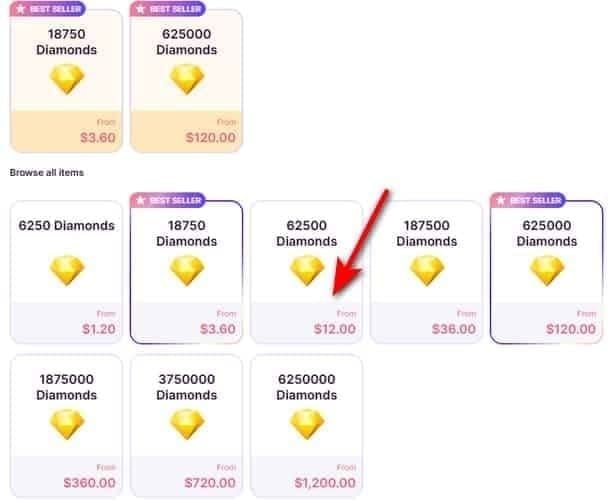
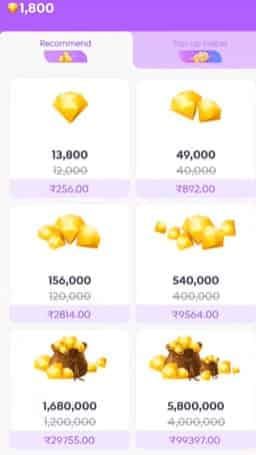
Chamet Diamonds are the viewer-side currency for purchasing virtual gifts during live streams. Fixed exchange rate: 16,670 Diamonds per $1 USD.

When viewers send Diamond gifts, hosts receive Beans — the host-side earnings currency:
10,000 Beans = $1 USD
Minimum cashout: 100,000 Beans ($10 USD)
Withdrawal button appears at 1,200 Beans but only activates at 100,000
This two-currency system matters right now. Diamond recharges and Bean withdrawals are technically separate processes. A withdrawal disruption doesn't touch your Diamond balance.
Pro tip: If your displayed balance dropped after the March 2026 update, clear the app cache before assuming a loss — this resolves the majority of false discrepancy reports.
Root Causes of the March 2026 Withdrawal Blocks
Face Verification Failures (70% of All Blocks)
The March 2026 update raised the liveness detection bar significantly. You now need to:
Nod up and down
Tilt head left and right (~30 degrees)
Blink for 1 second
Open and close mouth
Perform a head shake
Device requirements: 5MP front camera with autofocus, battery above 50%, 500MB+ free storage. Position your face 30–40cm from screen at eye level within the oval guide, under even lighting.

Failing the liveness test three times triggers a 3–5 business day manual review — which explains most of the stuck pending reports in March 2026.
UID Errors and Cache Conflicts (40% of Failures)
Post-update cache conflicts cause the app to display stale account data, leading to withdrawals submitted with outdated payment details. USDT-TRC20 withdrawals require a precise 34-character address starting with T — one wrong character voids the transaction.
Withdrawal fee structure (unchanged after March 2026 update): $1.20 platform fee + $1–2 USDT-TRC20 network fee.
Step-by-Step Troubleshooting for Chamet Withdrawal Problems
Work through these in order before contacting support.
Step 1: Clear Cache and Force-Restart
Android: Settings > Apps > Chamet > Storage > Clear Cache → Force Stop → wait 15 seconds → reopen
iOS: Settings > General > iPhone Storage > Chamet > Offload App → wait 15 seconds → reinstall
Step 2: Retry Face Verification Correctly Battery above 50%, 500MB+ free storage, even lighting, face 30–40cm from camera at eye level. Complete all five gestures deliberately — don't rush.
Step 3: Check Your KYC Tier
Basic KYC: $50 daily limit, 3–5 business day processing
Semi-verified: $5,000 daily limit, 1–3 business days
Fully-verified: $10,000 daily limit, 24–48 hours
First-time withdrawals add an extra 24–48 hour review regardless of tier.
Step 4: Confirm Timing and Payment Details Submit before Wednesday 23:59 UTC+8 to catch Thursday 06:00 UTC+8 settlement. Confirm your MetWallet is bound — required before any cashout processes.
Step 5: Escalate to Support With Evidence Unresolved after 7 business days (Basic KYC) or 3 business days (Fully-verified)? Call +628111446644, weekdays 9:00–17:00 UTC+8, Saturdays 10:00–15:00 UTC+8. Have your Beans balance screenshot, withdrawal submission timestamp, and error messages ready.
How to Safely Recharge Chamet Diamonds Right Now
Diamond top-ups run on separate infrastructure from the withdrawal system. Recharging during a withdrawal outage does not put your balance at risk. That said, avoid top-ups during announced server maintenance windows — payment confirmation may lag even if the transaction is secure.
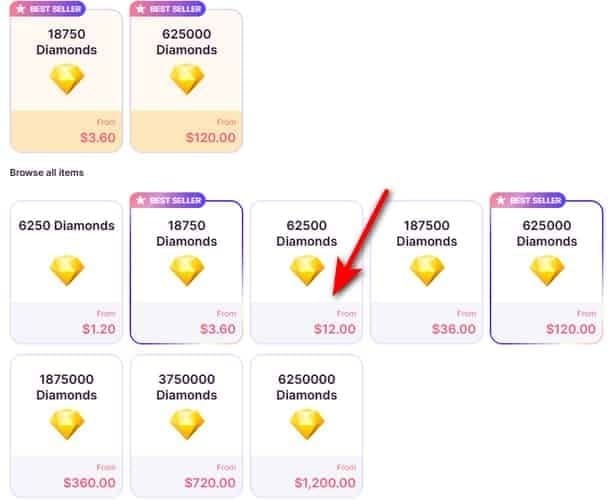
For a reliable channel that bypasses in-app purchase disruptions entirely, buy chamet diamonds safe recharge through BitTopup.
Before You Top Up: March 2026 Checklist
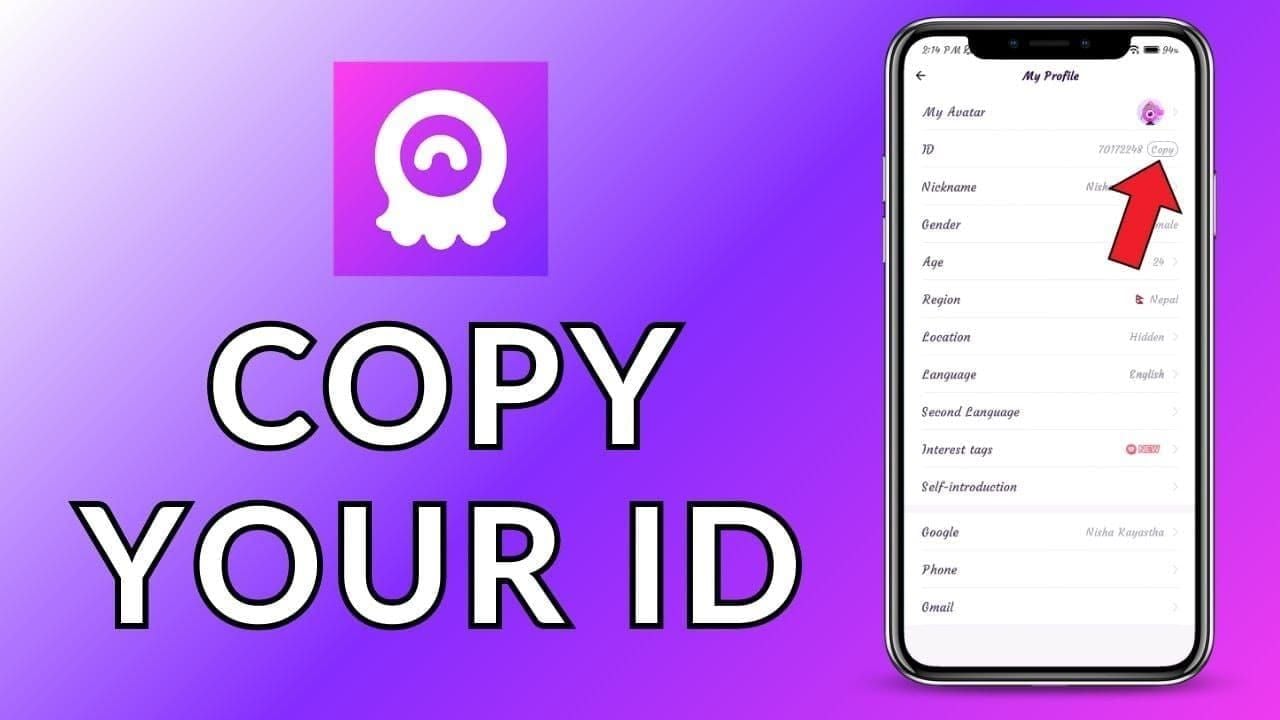
Correct UID: Profile > My Profile → copy-paste your 8–12 digit UID. Never type it manually. UID errors cause 40% of failed top-ups.
Connection speed: Minimum 3 Mbps for stable transaction processing
Payment limits: GCash basic accounts cap at PHP 8,000/month; verified accounts allow PHP 100,000
After topping up, restart the app to force a balance refresh. Credits appear within 1–3 minutes under normal conditions. If Diamonds don't show after 5 minutes post-restart, check your payment confirmation receipt before assuming a failed transaction.
Recharging via BitTopup During the March 2026 Issue
BitTopup processes Diamond top-ups through a dedicated channel that operates independently of Chamet's internal payment gateway — the same gateway currently under update-related strain. That's why BitTopup deliveries stay fast even when the native app purchase flow slows down.
How to recharge in 6 steps:
Open Chamet → Profile > My Profile → copy your 8–12 digit User ID
Visit BitTopup and select your Diamond package
Paste your UID — don't retype it
Select payment method and complete the transaction
Diamonds credit within 1–3 minutes
Restart Chamet to refresh your balance display
For users managing gifting budgets during the current disruption, top up chamet app diamonds withdrawal via BitTopup offers competitive pricing, high user ratings, and responsive customer service.
3 Myths About Recharging During a Withdrawal Outage
Myth 1: Topping up during an outage will cause you to lose Diamonds. False. Diamond purchases and Bean withdrawals run on separate systems. Thousands of successful top-ups process daily during active withdrawal disruptions.
Myth 2: You must wait for withdrawals to resume before recharging. False. These are independent actions. Viewers can continue gifting normally — hosts still receive Beans from gifts even when the cashout system is under maintenance.
Myth 3: All third-party recharge sites are unsafe during updates. False. Reputable platforms maintain stable delivery infrastructure regardless of in-app update cycles. The key safety check: always copy-paste your UID before submitting any transaction.
Protecting Your Account During and After Updates
Security basics:
Enable 2FA via email or phone codes immediately if not active
Use a 12+ character password combining letters, numbers, and symbols
Don't share your UID publicly beyond legitimate top-up transactions
Bind your MetWallet before the next withdrawal cycle
Document every transaction. Screenshot immediately after any top-up or withdrawal:
Beans/Diamond balance before and after
Transaction confirmation screen with timestamp
Any error messages with exact error codes
This is essential for support escalation — Chamet's team requires transaction evidence for any balance dispute.
Signs your account may be compromised post-update:
Unexpected Diamond balance drops not explained by gifting history
Withdrawal requests you didn't initiate in your history
Face verification prompts outside the normal withdrawal flow
If any of these occur, change your password immediately and call +628111446644 during business hours.
FAQ: Chamet Withdrawal Issue March 2026
Q1: Why is my Chamet withdrawal pending today in March 2026? Most likely: failed face verification (70% of blocks), missed Wednesday 23:59 UTC+8 cutoff, or a KYC re-verification trigger from the March 2026 update. Clear cache, retry face verification with correct device setup, and confirm your MetWallet is bound.
Q2: What are the exact March 2026 settlement dates? Every Thursday at 06:00 UTC+8: the 5th, 12th, 19th, and 26th. Earnings accumulate Monday 00:00–Sunday 23:59 UTC+8. Submission deadline: Wednesday 23:59 UTC+8.
Q3: Is it safe to recharge Diamonds while withdrawals are disrupted? Yes. The two systems are independent. Use a copy-pasted UID, a 3 Mbps+ connection, and restart the app after topping up to confirm credit.
Q4: Diamonds not showing after recharge — what do I do? Restart the app to force a balance refresh. Credits appear within 1–3 minutes. If still missing after restarting, verify your payment confirmation receipt and confirm the correct 8–12 digit UID was used before contacting support.
Q5: What's the minimum Chamet withdrawal amount in 2026? 100,000 Beans = $10 USD (10,000 Beans = $1 USD). The withdrawal button appears at 1,200 Beans but only activates for cashout at 100,000.
Q6: How do I contact Chamet support about an unresolved withdrawal problem? Call +628111446644 — weekdays 9:00–17:00 UTC+8, Saturdays 10:00–15:00 UTC+8. Escalate after 7 business days (Basic KYC) or 3 business days (Fully-verified). Have transaction screenshots, your UID, and submission timestamps ready.