

Spring Fest 2026 is one of PUBG's biggest annual events, and G-COIN CDK codes are the smartest way to fund your spending — offering 41–70% savings versus the in-game store. But tight April deadlines combined with a surge in scam listings create real risks. Here are the five specific mistakes that cost players money, locked accounts, or missed skins every year — and exactly how to avoid each one.
What Is a PUBG G-COIN CDK and Why Does It Matter?
A G-COIN CDK is a one-time activation code that delivers G-COIN directly to your PC account via the in-game store or pubg.com. It's PC (Steam/Krafton) only — console accounts can't use it.
The math: 11200 CDK delivers 122.5 G per dollar. The official store gives roughly 71.7 G per dollar. For Spring Fest spending, that gap matters.
Why Spring Fest 2026 Creates Buying Pressure
The PC event runs February 4 through April 8, 2026 (00:00 UTC), with crafting tokens expiring April 13, 2026 (00:00 UTC). Console ends April 16, tokens expire April 21. No refunds, no carryover. That hard deadline creates two problems at once: players rush purchases without verification, and scammers flood the market knowing buyers are under pressure. That combination is exactly when mistakes happen.
Mistake #1: Buying a CDK With the Wrong Regional Lock
Most players assume CDKs are universally compatible. Some listings say "region-free for eligible accounts" — but that phrase hides real nuance. Region compatibility is determined at the code-issuance level; you can't override it after purchase.
Community testing confirms most reputable April 2026 CDK listings are region-free for the majority of accounts. But accounts in restricted regions — Belgium and the Netherlands are officially confirmed examples for certain pack types — may still hit blocks regardless of what the listing claims.
Before buying: Check your Steam account's country under Account Details > Store Country. Cross-reference with the seller's listed regional compatibility. If you're in a restricted territory, contact the seller before paying.
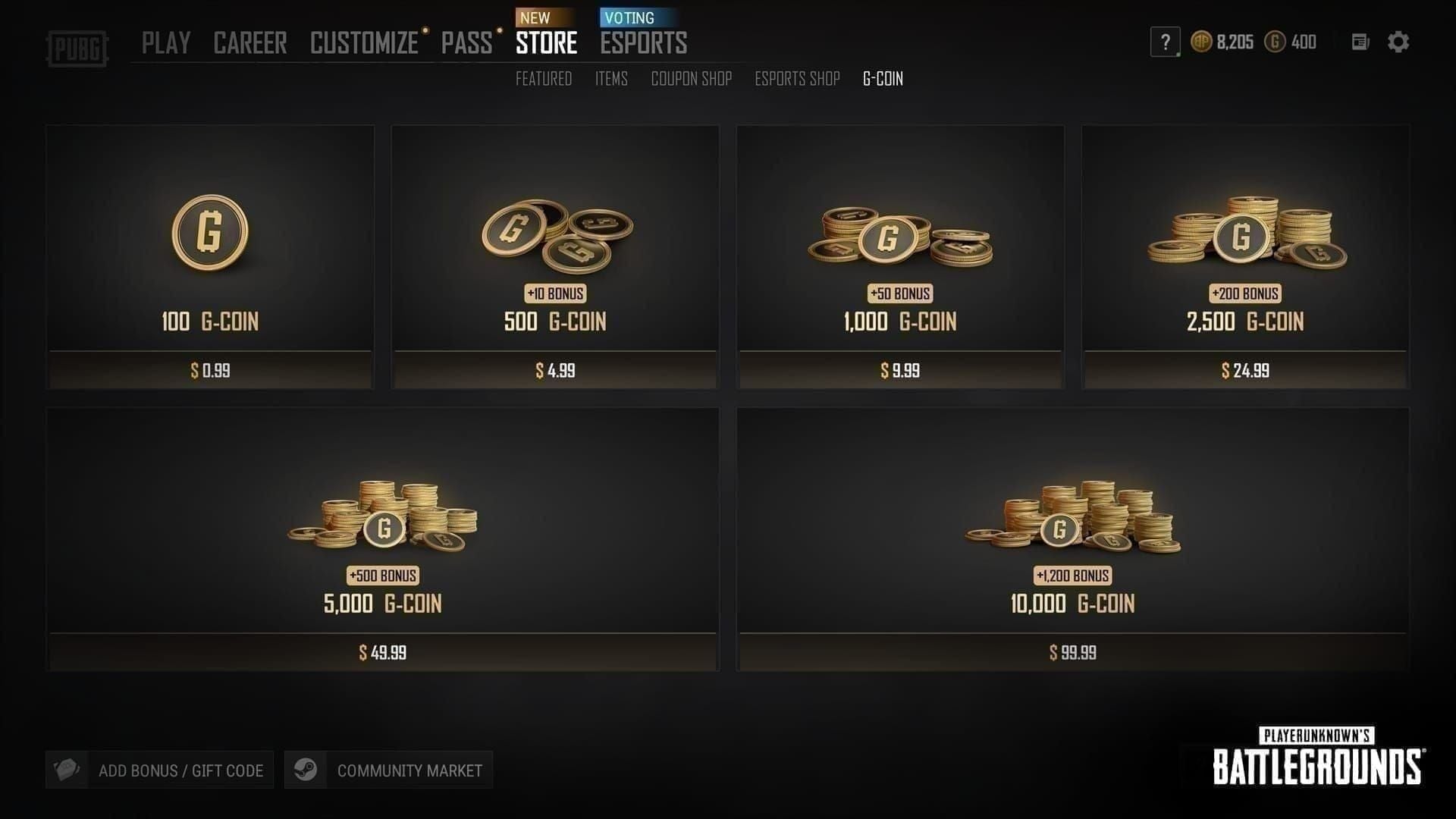
Common mismatch scenarios:
EU code on NA account: Usually works if listed as global, but verify explicitly
Belgium/Netherlands accounts: Some pack types officially restricted
Console account attempting PC CDK: Fails 100% — this is a platform issue, not region (covered in Mistake #5)
If you're uncertain, test with the smallest denomination first. Losing $9.14 on a 1050 G-COIN code beats losing $91.43 on an 11200 pack that won't activate.
Mistake #2: Purchasing From Unverified or Grey-Market Resellers
This is where players lose real money. During Spring Fest, scam listings spike because demand is high and buyers are distracted by event FOMO. The worst case isn't just a failed code — it's a code that works initially, then gets invalidated via chargeback weeks later, potentially flagging your account in the process.
Stop immediately if you see any of these:
Discount exceeds 70% on large packs or 50% on small packs — legitimate maximums are documented; anything beyond signals stolen inventory
Seller asks for your login credentials — no legitimate CDK transaction requires account access
Payment only via gift cards or crypto with no buyer protection
New domain or no verifiable seller history
Artificial urgency like "Only 2 left — expires in 10 minutes" on a digital product
Grey-market codes sourced from stolen payment methods may redeem successfully at first, then get reversed when the original payment is disputed. Your account can be flagged for receiving fraudulently obtained currency — even if you had no idea. The risk isn't just losing G-COIN. It's your account.
When you're ready to buy PUBG G-COIN CDK cheap, stick to platforms with documented buyer protection, HTTPS-secured transactions, and verifiable purchase history.
Legitimate seller checklist:
✅ Established platform with visible review history
✅ HTTPS-secured checkout
✅ No login credentials required — code delivered directly
✅ Discount within the 41–70% documented range
✅ Clear refund/support policy stated before purchase
✅ Instant or near-instant delivery (legitimate platforms don't need to "source" your code after payment)
Mistake #3: Buying the Wrong Denomination for What You Actually Need
Too little means a second purchase at worse efficiency. Too much means leftover G-COIN sitting idle. Both are preventable with five minutes of math before you buy.
Spring Fest 2026 Spending Requirements
Never use Loot Caches as your primary token source. At 15.6 G-COIN per token versus ~3.3 G-COIN per token via Step bundles, it's the single worst value ratio in the entire event shop.
CDK Denomination Efficiency
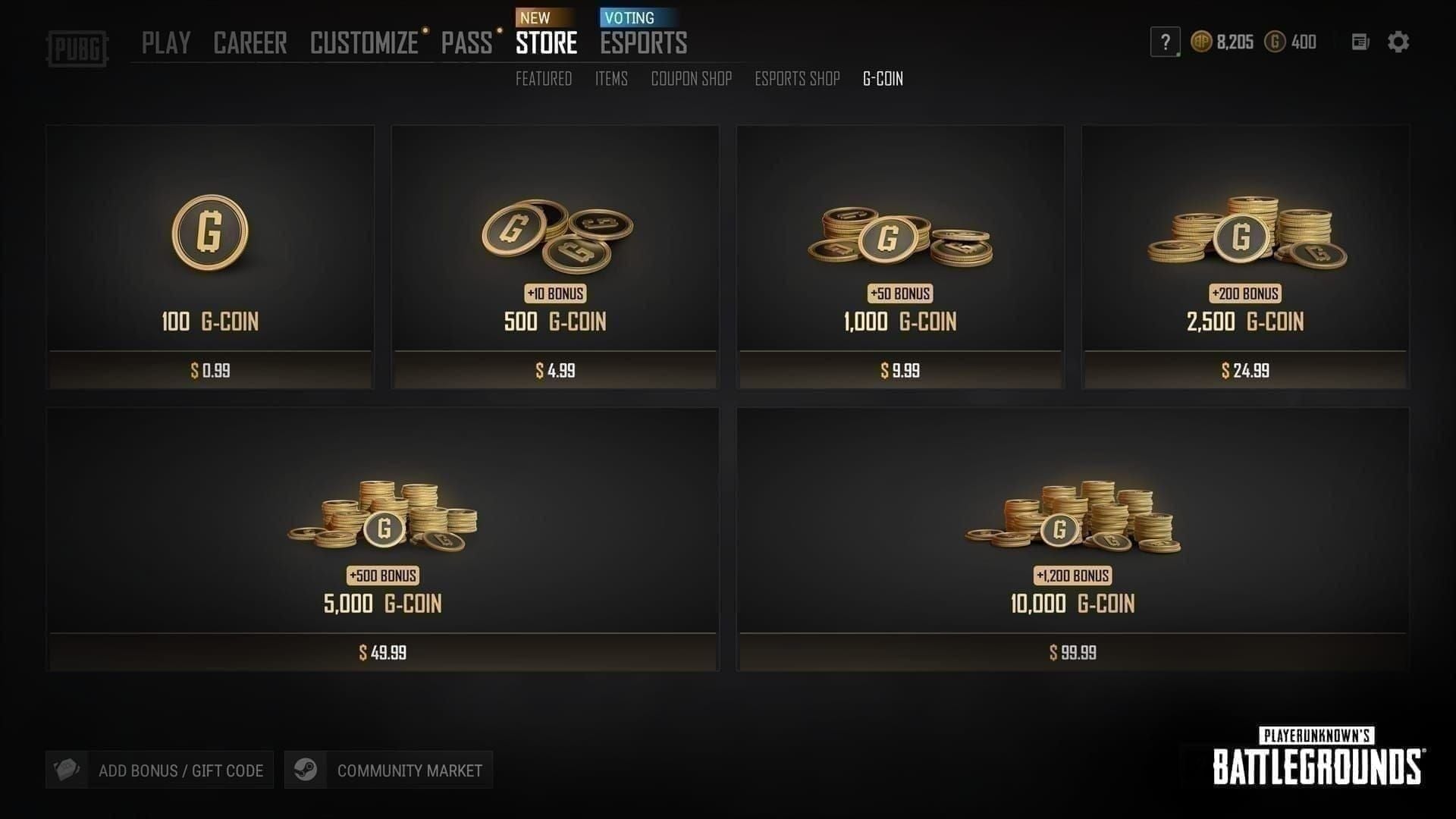
One 5500 pack gives more G-COIN than two 2700 packs at the same price. Always consolidate into the largest single denomination your budget allows.
What Happens to Leftover G-COIN After Spring Fest
Redeemed paid G-COIN stays valid for 5 years from redemption; bonus G-COIN for 3 years. It doesn't disappear when the event ends. What does disappear: event tokens (April 13 PC, April 21 console) and the exclusive Spring Fest items. Plan your denomination around event spending, not around zeroing your balance before April ends.
Mistake #4: Ignoring CDK Expiry Dates and Event Deadlines
Two separate expiry clocks run simultaneously. Players routinely confuse them.
CDK code expiry: Codes expire 90 days from purchase date. Buy in early April, forget to redeem, and the code is invalid by early July. Once redeemed, the G-COIN follows the 5-year/3-year rules above. Code expiry and G-COIN expiry are completely separate systems.
Spring Fest 2026 Deadlines
No refunds. No carryover. Tokens in your account at expiry are gone permanently, per official PUBG policy. If you're targeting a skin that requires 4,500 tokens for Workshop crafting, you need both the G-COIN and enough time to convert and craft before the deadline.
Buy your CDK at least 48–72 hours before the event end date. This buffer covers redemption troubleshooting, support ticket response times, or unexpected client issues. Buying on April 7 for an event that ends April 8 is a gamble you don't need to take.
Mistake #5: Redeeming on the Wrong Platform or Account
G-COIN CDKs are PC (Steam) only. Full stop. Console players on Xbox or PlayStation cannot use them — no workaround, no cross-platform redemption path, and no refund once a code has been attempted. This is the most preventable mistake on this list.
Console PUBG uses a separate currency and top-up system through Xbox or PlayStation storefronts. A console player attempting to redeem a G-COIN CDK hits a "Platform Mismatch" error every time.
Before redeeming, confirm:
You're logged into the correct Steam account linked to your primary PUBG profile
Your PUBG account is Level 5 or higher (officially required for CDK redemption)
Your account is not in a restricted region for the specific pack type
Wrong account redemptions cannot be reversed. If you have multiple Steam accounts, double-check which one holds your main PUBG progress before entering any code.
Step-by-Step Redemption Checklist
Confirm your account is PC/Steam, Level 5+, and region-eligible
Launch PUBG on PC
Navigate to Store → Add Bonus / Gift Card or Items → Redeem Code
Copy-paste the code exactly — don't type it manually (l, I, and 1 are common typo sources)
Confirm the redemption prompt
Verify G-COIN balance updates immediately
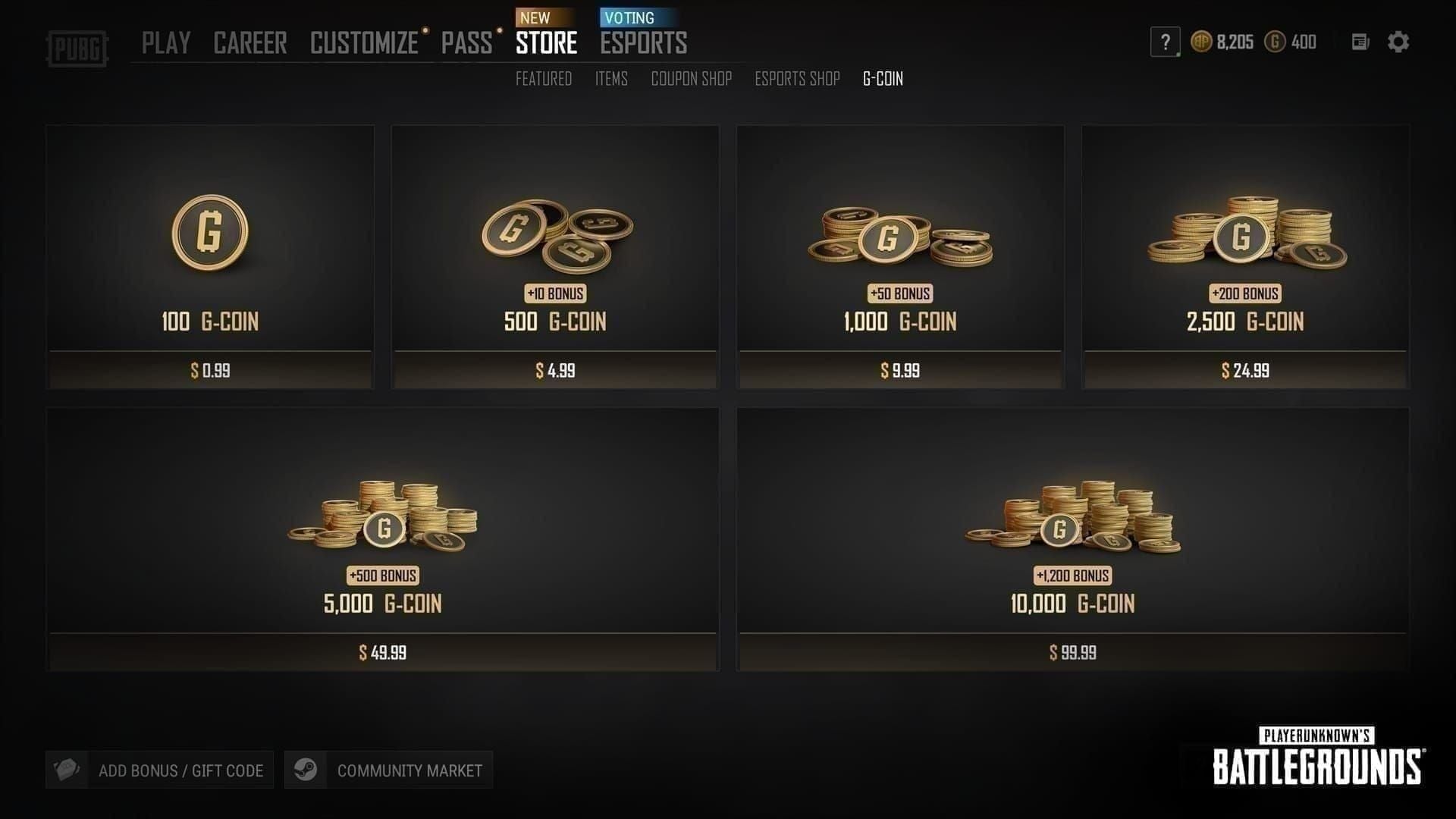
G-COIN credits instantly on successful redemption. If the balance doesn't update within 60 seconds, restart the client before assuming an error.
Quick Pre-Purchase Checklist
Run through this before completing any CDK transaction during Spring Fest 2026:
Platform confirmed: You play PUBG on PC via Steam, not console
Account level: Your PUBG account is Level 5 or above
Region compatibility: Your Steam country matches the CDK's listed regional eligibility
Seller legitimacy: Verifiable history, HTTPS checkout, buyer protection, discount within 41–70%
Denomination math done: You've calculated your exact G-COIN needs before selecting a pack size
Thirty seconds on this checklist prevents 90% of the problems in this article.
What to Do If Your CDK Fails to Redeem
Don't panic — and do not initiate a chargeback. Chargebacks after redemption attempts can trigger account flags or bans, even if the code genuinely failed. Use the proper escalation path instead.
Common Errors and Fixes
Submit a ticket at support.pubg.com with your Steam ID, the exact error message, a DxDiag file (for technical issues), and proof of purchase. Official support is the only legitimate path for unresolved CDK issues. Attempting a chargeback after a redemption attempt — even a failed one — risks your account.
Where to Buy Safely for Spring Fest 2026
For players looking for the PUBG G-COIN CDK recharge best price, BitTopup offers instant delivery, region-free codes for eligible accounts, and 24/7 support — with the 11200 G-COIN pack delivering 122.5 G per dollar, the best efficiency available in April 2026.
Wherever you buy: verify the seller, confirm your denomination math, and redeem with enough time before the April 13 token expiry to troubleshoot anything that goes wrong.
Frequently Asked Questions
What is a PUBG G-COIN CDK and how do I redeem it? A one-time activation code that adds G-COIN to your PUBG PC account. Redeem via PUBG's in-game store: Store → Add Bonus / Gift Card or Items → Redeem Code. Account must be Level 5+ on PC/Steam.
Can I use a CDK from another region on my account? Most April 2026 CDKs are listed as region-free for eligible accounts. Accounts in officially restricted regions (Belgium, Netherlands for certain pack types) may still encounter blocks. Verify regional compatibility with the seller before purchasing.
Do CDK codes expire after Spring Fest ends? The code itself expires 90 days from purchase. Once redeemed, paid G-COIN is valid for 5 years. What expires at Spring Fest's end (April 13 for PC) are the event tokens and exclusive items — not your G-COIN balance.
How many G-COINs do I need for Spring Fest 2026 exclusive skins? Crafter Pass Rush: 3,300 G-COIN. Step Up Pack (Step 4): 5,000 G-COIN. Targeting a full collector set with premium Workshop crafting (~4,500 tokens) makes the 11200 G-COIN pack the most efficient single purchase. Avoid Loot Cache x55 — it's 15.6 G-COIN per token versus ~3.3 via Step bundles.
What should I do if my code says 'already used' or 'invalid'? Confirm you copy-pasted exactly with no extra spaces or character substitutions. If the error persists, contact your seller immediately and submit a ticket at support.pubg.com with your Steam ID and purchase proof. Don't initiate a chargeback before exhausting official support channels.
Can I use a G-COIN CDK on both PC and console? No. CDKs are PC (Steam) only. Console players must top up through Xbox or PlayStation storefronts. Attempting to redeem a PC CDK on a console account results in a Platform Mismatch error — no redemption occurs.
Spring Fest 2026 pricing and event dates reflect official PUBG patch notes and community-verified data as of April 2026. CDK discount ranges and denomination values are based on community-observed pricing; individual seller prices may vary. Confirm token expiry dates at pubg.com before finalizing any purchase.