Quick Summary: Uplive Diamonds prices shift with the March 2026 update as Season 3 ends February 28, 2026. Current packages run from 60 Diamonds (USD 1.02) to 31,500 Diamonds (USD 536.87), with a 20% seasonal discount active now. Complete all top-ups by February 25, 2026 — 72 hours before the deadline. Here's how to maximize value before the window closes.
What the March 2026 Price Change Actually Means for You
When Season 3 closes February 28, Uplive resets promotional pricing, adjusts bundle values, and recalibrates VIP thresholds. The current 20% discount applies across every package tier. Once Season 3 ends, that structure resets — no guarantee the same discount depth returns.
Why February 25 is the hard deadline, not February 28: Payment processing, delivery confirmation, and balance crediting all take time. Transactions submitted in the final hours risk manual review delays. Buyers who complete purchases before February 25 lock in current rates with zero transition-period risk.
Current Uplive Diamonds Pricing (Pre-March 2026)
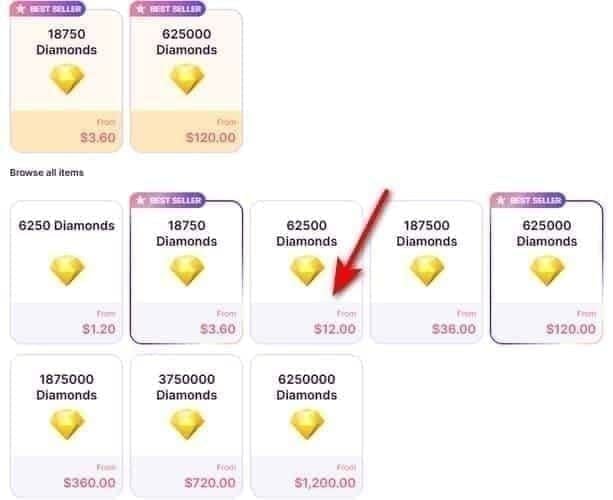
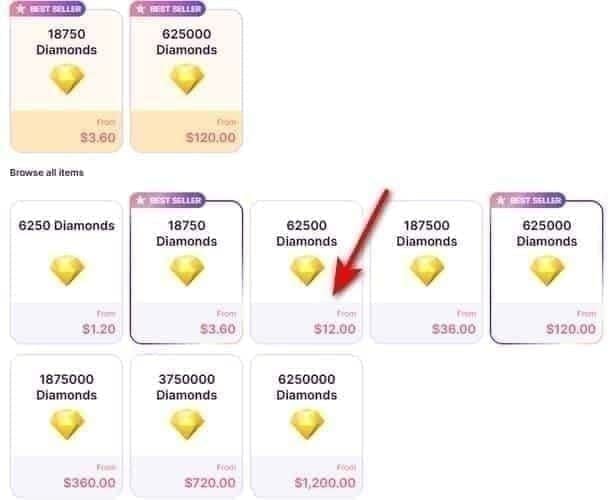
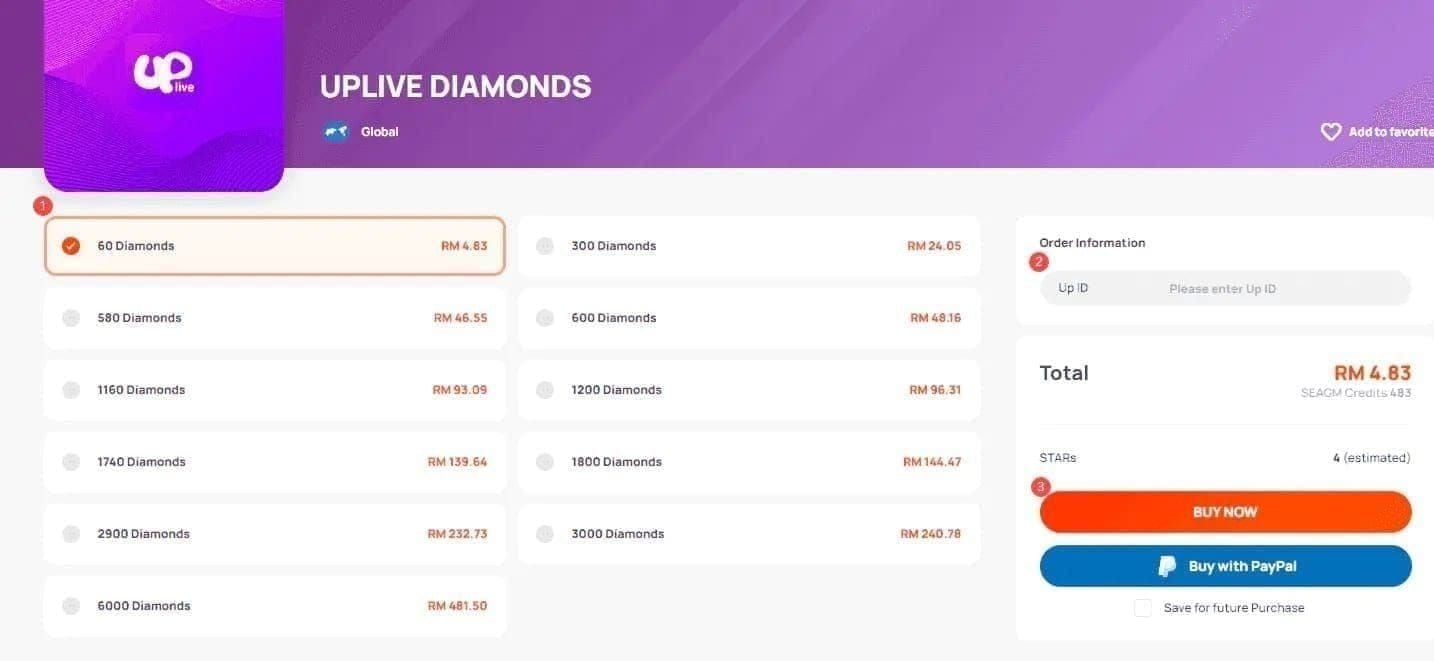
60 Diamonds — USD 1.02–1.05
300 Diamonds — USD 5.11–5.23
580 Diamonds — USD 9.88–10.47
1,160 Diamonds — USD 19.78–20.94
1,800 Diamonds — USD 30.68–31.40
2,900 Diamonds — USD 49.42–50.66
6,000 Diamonds — USD 102.26–104.28
12,000 Diamonds — USD 204.53–209.35
31,500 Diamonds — USD 532.86–536.87
Price ranges reflect regional currency conversion variation.
Cost per Diamond by tier:
Entry-level bundles (60–580 Diamonds): ~59 Diamonds per USD
Premium bundles (6,000–31,500 Diamonds): ~65 Diamonds per USD
That 10% efficiency gap compounds fast. Spending USD 200 on 60-Diamond bundles yields ~11,800 Diamonds. The same USD 200 on the 12,000-Diamond package delivers 12,000 Diamonds directly. The math always favors larger packages — and that advantage widens before a price increase.
Way #1 — Bulk Top Up via BitTopup Before March 2026
Diamonds carry no expiration on balances, so every Diamond bought today at current rates retains full gifting value indefinitely. There's no downside to holding a larger balance.
To buy Uplive Diamonds cheap online, BitTopup offers competitive pre-update pricing, instant delivery, and a top-up process that takes under two minutes.
Step-by-Step Top-Up Process
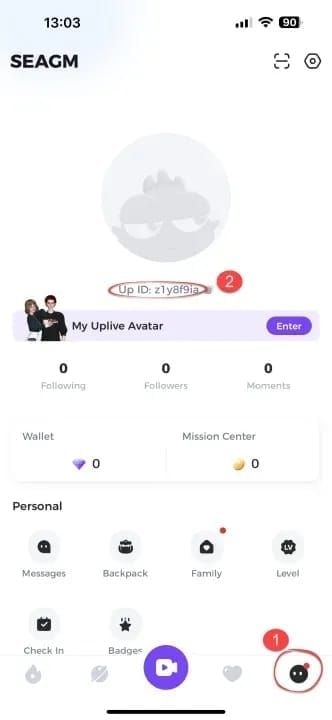
Open Uplive and log in
Tap your profile avatar (bottom-right corner)
Copy your Up ID — the 8–10 digit code under your profile picture
Go to BitTopup and enter your Up ID
Select your Diamond package (60 to 31,500 Diamonds)
Choose payment method — credit/debit card or digital wallet — and complete the transaction
Allow up to 15 minutes, then force-close and restart Uplive to refresh your balance
If Diamonds haven't appeared after 1 hour, contact support with your transaction ID
Processing speeds: Credit/debit cards: 30–60 seconds. Digital wallets: instant.
Way #2 — Choose the Highest-Value Bundle Available
The 12,000-Diamond and 31,500-Diamond packages deliver the strongest per-Diamond value (~65 Diamonds per USD). But there's an extra reason the 12,000-Diamond package stands out: it hits the Professional VIP threshold in a single purchase, unlocking the platform's highest progression multipliers without risking a price change interrupting your VIP journey mid-way.
Don't fall for the small-bundle trap. At 59 vs. 65 Diamonds per USD, a buyer spending USD 500 total on small bundles receives roughly 3,000 fewer Diamonds than one using premium packages. Post-update, that gap widens further.
Way #3 — Stack Bonus Diamond Events With Your Pre-Update Top-Up
Uplive runs bonus Diamond promotions tied to seasonal milestones and streamer events. These layer additional value on top of standard purchases — a second discount stacked on the existing 20% seasonal reduction.
The Season 3 closing window is historically one of the highest-activity promotional periods on the platform. Bonus events are more likely active now than at any other point in the season cycle.
Optimal move: Check the Uplive app's event tab for active bonus promotions, then time your bulk top-up to coincide with the promotion window. Buying the 6,000-Diamond package during an active bonus event while the 20% discount is live stacks two value layers simultaneously.
To top up Uplive Diamonds fast recharge without delays, BitTopup's instant delivery ensures your Diamonds arrive in time for any active bonus event window.
Way #4 — Time Your Purchase Using the Action Timeline
Uplive communicates pricing updates via in-app notifications, official social channels, and push alerts — typically 7–14 days before the effective date. The February 28 Season 3 end date is the confirmed anchor point.
Your action timeline:
Now – February 15, 2026: Optimal window. Full 20% seasonal discount active
February 15–25, 2026: Final window. Still within discount period, approaching deadline
February 25, 2026: Hard deadline. Complete all purchases by end of day
February 26–28, 2026: 72-hour buffer. Avoid purchasing — transition pricing risk
March 2026+: Post-update rates take effect. Pre-update pricing gone
Buyers who act before February 15 have the most flexibility. Those acting February 15–25 still capture full value but have less margin for error.
Way #5 — Use a Trusted Top-Up Platform for Better Rates
Third-party top-up platforms operate with lower overhead than direct in-app purchases and pass those savings through more competitive pricing. For Uplive Diamonds, the same package can cost measurably less than through the native app store payment flow.
BitTopup is purpose-built for gaming recharges, accepts credit/debit cards and digital wallets, and delivers at speeds matching or exceeding in-app purchases.
Safety Checklist Before Any Third-Party Top-Up
Platform requires only your Up ID — never your password or login credentials
Immediate transaction confirmation provided after purchase
Support contact available for transaction ID resolution if delivery is delayed
Payment processing uses encrypted, standard payment gateways
BitTopup meets all of these. Your Up ID is a public-facing identifier, not a security credential — sharing it carries zero account risk.
Referral Discounts: A Third Savings Layer
Stack referral discounts on top of seasonal pricing and bulk efficiency:
1 referral: 8% discount, up to USD 5 savings
5 referrals: 12% discount, up to USD 20 savings
Activate referral discounts before completing a large pre-update purchase for maximum combined savings.
VIP Progression: Why Heavy Buyers Win More
Uplive's VIP system rewards cumulative Diamond spend with escalating XP multipliers:
Bronze VIP (580–2,899 Diamonds cumulative): 1x XP multiplier
Silver VIP (3,200–6,499 Diamonds cumulative): 2–2.5x XP multiplier
Gold VIP (6,500+ Diamonds cumulative): 3–5x XP multiplier
Professional VIP (12,000+ Diamonds cumulative): Maximum multiplier benefits
Pro tip: The 5x multiplier at Professional VIP converts 1,000 VIP XP into 5,000 XP — fivefold progression acceleration. If you're close to a VIP threshold, factor that into your pre-update purchase. Crossing from Silver to Gold or Gold to Professional before March 2026 locks in the higher multiplier at today's Diamond costs.
And since Diamond balances don't expire, buying in bulk now secures your gifting capacity for streamer milestones, special broadcasts, and platform-wide gifting competitions — all at pre-update rates.
Frequently Asked Questions
Will my existing Diamond balance be affected by the March 2026 price change? No. Balances carry no expiration and aren't subject to retroactive value adjustments. Every Diamond you hold before the update retains full gifting value after.
What's the cheapest way to buy Uplive Diamonds before the update? The 12,000-Diamond or 31,500-Diamond packages through BitTopup during the current 20% seasonal discount window offer the lowest cost per Diamond available. Adding a referral discount reduces the effective price further.
Is there a purchase limit before March 2026? Single transactions range from 60 to 31,500 Diamonds. No stated cap on transaction count — buyers targeting large reserves can make multiple purchases up to the February 25 deadline.
How fast do Diamonds arrive after topping up on BitTopup? Digital wallets: instant. Credit/debit cards: 30–60 seconds. If your balance hasn't updated after 15 minutes, force-close and restart Uplive. Contact support with your transaction ID if Diamonds haven't appeared after 1 hour.
Which bundle gives the best value per Diamond? 6,000 Diamonds and above yield ~65 Diamonds per USD vs. ~59 for entry-level bundles. The 12,000-Diamond package also hits the Professional VIP threshold, adding progression value on top of per-Diamond efficiency.
What happens if I top up during the February 26–28 buffer period? Uncertainty about which pricing structure applies to your transaction. Complete all purchases by February 25 to guarantee current rates.
Your Pre-Update Action Checklist
Find your Up ID — 8–10 digit code under your profile picture in Uplive
Calculate your target Diamond volume based on gifting plans and VIP progression goals
Select the highest-value package tier your budget supports — prioritize 6,000+ Diamond bundles
Check for active bonus Diamond events in the Uplive app before purchasing
Complete your top-up via BitTopup by February 25, 2026
The 20% seasonal discount, bulk package efficiency, and referral savings create a three-layer savings stack that disappears when Season 3 closes. The February 25 deadline isn't a suggestion — it's the last safe moment to act at today's rates.