

The TNG Reload Pin shortage in March 2026 is real. Physical pins are selling out at 7-Eleven, petrol stations, and convenience stores days before Hari Raya peak — and digital stock is thinning too. But you don't need a Reload Pin to top up. DuitNow Transfer, FPX, debit/credit cards, JomPAY, and ATM cash-in all work right now. Some credit your wallet in seconds, completely free.
What's Causing the Shortage
Demand-driven, not a supply failure. Every Hari Raya cycle, Malaysians bulk-buy Reload Pins for travel, tolls, and gifting. The crunch started roughly 7–10 days before Raya — consistent with patterns from previous years. The mistake most people make is waiting until festive eve, by which point both physical and digital stock is strained.
Most affected: daily PLUS Highway commuters, toll users without Auto Top-Up configured, and anyone relying exclusively on physical pins. Physical stock typically normalizes 3–5 days after peak travel. Digital PIN availability recovers faster — usually within 24–48 hours. No official TNG Digital timeline exists at time of writing.
Don't wait for restock. The alternatives below are faster, often free, and in some cases better than Reload Pins.
All 5 Alternatives vs Reload Pin
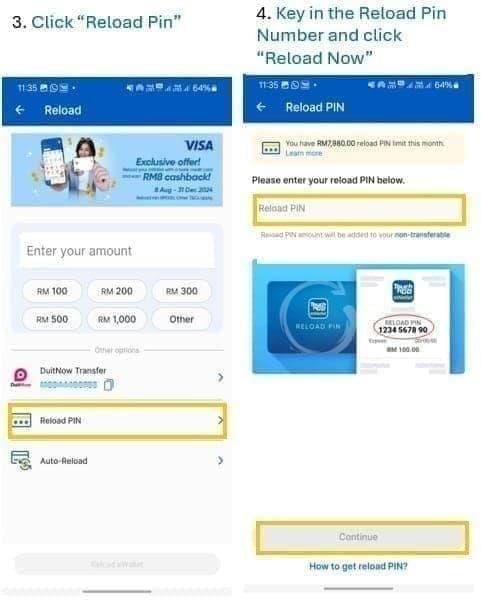
*FPX and JomPAY are subject to bank maintenance windows — which frequently hit on weekends and public holidays, exactly when festive demand peaks. Plan accordingly.
Alternative 1: FPX Online Banking
For most banked Malaysians, FPX is the most straightforward replacement. Off-peak, it's near-instant. The catch: bank maintenance during festive weekends causes delays — execute early in the day.
Supported banks: Maybank2u, CIMB Clicks, Public Bank, RHB Now, Hong Leong Connect, AmBank, Bank Islam, Bank Rakyat, and most major Malaysian banks.
Via TNG eWallet app:
Open TNG eWallet → tap **Reload
Select Online Banking (FPX)
Choose your bank → enter amount (minimum RM10)
Authenticate through your bank's secure page
Funds appear within seconds to a few minutes off-peak
Via Maybank2u directly:
Log in → Pay & Transfer → Pay Bills
Search Touch 'n Go eWallet
Enter your registered TNG mobile number as the reference
Enter amount → confirm with TAC/OTP
Nearly identical for CIMB Clicks (Pay → Pay Bills → TNG eWallet) and Public Bank (Payments → Bill Payment → TNG eWallet).
If top-up doesn't reflect within 30 minutes: Check your bank history first. If debited but not credited, wait up to 2 hours before calling TNG support at +603-5022 3888 (7am–10pm daily). Don't retry immediately — duplicate transactions during peak periods are a known problem.
Alternative 2: DuitNow Transfer — The Best Option Right Now
Most people don't realize this: DuitNow is strictly better than FPX during festive peaks. Instant, always available, completely free. The only reason it isn't everyone's default is that you need your TNG DuitNow ID — which is just your registered mobile number.
Use DuitNow, not IBG. IBG takes 1–3 business days and may carry fees. During a shortage when every hour counts, that distinction matters.
How to top up via DuitNow:
Log in to your bank app
Go to Transfer → Other Banks / eWallet
Select DuitNow as transfer type
Enter your TNG registered mobile number as the DuitNow ID
Enter amount → confirm
Funds appear instantly
No monthly cap tied to your TNG account either — it's the go-to if you need to top up beyond RM8,000/month (which exceeds the Reload Pin limit even for eKYC-verified accounts).
When digital PINs are back in stock, you can buy TNG reload pin online instant delivery — digital codes bypass physical shortages entirely and arrive in minutes.
Alternative 3: Debit or Credit Card
Card top-up works 24/7 and doesn't depend on bank maintenance windows — solid backup when FPX is down on festive weekends.
Fee structure: Since 23 February 2024, TNG charges a 1% admin fee on credit card top-ups exceeding RM1,000/month. Debit card top-ups are generally free below that threshold. For small amounts covering immediate toll needs, the fee impact is negligible.
Steps:
Open TNG eWallet → tap Reload → select Debit/Credit Card
Enter card details (Visa/Mastercard supported — check eligibility in-app)
Enter amount → confirm
Complete 3D Secure authentication if prompted
Balance reflects near-instantly off-peak
Keep card top-ups under RM1,000/month to avoid the 1% surcharge. For larger amounts, DuitNow is the smarter call — free, instant, no fee threshold.
Alternative 4: Auto Top-Up — The Permanent Fix
Auto Top-Up (ATU) makes the Reload Pin shortage irrelevant to your daily life. Set it once, and your eWallet automatically reloads from your linked bank account whenever your balance drops below a threshold you define.
If you're reading this during the March 2026 shortage, setting up ATU now means you'll never be in this position again.
How it works: You set a trigger balance (e.g., drops below RM20) and a reload amount (e.g., RM50). When your balance hits the trigger, TNG automatically pulls from your linked bank. No manual action needed.
Setup steps:
Open TNG eWallet → tap profile icon
Go to Reload → Auto Top-Up
Select your bank (Maybank, CIMB, Public Bank, RHB, Hong Leong, and others — check in-app for current list)
Set your minimum balance trigger — RM20–RM30 works for most daily commuters
Set your auto reload amount — RM50 or RM100 covers several days of typical highway use
Authenticate with bank credentials to link account → confirm and activate
Recommended for toll users: trigger at RM30, reload RM100. Enough buffer that ATU fires before you're stranded at a plaza.
Alternative 5: ATM Cash-In and Retail Kiosks
For users without a bank account or who prefer cash. Subject to location and operating hours — so not ideal during the Hari Raya rush.
ATM cash-in at selected CIMB, Maybank, and other participating ATMs: insert cash → select eWallet top-up → enter your TNG registered mobile number → confirm. Reflects within minutes.
Retail cash top-up at 7-Eleven and selected convenience stores works through in-store kiosks or cashier-assisted top-up. These locations are high-traffic during Raya — expect queues. If you have a bank account, DuitNow or FPX is faster. This method is genuinely best for users with no banking access.
Emergency Checklist: Balance Critically Low Right Now?
Under 5 minutes:
✅ TNG eWallet → Reload → Online Banking (FPX) → top up RM20–RM50
✅ If FPX shows maintenance: switch to DuitNow via your bank app (instant, always available)
✅ No bank access: card top-up in TNG app (24/7, near-instant)
Already at a toll plaza with zero balance: PLUS Highway and most major tolls accept cash in manual/cash lanes. Use this while you sort out your eWallet.
TNG support: +603-5022 3888, 7am–10pm daily. During peak festive periods, expect longer wait times. Have your registered mobile number and transaction reference ready.
One habit experienced users keep: an unredeemed digital RM50 or RM100 Reload Pin held in reserve. Don't redeem it until you need it. That single habit separates users who never panic during shortages from those who do.
TNG eWallet Top-Up Limits in 2026
Many users still think the monthly PIN limit is RM5,000. That's outdated. Limits were officially revised on 27 July 2023:
If you're hitting limits unexpectedly, completing eKYC is the single most impactful account action you can take.
How to complete eKYC:
Open TNG eWallet → tap profile icon
Select Verify Now
Enter personal details → scan your MyKad (front and back)
Submit — approval typically takes minutes to a few hours
Two more limits worth knowing:
Since 1 November 2023, TNG applies a 1% admin fee on monthly wallet balances exceeding RM1,000 (on the balance, not the top-up amount)
Since 27 July 2023, funds loaded via Reload PIN are non-transferable — PIN-loaded funds can only be spent, not sent to other users. For transferable funds, use DuitNow top-up
The Hybrid Strategy Power Users Already Run
Most top-up guides miss this: the smartest approach isn't choosing between Reload Pins and alternatives — it's combining them.
Max out discounted Reload Pins during festive promos (e.g., RM50 pins at RM47 — 6% savings) up to your RM8,000 monthly PIN limit
Use DuitNow for anything beyond that — instant, free, no restrictions
Keep Auto Top-Up active as a safety net so your balance never hits zero
During shortage periods like March 2026, shift the PIN portion entirely to DuitNow until stock normalizes. The savings from discounted pins are real, but not worth hunting for stock during Hari Raya week.
When digital PINs are available, you can top up touch n go ewallet with reload pin through verified online sources that deliver codes instantly — no physical stock problem.
Frequently Asked Questions
Why is my TNG Reload Pin showing invalid?
Most likely a m lock. If you get an invalid error, stop retrying immediately and contact TNG support at +603-5022 3888 with your purchase receipt.
Will unused Reload Pins expire during the shortage?
There's a data conflict here: retail and promotional pins are widely reported to expire 60 days from purchase, while TNG's official position states up to 6 months validity. Safe practice: redeem within 45 days of purchase. Set a calendar reminder at day 45 if you're holding pins in reserve. Immediate redemption eliminates expiry risk entirely.
Can I still buy TNG Reload Pins online?
Yes — digital Reload Pins from authorised online platforms bypass physical retail shortages completely. When purchasing online: check recent reviews, confirm standard denominations (RM10, RM20, RM30, RM50, RM100, RM150, RM200, RM500), and verify no one is asking for your TNG login credentials. Legitimate sellers deliver a code — they never need your account access.
Does topping up via bank transfer have fees?
DuitNow Transfer: free, always. FPX: generally free (bank-dependent). Debit card: free under RM1,000/month. Credit card: 1% fee on amounts exceeding RM1,000/month (official, since 23 February 2024). JomPAY: generally free but slower. For zero-fee instant top-up, DuitNow wins.
When will Reload Pins be back in stock?
Physical retail: typically 3–5 days after Hari Raya peak travel. Digital PINs: usually within 24–48 hours of peak demand. No official TNG Digital timeline at time of writing. Rather than waiting, set up DuitNow or Auto Top-Up now — the shortage becomes irrelevant.
My bank isn't listed for Auto Top-Up. What now?
Check the in-app list first — it's updated periodically and broader than most users expect. If your bank genuinely isn't supported, FPX manual top-up or DuitNow are your best ongoing alternatives. Completing eKYC also unlocks the full range of account features including ATU eligibility.
The March 2026 shortage is temporary. The dependency on physical pins is a permanent vulnerability — unless you fix it. DuitNow solves the immediate problem in under two minutes. Auto Top-Up solves it permanently. Set up both, keep one digital PIN in reserve, and this never stresses you out again.