

The 2026 SUGO Coins wallet update brings a refreshed balance dashboard, tighter security, and a proper 90-day transaction audit trail. The core top-up flow hasn't changed — find your numeric User ID under ME > View/Edit Profile, pick a package, pay, done. But new security filters and UI changes catch players off guard if they don't know what to expect.
What Changed in the 2026 Wallet Update
Not a full overhaul. A meaningful refinement. Your coin balance now shows front and center instead of buried in a submenu, regional tier info is visible on the dashboard for the first time, and transaction history moved to ME > Settings with 90-day visibility.
App versions v2.43.1 (January 13, 2026) and v2.44.0 (February 2026) rolled these changes out progressively. Still on the old layout? Update now — top-up functionality below v2.41.0 is unreliable, and payment errors are significantly more frequent on outdated builds.
Security changes that matter:
Multiple recharges within 15 minutes trigger automated holds in ~60% of cases. Intentional fraud prevention, not a bug.
Unrecognized device logins now generate in-app alerts immediately.
Every transaction gets a TXN-ID — a 12-20 character alphanumeric code starting with TXN- — emailed within 5-10 minutes of any successful top-up. Keep these. They're essential for any support escalation.
Existing balances carried over automatically. Pending transactions during the late January–early February update window resolved within 24-72 hours for most players. If yours didn't: ME > Settings > Payment History, find the transaction, contact Help & Support with your TXN-ID and UID.
How to Top Up SUGO Coins in 2026
Established accounts typically see coins in 30 seconds to 5 minutes. Here's the exact flow.
Step 1 — Find Your User ID
Tap ME (bottom-right) > View/Edit Profile > scroll to your numeric User ID (7-12 digits).
Copy only the number. No spaces, no @ symbols, no username text. Wrong UID entries cause roughly 30% of all missing coins cases — and SUGO cannot transfer coins sent to an incorrect account. Verify before you pay, every time.
Step 2 — Choose Your Package
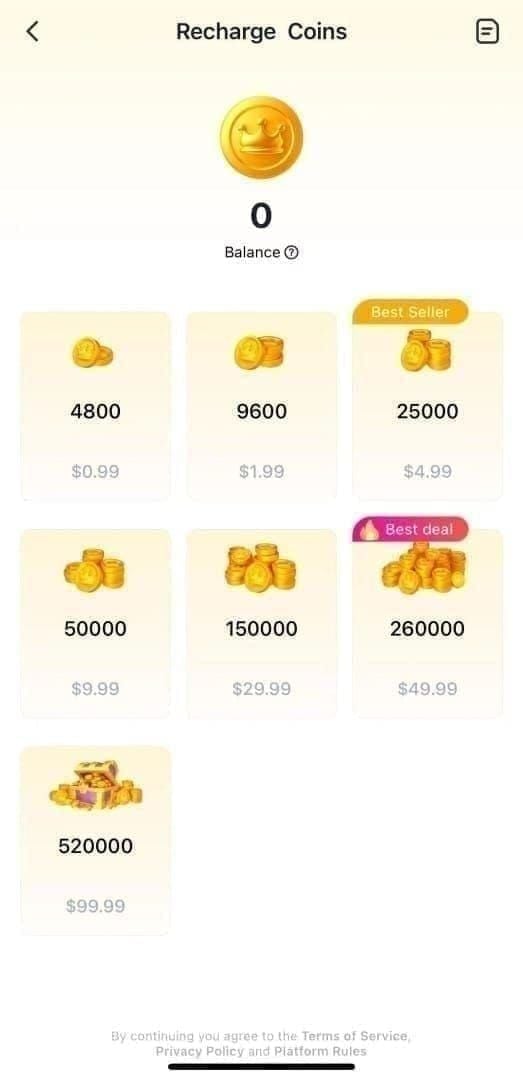
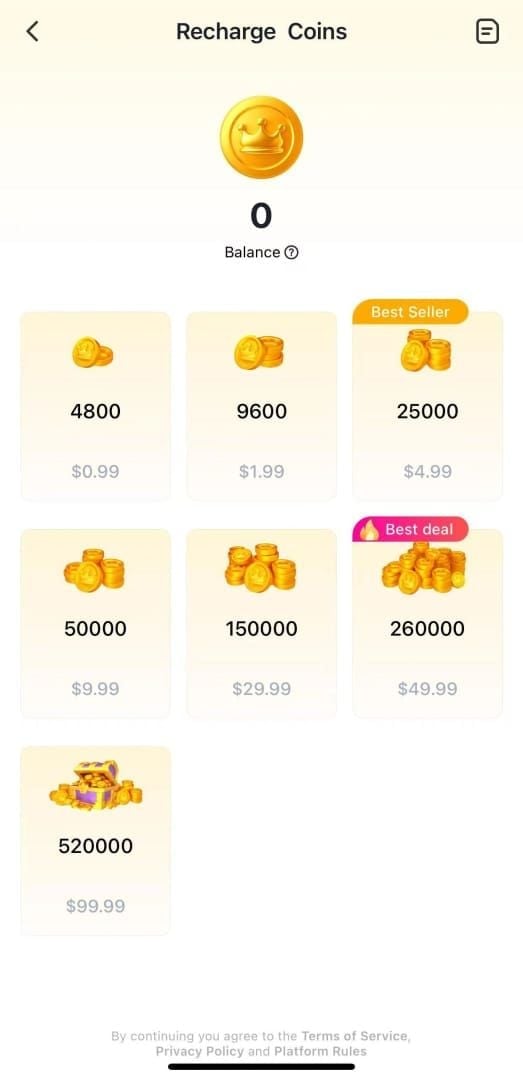
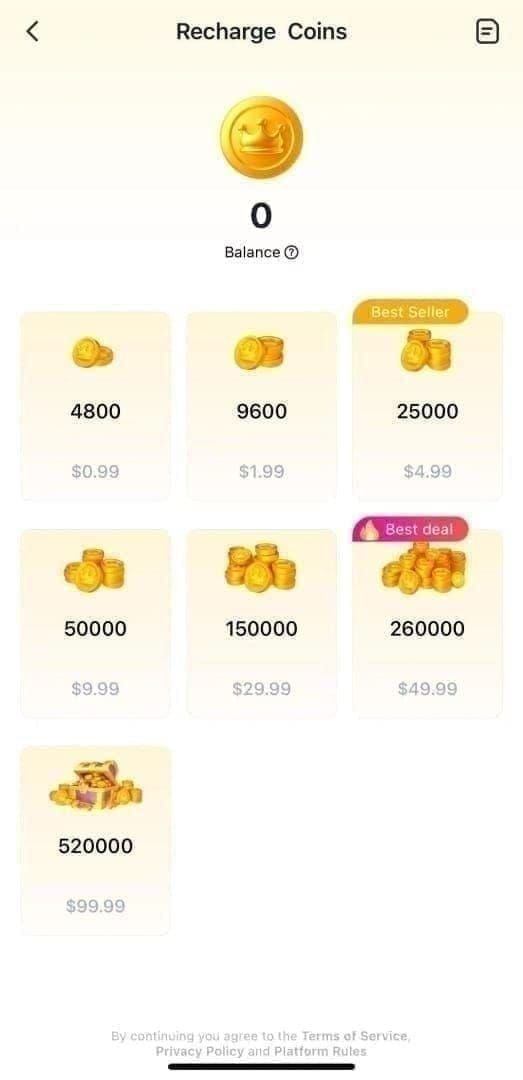
The 6,250-coin package is the best entry point for F2P players. The 130,000-coin package is the absolute floor on per-coin cost — only worth it for active spenders with established accounts.
Step 3 — Pay
Digital wallets carry a 95% approval rate versus 85-90% for credit/debit cards. If you're hitting declines, switch to a digital wallet first. A $0.01–$1.00 verification charge may appear — it auto-refunds within 24 hours.
Kill your VPN before paying. VPN-masked IPs trigger Error E001 regardless of payment method. Fix: disable VPN, reset DNS to 8.8.8.8 / 8.8.4.4.
To buy SUGO Coins online, BitTopup supports the current UID-based flow across all standard package tiers.
Step 4 — Confirm Delivery
Avoid topping up during peak hours (6–10 PM local). Off-peak windows — 2–6 AM or 10 AM–2 PM — process 40% faster.
Troubleshooting Post-Update Issues
Most delivery problems fall into two categories: network delays and account holds. The fix is different for each.
Balance Not Updating
Network delay (most common): Toggle airplane mode for 10 seconds, then off. Or clear the SUGO app cache. This resolves 80-95% of Error E003 cases. Also check: minimum connection is 3 Mbps down / 1 Mbps up, and SUGO's battery usage must be set to unrestricted — background restrictions silently kill the sync.
Account hold: New accounts or purchases over $20 USD land in a hold queue. Check ME > Settings > Payment History. If the transaction shows successful there, the coins are coming — just queued.
Payment Declined
Switch methods first (card → digital wallet). Confirm VPN is off. If the decline persists, your bank may have flagged the verification charge — whitelist the transaction with your bank, then retry.
When to Contact Support
Wait 24 hours (established accounts) or 72 hours (new accounts) before escalating. When you do, provide:
TXN-ID (from your email confirmation)
Numeric User ID
Screenshots of payment confirmation and current wallet balance
Initial reply comes within 24 hours in 90% of cases. Full investigation: 48-72 hours. Refunds process in 1-10 business days depending on payment method.
Securing Your Wallet
Real money is involved. Use the tools the 2026 update gave you.
Enable 2FA now — not after something goes wrong. The new login alert system only works if your registered email or phone number is current. Verify that first.
Use a unique password. Password reuse is the most common account compromise vector. A password manager solves this without memorization.
Spotting Scams
Scam activity spiked during the 2026 rollout — fake wallet migration pages mimicked the new UI closely enough to fool players who hadn't seen the real update yet.
Red flags:
Prices below $0.55 per 1,200 coins — the verified floor is $0.75. Anything lower is a scam.
Any platform asking for your password — legitimate top-up services need only your numeric UID.
No chargeback protection — use payment methods that give you recourse.
The rule: SUGO's top-up process requires only your numeric User ID. No password. No email login. No account verification. Any platform requesting more than your UID is not legitimate.
If Your Account Is Compromised
Act immediately: change password, revoke active sessions, contact Help & Support with your UID and evidence of unauthorized activity. The 90-day transaction history is your best asset here — it gives support a clear audit trail to work from.
On recovering lost coins: Platform-side errors are covered by SUGO's policy. Coins sent to a wrong UID due to user entry error are generally not recoverable. Coins lost to account compromise are handled case-by-case — outcome depends heavily on how fast you reported it and the quality of evidence you provide.
Maximizing Value: Bonuses and Events in 2026
The March 31 Deadline
A 20% top-up discount stacks on top of 17-27% package savings — and it expires April 1, 2026. Prices rise after that date. For active players, buying before March 31 is the single highest-leverage decision in 2026. Bulk purchases of 65,000–130,000 coins in Tier 3 or Tier 4 accounts, combined with pre-April discounts, yield 18-27% savings versus post-April pricing.
Coins are non-refundable. Only buy what you'll use — but for regular players, the math strongly favors stocking up now.
2026 Events
The Valentine Gallery's soft pity at 60-70 pulls is worth planning around. At ~12,000 coins for soft pity entry, the 12,500-coin package aligns almost perfectly with that threshold.
Regional Tier Multipliers

This is what most top-up guides miss entirely. Your regional tier — locked at account creation — multiplies your base coin package:
A Tier 4 player buying the 37,500 base package gets 150,000 coins. A Tier 1 player buying the same package gets 37,500. Same price. If you're Tier 3 or Tier 4 and not factoring this into your purchase strategy, you're leaving enormous value on the table.
Bundle vs. Single Top-Ups
New accounts: stick to single purchases under $20 to avoid hold triggers and build transaction history. Established accounts: bulk packages (65,000–130,000 coins) deliver the lowest per-coin rate and stack best with discount events.
For players ready to stock up before April 1, you can top up SUGO Coins with instant delivery through BitTopup, which supports the full range of current packages.
Frequently Asked Questions
Will my existing balance carry over after the update? Yes. Automatic. No action needed.
Why isn't my balance showing after top-up? Established accounts: wait 5 minutes, toggle airplane mode, clear cache. New accounts or purchases over $20: holds of 24-72 hours are normal. Check ME > Settings > Payment History — if the payment shows there, your coins are queued, not lost.
How do I use the new transaction history? ME > Settings > Payment History. Up to 90 days of records, each with a TXN-ID. This is your primary reference for any support contact.
How do I avoid velocity holds? Space purchases at least 15 minutes apart. No workaround exists — spacing is the only reliable solution.
Is third-party top-up safe? Platforms that require only your numeric UID (never your password) and support chargeback-eligible payment methods meet the standard. If any platform asks for login credentials, leave immediately.
What if I entered the wrong User ID? Coins go to whichever account matches the UID entered. SUGO cannot reverse this. Copy only the numeric string from ME > View/Edit Profile and verify it before every payment.
The 2026 update is a net positive: better visibility, stronger security, a real audit trail. The top-up process itself is unchanged at its core. What's new are the velocity filters, regional tier mechanics, and the March 31 discount window — all of which reward players who understand the system. Keep your TXN-IDs, never share more than your numeric UID, and time your bulk purchases before April 1 if you're an active spender.