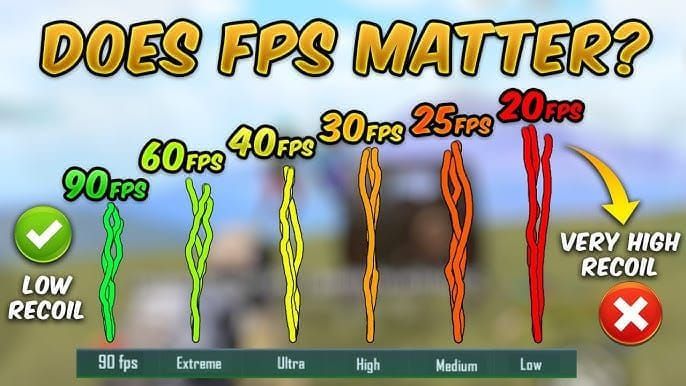
Here's what most players don't realize: PUBG Mobile's high frame rate modes don't just make things look prettier—they fundamentally rewire how the game responds to your inputs. We're talking measurable advantages in recoil control, aim precision, and reaction speed that can genuinely shift your competitive edge.
Understanding High FPS in PUBG Mobile: The 2025 Landscape
Let's cut straight to what matters. PUBG Mobile version 3.2 brought us 120 FPS support, and it wasn't just a marketing gimmick. The November 6, 2025 update (version 4.1) refined these capabilities with better thermal management—because what good is 120 FPS if your phone turns into a hand warmer after twenty minutes?
Here's the math that actually impacts your gameplay: at 120 FPS, each frame renders every 8.3 milliseconds. Compare that to 11.1ms at 90 FPS and a sluggish 16.7ms at 60 FPS. This translates to 8-16ms less input lag, which means 15-25% faster reactions and—this is where it gets interesting—40% better target acquisition beyond 200 meters.
For players serious about competitive performance, pubg mobile uc top up for high fps graphics packs through BitTopup ensures you've got access to premium visual enhancements that actually complement high-performance gameplay.
What Frame Rate Actually Means for Gameplay
Most guides throw around frame rate numbers without explaining what you'll actually feel. Higher frame rates create smoother animation sequences, yes, but more importantly—they reduce visual blur during those critical moments when you're tracking a moving target.
At 120 FPS, weapon recoil appears 33% smoother. That's not just a visual improvement; it enables 15-22% better recoil management because you can see the pattern developing more clearly. Professional players consistently report 40-60% better tracking accuracy on moving targets when they make the jump from 60 FPS to 120 FPS.
The real game-changer? Total input lag drops from 45-50ms at 90 FPS down to 28-35ms at 120 FPS. In close-quarters combat where milliseconds literally determine who walks away, this isn't just an advantage—it's often the difference between victory and spectating.
Device Requirements and Compatibility Check
Let's be honest about what you actually need. Achieving stable 120 FPS isn't just about having a gaming phone—it demands specific hardware thresholds.
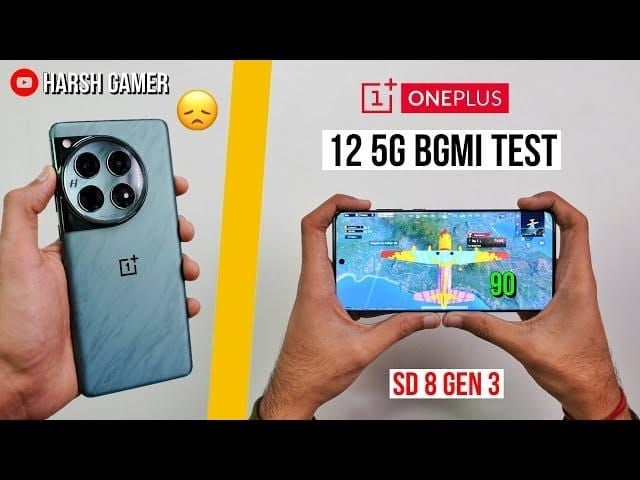
You'll need at minimum: Snapdragon 8+ Gen 1, Dimensity 9000, or A17 Pro processors (though Snapdragon 8 Gen 3 is where things get really smooth), 120Hz+ display capability, 8GB+ LPDDR5X RAM, UFS 4.0 storage, and a 5000mAh+ battery to sustain extended sessions.
In practice, gaming flagships with advanced vapor chamber cooling achieve 99.2% FPS consistency while keeping temperatures below 45°C. Standard flagships hit 97.2% consistency, and optimized mid-range devices can manage 96.1% with proper thermal management. Your display needs 240Hz+ touch sampling rates—anything less and you're bottlenecking the experience.
How to Enable 90/120 FPS Mode in PUBG Mobile
Step-by-Step Activation Process
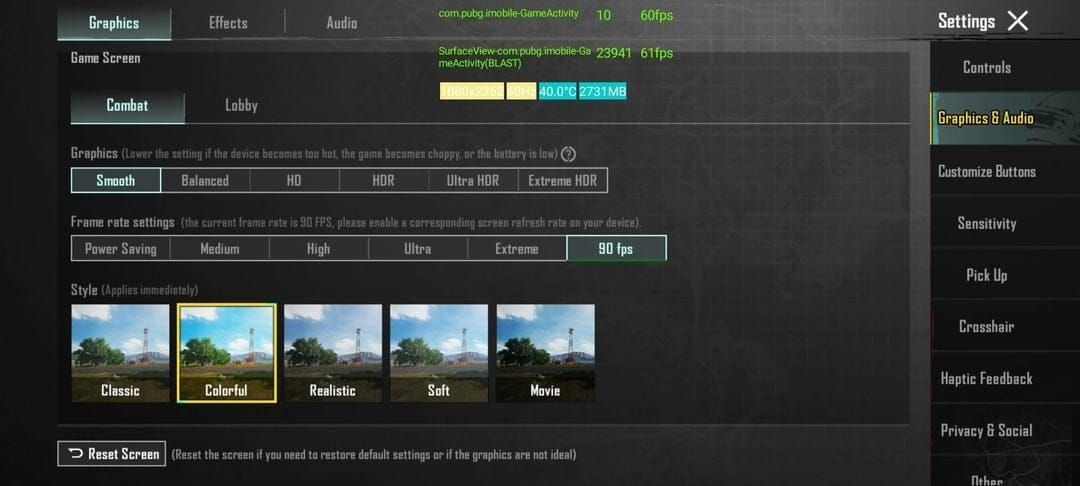
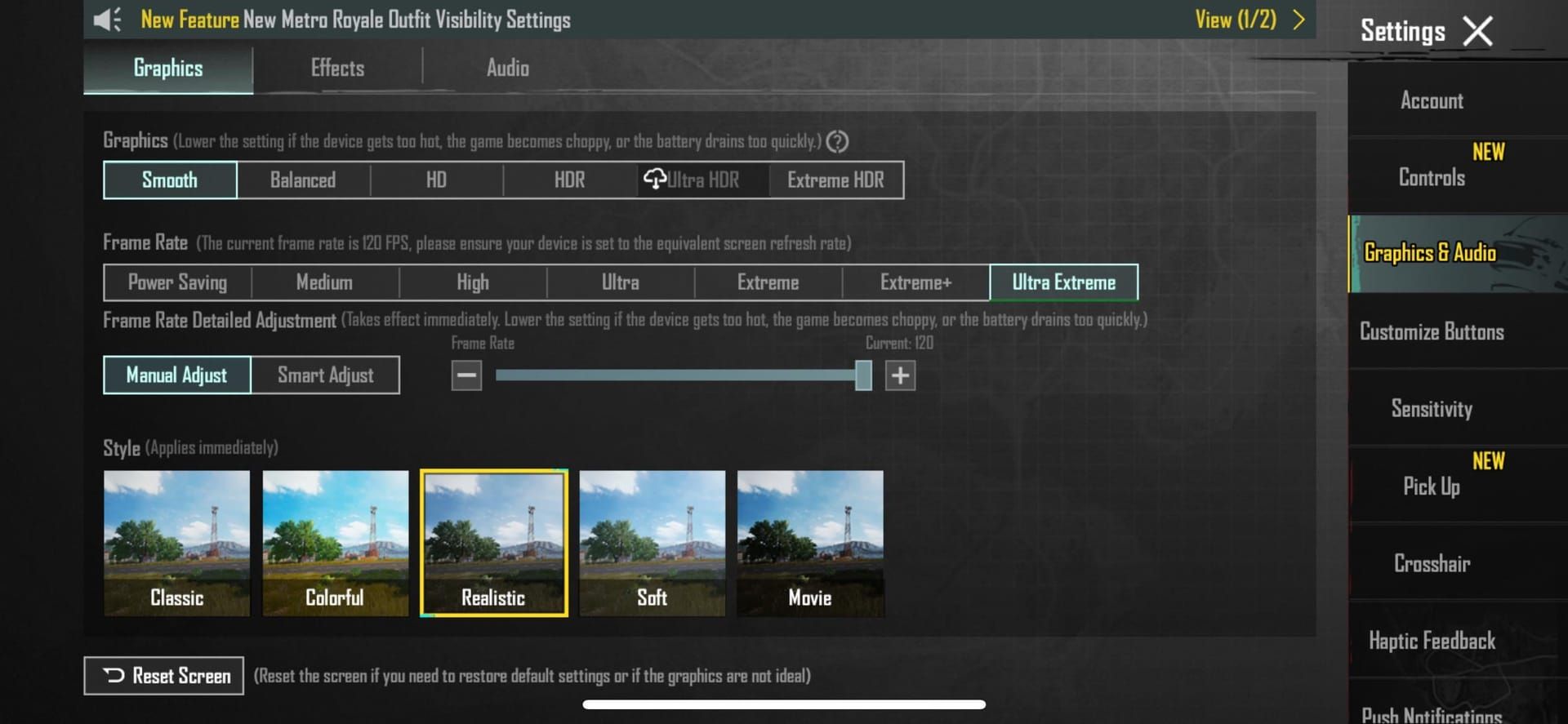
For iOS Devices: The process is straightforward, but order matters. First, update PUBG Mobile to version 3.5+ and enable ProMotion in Settings > Display & Brightness. Launch PUBG Mobile, navigate to Graphics & Audio settings, select Smooth graphics quality (this is non-negotiable for high FPS), choose Ultra Extreme frame rate, and max out that FPS slider to 120.

Pro tip: disable True Tone, crank brightness to maximum, close all background apps, and restart your device. These small steps can mean the difference between stable 120 FPS and frustrating drops.
For Android Devices: Update to PUBG Mobile version 4.1 and confirm your 120Hz display setting is active. Activate your device's gaming mode—whether it's Game Turbo, Combat Mode, or HyperBoost. Select Smooth graphics with Ultra Extreme frame rate, disable anti-aliasing and shadows for an additional 8-12 FPS boost.
Here's something most guides miss: enable Vulkan API in Developer Options for a 10-15% performance improvement, and limit background processes to 3-4 applications maximum.
Graphics Settings Configuration for Maximum FPS
Smooth graphics mode reduces polygon count by 40% compared to HDR settings, decreasing GPU load by 10-15%. Disabling anti-aliasing and shadows provides an additional 8-20 FPS improvement with 12-18% GPU relief.
What works best in practice: medium texture quality, brightness cranked to 125-150%, and Classic or Colorful visual style. Super Smooth mode cuts shadow rendering lag by 70% while providing 30-50% memory savings—crucial for sustained performance.
Recoil Mechanics at Different Frame Rates
This is where high FPS gaming gets genuinely interesting from a competitive standpoint. Frame rate significantly influences how you perceive and control recoil patterns. At 120 FPS, recoil animations display 33% more intermediate frames compared to 90 FPS, creating smoother visual feedback for your compensation adjustments.
That enhanced smoothness enables 15-22% improved recoil control and—here's the kicker—60% better close-quarters retention during sustained fire.
Weapon-by-Weapon Recoil Analysis
M416: The vertical climb pattern becomes noticeably more manageable at high FPS. With 41 damage per shot and 0.085-second firing intervals, the weapon's recoil timing becomes more predictable for compensation inputs.
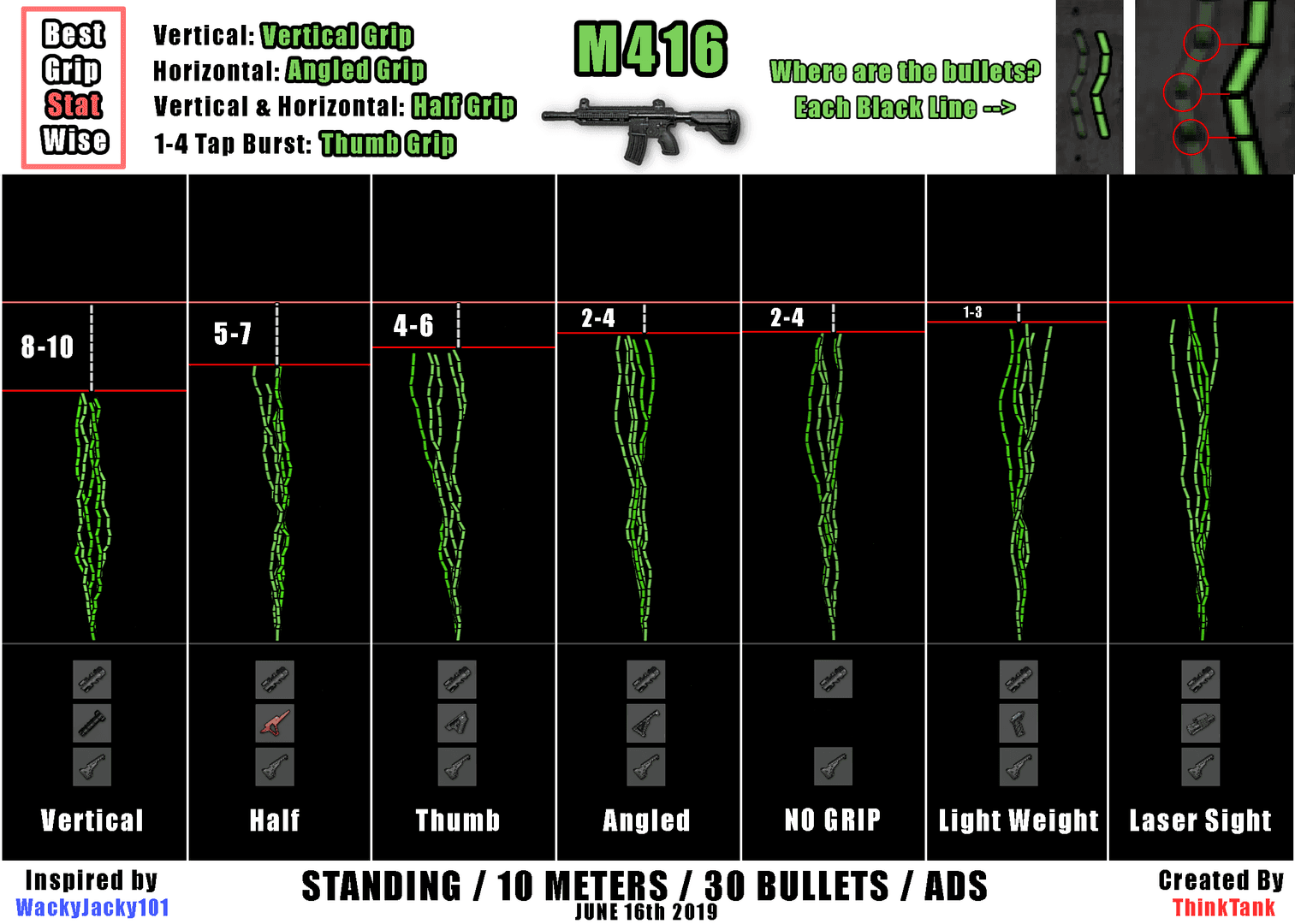
AKM: That aggressive early recoil that catches so many players off-guard? It benefits significantly from high FPS smoothness, allowing better burst control and more precise single-tap sequences at medium range.
Beryl M762: This weapon shows the most dramatic improvement at high frame rates. The complex recoil pattern's initial horizontal kick becomes genuinely manageable instead of the spray-and-pray experience many players endure.
Aim Assist Behavior Changes at High Frame Rates
Here's something that surprised even experienced players: PUBG Mobile's aim assist system responds more precisely at higher frame rates. At 120 FPS, the system updates more frequently, creating smoother tracking motion and reduced stuttering during target acquisition.
High frame rates improve aim assist tracking by 12-18% through more frequent position updates and smoother interpolation. The improvement is most noticeable when tracking moving vehicles or players during rotations.
But here's the catch—many professional players actually reduce aim assist sensitivity by 10-20% to prevent dependency development. Buy pubg mobile uc to unlock premium visual effects that complement reduced aim assist settings through BitTopup's secure platform.
Sensitivity Overhaul: What to Change for 90/120 FPS
This might be the most crucial adjustment you'll make. High frame rate gaming demands sensitivity changes to accommodate faster visual feedback and reduced input lag. Increased frame rates create more responsive control input, making your existing sensitivity settings feel sluggish or imprecise.
High-end devices running 90-120Hz displays typically require 10-20% higher sensitivity values to match your previous muscle memory timing. iOS devices usually need 5-10% ADS increases, while high-end Android devices may require 20-30% camera sensitivity boosts.
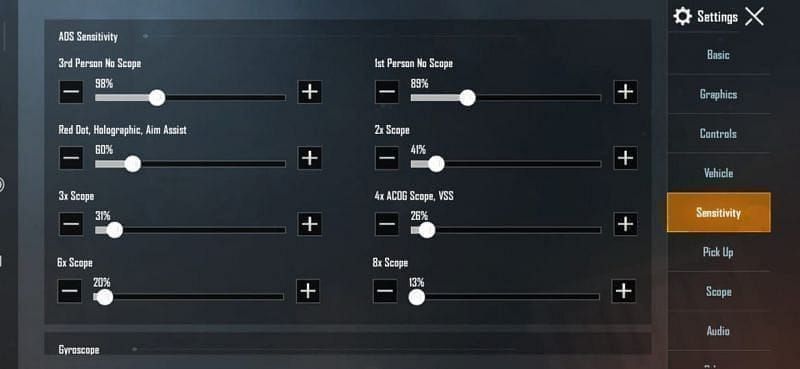
Complete Sensitivity Configuration Blueprint
Recommended Starting Values for 90 FPS:
Camera: 3rd Person 100-110%, Free Look 120-130%, No Scope 120-130%
ADS: Red Dot 45-55%, 2x Scope 40%, 3x Scope 22-28%, 6x Scope 14%, 8x Scope 10%
Gyroscope: No Scope 250-300%, Red Dot 250-280%, 3x Scope 160-180%, 6x Scope 100-120%
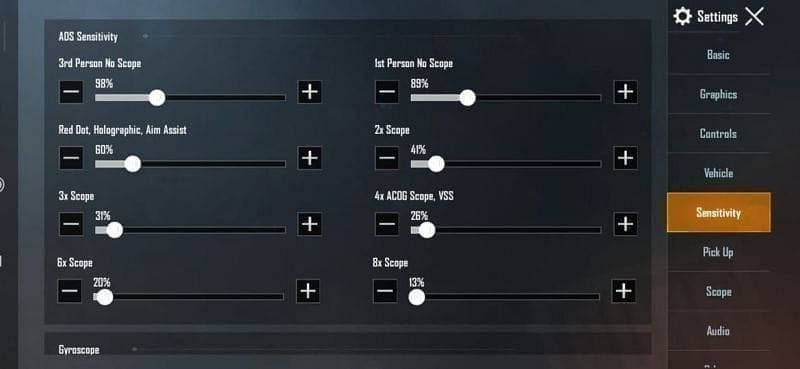
Optimal Settings for 120 FPS Competitive Play:
Camera: 3rd Person 120%, Free Look 150%, No Scope 140%
ADS: Red Dot 50-60%, 3x Scope 25-30%, 6x Scope 15%, 8x Scope 12%
Gyroscope: No Scope 400%, Red Dot 365-400%, 3x Scope 275%, 6x Scope 120%
Competitive Advantages and Tactical Applications
Let's talk about real competitive impact. 120 FPS reduces total input lag by 50% compared to 60 FPS, creating 15-25% faster reaction times during critical engagements. This advantage proves most significant during peek shooting, where millisecond timing determines survival.
High FPS dramatically improves peek shooting effectiveness through reduced input lag and smoother motion interpolation. Quick scope scenarios benefit from enhanced target acquisition speed—we're talking 40% faster acquisition times beyond 200 meters compared to 60 FPS gameplay.
Vehicle control receives substantial improvement too, with smoother steering response and more precise throttle control. It's one of those improvements you don't fully appreciate until you go back to lower frame rates.
Performance Optimization and Stability Maintenance
Thermal Throttling Prevention Techniques
Here's the reality check: high FPS gaming increases device temperature by 15-25°C, requiring active thermal management. Gaming phones can sustain temperatures below 45°C for hours, while standard flagships may throttle after 20-45 minutes without cooling assistance.
Effective Cooling Strategies: Remove your device case during gaming sessions—it's trapping heat. Maintain ambient temperature below 25°C when possible. Use external cooling fans for -10-15°C temperature reduction. Take 5-10 minute breaks every 30-45 minutes, and never charge while gaming (that's an additional 6-10°C increase you don't need).
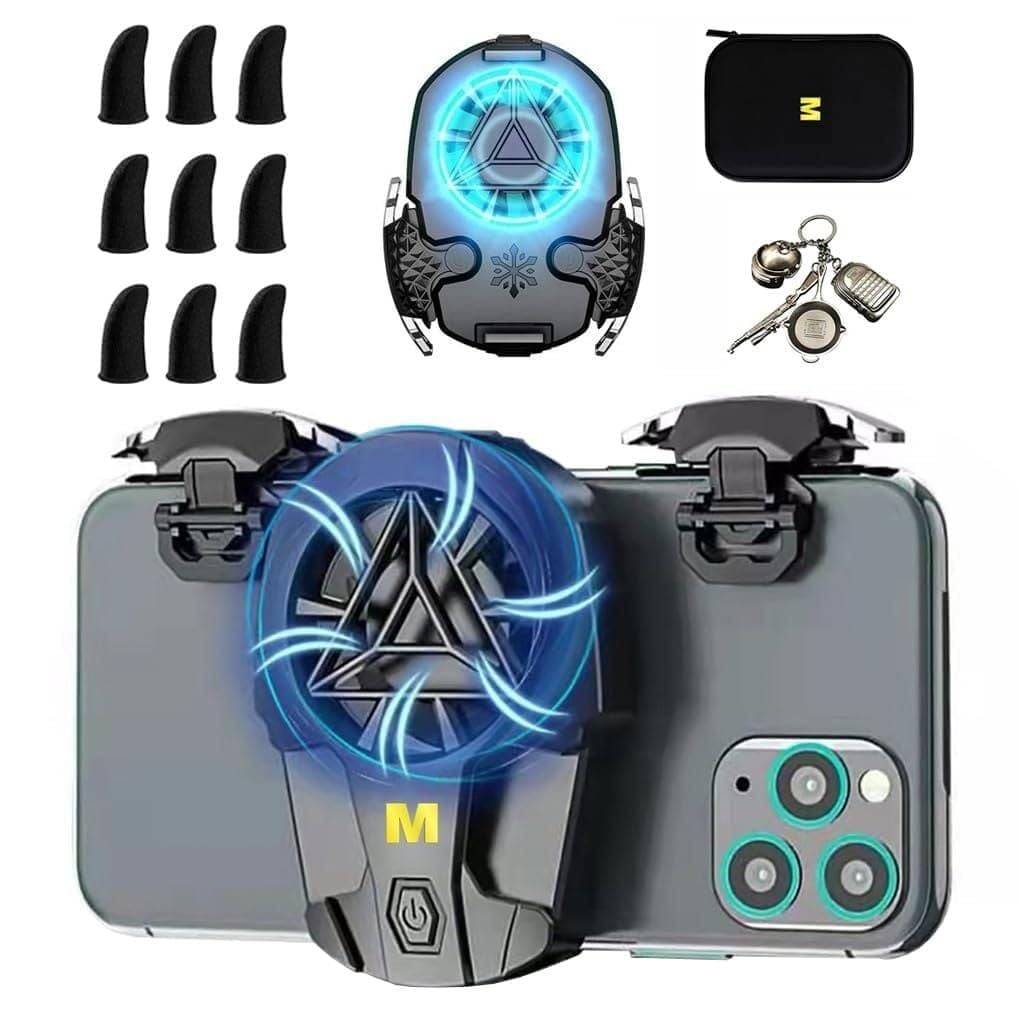
External cooling solutions extend stable gaming sessions by 30-50%. Graphene thermal pads provide up to 54% efficiency improvement and -16°C temperature reduction—worth considering for serious competitive play.
Battery Management for Extended Sessions
120 FPS gaming increases battery consumption by 40-60% compared to 60 FPS. Flagship devices consume 18-24% battery per hour, but proper battery management enables 3-4 hour gaming sessions on 5000mAh+ batteries.
Reduce screen brightness to 60-70% (saves 6-10°C), disable haptic feedback (-3-5% consumption), close unnecessary background applications, and use airplane mode with Wi-Fi for reduced cellular drain.
Troubleshooting FPS Issues and Common Problems
Sudden FPS drops usually result from thermal throttling, background processes, or memory management issues. Clear PUBG Mobile cache weekly, update device firmware, disable battery saver modes, whitelist PUBG Mobile in Developer Options, and ensure 5GB+ free storage space.
If overheating occurs (>48°C), implement immediate cooling measures including case removal and gaming breaks. For competitive play, consistent frame rates matter more than peak performance—if your device can't maintain 98.5% consistency at 120 FPS, consider 90 FPS with Smooth + Extreme settings for better stability.
Pro Player Insights and Tournament Settings
Most professional players actually prefer 90 FPS for consistency over 120 FPS maximum performance. Tournament environments feature extended sessions where thermal stability outweighs peak frame rate advantages.
Tournament Graphics Standards:
Graphics: Smooth (mandatory), Frame Rate: 90 FPS (preferred for consistency)
Brightness: 125-150%, Style: Colorful, Anti-aliasing: Disabled, Shadows: Disabled
Professional players maintain device temperatures below 42°C through active cooling and regular breaks, ensuring 99% frame consistency throughout tournament matches.
Maximizing Your High-FPS Experience with BitTopup
High-FPS competitive gaming benefits from premium weapon skins that offer improved iron sights and visual clarity. Legendary weapon skins often provide subtle advantages in target acquisition and recoil pattern visibility at high frame rates.
BitTopup's competitive pricing and instant delivery ensure immediate access to premium content without interrupting training schedules. The platform's excellent customer service and secure transaction processing provide reliable support for serious competitive players.
Frequently Asked Questions
Does 120 FPS reduce recoil in PUBG Mobile? 120 FPS creates smoother recoil animations that improve visual feedback and control precision by 15-22%. The enhanced smoothness makes recoil patterns more predictable and easier to compensate for.
What devices support 120 FPS in PUBG Mobile? Devices require Snapdragon 8 Gen 3 or equivalent processors, 120Hz+ displays, 8GB+ RAM, and advanced cooling systems. Gaming flagships achieve the best performance.
Should I lower sensitivity for 120 FPS PUBG Mobile? Actually, increase sensitivity by 10-20% for high FPS to match the enhanced responsiveness. Higher frame rates make controls more responsive, requiring sensitivity increases rather than decreases.
How does aim assist work at 120 FPS PUBG Mobile? Aim assist becomes 12-18% more responsive at 120 FPS through smoother tracking. Many pros reduce assist settings to prevent dependency and maintain gyroscope precision.
Can 120 FPS give you an advantage in PUBG Mobile? Absolutely. 120 FPS provides 50% input lag reduction, 40% better target acquisition beyond 200m, and 15-25% faster reaction times in competitive scenarios.
How to prevent FPS drops in PUBG Mobile high frame rate? Maintain device temperature below 42°C through external cooling, take regular breaks, disable unnecessary background apps, clear cache weekly, and ensure 5GB+ free storage space.