

PUBG G-Coin CDKs are safe to buy — but only if you know where the risks actually hide. After Krafton's update 32.1 rollout, fraud patterns shifted in ways most guides haven't caught up with. Krafton banned over 32,000 accounts in a single week (Feb 23–March 1, 2026), with a significant portion tied to payment fraud and ToS violations, not just cheating. Here's what you need to know to buy, verify, and redeem CDKs without putting your account at risk.
What Is a PUBG G-Coin CDK?
A G-Coin CDK is a six-character alphanumeric code — PC-only, case-sensitive, one-time use — that credits G-Coin directly to your account on redemption. G-Coin is PUBG's premium PC currency for cosmetics, event passes, and bundles. CDKs differ from direct top-ups through Steam or the PUBG store; they're distributed through authorized resellers and promotional channels, which is exactly where the fraud surface opens up.
Redemption paths:
PC (PUBG Store): Store → Items → Activate PIN Code → enter CDK → confirm
PC (Website): My Account → Redemption Code → enter CDK → check backpack
Console: Lobby → Store → Add Bonus/Gift Card
Two things to know before buying:
Your account must be Level 5 or higher to redeem — scammers exploit this by targeting new players who can't use codes yet
CDKs expire 90 days from purchase date, not from when you receive them — a discounted code sitting in gray-market inventory may already be close to expiry
One more distinction worth knowing: paid G-Coin credited to your account is valid for five years, but bonus G-Coin from promotional packs expires in three months.
What Changed After Update 32.1
The biggest post-32.1 shift isn't a new UI — it's enforcement speed. Krafton's systems now flag and invalidate gray-market CDKs faster than before. Before 32.1, a buyer who redeemed a stolen-payment CDK might have used the G-Coin for days before the reversal hit. Now that window is much shorter. And when the reversal happens, it doesn't just remove the G-Coin — it flags your account for review. First-time incidents typically mean temporary suspension plus G-Coin removal. Repeated incidents, or any chargeback filed by the buyer, escalate to permanent bans.
The update also tightened scrutiny on accounts showing multiple logins from different geographic locations or rapid sequential redemptions. Traveling and redeeming from a different country than your usual login location can trigger a fraud review flag on its own.
Bottom line: post-32.1, buying from an unverified source isn't just a money risk — it's a real account ban risk even if the code works at first.
7 Verified Safety Tips
Tip 1 — Verify Seller Authorization First
Legitimate CDK sellers deliver codes instantly via email, never ask for your PUBG or Steam credentials, offer 24/7 support, and have reviews verifiable across multiple platforms — not just their own site. A domain under 90 days old is a hard red flag. If reviews only exist on the seller's own page with no third-party corroboration, walk away.
Tip 2 — Price-Check Against Official Denominations
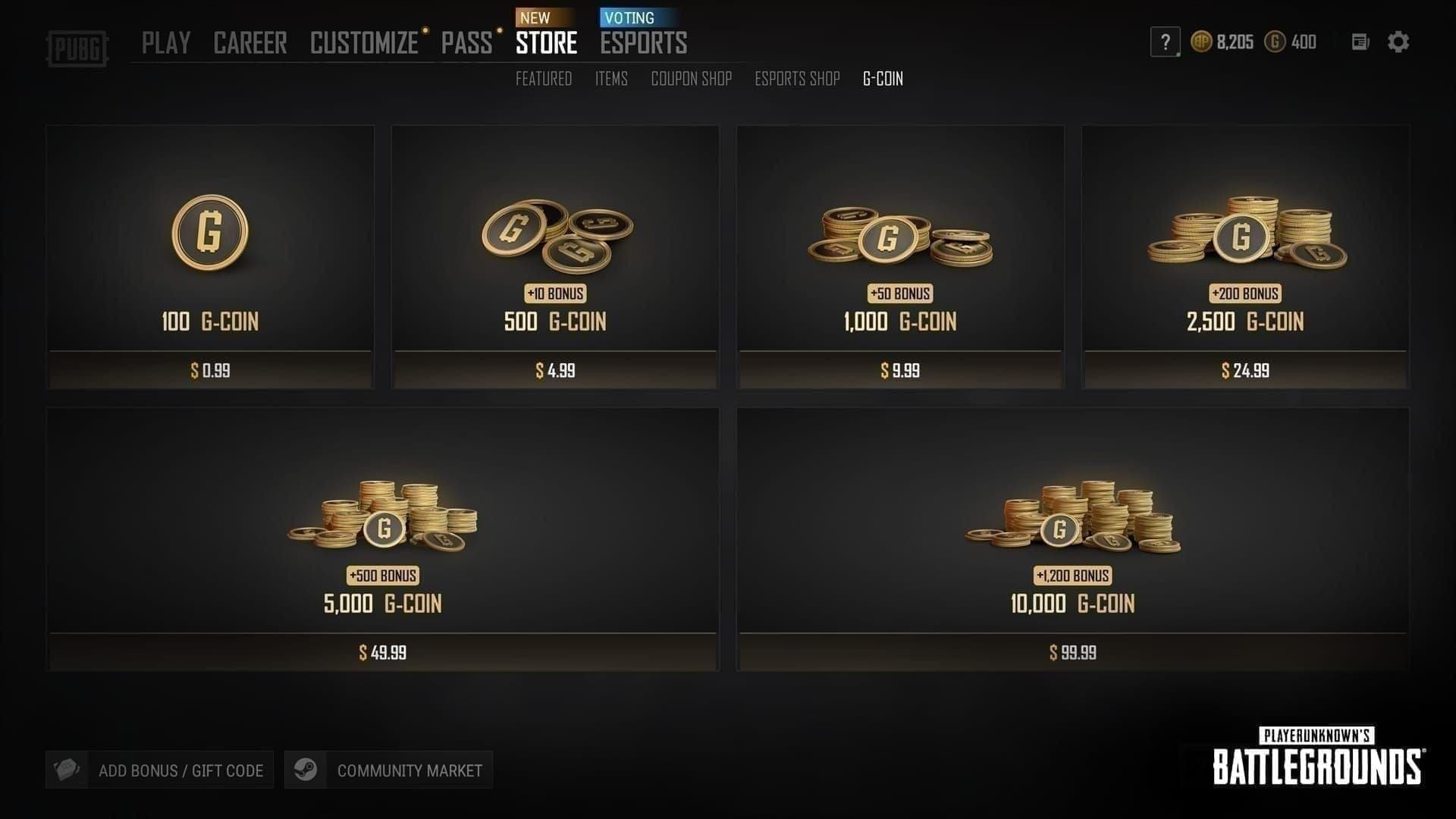
Official 2026 G-Coin pricing:
Any listing offering non-standard pack sizes — 600 G-Coin, 1,200 G-Coin — is a scam flag. Those denominations don't exist. Discounts exceeding 50% off official pricing are a near-certain signal of gray-market or stolen-payment sourcing.
Tip 3 — Inspect the URL and SSL Certificate
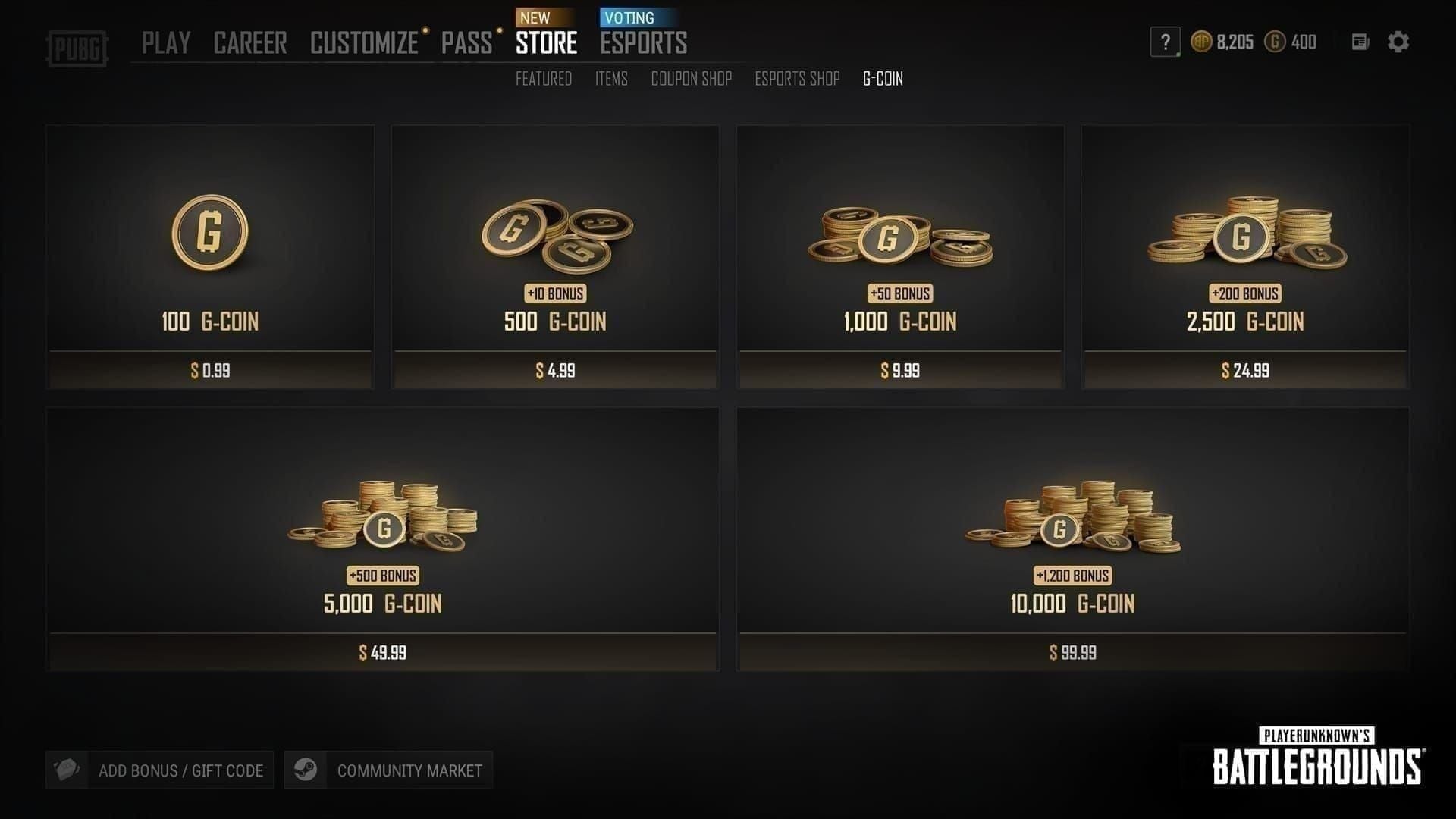
Phishing sites mimicking the PUBG store are sophisticated in 2026. They use transposed letters (pubg-store vs pubg-sotre), different TLDs (.net, .shop instead of .com), and near-identical visual design. Before entering any payment or account information, confirm the URL matches the official domain exactly and that the padlock shows a valid HTTPS/SSL certificate. No SSL means no transaction.
Tip 4 — Never Buy from Discord DMs, Telegram Groups, or Reddit DMs
Discord and Telegram bots selling CDKs at 60–80% discounts are almost universally sourcing from stolen payment methods. The codes may redeem successfully — that's the trap. The reversal comes later, and your account gets flagged for holding fraudulently obtained G-Coin. Reddit DM sellers operate the same way, often impersonating verified community members.
If you want to buy PUBG G-Coin CDK safely online, the channel matters as much as the price. A 70% discount from a Telegram bot isn't a deal — it's a delayed ban.
Tip 5 — Use Payment Methods with Buyer Protection
Legitimate sellers accept credit cards, PayPal, and established payment processors. Any seller insisting on crypto-only or gift card payment is removing your ability to dispute the transaction. That's not a coincidence.
Critical nuance: if you do receive a fraudulent CDK, contact Krafton support with documentation first — don't file a chargeback directly with your bank. Chargebacks on G-Coin or CDK purchases are explicitly prohibited by Krafton's ToS and will result in a permanent ban, even if you were the victim. Pursue the bank dispute only after Krafton support has been exhausted.
Tip 6 — Redeem Immediately After Purchase
CDKs expire 90 days from purchase date, not from when you receive them. A gray-market seller's inventory might include codes purchased weeks ago. Redeem as soon as you receive the code and confirm the G-Coin appears in your account. Waiting creates two risks: the code expires, or an upstream fraud reversal invalidates it before you use it.
Tip 7 — Confirm the Code Format Before Redeeming
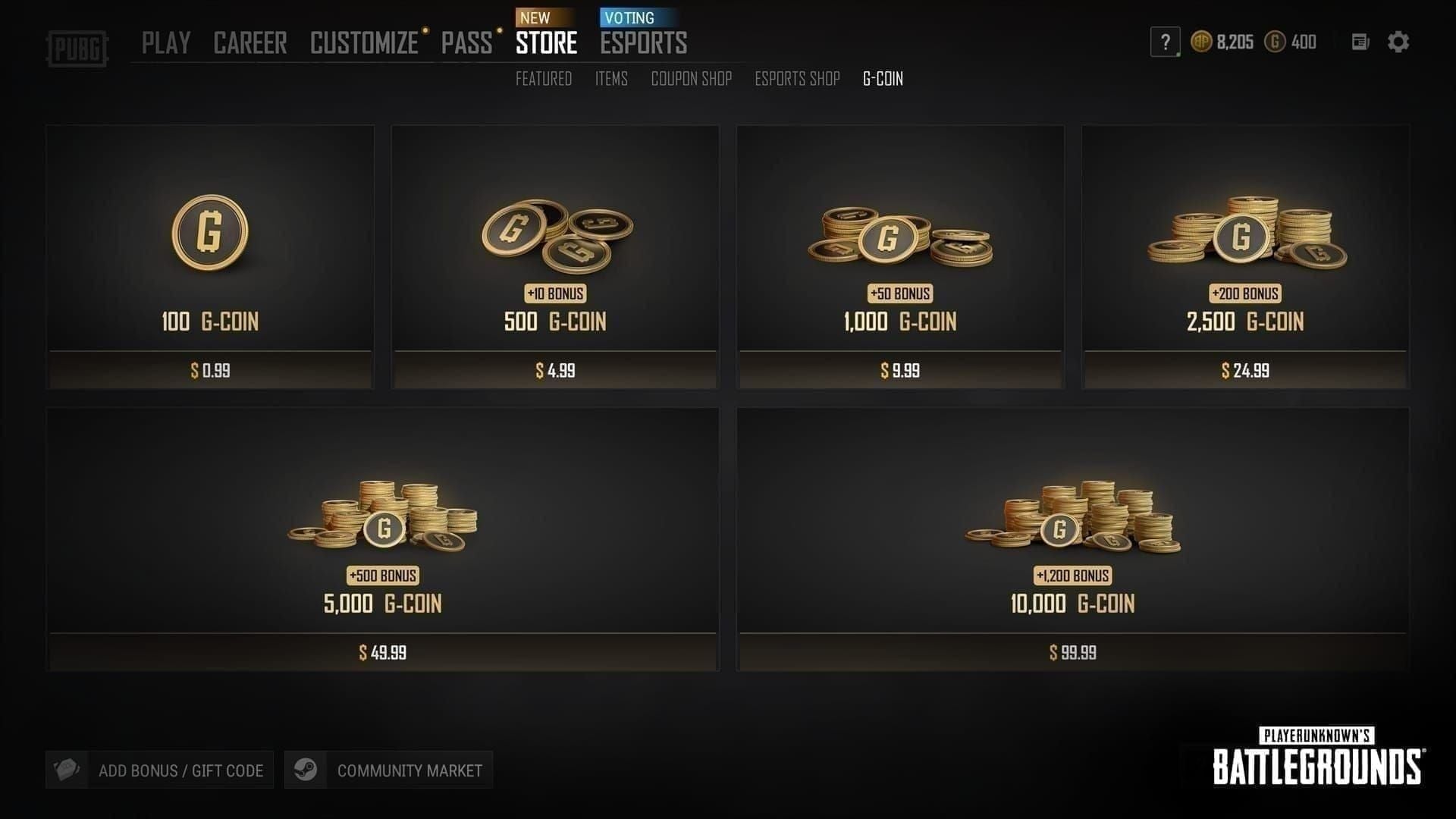
You can't pre-validate a CDK against Krafton's backend — that feature doesn't exist. What you can do: confirm the code is exactly six alphanumeric characters, matches what's on the seller's receipt, and was delivered via plain text email without requiring you to log into anything. If the seller sent a screenshot of the code rather than the code itself in plain text, investigate before proceeding.
The 5 Most Dangerous Scam Patterns in 2026
1. Already-Redeemed CDK Resale
The most common scam. A seller lists a CDK that's already been redeemed — by themselves or a previous buyer. The code looks legitimate, matches the correct format, may come with a fake receipt. You enter it and get an invalid code error. There's no way to verify redemption status externally; your only protection is buying from sellers with verifiable transaction histories.
2. Phishing Sites Cloning the PUBG Store
These don't just steal payment info — they harvest PUBG and Steam credentials by asking you to log in to verify your account before delivering the CDK. URL inspection is your primary defense: check for character substitutions, extra hyphens, and non-.com TLDs. Bookmark the official PUBG site directly rather than clicking through search ads.
3. Fake CDK Generator Tools
These are credential-harvesting malware disguised as free G-Coin tools. CDKs are backend-tied alphanumeric strings generated by Krafton's systems — no external tool can produce valid ones. Running a generator risks installing keyloggers or account-stealing malware. The generated code will never work; the damage to your device and accounts is real.
4. Social Media Giveaway Fraud
Fake Krafton partner accounts on Twitter/X, Instagram, and YouTube run giveaway campaigns requiring you to submit PUBG account details to receive a CDK. Legitimate Krafton giveaways never ask for login credentials. The PUBG Partner Program does run real promotions, but they deliver codes publicly or through official channels — never via DM requiring account access.
5. Bait-and-Switch Denomination or Region Delivery
A seller lists a 2,700 G-Coin CDK but delivers a 510 G-Coin code. Or they deliver a code with regional restrictions that don't match your account. Officially, PUBG CDKs have no region lock — but community reports suggest some third-party codes carry regional restrictions. Confirm denomination and delivery terms in writing before paying, and use a payment method that lets you dispute if the delivered product doesn't match the listing.
Pre-Purchase Verification Checklist
No single checkpoint is definitive — a scam site can have SSL. But failing two or more of these checks should disqualify a seller immediately.
Where to Buy Safely in 2026
The trade-off is simple. Official channels — the PUBG in-game store, Steam, PlayStation Store, Xbox Marketplace — carry zero fraud risk but charge full price. No CDK involved; G-Coin credits immediately with no intermediary.
Verified third-party resellers offer legitimate discounts but require the verification effort above. Buying a CDK from a legitimate reseller is not a ToS violation — bans come from fraud reversals upstream, not from using a reseller itself.
For a verified option with transparent pricing, top up PUBG G-Coin through BitTopup — authorized G-Coin top-ups with fast delivery and no credential requirements.
Avoid categorically: Discord/Telegram bots, Reddit DM sellers, any marketplace where seller identity is unverifiable. Post-32.1, the invalidation risk from these sources is higher than it's ever been.
If You've Been Scammed: Step-by-Step Recovery
Step 1 — Document everything immediately. Screenshots of the listing, transaction confirmation, chat logs, the CDK itself, and your payment statement. Scam listings disappear fast.
Step 2 — File a report with Krafton PUBG Support. Submit a ticket under the payment/CDK category at the official PUBG Support Portal. Include all documentation. Be specific: state the code, when you received it, where you bought it, and what happened on redemption.
Step 3 — Secure your account if you shared any credentials. Change your PUBG and Steam passwords immediately and enable two-factor authentication. If you entered details on a phishing site, treat all linked accounts as compromised.
Step 4 — Pursue a bank dispute only after Krafton support. Filing a chargeback before exhausting Krafton's support pathways risks triggering a ToS violation on your account — even as the victim. Contact your bank only if Krafton has formally declined to assist.
Step 5 — Report the scammer publicly. The official PUBG subreddit (r/PUBATTLEGROUNDS) and PUBG's official forums are appropriate places to document scam sellers. This protects other players and creates a paper trail supporting your Krafton case.
The Thing Most Safety Guides Miss
A code that redeems successfully is not proof the purchase was legitimate.
Gray-market CDKs sourced from stolen payments will often redeem without error. The G-Coin appears in your account. Everything looks fine. The problem arrives later — sometimes days, sometimes weeks — when the upstream payment reversal hits Krafton's system. At that point, the G-Coin is removed and the account is flagged. You've spent real money, lost the G-Coin, and now have an account under review.
Post-32.1 enforcement has accelerated this reversal window. The only real protection is buying from sources where the payment chain is clean from the start — not just verifying that the code redeemed.
FAQ
Does a PUBG G-Coin CDK expire? Yes — 90 days from purchase date, regardless of when you receive it. Once credited to your account from a legitimate purchase, paid G-Coin is valid for five years. Bonus G-Coin from promotional packs expires in three months.
Is buying CDKs from resellers against PUBG's ToS? No. Purchasing from a legitimate third-party reseller isn't a ToS violation. What Krafton prohibits is chargebacks, abnormal payments, and illegal recharge methods. The ban risk comes from fraud reversals upstream, not from using a reseller.
Can I get a refund from Krafton if I was scammed? Krafton's official position is that CDK purchases are non-refundable. That said, filing a detailed support ticket with full documentation gives Krafton what it needs to investigate and potentially restore your account status if it was flagged. Don't skip this step.
What's the safety difference between a CDK and a direct top-up? Direct top-ups through the PUBG store, Steam, or console marketplaces have zero fraud surface — no intermediary, no code to intercept, no gray-market supply chain. CDKs introduce a reseller layer that creates fraud opportunities. For maximum safety with no verification effort, direct top-up wins. CDKs from verified resellers make sense when you want legitimate savings and are willing to do the pre-purchase checklist.
How do I know if a CDK has already been redeemed? You can't check externally before attempting redemption. If a code returns an invalid or already used error, document it immediately and contact both the seller and Krafton support.
What if I accidentally filed a chargeback on a G-Coin purchase? Contact Krafton support immediately and explain the situation before the chargeback processes if possible. Community experience suggests proactive communication — especially for first-time incidents — can sometimes result in account restoration rather than a permanent ban. Waiting for the ban and then appealing is a much harder path.
Scam patterns evolve fast after major patches. The Season 29 All Day Party Event Pass (March 11 post-maintenance through March 25 UTC) and Aston Martin content expiring March 30 on PC create exactly the time-pressure environment scammers exploit. Verify before you buy, redeem immediately after.