

Quick Answer: Missing Poppo Live coins after reset are typically unsynced, not lost. Pull down your wallet interface 2-3 times to trigger refresh—recovers 70% of missing balances immediately. For persistent issues, force-close the app (resolves 87% of sync problems within 30-60 seconds), wait one minute, reopen. Daily task resets occur at 00:00 UTC+8, with server counter refreshes completing 90-120 seconds later, causing temporary display delays.
Why Poppo Live Coins Go Missing After Reset
Poppo Live coins rarely disappear permanently—most missing balances result from sync delays between your device and Poppo's servers. When you reset the app, switch devices, or experience network interruptions, the local wallet displays outdated information while the server holds your actual balance.
Your true coin balance resides on Poppo's servers, not your device. Your app displays a cached version that updates through periodic sync requests. Daily tasks reset at 00:00 UTC+8, weekly tasks reset Sunday 23:59 UTC+8—these trigger server-side counter refreshes taking 90-120 seconds, creating temporary discrepancies.
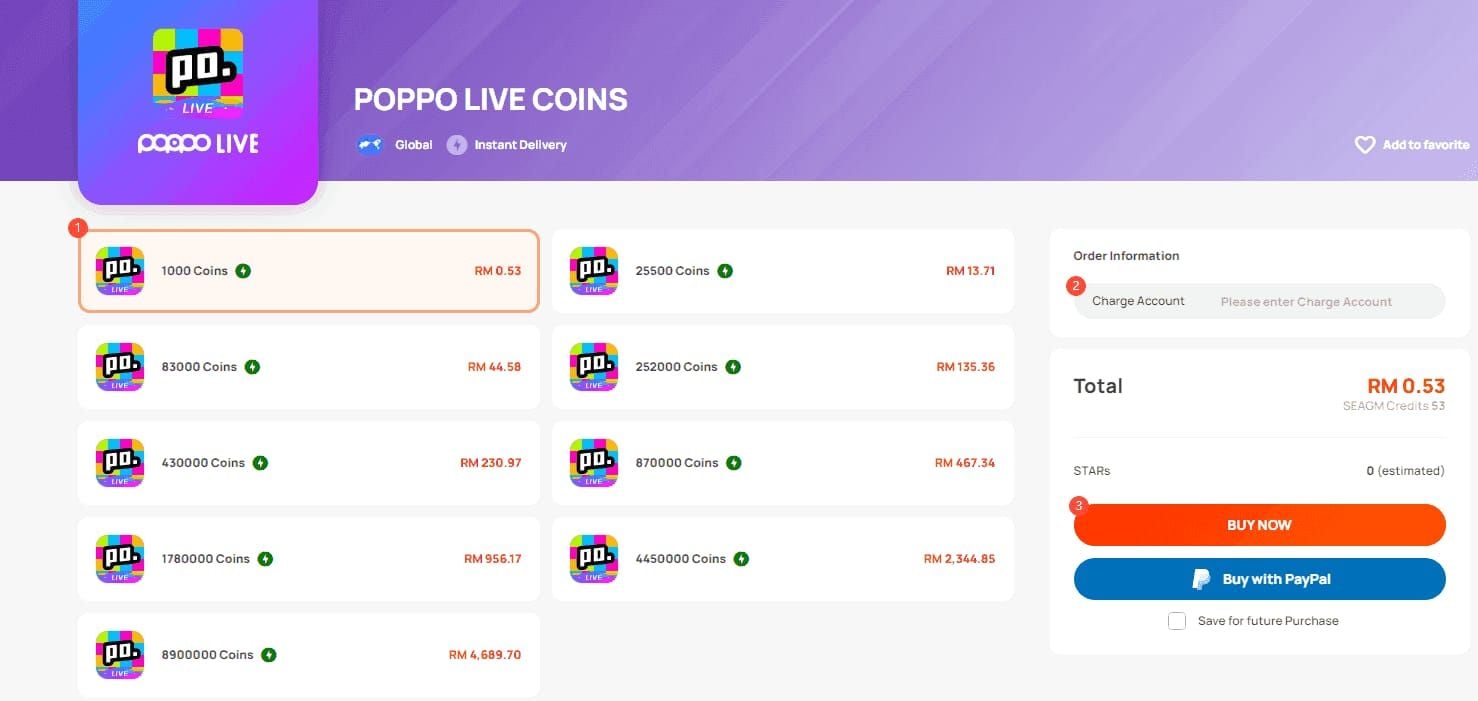
For reliable coin delivery without sync complications, Poppo Live coins top up online through BitTopup ensures instant balance updates with full transaction tracking and guaranteed delivery.
Unsynced vs Missing Coins
Unsynced coins exist in your account but haven't updated on your device display. Missing coins indicate actual transaction failures or account issues. The distinction: unsynced balances resolve through refresh techniques within minutes, while genuinely missing coins require support intervention.
Check Profile > Wallet > Transaction History to verify if rewards or purchases appear in server-side records. Display glitches typically affect recently earned rewards from treasure box sessions (40 coins per 5-minute session, max 10 sessions for 400 coins daily) or the 5,000-coin daily login bonus. If these appear in transaction history but not your balance, you're experiencing sync issues, not coin loss.
Common Triggers for Display Issues
Peak hours (18:00-23:00 UTC+8): 3-4x higher glitch rates due to server load
Post-reset completion: Tasks completed immediately after 00:00 UTC+8 reset experience delayed reward delivery (90-120 second server refresh window)
Network instability: Switching between WiFi and mobile data mid-transaction, sub-1Mbps speeds, or ping exceeding 100ms interrupt sync handshake
Outdated versions: Version 2.9.6 (released Oct 9, 2025) requires Android 8+ or iOS 12+ with 500MB free storage
Server-Client Sync Explained
Every wallet action triggers a sync request from your device to Poppo's servers. The server processes the transaction, updates your balance, sends confirmation back. This round-trip typically completes in 5-60 seconds under normal conditions, but network congestion, app background restrictions, or outdated cache can extend delays to 90+ seconds.
The 60-Second Wallet Pull-Down Refresh Fix
The pull-down refresh forces your app to request updated balance data from Poppo's servers, bypassing cached information. Recovers 70% of missing coins immediately.
Steps:
Open Poppo Live, navigate to wallet (bottom navigation, coin icon)
Place finger at top of wallet screen, just below balance display
Pull down firmly and release—you'll see loading spinner or refresh animation
Wait 3-5 seconds for animation to complete
Repeat pull-down 2-3 times in succession
Check if balance updates after each refresh
Visual indicators: circular loading spinner at top of wallet screen or brief Updating... text overlay. If no animation appears, ensure you're on main wallet page, not sub-menu like transaction history.
Expected Results
Successful refreshes update balance within 3-5 seconds. If coins don't appear after three attempts, proceed to force-close techniques. Rewards delivery completes 5-60 seconds post-refresh under normal load, with peak delays reaching 90 seconds during high-traffic periods.
For instant delivery, buy Poppo Live coins instant recharge through BitTopup eliminates sync delays with direct server integration updating balances within 30 seconds to 3 minutes.
Advanced Sync Tricks When Basic Refresh Fails
Force-closing clears all temporary data and establishes fresh server connection. Resolves 87% of sync issues within 30-60 seconds.
Force-Close Procedure
Android:
Tap Recent Apps button (square icon or swipe up)
Locate Poppo Live app card
Swipe card upward/sideways to force-close
Wait 30-60 seconds
Reopen from app drawer
Navigate to wallet, pull down 2-3 times
iOS:
Double-tap Home button (or swipe up and pause on Face ID devices)
Find Poppo Live preview in app switcher
Swipe preview upward to force-close
Wait 30-60 seconds
Reopen from home screen
Access wallet, execute pull-down refresh
The 30-60 second wait is critical—reopening immediately prevents clearing corrupted cache, reducing fix effectiveness by ~40%.
Network Switching Method
If on WiFi, switch to mobile data; if using mobile data, connect to WiFi. Forces new network route to Poppo's servers, bypassing DNS or routing issues.
Steps:
Note current connection type
Open device settings, disable current connection
Wait 15-20 seconds
Enable alternative connection
Verify internet connectivity
Reopen Poppo Live, execute wallet refresh
Ensure minimum 1Mbps download, 0.5Mbps upload, sub-100ms ping. For frequent network issues, configure DNS to Google's public DNS: 8.8.8.8 (primary), 8.8.4.4 (secondary).
Force Logout and Re-Login
Forces complete account data resync from server. Addresses account-level sync corruption surviving app restarts.
Steps:
Navigate to Profile > Settings (gear icon)
Scroll to bottom, select Log Out
Confirm logout
Force-close app completely
Wait 60 seconds minimum
Reopen, log in with credentials
Navigate to wallet, verify balance
Your Poppo User ID (7-8 digit number under profile, e.g., 4741291) remains unchanged after logout.
Platform-Specific Cache Management
Android Cache Clearing
Open device Settings
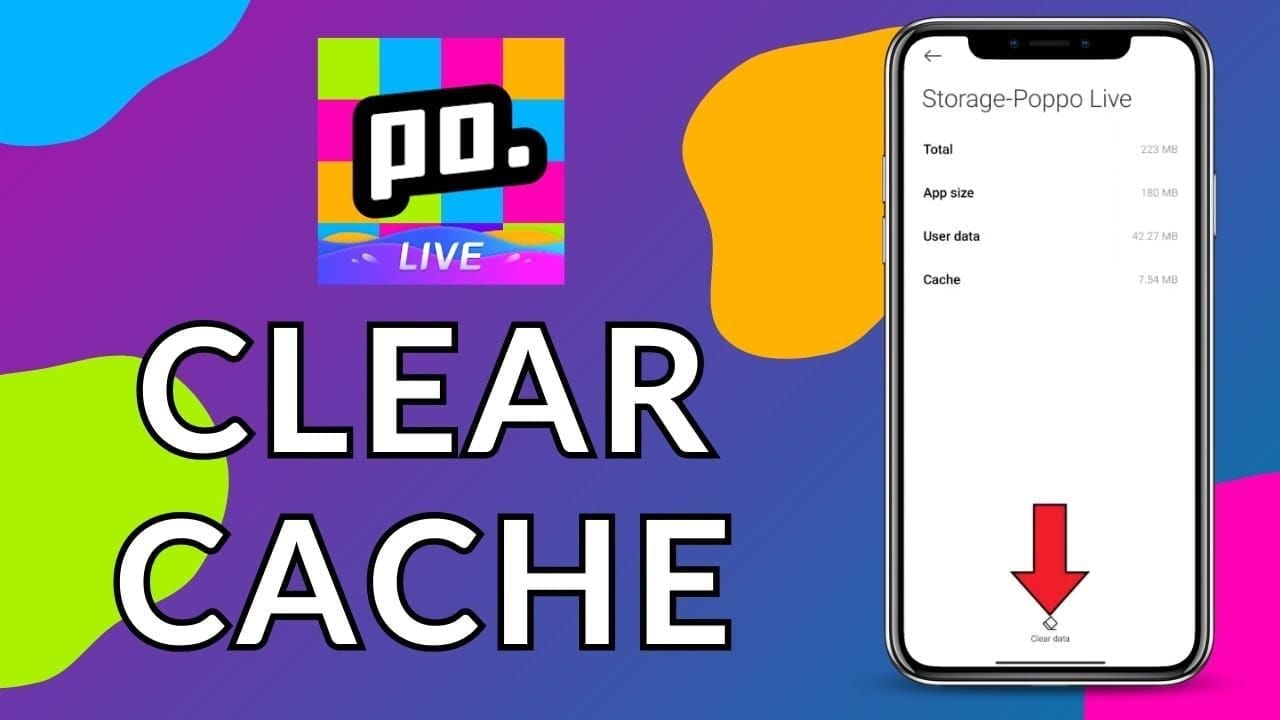
Navigate to Apps (or Applications)
Select Poppo Live
Tap Storage (or Storage & Cache)
Select Clear Cache (NOT Clear Data)
Confirm
Reopen Poppo Live, log in if necessary
Execute wallet pull-down refresh 2-3 times
Clears ~50-200MB temporary files. Never deletes coins—balance exists on Poppo's servers, not in local cache.
iOS Offload and Reinstall
Open Settings > General > iPhone Storage
Select Poppo Live
Tap Offload App (NOT Delete App)
Confirm offload
Wait for completion (app icon appears dimmed)
Tap Reinstall App
Wait for download/installation
Open Poppo Live, log in
Navigate to wallet, refresh
Reinstalls latest app version, ensuring compatibility with current server protocols. Requires ~150-250MB storage.
Optimal Timing to Avoid Sync Issues
Completing tasks during low-traffic periods reduces sync failure rates by 30-60%. The 2-6 AM UTC+8 window experiences minimal server load—optimal for task completion, reward claims, coin purchases.
Peak hours (18:00-23:00 UTC+8) see 3-4x higher glitch rates. If completing tasks during peak periods, wait 2-3 minutes after task completion notification before checking wallet.
Post-Reset Timing Strategy
Daily task resets at 00:00 UTC+8 trigger server-side counter refreshes requiring 90-120 seconds. Claiming rewards immediately after reset often results in reward already claimed errors or missing coin displays.
Optimal strategy:
Wait until 00:02 UTC+8 before claiming daily rewards
Complete first task at 00:03 UTC+8 or later
Verify transaction history 5 minutes after claiming
Execute wallet refresh if balance doesn't update within 5-60 seconds
Weekly task resets occur Sunday 23:59 UTC+8, with similar 90-120 second processing delays.
Diagnosing Genuine Issues vs Display Glitches
Transaction history provides definitive evidence. If rewards/purchases appear in history but not balance, you're experiencing display glitch solvable through sync techniques. If transactions don't appear in history 15 minutes after completion, you may have genuine account issue requiring support.
Transaction History Verification
Navigate to Profile > Wallet > Transaction History
Check date filter—ensure it covers period when you earned/purchased coins
Look for specific transactions: daily login bonus (5,000 coins), treasure box rewards (40 coins per session), purchases
Note timestamp of each transaction
Compare transaction timestamps to current time—delays beyond 15 minutes indicate potential issues
Transaction history updates server-side, independent of device cache. If transaction appears here, coins exist in your account regardless of wallet display errors.
Purchase-Specific Verification
In-app purchases process within 30 seconds to 3 minutes. Third-party platform deliveries (like BitTopup) complete within 1-5 minutes. Pending status remains normal for first 5-10 minutes—wait 15 minutes before contacting support.
Purchase verification checklist:
Check transaction history for purchase record with matching amount
Verify payment confirmation (Google Play order starting with GPA or Apple receipt from do-not-reply@itunes.com)
Note exact purchase timestamp and amount
Execute force-close and wallet refresh sequence
Wait full 15-minute processing window before escalation
Google Play pending transactions typically resolve within 24 hours automatically.
Common Mistakes That Worsen Issues
Rapid, repeated refresh attempts within seconds can trigger rate-limiting on Poppo's servers, temporarily blocking sync requests. Space refresh attempts 5-10 seconds apart, limiting to 3-4 attempts before trying alternative methods.
Risks of Clearing All App Data
Android's Clear Data (distinct from Clear Cache) deletes login credentials, settings, all local information. Doesn't affect server-side coin balance but forces complete account re-setup. Always use Clear Cache only unless specifically instructed by support.
Reinstallation Misconceptions
Uninstalling and reinstalling doesn't provide additional sync benefits beyond iOS offload method or Android cache clearing. Wastes time and mobile data without improving sync success rates. Your coins remain safe on Poppo's servers.
Premature Support Contact
Contact support only after completing basic troubleshooting and waiting full 15-minute processing window. Support requires evidence: screenshots of transaction history, confirmation of force-close attempts, network connectivity verification.
Preventive Wallet Health Practices
Establish daily routine: check transaction history each morning, verify previous day's rewards appear correctly, execute preventive pull-down refresh.
App Update Best Practices
Update Poppo Live during low-usage periods (2-6 AM UTC+8). After updating:
Force-close app completely
Wait 60 seconds
Reopen, log in
Navigate to wallet, refresh 2-3 times
Verify transaction history loads correctly
Check balance displays accurately
Enable automatic updates during off-peak hours to maintain compatibility.
Network Stability Maintenance
Before completing high-value tasks or purchases:
Verify WiFi signal strength (minimum 3 bars or 75%)
Test mobile data speed (confirm 1Mbps+ download)
Avoid switching networks mid-transaction
Disable VPN services
Close bandwidth-intensive background apps
Stable connectivity during transaction-to-confirmation window (5-60 seconds) prevents most sync failures.
When Self-Service Fixes Aren't Enough
If coins remain missing after all troubleshooting steps and waiting 15 minutes, you likely face genuine account issue requiring support intervention.
Escalation Preparation
Gather before contacting support:
Poppo User ID (7-8 digit number from profile)
Screenshots of transaction history showing missing transactions
Payment receipts for missing purchases (Google Play/Apple confirmation emails)
Exact timestamp when you completed task or made purchase
List of troubleshooting steps attempted
Current app version (Settings > About)
Device model and OS version
Complete documentation reduces support resolution time from days to hours.
Expected Resolution Timeframes
Display glitches: typically resolve within 24 hours
Genuine missing transactions: 2-5 business days for investigation and manual crediting
Purchase-related issues with valid receipts: 24-48 hours
Timer freezes resolve automatically within 90-120 seconds. If frozen timer persists beyond 5 minutes, force-close app and wait 60 seconds before reopening.
Safe Recharge Practices
Purchase coins during optimal timing windows (2-6 AM UTC+8) for 30-60% fewer glitches.
Post-Purchase Verification Protocol
Wait 30 seconds without closing app
Execute wallet pull-down refresh
Check transaction history for purchase record
Verify purchased amount matches receipt
If coins don't appear within 3 minutes, force-close and reopen
Wait full 15-minute processing window before escalation
Save payment confirmation email or receipt
BitTopup transactions integrate directly with Poppo's server systems, providing delivery confirmation and transaction tracking. Competitive pricing, secure payment processing, and 24/7 customer support ensure reliable coin delivery.
Transaction Record Maintenance
Maintain simple log of all coin transactions—purchases, major reward claims, gifts sent/received. Note date, amount, type in notes app or spreadsheet.
Regular balance checks (daily or every few days) catch sync issues early. Compare expected balance (previous balance + earnings - spending) against displayed balance weekly to identify gradual drift.
FAQ
Why do my Poppo Live coins disappear after resetting the app? Coins don't actually disappear—your app displays cached balance data that hasn't synced with Poppo's servers. Pull down wallet interface 2-3 times to force refresh, which recovers 70% of missing balances immediately. If that fails, force-close app, wait 30-60 seconds, reopen, and refresh again.
How long does it take for Poppo Live wallet to sync properly? Normal sync completes within 5-60 seconds. Server counter refreshes after 00:00 UTC+8 daily reset require 90-120 seconds. Peak delays during high-traffic hours (18:00-23:00 UTC+8) can extend to 90 seconds. If balance doesn't update within 15 minutes after completing all refresh steps, contact support.
Can clearing cache delete my Poppo Live coins permanently? No. Clearing cache only removes temporary display data on your device—actual coin balance exists on Poppo's servers. Android users should select Clear Cache (not Clear Data). iOS users can safely use Offload App feature. Your coins remain secure on server.
What's the difference between missing coins and display errors in Poppo? Check transaction history (Profile > Wallet > Transaction History). If transaction appears there but not in balance, you have display error solvable through sync techniques. If transaction doesn't appear in history 15 minutes after completion, you may have genuine missing transaction requiring support.
How do I force sync my Poppo Live wallet across devices? Log out of account on all devices, wait 60 seconds, log back in on primary device first. Navigate to wallet, pull down to refresh 2-3 times. Wait for balance to update completely before logging in on secondary devices. This establishes fresh sync baseline from server.
Will reinstalling Poppo Live restore my missing coins? Reinstalling doesn't provide additional benefits beyond cache clearing and may waste time. Your coins exist on Poppo's servers, not in app installation. Instead, use platform-specific cache clearing (Android: Settings > Apps > Poppo Live > Clear Cache; iOS: Offload App feature).
Avoid coin sync headaches—recharge your Poppo Live coins safely through BitTopup for instant, guaranteed delivery with full transaction tracking and 24/7 support. Experience competitive pricing, secure transactions, and reliable balance updates that eliminate the frustration of missing coins after reset.