

MIYA Coins power everything inside MIYA – Meet you. Meet good voice — gifts, VIP perks, room rankings, avatar frames. In 2026, the smartest recharge strategy cuts your per-coin cost from ~$0.0025 (in-app) to as low as $0.00173 through discounted third-party bundles — up to 70% off. Here's every method, the best-value denominations, and seven ways to turn Coins into real social impact.
What Are MIYA Coins?
Developed by SOUTHVIEW PTE. LTD, MIYA Coins are the platform's single premium currency. No grinding, no free daily login rewards — what you top up is what you spend. Every premium action runs on Coins: gifting in live voice rooms, Werewolf and Pictionary sessions, VIP upgrades, room ranking boosts, avatar customization.
That makes denomination choice and recharge timing genuinely important decisions.
Do Coins expire? No. Community consensus is clear — Coins sit in your wallet indefinitely. Stock up during a 70%-off promotion without any use-it-or-lose-it pressure.
How to Top Up MIYA Coins: Step-by-Step Methods
Two reliable paths exist: the official app (convenient, pricier) or a discounted third-party platform (better value, nearly as fast). Both work. Your choice depends on budget and recharge frequency.
Find Your MIYA User ID First
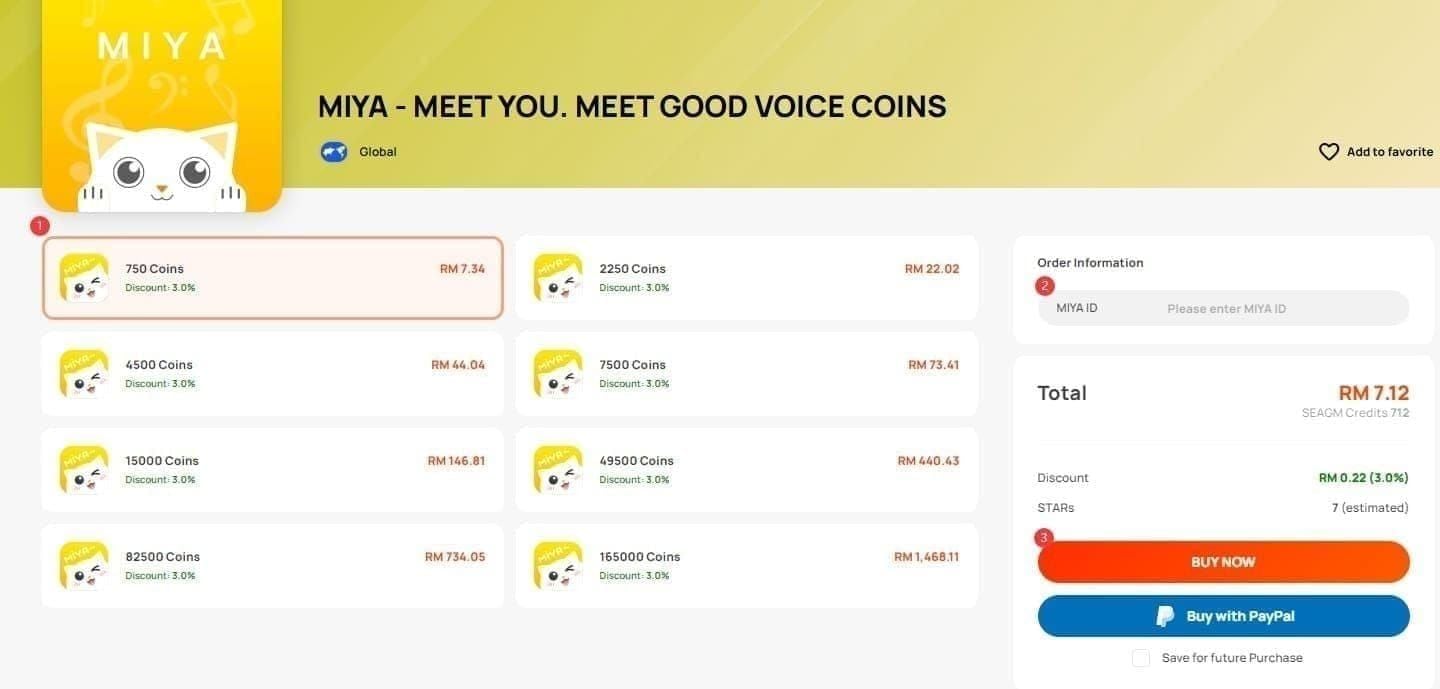
This is the most important step — and where most top-up failures originate.
Open MIYA and tap the ME icon (bottom-right)
Your ID appears beneath your nickname in the format 12345678(1234)
Copy the entire ID including the bracketed segment — both parts are required
Missing the bracketed portion routes Coins to the wrong account or triggers a delivery failure. Don't type it manually. Copy, paste into a notes app to verify the full format, then paste into the top-up form.
Method 1: Official MIYA App
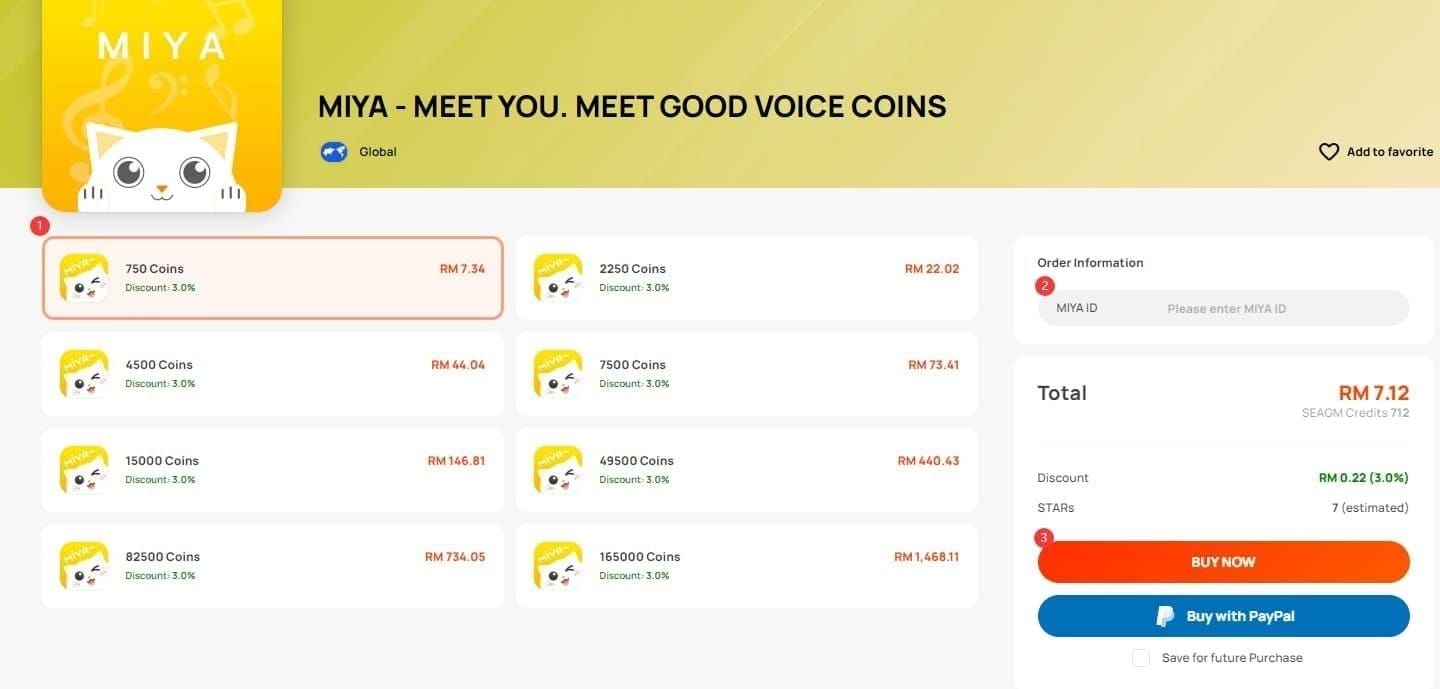
Open MIYA → Wallet or Top-Up
Select a Coin denomination
Choose payment method (credit card, local options)
Confirm purchase — Coins appear almost instantly
Straightforward, but you're paying full in-app rates. The most expensive option available.
Method 2: BitTopup (Discounted, Fast)
For anyone spending more than $15 in a session, third-party rates are substantially better. To buy MIYA voice chat coins online through BitTopup:
Go to the MIYA Coins product page on BitTopup
Select your denomination
Enter your exact MIYA User ID (including brackets)
Checkout via PayPal, Visa/Mastercard, or local currency options
Check your wallet — delivery typically lands within seconds to 30 minutes
Supported regions: China mainland and Hong Kong, with some services extending to Singapore and overseas accounts.
Accepted Payment Methods
If Your Top-Up Fails
Coins not arriving within 30 minutes? First, verify your MIYA ID — this resolves most cases. Second, check your payment confirmation email. Third, contact platform support with your order number and receipt. Legitimate platforms resolve delivery issues within a few hours.
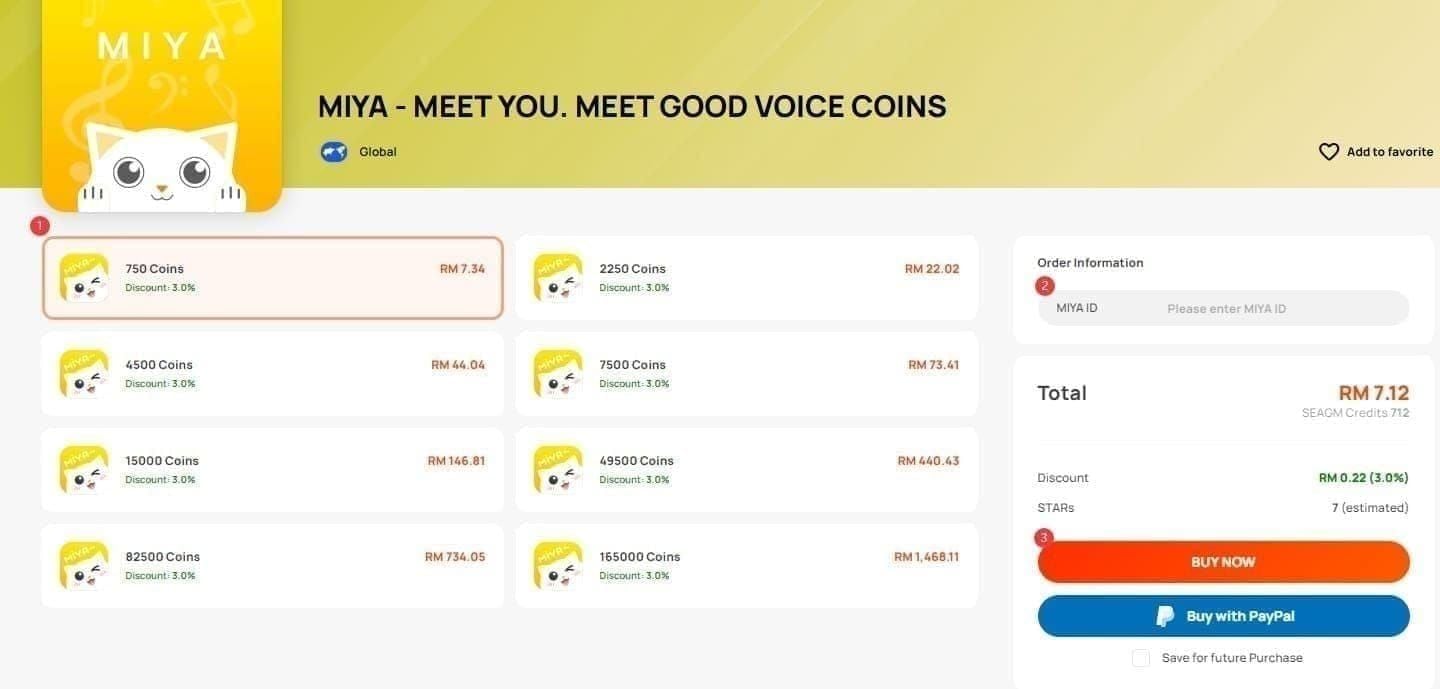
MIYA Coins Denomination Guide: Best Value Packs
The gap between in-app and third-party pricing is significant.
Third-party rates run ~30% cheaper per coin than in-app at every comparable price point. The math isn't close.
Recommendations by spending level:
Casual ($5–$15/month): 2,700–8,820 Coin bundles — 70% off, low entry cost
Regular ($15–$60/month): 29,520 Coins at $51.05 — maximum 70% discount at mid-range spend
Power users ($60+/month): 58,320 Coins at $100.86 for 70% off at scale; 88,920 drops to 60% off but delivers the largest single-transaction volume
Community experience backs the 29,520 and 58,320 bundles as the sweet spot for users spending $15–$100 monthly.
First-Time Bonus
New users should check for first-time recharge bonuses before their initial top-up — these stack on top of purchased Coins. The 2026 recharge window (February 11 – April 10) amplifies these bonuses. After topping up, check the rewards or events section for a claim button.
2026 Seasonal Events
The Mega Sale (March 1–15) is the standout. Stack a discounted third-party bundle with Mega Sale bonus multipliers for compounded savings. If a major event is within two weeks, wait. If you're mid-event, top up now.
7 Ways to Maximize Your MIYA Coins
Coins aren't just a spending mechanic — they're a social investment. Here's how experienced users deploy them.
1. Gift Strategically in Voice Rooms
Gifting during active sessions highlights your username in the room feed. Consistent gifting to the same host builds recognized relationships — often earning priority mic access or featured status. Timing matters: gift when a game round ends or a host hits a milestone. One well-timed gift in a crowded room outperforms three sent during quiet periods.
2. Boost Room Rankings
Room ranking is directly influenced by Coin flow. If you own or regularly participate in a specific community, coordinated spending during ranking refresh windows pushes your room higher in discovery feeds — more organic visitors, more participants. Modest Coin investment at the right moment beats heavy spending at off-peak times.
3. Maintain VIP Membership
VIP unlocks exclusive badges, enhanced profile visibility, priority room entry, and premium voice effects. For regular users, this is often the highest-ROI Coin use — visibility benefits compound as your profile becomes recognizable across rooms.
4. Boost Your Favorite Hosts
Host boosting elevates a specific creator's room in search and recommendation feeds during the boost period. Hosts notice their top boosters. Regular boosting builds real relationships — shoutouts, exclusive room access, and community recognition follow.
5. Equip Exclusive Avatar Frames
Exclusive frames communicate investment level and community standing instantly. In a social app built around voice and identity, a distinctive avatar frame makes you more memorable across rooms. These aren't purely cosmetic — they're status signals.
6. Access Premium Rooms and Events
Some rooms require a Coin entry fee or minimum balance. Premium events — hosted games with larger prize pools, celebrity sessions, exclusive themed rooms — often sit behind a Coin gate. A healthy wallet means you're never locked out of a high-value social moment.
7. Time Spending Around Limited-Time Events
The 2026 event calendar (February 11 – April 10) amplifies every Coin spent — bonus multipliers, exclusive rewards, community leaderboard competitions. Top up before a major event, spend during it. That's the single most efficient way to stretch your budget while maximizing social outcomes.
Is It Safe to Top Up MIYA Coins?
Yes — if you use a verified platform. The risk is unverified services mimicking legitimate ones, not third-party top-ups as a category.
What a Legitimate Platform Looks Like
Never asks for your password — only your User ID
Clear pricing, no hidden fees before checkout
Verifiable payment processing (PayPal, major card processors)
Real support channel with actual response capability
Delivery timeframe of seconds to 30 minutes
Red Flags
Requests for your account password or login credentials
Prices below the $0.00173/coin benchmark
No clear payment processor — only bank transfers or crypto with no buyer protection
No customer support or only automated responses
Vague delivery windows (1–7 days) with no tracking
If a deal looks too good relative to the established 60–70% discount benchmark, it almost certainly is.
BitTopup operates transparently within the standard third-party recharge model — clear pricing, standard payment methods, delivery within the expected window. For users who want to top up MIYA app coins fast without paying in-app premiums, it's a practical, verifiable option.
Common Top-Up Mistakes to Avoid
Wrong User ID
The most common — and most painful — error. The format is 12345678(1234). Many users copy only the numeric prefix and omit the brackets, resulting in failed delivery or Coins credited to a different account. Always copy the full ID, verify the complete format in a notes app, then paste into the top-up form.
Wrong Region
Top-ups are region-specific. Primary support covers China mainland and Hong Kong, with some platforms extending to Singapore and overseas. Selecting a bundle for the wrong region causes delivery failure. Confirm your account's registered region before purchasing.
Missing Active Bonus Events
Topping up outside an event window leaves bonus Coins on the table. The Mega Sale ends March 15 — users who top up March 16 miss the entire bonus stack. Check the event calendar before any significant top-up.
Frequently Asked Questions
How long does delivery take? Seconds to 30 minutes for legitimate services. After 30 minutes, verify your MIYA ID and contact platform support with your order confirmation.
Can I get a refund? In-app purchases follow App Store/Google Play refund policies, which are restrictive for digital currency. Third-party policies vary — check terms before purchasing. Verifying your ID before payment is the only reliable safeguard.
Can Coins transfer between accounts? No. Coins are non-transferable. Once credited to a MIYA ID, they stay there — which makes the wrong-ID mistake particularly serious.
What if I top up the wrong account? Contact platform support immediately with your order number, the incorrect ID entered, and your correct MIYA ID. Resolution depends on whether Coins have already been credited. Prevention is the only reliable fix.
What devices does MIYA support? iOS 13.0+ or iPadOS 13.0+, and macOS 11.0+ with M1 chip. Age rating: 16+ (mature themes, profanity, loot box mechanics). Current version: 6.27.2.
Best bundle for first-time buyers? Start with the 2,700 Coin bundle at $4.67 — lowest entry cost at the maximum 70% discount rate. Verify delivery, get comfortable with the process, then scale up.
The MIYA ecosystem rewards strategic spenders, not just heavy ones. Match your top-up timing to the 2026 event calendar, pick the right denomination for your spending level, and deploy Coins across gifting, ranking, and VIP — the social returns compound in ways that casual, unplanned spending simply doesn't reach. Get your MIYA ID ready and make every Coin count.