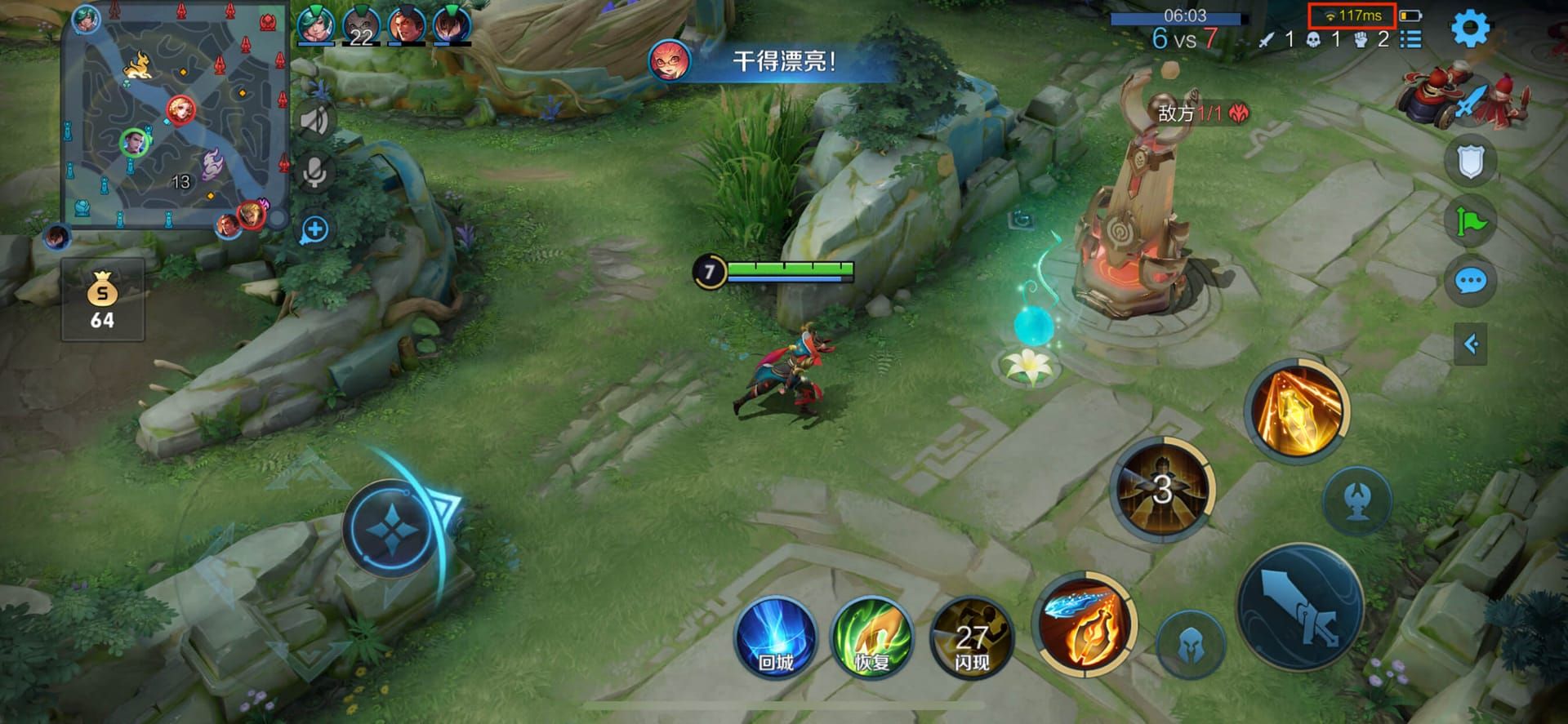
Honor of Kings Global dropped June 20, 2024—ping shows green under 50ms for that buttery precision, yellow 50-100ms for minor hiccups in early scraps, red 100ms+ that's straight-up unplayable. Shave off 20-30ms with DNS and router tweaks; Brazil or Turkey servers shine brightest. We dive into NA/EU/SEA setups, exact steps, and duo-lane carnage for your ranked grind to King of Glory.
Decoding Those Ping Colors and What They Really Mean
Green under 50ms? That's your sweet spot for nailing skills without a whisper of delay. Yellow 50-100ms sneaks in during early trades—annoying, but survivable. Hit red at 100ms+, and competitive play crumbles; those 7-9 PM rush hours spike it worse. Always eyeball the lobby ping before queuing ranked. Steer clear of red.
Anything over 100ms wrecks duo-lane at levels 2/4/6—missed combos, botched kills, ignored towers, failed ganks, lost waves. Under 50ms is non-negotiable for duo pros.
Ever wonder why pros obsess over this? It's the edge in those split-second calls.
Fast Fixes to Drop Ping Right Now—No Waiting

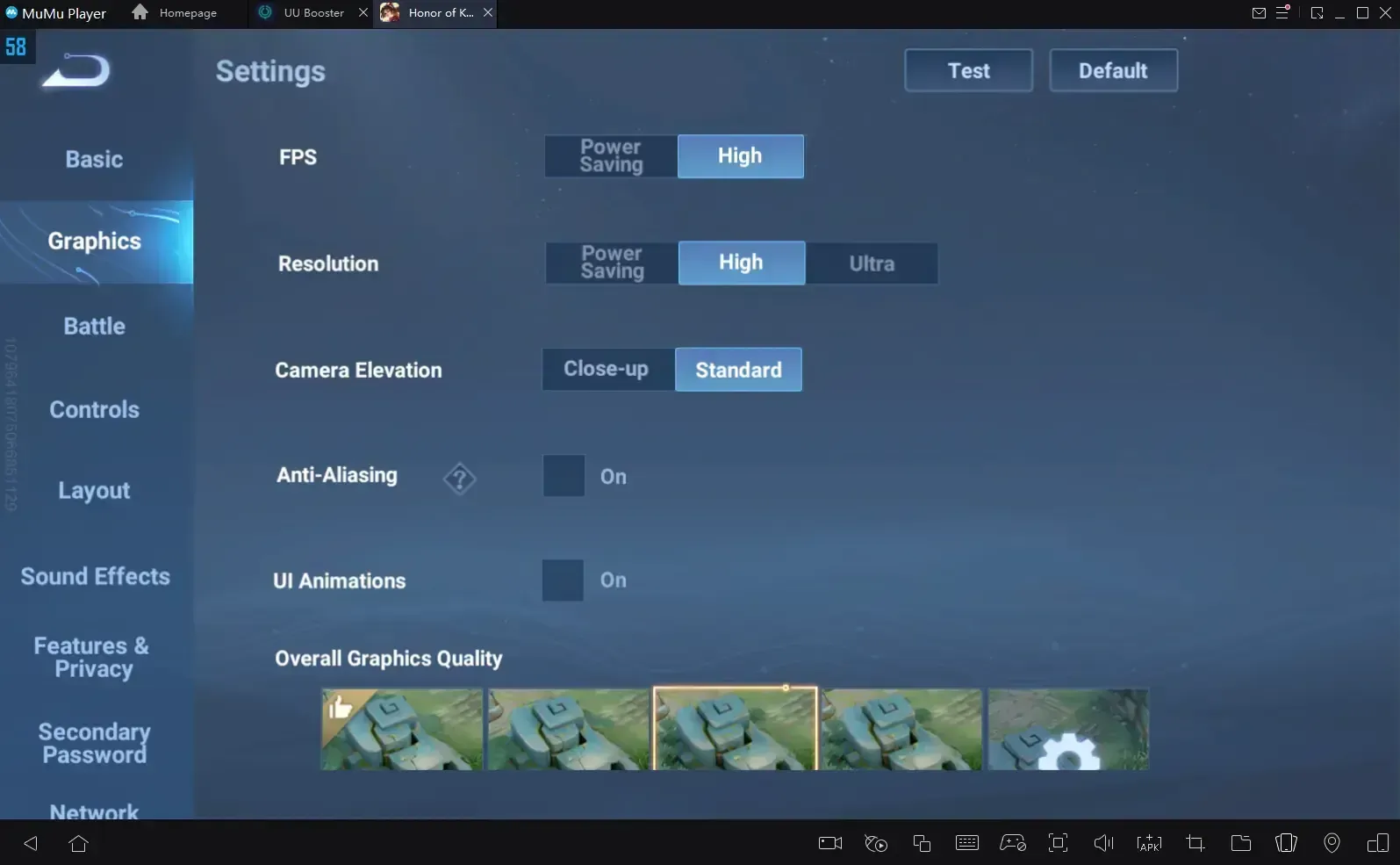
Flip on Network Optimization in settings first thing. Kill background apps hogging bandwidth; hop to 5GHz Wi-Fi or Ethernet if you're router-close. Mute voice chat, cap FPS at 30, dial graphics to Medium or Low—expect a solid 10-20ms shave. On Android, blast cache weekly via Settings > Apps > HoK > Storage; iOS folks, offload the app.
Settings > Network Optimization: toggle on.
Force-quit those apps.
Ping test—boom.
Mobile data often crushes Wi-Fi during 7-9 PM peaks. (Pro tip from late-night queues: it saved my climb once.)
Top up with Honor of Kings global tokens recharge on BitTopup—instant delivery, killer prices, global coverage, ironclad security, 24/7 help, and rave reviews.
Picking the Perfect Server and Region for Low-Latency Wins
As of June 20, 2024, servers span NA, EU, JP, KR, SEA, LATAM—stick to the closest for minimal ping, but Brazil/Turkey deliver the lowest numbers. Americas? NA. Pacific crew, SEA. Europe, EU. Test via Honor Board (costs 50 diamonds). Heads up: switching resets progress; matchmaking locks to your region.
Settings > Server > Pick one > Restart > Log back in.
Android: Fresh Google account set to Brazil/Turkey + VPN, then Play Store grab.
iOS: Switch App Store country + matching VPN > Download.
Manual picks crush auto-select during peak 7-9 PM chaos.
Next-Level Routing Hacks and Network Wizardry
Swap to Cloudflare DNS (1.1.1.1 primary, 1.0.0.1 secondary) or Google (8.8.8.8/8.8.4.4)—users report 20-30ms drops consistently. Crank QoS to prioritize HoK, fire up UPnP, update that router firmware. VPN to Brazil/Turkey on alts? Turns 200ms+ nightmares into sub-50ms dreams—TOS violation risk, though. IRX Rendering (June 21 update) unlocks 120fps glory.
Log into router > Set DNS to Cloudflare.
QoS rules: HoK gets top billing.
Firmware flash; hard reboot.
Need tokens fast? Hit buy Honor of Kings worldwide tokens on BitTopup—blazing top-ups, top rates, everywhere support, secure as hell, solid after-sales, killer ratings.
Device Tweaks That Squeeze Every Millisecond on Mobile
Android: Unlock Developer Options (tap Build number 7x), slash animations to 0.5x or off, block battery optimization, enable Game Mode. iOS: Kill Background Refresh; pull HoK from Low Power Mode. Minimums: Android 5.1/iOS 11, 1.2GHz CPU, 1GB RAM. Recommended: Android 8.0+, 2GHz quad-core, 4GB+ RAM.
Android: Dev menu animations off; Battery > HoK unrestricted.
iOS: General > Background Refresh off.
Wi-Fi vs. mobile data showdown—test it.
Battling Packet Loss, Drops, and Timeout Nightmares
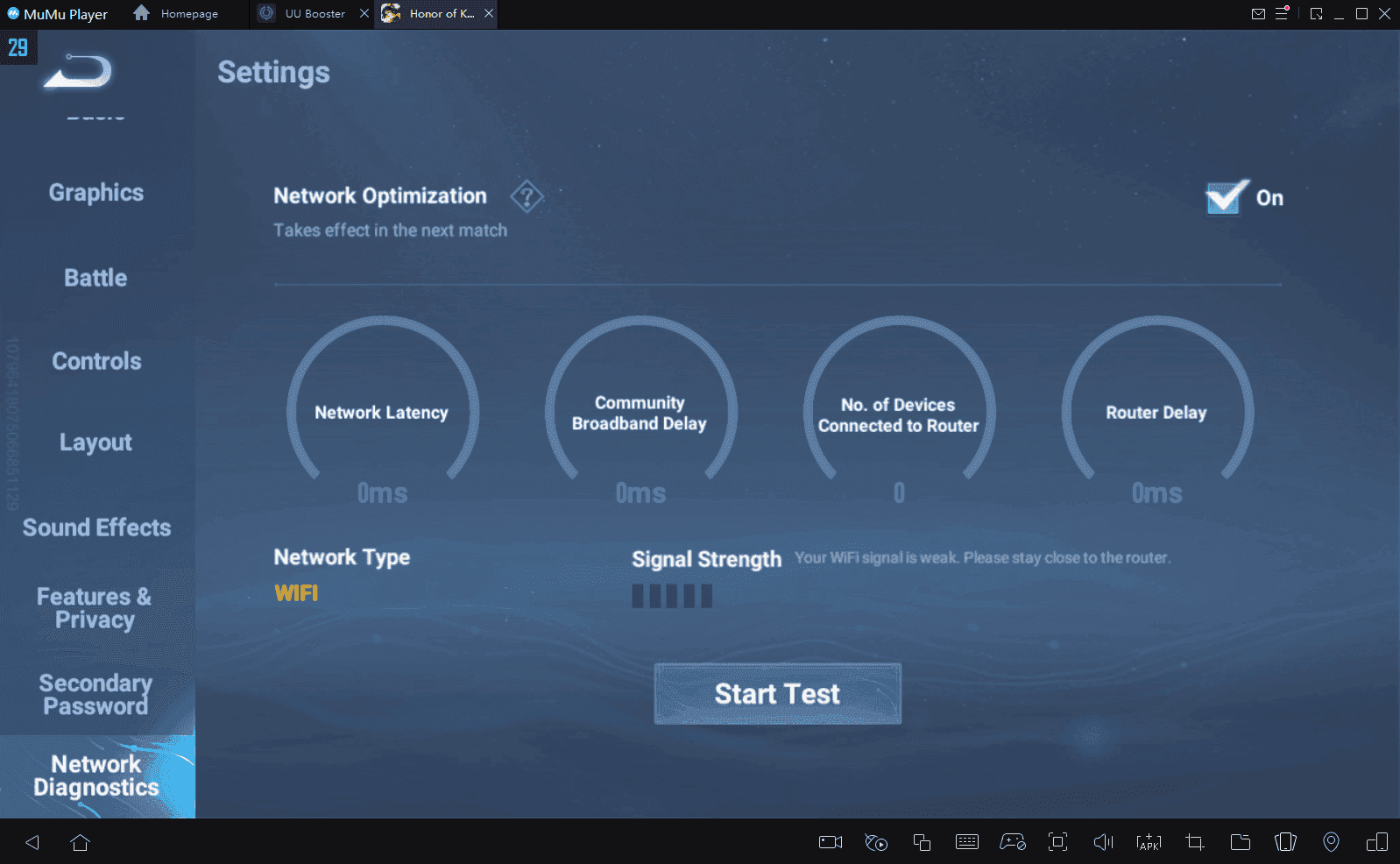
Packet loss? That rubber-banding hell—run diagnostics, swap cables, hug the router. Disconnects: nix network power-saving, greenlight background perms (no Battery/Network saves). Timeouts: Accelerators help; speed test everything; hotspot if loss tops 5%. Track in-game ping, loss, jitter.
Diagnostics run—log that loss %.
Battery/perms overhaul.
Hotspot flip.
Most fixes? 15-30 minutes tops.
Pro-Level Rigs and What Esports Demands
Wired Ethernet (grab a mobile adapter)—that's pro baseline for sub-50ms. Isolate a gaming network entirely. Esports scene: PKL (Philippines), MKL (MY), 2025 leagues across NA/SA/Brazil, EU/Turkey, MENA, Pacific, SEA. Dyadia's ban rate? A whopping 47.6%, all tied to duo-lane ping fragility.
Ethernet hookup.
Gaming net isolation.
Daily ping/loss checks.
Over 100ms? Unplayable in the pro duo-lane meta—full stop.
(My editor's hunch: wired changed my testing sessions forever.)
FAQ
How do I fix high ping in Honor of Kings Global?
Network Optimization on, apps closed, 5GHz/Ethernet—drops 10-20ms in minutes flat.
What is the best server for low ping in HoK Global?
Brazil/Turkey rule; closest NA/EU/JP/KR/SEA/LATAM via settings. Test Honor Board (50 diamonds).
When does high MS make duo-lane unplayable in Honor of Kings?
Red 100ms+: combos at lv2/4/6 flop, ganks die, waves slip away.
What routing tricks lower ping in Honor of Kings?
Cloudflare DNS (20-30ms cuts), QoS HoK priority, VPN Brazil/Turkey alts (200ms+ to <50ms, TOS risk).
Is VPN good for Honor of Kings Global ping?
Yep, for Turkey/Brazil hops—sub-50ms gains, but TOS gamble.
What ping is considered high in HoK ranked?
Yellow 50-100ms stutters climbs; red 100ms+ kills King of Glory shots.