

Hiya Live coins are the platform's primary currency — you spend them on gifts, climb the Top Gifter leaderboard, and build VIP status. The cheapest way to top up in 2026 is through a third-party recharge platform at roughly $0.00111 per coin, compared to in-app rates that run about 60% higher. This guide covers every method, every bundle, and the timing tricks experienced gifters actually use.
What Are Hiya Live Coins and Why Do They Matter?
Coins power the entire gifting economy. You spend coins on virtual gifts, streamers receive Beans (which they monetize), and your spending feeds your VIP status and leaderboard rank.
How the Gifting Economy Actually Works
Here's the detail most guides skip: the conversion rate isn't universal across servers. On S3 and S6, 1 Diamond spent equals 3 Beans plus 3 combat points. On S1, S2, S4, S5, S8, and S9, the same Diamond yields only 1 Bean and 1 combat point.
That's a 3x difference for identical spend. If you're gifting to support a streamer's ranking, confirm their server before sending anything.
Coins vs. Diamonds vs. Beans
Coins are what you purchase. Diamonds are what you spend on gifts (coins convert to Diamonds at checkout). Beans are what streamers receive. Event bonuses and server multipliers apply at different points in this chain — which is exactly why timing your spending matters.
The Top Gifter Leaderboard
Community data puts the competitive range at 43,000–130,000 Beans to hold a meaningful position. Higher positions unlock streamer shoutouts, exclusive chat privileges, and VIP interaction perks. Your coin spending determines where you land.
Before You Top Up: Find Your Hiya Live User ID
Every top-up method requires your Hiya ID. Get it wrong and your coins go to a stranger's account — permanently. There are no reversals if you provided an incorrect ID.
How to Find Your ID (iOS and Android)
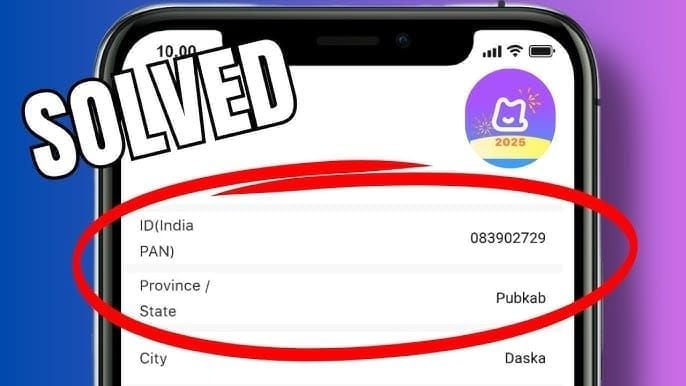
Open the Hiya Live app
Tap the account info icon in the top-right corner of your profile
Your Hiya ID appears directly under your character name
Copy it — don't retype it manually
Common Mistakes
Confusing your Hiya ID with your display name or phone number
Copying extra spaces before or after the numeric string
Using an old ID from a previous account after switching devices
Entering the streamer's ID instead of your own (happens more than you'd think during live sessions)
Screenshot your Hiya ID with your balance visible before any major top-up. It creates a timestamped record useful for both verification and dispute resolution.
5 Ways to Top Up Hiya Live Coins in 2026
Method 1: iOS App Store — Easiest, Priciest
Tap the recharge button inside Hiya Live, select a bundle, authenticate with Face ID — done. Coins appear instantly. The trade-off is cost: in-app purchases run around $3.14 per 100 Diamonds versus $1.96 via web. That's a 60% premium for Apple's convenience. Fine for casual gifters spending under $10/month. For anyone targeting leaderboard positions, that gap compounds fast.
Method 2: Google Play Store — Same Story on Android
Identical simplicity, identical premium. Google Play occasionally runs regional promotions that narrow the gap slightly — check your Play Store offers tab before purchasing, but don't rely on it as a strategy.
Method 3: Third-Party Recharge — Best Value
This is where experienced gifters consistently save money. The process:
Copy your Hiya ID (don't type it)
Visit a reputable recharge platform and find the Hiya Live top-up page
Select your coin package
Enter your Hiya ID
Choose your payment method — Visa, MasterCard, and PayPal are standard
Complete payment
Do not log into Hiya Live during the delivery window
That last step matters. Logging in during an active transaction can interrupt the credit process. Wait for confirmation first.
Delivery is fast: 98% of orders credit within 3 minutes, with the standard window being 1–5 minutes. If coins haven't appeared after 10 minutes, contact support with your order confirmation.
For regular top-ups, buy Hiya Live coins online through BitTopup — full denomination range at the $0.00111/coin rate.
Method 4: Hiya Live Official Website
Hiya Live's own web recharge bypasses app store fees and runs at the lower $1.96/100 Diamonds rate. Log into your account on the official site, navigate to recharge, and pay through their supported methods. Solid middle-ground option — official and cheaper than in-app, though package selection may differ from third-party platforms.
Method 5: Gift Cards and Promo Codes
Not a reliable primary method, but worth stacking when available. Hiya Live drops promotional codes during platform events, streamer partnerships, and regional campaigns. Watch official social channels and the in-app notification center. Event windows — platform anniversaries, major streaming competitions — are when these appear most. The March 2026 event is the clearest example of when bonus windows dramatically change the value equation.
Coin Bundles Compared: Which Denomination Is Best?
The per-coin rate is flat across bundle sizes at roughly $0.00111 USD per coin. So the decision isn't about unit economics — it's about hitting event bonus thresholds. One large purchase consistently outperforms several small ones for triggering event bonuses.
USD Packages
AED Packages — MENA Region (24% Discount at 35,000+ Coins)
SGD Packages — Singapore
How to Maximize Your Coins: Events, Timing, and Strategy
The March 2026 Event — Maximum 3.51x Multiplier
The March 2026 Recharge Event (March 1–31) is the biggest bonus window of the year. The event runs in three phases:
Multiplier stack:
14-day login streak: 1.5x
Gold Rush event participation: 1.3x
Gifting during 7–9 PM server time: 1.5x
Tier 3 30-minute mission window: 1.2x
Tier 3 missions are worth running. Each costs 5,000 coins and yields 17,550 coins in 15–20 minutes — a net gain of +12,550 coins per run. Daily recharge cap is 10,000 Diamonds with 3 attempts per day.
One caveat: the 7–9 PM window carries elevated server instability risk during peak event traffic. The 1.5x bonus is real, but so is the transaction risk. Safer top-up windows are mid-phase days: Days 3–8, 13–18, and 23–28.
Streak Protection
The 14-day login streak multiplier is worth protecting. Streak protection tokens cost 1,000 coins each. Given that the 1.5x multiplier applies to all event earnings, a single token is almost always worth it if you miss a day.
Pre-Loading Before Event Thresholds
The pre-February 14, 2026 bonus offered 35% extra coins on 1,000+ Diamond recharges (10,000 Diamonds → 13,500 coins). After February 14, the bonus dropped to 20% on 500+ Diamond recharges. When you see a threshold like this announced, top up Hiya Live diamonds cheap before the window closes — the difference between 35% and 20% on a large purchase is substantial.
Strategic Gifting for Leaderboard Impact
Gift combos: Sending 3–5 gifts within a 10-second window triggers stacked animations that increase your visibility in the stream. Same coin spend, significantly higher visual impact.
Server timing: On S3/S6, your Diamonds generate 3x the Beans compared to other servers. If you're trying to move a streamer up the rankings, this is the highest-leverage variable you control — more impactful than any bundle choice.
Budget split for March 2026: Community approaches vary by server. S5 server players favor a 30%/40%/30% split across the three phases. S9 server players tend to front-load with 50–60% in Days 1–10 to lock in the streak multiplier early. Your server's competitive dynamics should drive this more than any universal formula.
Is Third-Party Top-Up Safe?
Yes — when the platform uses your Hiya ID, not your password. Coins are credited server-side using only your public user ID. No legitimate platform needs your login credentials.
What to Look For
Accepts Visa, MasterCard, or PayPal (these provide buyer protection)
Requires only your Hiya ID, not your password or email
Clear delivery timeframes and support contact
Transparent refund policy
Red Flags
Any platform asking for your Hiya Live password
Pricing significantly below $0.001/coin
No support channel or contact information
Payment limited to crypto or gift cards only
Community consensus: ID-based top-ups carry no account risk. The only real risk is entering your Hiya ID incorrectly. Enable 2FA at least 48 hours before any major top-up or event — newly activated 2FA can cause authentication delays during time-sensitive windows.
Troubleshooting: Coins Not Received
Most Common Causes
Logged in during the delivery window — most frequent cause of delayed credits
Incorrect Hiya ID entered — coins credited to wrong account, not recoverable
Server-side processing delay — rare, happens during peak event traffic
Payment authorization didn't fully complete
Processing Times
Standard delivery: 1–5 minutes. 98% of third-party orders credit within 3 minutes. In-app purchases are generally instant. If 10 minutes pass with no credit, check your payment confirmation first — verify the transaction actually completed before contacting support.
How to Contact Support Effectively
Have ready:
Your Hiya ID (screenshot with timestamp)
Order confirmation number or payment receipt
Coin balance screenshots before and after
Exact time of purchase
Coins are stored server-side and persist through outages. A delayed credit is almost always recoverable with proper documentation. Community tip: convert loose coins to virtual gifts before potential downtime — this creates a dual transaction log that's easier to verify in disputes.
Refund Policy
Refunds aren't available if the recharge completed with the correct Hiya ID you provided. If the error was on the platform's side — technical failure, double charge, non-delivery despite a correct ID — refunds are available after verification. Standard across both official and third-party channels.
FAQ
Can I get a refund on Hiya Live coins? Only if the error was the platform's fault. Wrong Hiya ID entered by you means the transaction is final.
Do Hiya Live coins expire? No community-confirmed expiration for standard coin balances. Event-specific bonus coins may have separate terms — check event details when announced.
Can I transfer coins to another account? No direct transfer exists. Coins are account-bound once credited.
What's the minimum top-up? 1,000 coins ($1.11 USD). For event bonuses with Diamond thresholds, calculate whether your package meets the minimum to qualify.
How many coins do I need for the Top Gifter leaderboard? Community data puts the competitive range at 43,000–130,000 Beans. On S3/S6 servers, your Diamond spend generates 3x the Beans — same coin investment, significantly more leaderboard impact.
What's the best budget split for the March 2026 event? Depends on your server. S5 players favor 30%/40%/30% across the three phases. S9 players front-load 50–60% in Days 1–10 to lock the streak multiplier early.
The Detail Most Top-Up Guides Miss
Before you spend a single coin, check the streamer's server. It's visible in their profile or stream info.

Two gifters spending identical amounts — one on S3, one on S1 — generate completely different outcomes. The S3 gifter produces 3x the Beans and 3x the combat points per Diamond. Over a competitive event, that gap is the difference between a leaderboard position and invisibility. No bundle size or top-up method compensates for being on the wrong server.
This is what separates experienced gifters from everyone else. Check the server first. Everything else is secondary.