

Blood Strike's aim assist uses configurable parameters—FOV (Field of View), smoothness values, and target zone prioritization—to help controller players compete. This guide reveals exact config.ini settings pros use across weapon categories: sniper profiles (FOV=30, Smoothness=10, Head targeting) to SMG configs (FOV=90, Smoothness=5, Chest targeting). Learn proper injection, platform-specific optimization, and critical differences between mobile's built-in assistance and PC's zero aim assist policy in ranked modes as of December 2025.
Understanding Blood Strike's Aim Assist System (December 2025)
Blood Strike's aim assist operates through three mechanisms: sticky aim technology creating magnetic pull toward hitboxes, rotation assistance tracking moving targets, and slowdown multipliers reducing sensitivity over enemies. Unlike auto-aim, it requires player input while providing subtle corrections.
The config.ini file contains critical parameters: FOV=85 (detection radius in degrees), Smoothness=7 (transition speed), Target=Chest (prioritized hitbox), Hotkey=Mouse5 (toggle), RecoilEnabled=True with Compensation=0.7 for pattern control. These baseline values need weapon-specific optimization for competitive play.
For premium weapons and Battle Pass content, Blood Strike Gold top up through BitTopup provides instant delivery with secure transactions.
How Aim Assist Works: Three Core Components
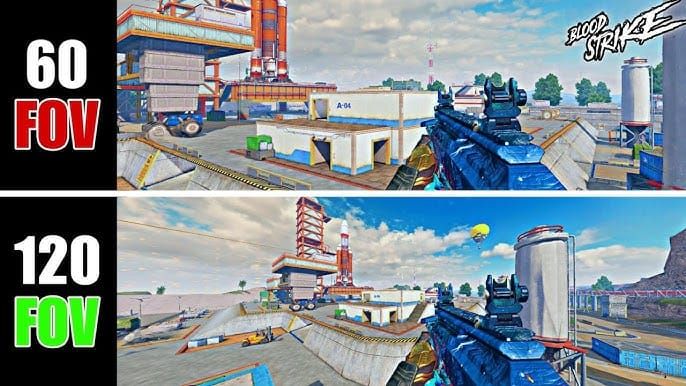
FOV Parameter: Creates an invisible cone from your crosshair defining detection area. Sniper profile FOV=30 creates narrow 30-degree cone for precise long-range shots. SMG profiles use FOV=90 for close-quarters chaos where enemies rapidly enter/exit view.
Smoothness Values: Control transition speed. Smoothness=5 creates abrupt, snappy corrections for erratic close-range targets. Smoothness=10 produces gradual adjustments preventing overcompensation at long range. Pros adjust based on natural mouse speed—faster aimers need higher smoothness.
Target Zone: Determines hitbox priority. Head targeting maximizes damage but requires exceptional placement. Chest targeting offers consistency via largest hitbox, reducing missed shots from vertical recoil. Limb targeting rarely used competitively except for partial cover scenarios.
Sticky Aim vs Standard Aim Assist
Standard aim assist provides uniform assistance regardless of proximity or movement patterns—adequate for casual play but lacks competitive responsiveness. When enemies change direction or cluster, standard configs often pull toward wrong targets.
Sticky aim uses dynamic FOV adjustment and context-sensitive smoothness adapting to engagement distance and target velocity. The bloodstrike_aim.exe tool enables this through profile switching hotkeys loading weapon-appropriate parameters instantly. Properly configured sticky aim feels like magnetic crosshair adhesion during critical moments while releasing during repositioning.
Performance impact: <3% frame rate reduction even on modest hardware. System injects after game loads, runs stealth mode avoiding anti-cheat detection.
December 2025 Update Changes
PC Early Access launched October 18, 2025; Steam full release March 13, 2025. Most significant change: zero aim assist in PC ranked modes, creating clear competitive distinction. Controller aim assist support arrived post-June 2025 with official parameters for gamepads, but differs substantially from mobile's aggressive built-in assistance.
Vito Gaming config released November 1, 2024 as CONFIG BLOOD STRIKE LESS RECOIL AIM ASSISTS V9.7z—community's most refined pre-release package introducing weapon-specific profiles.
Platform-Specific Variations
Mobile: Integrated aim assist independent of config.ini, calibrated for touchscreen with larger FOV and aggressive slowdown. Can't be disabled.
PC Ranked: Zero aim assist regardless of input method—pure mechanical skill required.
PC Casual: Permits aim assist tool usage.
OS Support: Windows 10/11 fully supported. macOS Monterey+ and Ubuntu 20.04+ functional but require additional config. BlueStacks/LDPlayer emulators enable mobile-style assist on PC.
Complete Configuration Menu Breakdown
Config.ini contains all adjustable parameters—requires manual text editor modification since Blood Strike lacks comprehensive in-game menus.
FOV Parameter Optimization
Default FOV=85: Balanced coverage for assault rifles at medium range, triggers when enemies occupy ~1/3 screen width.
Sniper FOV=30: Prevents premature activation during target acquisition. Narrow cone ensures engagement only when crosshair already near target, avoiding unintended pull.
Rifle FOV=60: Middle ground offering reliable medium-range assistance without aggression. Activates when enemies occupy ~20% screen space.
SMG FOV=90: Maintains assistance during close-quarters chaos. Wide cone tracks targets during aggressive flanking and unpredictable strafing.
Smoothness Values
Sniper Smoothness=10: Prevents jarring corrections disrupting precise long-range shots. Gentle guidance maintains smooth tracking for leading moving targets.
Rifle Smoothness=7: Optimal balance between responsiveness and fluidity. Quick corrections for strafing enemies without robotic feel.
SMG Smoothness=5: Rapid target acquisition for close-quarters where split-second reactions matter. Aggressive snap when enemies enter FOV.
Target Zone Strategy
Chest (Target=Chest): Most consistent for general play. Largest hitbox accommodates vertical recoil patterns.
Head (Target=Head): Maximizes damage, requires exceptional placement. Sniper profiles universally use this for one-shot potential.
Limb: Limited use—primarily for enemies behind partial cover.
Recoil Control: RecoilEnabled=True with Compensation=0.7 provides automatic pattern control. Higher values like 0.8 for high-recoil weapons.
Hotkey Configuration
Hotkey=Mouse5: Default toggle without interrupting gameplay. Essential for transitioning between scenarios.
Profile Switching: Load weapon-specific configs mid-match. Switching rifle to sniper instantly applies FOV=30, Smoothness=10, Target=Head.
Insert Key: Toggles overlay showing FOV cones and target acquisition status for debugging.
For premium content, recharge Blood Strike cheap at BitTopup delivers fast, secure transactions.
Pro Player Config Settings (December 2025 Meta)
Precision Aim Assist Tool
Sniper: FOV=30, Smoothness=10, Target=Head. Narrow cone for final aim refinement, high smoothness for smooth tracking, head targeting for one-shot kills.
Rifle: FOV=60, Smoothness=7, Target=Chest. Balanced medium-range performance, chest targeting for recoil accommodation.
Recoil Manager Integration
Default Compensation=0.7 for most weapons. RecoilComp=0.8 for high-recoil guns like AK-47. System analyzes current weapon, applies appropriate downward pressure during sustained fire.
Players with aggressive manual control should reduce compensation to prevent overcorrection. Those relying on system should increase values.
Profile Loader Weapon Categories
Auto-Loading: Sniper profiles load when equipping AWP (FOV=30, Smoothness=10, Target=Head). Rifle profiles for assault rifles (FOV=60, Smoothness=7, Target=Chest). SMG profiles for submachine guns (FOV=90, Smoothness=5, Target=Chest). System recognizes categories automatically within milliseconds.
Configuring Sticky Aim Settings
Initial Setup
Download Blood Strike Aim Assist package (bloodstrike_aim.exe + config.ini)
Extract to dedicated folder outside Program Files with full read/write access
Add folder to antivirus exclusion list before proceeding
Injection Process
Launch Blood Strike normally, wait for full main menu load
Run bloodstrike_aim.exe as administrator:
-game bloodstrike.exe-mode stealthInject after game fully loads (2-3 seconds for confirmation)
Config.ini Customization
Open config.ini with Notepad++ (avoid word processors)
Set baseline: FOV=85, Smoothness=7, Target=Chest
Create weapon profiles:
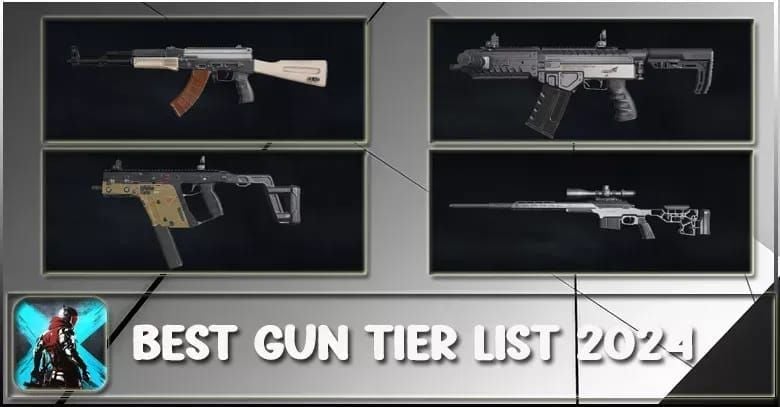
Sniper: FOV=30, Smoothness=10, Target=Head
Rifle: FOV=60, Smoothness=7, Target=Chest
SMG: FOV=90, Smoothness=5, Target=Chest
Assign unique hotkeys for profile switching
In-Game Verification
Press Insert for overlay confirming FOV cone and target zones

Enter training mode, test each weapon profile
Verify FOV cone size feels appropriate—adjust if activates too frequently/rarely
Test smoothness by tracking moving targets
Confirm target zone pulls toward intended hitbox
Weapon-Specific Optimization
Assault Rifle Strategy
FOV=60: Reliable assistance across versatile engagement range
Smoothness=7: Natural transitions complementing rifle handling
Target=Chest: Maximizes consistency, accommodates vertical recoil progressing chest to head
SMG Close-Range
FOV=90: Maintains assistance during chaotic close-quarters
Smoothness=5: Rapid acquisition for split-second reactions
Target=Chest: Reliability during sprays where precise headshot tracking impractical
Sniper Precision
FOV=30: Highly selective, engages only during final refinement
Smoothness=10: Gradual adjustments for smooth long-range tracking
Target=Head: One-shot elimination potential, demands excellent crosshair placement
Testing Your Configuration
Training Mode Protocol
Stationary targets: Fire controlled bursts at various ranges, verify appropriate activation and hitbox pull
Moving targets: Track laterally while firing continuously. Increase smoothness if leading targets, decrease if lagging
Rapid switching: Engage multiple targets quickly. Reduce FOV or increase smoothness if sticky between targets
Performance Metrics
Track across 10-match samples:
Headshot percentage
Overall accuracy
Kills per death
Range-specific accuracy: close (0-15m), medium (15-40m), long (40m+)
Document subjective feel alongside stats. Goal: assistance enhancing performance while feeling natural.
Advanced Techniques
Manual Micro-Adjustment Integration
Position crosshair near targets manually, let system handle final precision
Combine vertical recoil control with horizontal aim assist tracking
Override pull with firm manual input when needed (wrong target, reload)
Crosshair Placement Optimization
Keep crosshair at head level while navigating
Pre-aim common peek angles and high-traffic areas
Maintain engagement-ready positions during rotations (not ground/sky)
Common Mistakes and Fixes
Excessive FOV (>100)
Problem: Overly aggressive, pulls toward any peripheral enemy, feels intrusive.
Fix: Reduce to weapon ranges: 30 sniper, 60 rifle, 90 SMG. Test in 10-degree increments.
Smoothness Misconfiguration
Too Low (1-2): Robotic, jarring corrections disrupting natural flow.
Fix: Minimum 5 for SMG, 7 for rifle, 10 for sniper.
Too High (>15): Sluggish, lags behind movement.
Fix: Reduce until responsive while maintaining smooth transitions.
Incompatible Sensitivity Pairing
Problem: High sensitivity + aggressive aim assist = conflicting inputs, erratic movement.
Fix: Pair aggressive assist (low FOV/smoothness) with moderate/low sensitivity. Or pair subtle assist (high FOV/smoothness) with high sensitivity.
Platform-Specific Recommendations
Windows PC
Full support on Windows 10/11
Disable Game Mode and Xbox Game Bar (Settings > Gaming)
Configure Windows Defender exclusions for aim assist folder
macOS (Monterey+)
Requires disabling System Integrity Protection (SIP) for injection
Download macOS-specific packages (not Windows executables)
Expect reduced reliability vs Windows, occasional injection failures
Linux (Ubuntu 20.04+)
Requires Proton compatibility layers
Injection needs custom scripts handling Proton's process isolation
BlueStacks/LDPlayer emulators enable mobile-style assist but add input latency
FAQ
Best aim assist strength for 2025? Sniper: FOV=30, Smoothness=10. Rifle: FOV=60, Smoothness=7. SMG: FOV=90, Smoothness=5. Default FOV=85, Smoothness=7 for general use.
How to enable sticky aim in controller settings? Requires external tools, not in-game settings. Download Blood Strike Aim Assist package, extract, launch game, run bloodstrike_aim.exe as admin with-game bloodstrike.exe-mode stealth. Configure weapon profiles in config.ini.
Mobile vs PC aim assist differences? Mobile has built-in aggressive assist for touchscreen, can't be disabled. PC ranked enforces zero aim assist. PC casual permits external tools.
Why inconsistent aim assist? Check injection timing (after full load), sensitivity pairing, stable 60+ FPS. Verify config.ini syntax, antivirus not quarantining files.
Best sensitivity with high aim assist? High assist (low FOV/smoothness) pairs with moderate/low sensitivity. Start 400-800 DPI, 2.0-4.0 in-game for FOV <60.
Turn off aim assist in competitive? PC ranked auto-enforces zero assist. Casual modes: don't run bloodstrike_aim.exe or set FOV=0 in config.ini.