

Master audio settings in Arena Breakout Infinite for critical tactical advantage. Configure sound lock—Footsteps and Gunfire at 100%, Ambient at 0%, master volume 70-80%—to hear enemy footsteps during firefights. Premium headsets like GS2 or Commander A boost detection range 30%, while crouch-walking cuts your audible footprint 60%. These optimizations increase survival rate 30%.
Understanding Sound Lock Technology
Sound lock applies dynamic range compression to limit volume peaks while preserving low-volume audio cues. In Arena Breakout Infinite, gunfire won't drown out footsteps that reveal enemy positions.
The core challenge: massive decibel difference between weapon discharges and footsteps. Without proper config, your ears focus on loudest sounds—gunfire, explosions—while missing quieter tactical info. Footsteps occupy 1.4-1.8kHz spectrum; gunfire dominates broader frequencies.
For competitive loadouts and premium in-game headsets, Arena Breakout Bonds buy through BitTopup ensures fast, secure transactions.
Why Default Settings Fail
Default audio prioritizes realistic sound reproduction—gunfire produces overwhelming volume like real combat. This creates tactical disadvantage because human hearing can't process extreme volume differences simultaneously. When your weapon fires, peak volumes mask everything for several seconds, creating awareness blind spots.
Dynamic Range Compression Mechanics
Compression establishes a volume ceiling—sounds exceeding this threshold get reduced while quieter sounds remain unaffected or boosted. This balances audio so footsteps stay audible during gunfire. The compression ratio determines reduction aggressiveness.
Optimal compression preserves directional info and frequency characteristics of footsteps while preventing gunfire from causing audio blindness. Balance point: gunfire loud enough for tactical intel about enemy weapons/positions, but not overwhelming.
Season 2 Audio Changes
Ignition Season update (April 29, 2025) introduced audio engine modifications improving spatial accuracy and elevation detection in multi-story buildings. Weather effects refined—Northridge rain now muffles footsteps 60%+.
Arena Breakout Infinite patch (expected September 15, 2025) will further refine audio balancing based on competitive feedback.
Prerequisites: System and Hardware Setup
Windows Audio Configuration
Enable spatial audio: Sound Settings > Spatial Sound > Windows Sonic for Headphones. Improves elevation distinguishing 10x vs standard stereo.
Use stereo mode for game output, not virtual surround. Virtual surround introduces phase issues blurring positional info. Windows spatial audio + stereo game output = best balance.
Keep audio latency below 10ms for visual-audio sync. Check device properties, disable unnecessary enhancements causing delays.
Headset Requirements
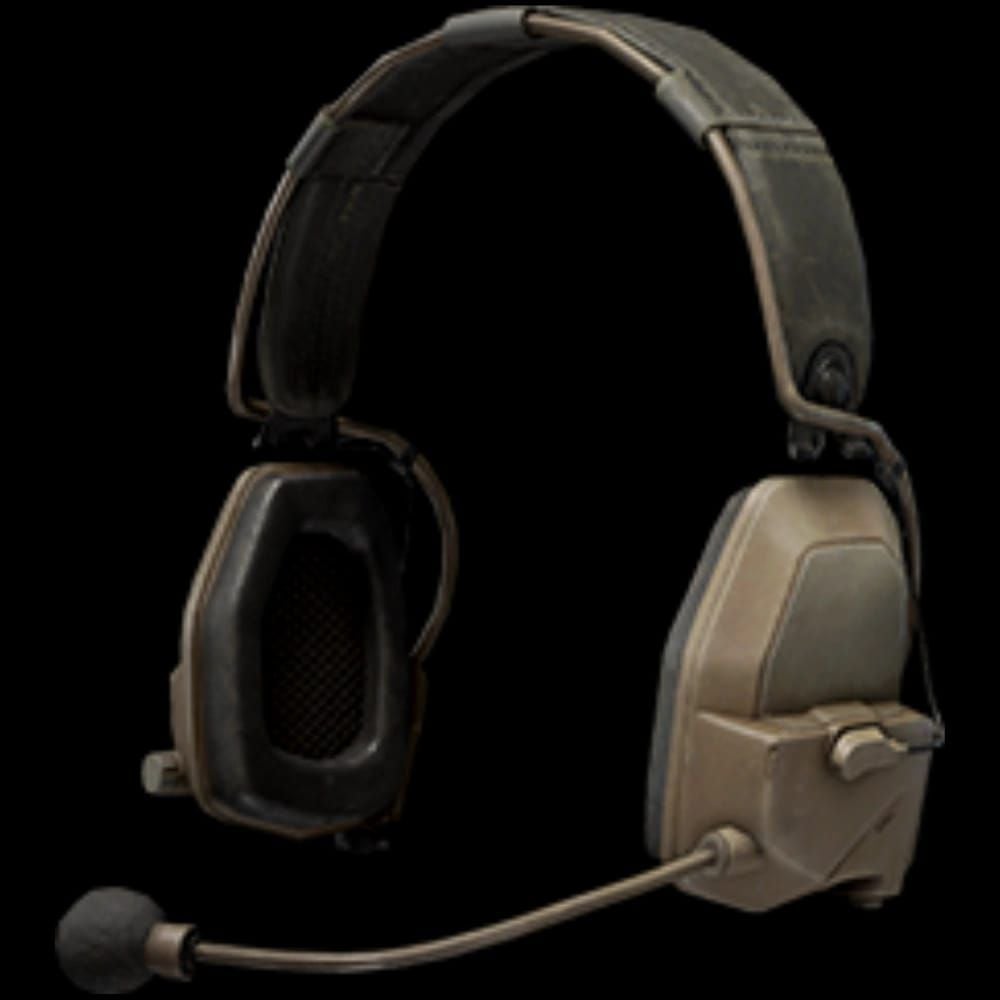
In-game headsets:
GS2: 0.8kg, strong pickup, 30% better detection range
Commander A: 0.7kg, strong reduction, 30% better performance, lighter weight
Z038: 0.65kg, medium pickup (budget option)
M32: 0.6kg, lower-tier
Com1: 0.4kg, weak pickup
Physical headphones: Closed-back design, 40mm+ drivers for bass extension (20Hz-100Hz) and midrange clarity (2kHz-8kHz). Open-back headphones leak sound and reduce bass impact.
Testing Your Setup
Reset audio sliders to default pre-raid for baseline. Test in safe area across surfaces—metal, concrete, wood, grass produce distinct signatures. Listen for clarity, directional accuracy, distance estimation.
Test in solo Northridge rain raids (60%+ footstep muffling). If you reliably hear footsteps through rain, settings are optimized.
Step-by-Step In-Game Audio Settings
Master Volume Configuration
Set master volume 70-80%. This range provides headroom while preventing distortion and ear fatigue. 70% = clear reproduction without distortion. 80% = more volume for quiet environments but risks overwhelming loud sounds.
Effects Volume and Category Balance
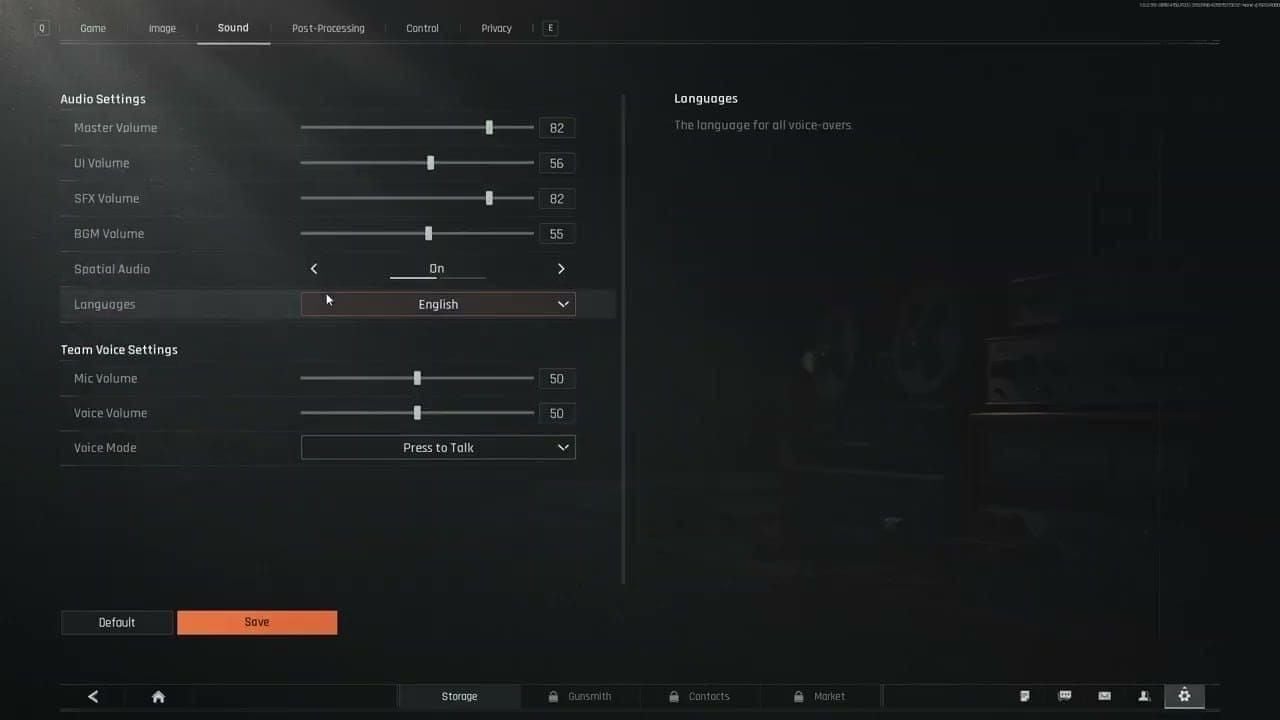
Footsteps: 100% - Maximizes enemy movement sounds
Gunfire: 100% - Maintains tactical info about weapon types, distances, directions. Compression handles balancing, not sliders
Ambient: 0% - Eliminates non-tactical environmental sounds (wind, birds, background noise)
Voice Chat Integration
Set voice chat slightly below game audio. Configure push-to-talk vs open mic to control when communication occurs. Position voice chat in separate audio channel if supported, or use software mixing for left-right balance.
For premium equipment and resources, top up Arena Breakout Infinite cheap at BitTopup provides competitive pricing with instant delivery.
Advanced Options
Boost EQ 1.4-1.8kHz range to emphasize footstep frequencies
Keep network latency below 50ms to prevent audio desync
Monitor connection quality for stable, low-latency networks
Footstep Detection Mastery
Surface Type Audio Signatures
Metal: Sharp, high-frequency clicks with pronounced resonance
Concrete: Mid-frequency thuds, less resonance
Wood: Hollow, lower-frequency sounds, variable pitch
Grass: Soft, muffled, minimal high-frequency content
Train recognition by moving across each surface type. Surface identification reveals enemy location—metal = industrial/catwalks, wood = buildings, concrete = urban/bunkers.
Distance Estimation
Maximum detection: 50 meters under ideal conditions.
10m: Crisp, clear, full frequency spectrum
25m: High frequencies attenuating, mid-range prominent
40m+: Only low-frequency components, muffled thuds
Practice with teammates at known distances, eyes closed. Develop mental benchmarks for 10m, 25m, 40m volumes.
Vertical Audio Positioning
Season 2 improvements make elevation detection reliable:
Above: More high-frequency content, thinner sound through ceiling
Below: Fuller sound with more bass through floor
TV Station and Northridge multi-story sections = excellent training environments.
Friendly vs Enemy Footsteps
Filter friendly footsteps by recognizing squad movement patterns/positions. Crouch-walking reduces volume 60%, audible only to 50m. Full-volume footsteps = enemies not using stealth. Quiet footsteps = tactical awareness.
Combat Scenario Audio Management
Maintaining Awareness During Firefights
Between bursts, pause fire 1-2 seconds to listen. Rhythm: shoot, pause, listen, shoot. Position with hard cover for listening pauses without exposure.
Hearing Flanking Enemies
Use short, controlled bursts vs sustained auto fire. Burst firing creates gaps for footstep sounds, improves accuracy and ammo efficiency.
Sound Masking Counter-Tactics
Assume enemies use gunfire to mask movement. Periodically check flanking angles even without definitive footsteps.
Northridge rain (60%+ muffling) = aggressive movement more viable. Quiet indoor environments = slow methodical movement maximizes audio advantage.
Map-Specific Audio Strategies
Northridge Vertical Complexity
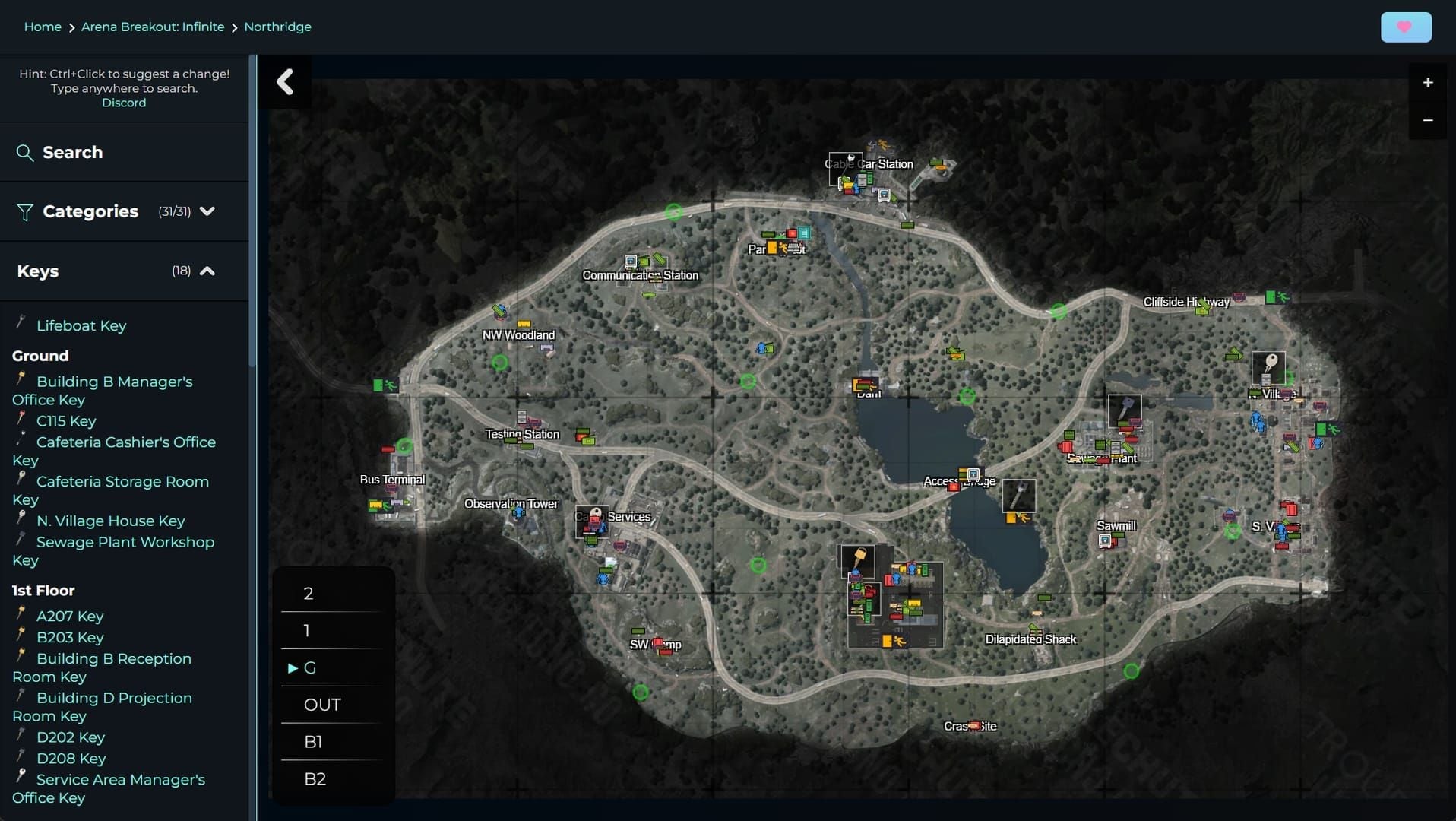
Lv11 designation = advanced complexity with elevation changes. Rain muffles footsteps 60%+.
During rain: rely on visual confirmation, focus audio on close-range threats within 20m. Use rain as cover for aggressive repositioning.
High-Traffic Zones
Distinguish distant transitional footsteps (consistent volume/direction) from close tactical footsteps (variable volume, pauses, direction changes).
Position slightly outside zones to hear players entering/exiting without chaotic center audio.
Troubleshooting Common Issues
Audio Crackling/Distortion
Update audio drivers to latest version
Increase buffer size in device settings
Reduce master volume 80% to 70%
Close background apps consuming audio resources
Footsteps Still Inaudible
Verify in-game headset equipped (GS2/Commander A)
Test different physical headphones
Ensure headphones meet specs: bass 20Hz-100Hz, midrange 2kHz-8kHz
Season 2 Bugs
Intermittent audio dropout: verify game files or reinstall audio components. Reset sliders to default, restart game, reconfigure. Monitor patch notes for acknowledged issues.
Advanced Tactics for Competitive Play
EQ Profiling
Boost 1.4-1.8kHz range for footstep emphasis (max +6dB to avoid distortion). Slightly reduce below 100Hz (2-3dB) to minimize rumble while maintaining weapon bass.
Audio Cue Priority System
Mental hierarchy:
Immediate-range footsteps (0-15m): Instant reaction
Mid-range footsteps (15-35m): Tactical assessment
Distant gunfire: General threat direction
Ambient sounds: Contextual info
Distinguish actionable audio (close footsteps, reloads, grenade pins) from informational audio (distant firefights).
Squad Communication Protocol
Concise callouts: Two north stairs vs lengthy descriptions. Implement audio check periods—5-10 seconds radio silence for coordinated listening, especially after firefights or entering new areas.
Measuring Audio Advantage
Track survival rate over 20+ raids. 30% boost should manifest as measurable gains. Record sessions, review for moments where audio info was available but unused. Identify gaps between detection and tactical application.
Maintaining Your Audio Setup
Regular Verification
Pre-session check: master 70-80%, Footsteps 100%, Gunfire 100%, Ambient 0%. Equip preferred headset (GS2/Commander A) pre-raid. Test audio in safe area across surfaces.
Adapting to Updates
Monitor patch notes for audio engine changes. September 15, 2025 patch may require recalibration. After major updates, repeat baseline testing, compare to benchmarks, make incremental adjustments. Document settings and changes.
Hardware Maintenance
Clean headphone drivers periodically
Inspect cables for damage
Replace worn ear pads affecting acoustic seal
Update audio drivers quarterly
FAQ
What are optimal audio settings for hearing footsteps? Footsteps 100%, Gunfire 100%, Ambient 0%, master volume 70-80%. Maximizes footstep prominence while maintaining gunfire tactical info.
Which in-game headset is best? GS2 (0.8kg) and Commander A (0.7kg) both provide 30% better detection range. Commander A offers better weight-to-performance ratio.
How much does crouch-walking reduce noise? 60% volume reduction, limits detection to ~50m maximum. Essential for stealth but sacrifices movement speed.
Does rain affect footstep detection? Northridge rain muffles footsteps 60%+, dramatically reducing range/clarity. Rely on visual confirmation and close-range audio within 20m.
Stereo or surround sound? Stereo mode for game output + Windows spatial audio in system settings. Provides 10x better elevation distinguishing, avoids virtual surround phase issues.
How to hear enemies during firefights? Footsteps and Gunfire both at 100% allows compression to balance volumes. Use burst firing for audio gaps, position with hard cover for listening pauses.
Maximize Arena Breakout survival with premium audio gear and in-game currency. Visit BitTopup for instant Koen top-ups and exclusive gaming bundles. Secure transactions, instant delivery, 24/7 support.