

Arena Breakout Mobile's S11 Dust to Gold beta allows emulator play with specific configurations for account safety. This guide covers hardware requirements (4GB RAM minimum, 1920x1080 resolution), sensitivity conversion formulas, optimal keybinds, and ban-risk mitigation. The non-wipe beta preserves Bonds, Koens, and Operator Level while wiping stashes during December 18 maintenance, making proper emulator setup critical for competitive advantage.
Understanding S11 Emulator Compatibility
S11 Non-Wipe Beta and Emulator Value
Season 11 introduces partial preservation: keeps Bonds, Koens, Hideout upgrades, Operator Level, quest progress, skins, and outfits. Wipes Season Supplies, stashes, and faction reputation. This makes the December 11-17 preparation window crucial before matchmaking stops December 17 at 23:00 UTC+0.
Maintenance runs December 18, 00:00-10:00 UTC+0 (typically 4-6 hours). Emulator users gain precise mouse aiming and customizable keybinds when properly configured. Season duration: 90-120 days.
For maximizing preserved currency, Arena Breakout Mobile bonds top up through BitTopup ensures instant delivery with competitive pricing.
Official Developer Stance
Anti-cheat distinguishes legitimate emulator play from prohibited third-party tools. Android emulators running mobile client are tolerated; PC-native versions trigger penalties.
Critical distinction: input method detection. Anti-cheat monitors macro patterns, automated scripts, and superhuman input speeds. Standard keyboard-mouse through Android emulators passes checks with natural timing. Programmable macros for recoil control or inventory management trigger account flags.
Emulator vs Mobile: Advantages and Limitations
Advantages:
Mouse targeting allows granular adjustments impossible on touchscreen
Dedicated keys for equipment/medical items reduce reaction time by 200-400ms
Superior long-range precision with DMRs and snipers
Limitations:
Frame pacing inconsistencies create micro-stutters during firefights
Virtualization adds 5-15ms baseline latency vs direct mobile connections
Better for methodical positioning than aggressive close-quarters combat
Safe Emulator Setup: Installation Fundamentals
System Requirements
Minimum specs prevent ban triggers:
4GB RAM minimum (8GB recommended)
Allocate exactly 4GB RAM to emulator (6GB causes crashes)
10GB free storage
Administrator privileges required
1920x1080 resolution, 60 FPS minimum
4 CPU cores allocated
Lower resolutions trigger device fingerprint mismatches. Frame rates below 60 create suspicious input timing anomalies.
Graphics Configuration
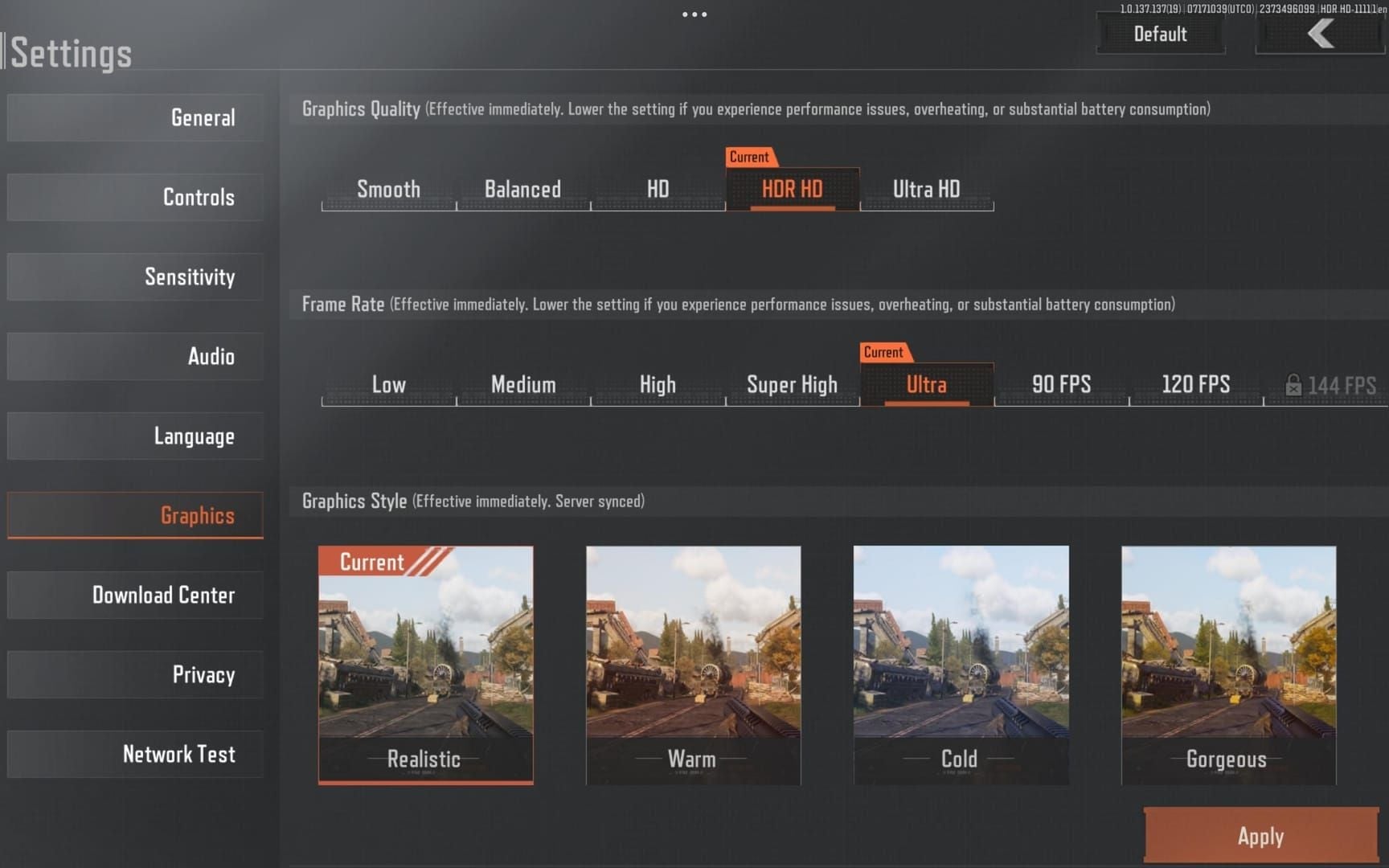
Settings that match mid-range mobile devices:
Texture Quality: Medium
Shadow Quality: Low
Effects Quality: Medium
Anti-Aliasing: FXAA (not MSAA/TAA)
Render Distance: High
Motion Blur: Disabled
Depth of Field: Disabled
FPS Counter: Enabled
Low-end systems: reduce to 1280x720 at 30 FPS. Consistent performance matters more than high settings.
DNS Configuration
Use Google DNS (8.8.8.8 and 8.8.4.4) or Cloudflare DNS (1.1.1.1 and 1.0.0.1). These match legitimate mobile traffic patterns.
Avoid VPNs during gameplay. Anti-cheat cross-references login locations with account history. Sudden geographic shifts plus emulator fingerprints create high-risk profiles.
Keybind Configuration for Competitive Play
Movement and Combat Controls
Core bindings:
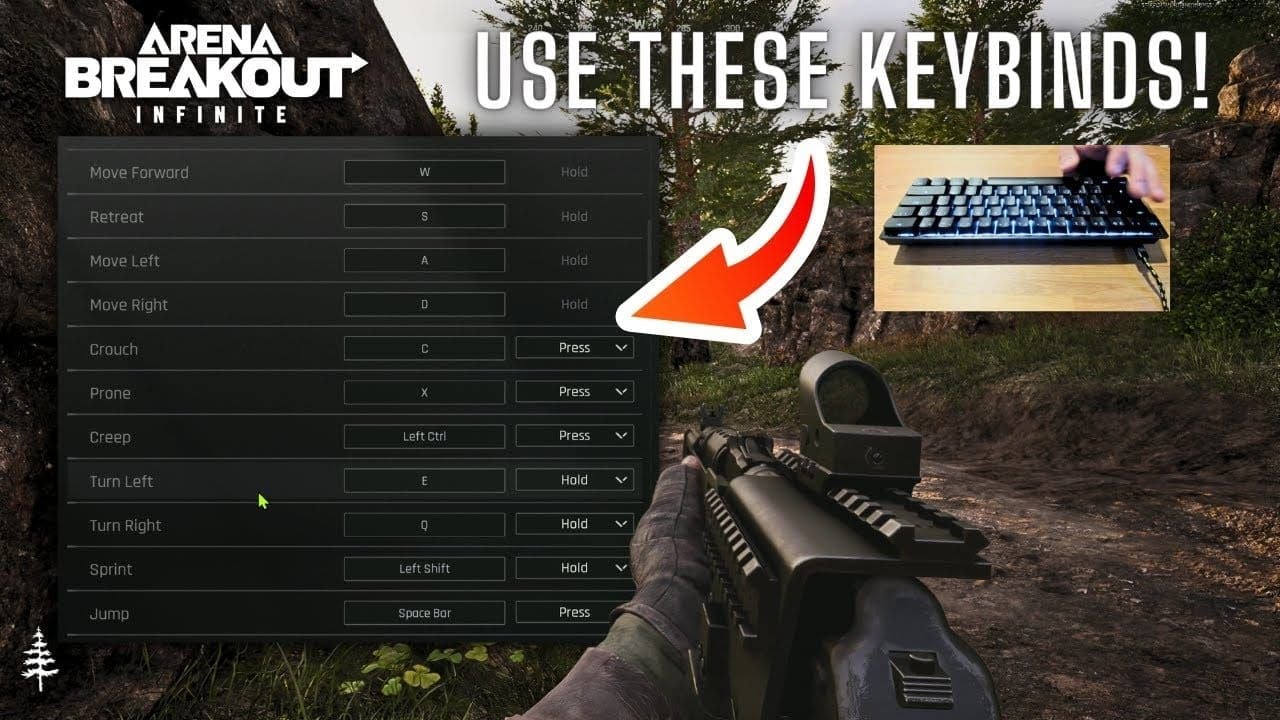
WASD: Movement
Left Shift: Sprint
Left Ctrl: Crouch
Spacebar: Jump
Left Mouse: Primary fire
Right Mouse: ADS
R: Reload
Mouse Wheel: Weapon switch
Q: Left lean
E: Right lean
Leaning reduces exposure profile by ~40% while maintaining full firing capability.
Tactical Equipment and Inventory
Equipment bindings:
G: Grenade
V: Melee
F: Tactical equipment (flashbangs/smoke)
Medical items (numerical sequence):
4: Medkit
5: Bandage
6: Painkillers
7: Surgical kit
Standard bindings:
M: Map
Tab: Inventory
Sensitivity Matching: Mobile-to-Emulator Conversion
Conversion Formula
(Mobile Sensitivity ÷ Mouse DPI) × 1000
Example: 100 mobile sensitivity with 800 DPI mouse = 125 emulator sensitivity.
Most competitive players use 400-800 DPI for balance between precision and maneuverability.
Weapon-Specific Adjustments
SMGs/Close-quarters: +10-15% above baseline for faster target acquisition
Rifles/DMRs: Baseline sensitivity for balanced tracking and flick shots
Sniper rifles: -20-30% reduction for precise long-range shots
Testing in Farm Raids
Focus on 50-meter engagements initially. Track first-shot accuracy across 20-30 engagements. Adjust in 5-point increments:
Consistent overshooting = excessive sensitivity
Undershooting = insufficient sensitivity
Target: 70%+ first-shot accuracy at 50 meters
For funding testing sessions, buy Arena Breakout Mobile bonds recharge online through BitTopup's secure platform.
Ban-Risk Myths Debunked
Myth 1: All Emulator Users Face Automatic Bans
False. Anti-cheat targets behavioral patterns, not emulator detection. Thousands use Android emulators without incident by maintaining natural input patterns and avoiding prohibited tools.
Bans occur when combining emulator use with macro software, input automation, or modified game files.
Myth 2: Emulator Advantages Constitute Unfair Play
Developer tolerance indicates acceptance of input method diversity. Mobile players retain portability and lower latency advantages. Professional mobile players compete effectively against emulator users—skill outweighs input method.
Myth 3: Macros Remain Undetectable
Dangerous misinformation. Modern anti-cheat analyzes input timing at microsecond precision, identifying mathematical consistency impossible in human input. Even randomized delay macros exhibit distinct statistical distributions.
Recoil control macros show perfect compensation patterns. Human management shows variable over/under-correction; macros maintain impossible consistency.
Actual Ban Triggers
Modified game files
Memory injection tools
Packet manipulation software
Automated input systems
Sudden performance anomalies (mobile fingerprints switching to emulator characteristics)
Multi-factor analysis requires multiple red flags before enforcement.
Performance Optimization for S11 Beta
Audio Configuration
Master Volume: 70-80%
Effects Volume: 100% (footstep detection)
Gunfire Volume: 90%
Voice Chat: 60%
Music: 0% (disabled)
Memory Allocation
Allocate exactly 4GB RAM. Monitor usage during raids—consistent 90%+ usage indicates insufficient allocation. Close background applications consuming network bandwidth or CPU resources.
Network Latency Optimization
Wired Ethernet: 15-30ms lower latency than WiFi, eliminates packet loss.
Router QoS: Prioritize Arena Breakout traffic. Latency spikes above 150ms cause rubber-banding that resembles teleportation hacks.
Non-Wipe Beta Strategy: Maximizing Retention
Preservation Mechanics
Preserved (60-70% account value):
Bonds, Koens
Hideout upgrades
Operator Level
Quest progress
Skins, outfits
Wiped:
Stash contents
Season Supplies
Faction reputation
Bonds convert to Koens at 1:1000-1500 ratios (1000 Bonds = 1-1.5 million Koens).
Strategic Currency Conversion
Sell non-essential gear during December 11-17: weapons you rarely use, redundant armor, excess medical supplies. This liquidation increases preserved wealth by 40-60%.
Prioritize Hideout upgrades providing permanent bonuses. Focus on production facilities and storage expansions.
Resource Management During Testing
Use beta phase to test expensive loadouts without long-term consequences. Document successful combinations and strategies. Knowledge gained provides competitive advantages when S11 launches.
Advanced Emulator Tips
Recoil Control Techniques
Use small discrete movements timed to weapon fire rate—creates staircase pattern vs smooth diagonal compensation.
Weapon-specific patterns:
AK-series: Aggressive initial compensation + horizontal adjustments
M4-platform: Consistent downward pressure + minimal horizontal correction
Inventory Management Hotkeys
Bind frequently-accessed slots to F1-F4 for instant equipment access. Create muscle memory sequences:
Tab → Click Weapon → R-Click → Unload for emergency ammunition recovery
Optimized workflows reduce inventory time by 50-70%.
Communication Shortcuts
Bind push-to-talk to Mouse Button 4/5 or Caps Lock. Configure text macros for location callouts, enemy counts, and tactical suggestions.
FAQ
Is using an emulator for Arena Breakout S11 safe from bans?
Android emulators running official mobile client are tolerated without macros, modified files, or automation. Use recommended DNS (8.8.8.8 or 1.1.1.1) and avoid PC-native emulators. Maintain natural input patterns.
How do I calculate correct sensitivity when switching from mobile?
Formula: (Mobile Sensitivity ÷ Mouse DPI) × 1000. Example: 100 mobile sensitivity with 800 DPI = 125 emulator sensitivity. Adjust by weapon: +10-15% SMGs, baseline rifles, -20-30% snipers. Test in Farm raids, refine in 5-point increments until 70%+ first-shot accuracy.
What progress carries over after December 18 wipe?
Preserves: Bonds, Koens, Hideout upgrades, Operator Level, quest progress, skins, outfits. Resets: Stashes, Season Supplies, faction reputation. Convert excess gear to Koens during December 11-17.
What are minimum system requirements?
4GB RAM minimum (8GB recommended), 10GB storage, 1920x1080 resolution, 60 FPS. Allocate exactly 4GB RAM (6GB causes crashes), 4 CPU cores, administrator privileges. Graphics: Medium textures, Low shadows, FXAA anti-aliasing, disable Motion Blur.
Can macros be used safely with emulators?
No. Anti-cheat detects macro patterns through microsecond-precision timing analysis. Even randomized macros show impossible statistical distributions. Recoil macros trigger immediate flags. Any automation creates permanent ban risk.
What emulator settings prevent detection?
1920x1080 resolution, 60+ FPS, Texture Medium, Shadow Low, Effects Medium, Anti-Aliasing FXAA, Render Distance High. Disable Motion Blur/Depth of Field. Use Google DNS (8.8.8.8) or Cloudflare DNS (1.1.1.1). Allocate 4GB RAM, 4 CPU cores. Avoid VPNs, maintain consistent login locations.