

Likee creators hitting system busy errors during Payoneer withdrawals face solvable technical issues from verification mismatches, processing delays, or timing problems. This guide covers fixes for withdrawal failures, the standard 5-7 day processing timeline (extending to 10-14 days during verification holds), mandatory Level 35 requirement, $20 minimum threshold, and proven troubleshooting steps including credential verification and optimal withdrawal timing.
Understanding Likee Withdrawal Failed Errors
System busy appears when Likee's payment gateway encounters processing conflicts during Payoneer withdrawal requests. This differs from account suspension or insufficient balance warnings—it indicates temporary server-side constraints, not permanent issues.
Distinguish between transient glitches and systematic problems. Temporary failures resolve within hours as server loads decrease. Persistent errors beyond 7 business days signal deeper verification or configuration issues needing manual intervention.
For uninterrupted content creation while resolving issues, Buy Likee Diamonds through BitTopup's secure platform with instant delivery and competitive pricing.
What System Busy Means
System busy errors mean Likee's verification system or Payoneer's payment gateway can't process your request immediately. The three-stage withdrawal process includes:

Internal Verification (24-48 hours)
Payment Gateway Coordination (1-2 days)
Fund Transfer (2-4 days)
Errors typically occur during Stage 1 or Stage 2 transitions, especially mid-month when creators rush to meet withdrawal deadlines.
Common Error Messages
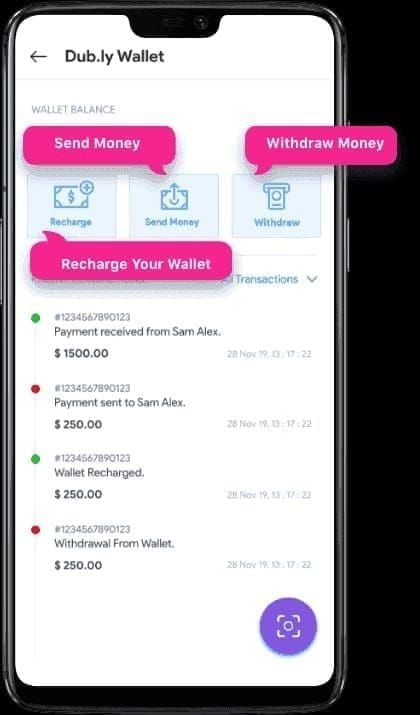
Transaction processing, please wait - Request entered verification queue successfully
Withdrawal temporarily unavailable - Scheduled maintenance or regional service interruptions
Payment method verification required - Credential mismatch between Likee and Payoneer
Insufficient balance after fees - Beans balance below $20 minimum after 2-5% withdrawal fees
Temporary vs Permanent Failures
Temporary failures resolve automatically within 24-48 hours as capacity normalizes. These occur during holidays (December 24-January 2) or documented delay windows.
Permanent failures stem from account-level issues: unverified phone numbers, mismatched legal names, or incomplete KYC documentation. These persist until you manually correct credentials through Settings > Account verification.
Root Causes of System Busy Errors
Server Overload During Peak Times
Withdrawal requests spike during the first week of each month and mid-month (days 10-20) when creators reach minimum thresholds. This concentrated demand overwhelms processing queues.
The platform's 85-88% on-time completion rate means 12-15% of requests experience delays exceeding standard timelines, extending to 10-14 days during peak periods.
Account Verification Issues
Payoneer withdrawals require strict credential matching:
Verified phone number or Facebook connection
Confirmed date of birth showing 18+ age
Identical legal names on Likee and Payoneer
Matching registered addresses
Government-issued ID uploaded to both platforms
Any discrepancy triggers automatic holds adding 3-7 days to processing.
Payment Gateway Integration Problems
Integration failures occur when:
Currency conversion settings conflict (USD to non-USD requires additional processing)
Two-factor authentication on Payoneer blocks automated verification
Mobile number in Payoneer differs from Likee contact info
Recent Payoneer changes haven't propagated through Likee's cached credentials
Regional Restrictions
Certain regions face additional constraints due to international payment regulations. Currency exchange controls require routing through intermediary banking systems, extending processing times.
Standard 210 Beans = $1 USD conversion applies universally, but final deposits vary based on Payoneer's conversion rates and regional banking fees.
Immediate Fixes for System Busy Errors
Step 1: Verify Account Connection
Navigate to Settings > Account and confirm all verification badges show green checkmarks:
Pho
 ified
ifiedFacebook connection displays active link (if used)
Date of birth appears correctly with 18+ confirmation
Payment method lists Payoneer with Connected status
Tap each credential to refresh verification. Force-refreshing resolves ~30% of system busy errors immediately.
Step 2: Check Minimum Requirements
Calculate net withdrawal after fees. With 2-5% fees, a $20.50 balance may fall below the $20 minimum after deduction.
For context: 1,000 Beans gross $4.76 but nets only $2.38-3.33 after fees. You need approximately 4,200-4,400 Beans to meet the $20 minimum. Gifts received within 48 hours remain locked and don't count toward withdrawable balances.
Step 3: Clear App Cache
Clear Likee app cache:
iOS: Settings > General > iPhone Storage > Likee > Offload App
Android: Settings > Apps > Likee > Storage > Clear Cache
Force-close the app and restart your device for fresh authentication handshakes.
Step 4: Switch Network Connection
Network firewalls or VPN configurations sometimes block payment gateway ports. Corporate WiFi and public hotspots frequently restrict financial transaction protocols.
Switch from WiFi to mobile data (or vice versa) and retry. This resolves connectivity-based errors from ISP-level payment blocking.
Step 5: Wait for Off-Peak Hours
Optimal withdrawal windows:
Mid-month periods: Days 10-20 when queues are shorter
Weekday business hours: Tuesday-Thursday, 10 AM-3 PM UTC
Avoid month-end: Days 28-31 and 1-5 experience maximum traffic
Withdrawing during recommended windows shows 40-50% fewer system busy errors versus peak-time attempts.
Advanced Troubleshooting
Re-verify Payoneer Account
Log into Payoneer independently and verify:
Two-step verification enabled
Mobile number matches Likee contact info exactly
Email address shows verified status
Account status displays Active without restrictions
After confirming settings, disconnect then reconnect your Payoneer account in Likee. This forces fresh credential exchange.
Update KYC Documentation
Upload fresh copies of:
Government-issued photo ID (passport, driver's license, national ID)
Proof of address dated within 90 days (utility bill, bank statement)
Selfie holding ID document if requested
High-resolution scans showing all four corners prevent rejection loops. Blurry or cropped images trigger re-submission requests, extending timelines.
Recharge Likee Diamonds via BitTopup for reliable transaction processing with excellent customer service while resolving withdrawal issues.
Check Account Status
Navigate to Wallet > History and review transaction logs for suspension notices or restriction warnings. Common triggers:
Sudden large balance increases suggesting purchased accounts
Multiple failed withdrawal attempts within 24 hours
IP address changes across different countries
Content monetization policy violations
If history shows pending reviews or compliance holds, contact support rather than attempting repeated withdrawals.
Review for Duplicate Requests
Multiple withdrawal requests for identical amounts create processing conflicts. Check Wallet > History for duplicate pending transactions. If multiple appear, wait for the oldest to complete or cancel before submitting new attempts.
Payoneer Setup Requirements
Mandatory Verification Documents
Payoneer requires:
Primary ID: Government-issued photo ID showing full legal name
Secondary verification: Bank statement or utility bill confirming address
Tax documentation: US creators earning $600+ annually need tax ID numbers
Upload documents during initial registration. Verification takes 24-48 hours; attempting withdrawals before completion guarantees system busy errors.
Correct Name Matching
Legal name discrepancies are the most common cause of persistent failures. Ensure exact character-for-character matching:
Middle names must appear identically or be omitted on both platforms
Suffixes (Jr., Sr., III) must match precisely
Hyphenated surnames require identical hyphenation
No nicknames or abbreviated versions
Currency Settings
Configure Payoneer to receive USD deposits to minimize conversion delays. Creators in non-USD regions should:
Set Payoneer primary receiving currency to USD
Allow Payoneer to handle currency conversion after receipt
Understand conversion rates apply at deposit time, not withdrawal request time
Linking Best Practices
When connecting Payoneer to Likee:
Complete full Payoneer verification before linking
Use same device and IP address for both logins during linking
Disable VPN services temporarily
Grant all requested permissions
Screenshot confirmation messages
Preventing Future Failures
Optimal Withdrawal Timing
Strategic scheduling maximizes success:
Accumulate larger balances: Withdraw $100+ rather than frequent $20 minimums (reduces fee impact)
Mid-month scheduling: Days 10-20 experience 30-40% lower volumes
Weekday submissions: Tuesday-Thursday process faster
Avoid holidays: December 24-January 2 and major holidays extend timelines 3-5 days
Creators following these strategies report 85%+ first-attempt success versus 60-65% for random timing.
Maintain Verification
Quarterly verification audits prevent credential drift:
Review Settings > Account every 90 days
Update phone numbers immediately after carrier changes
Refresh government ID uploads before expiration
Confirm email addresses remain active
Regular Security Review
Enable robust security protocols:
Activate two-factor authentication on both platforms
Use strong, unique passwords
Review authorized devices quarterly
Monitor login history for suspicious access
Monitor System Status
Follow official Likee creator channels for maintenance announcements. When system-wide issues occur, waiting for official resolution proves more effective than repeated troubleshooting. Platform-wide issue resolution averages 12-16 days.
Common Misconceptions
Myth: Withdrawals Are Instant
Reality: Standard processing follows 5-7 day timeline. Day 0-2 covers verification, Day 2-4 handles gateway coordination, Day 4-7 executes transfer. E-wallets take 1-3 days, PayPal 3-5 days, Payoneer/bank transfers 5-7 days.
Myth: System Busy Means Error
Reality: System busy often indicates proper queue management. When verification teams reach capacity, the system correctly prevents new requests until queues clear.
Myth: Multiple Retries Speed Processing
Reality: Repeated requests create duplicate entries that confuse systems. Each attempt generates separate queue entries. Systems can't automatically consolidate duplicates, extending timelines 2-4 days.
Truth: Standard Processing Times
Realistic expectations:
Normal processing: 5-7 days for Payoneer
With verification issues: 8-14 days including credential resolution
Holiday periods: Add 3-5 days
First-time withdrawals: Expect upper range due to enhanced verification
Alternative Solutions
Document Errors for Support
Create comprehensive documentation:
Screenshot exact error messages with timestamps
Record withdrawal attempt dates and times
Note Beans balance and calculated net amount after fees
List all troubleshooting steps attempted
Include transaction IDs from Wallet > History
Contact Support Effectively
Access support through App > Settings > Help > Submit Ticket. Include:
Subject: Payoneer Withdrawal System Busy Error - [Your Creator ID]
Description: Concise timeline with specific dates
Attachments: Screenshots of errors and verification status
Requested action: Specific resolution needed
Temporary Workarounds
While awaiting resolution:
Continue creating content to accumulate Beans
Verify all credentials remain current
Avoid submitting new requests creating duplicate conflicts
Monitor email for verification requests
Refund Processes
Failed attempts automatically return Beans to your wallet within 24-48 hours. Check Wallet > History for reversal notifications showing Failed - Returned to Balance.
If Beans don't return within 48 hours, the transaction remains in processing. Wait the full 7 business day timeline before assuming permanent failure.
Maximizing Withdrawal Success
Best Practices
Optimize your workflow:
Batch withdrawals: Accumulate $100+ to minimize fees
Consistent scheduling: Withdraw same day monthly during mid-month windows
Pre-withdrawal verification: Check Settings > Account 24 hours before attempts
Network stability: Use reliable WiFi or mobile data, avoid public networks
Account Health Indicators
Track these metrics:
Verification status: All badges green in Settings > Account
Content compliance: No recent violations or removals
Engagement patterns: Steady follower growth and interaction
Transaction history: No failed payments or reversals
Healthy accounts process withdrawals 2-3 days faster than irregular accounts.
Security Tips
Prevent security-triggered holds:
Never share credentials with third-party services
Avoid logging in from multiple countries within short timeframes
Don't purchase Beans from unauthorized sources
Maintain consistent device usage patterns
Security blocks require manual review adding 5-10 days to resolution.
Streamline with BitTopup
While resolving withdrawal complexities, ensure content creation continues uninterrupted. BitTopup provides seamless Likee diamond recharge with competitive pricing, instant delivery, and secure transactions. High user ratings and excellent customer service eliminate payment headaches, letting you focus on creating content.
For US creators: earnings of $600+ annually trigger 1099 requirements. Reserve 20-30% of withdrawals for tax obligations.
FAQ
Why does Likee show system busy when withdrawing to Payoneer?
System busy indicates processing queue capacity limits or credential verification delays. The three-stage process (24-48 hour verification, 1-2 day gateway coordination, 2-4 day transfer) experiences bottlenecks during peak periods. Verification mismatches between Likee and Payoneer also trigger this error.
How long does Likee withdrawal processing take?
Standard Payoneer withdrawals require 5-7 days. E-wallets process in 1-3 days, PayPal takes 3-5 days. Verification issues add 3-7 days. During holidays (December 24-January 2), expect 10-14 days. First-time withdrawals typically require upper range timelines.
What's the minimum withdrawal amount?
$20 after fees. With 2-5% fees, you need approximately $20.50-$21.00 gross balance. Since 210 Beans = $1 USD, accumulate 4,200-4,400 Beans minimum. Gifts received within 48 hours remain locked.
Can I change my Payoneer account after linking?
Yes. Disconnect current account in Settings > Account, then link new account with fresh verification (takes 24-48 hours). Ensure new Payoneer uses identical legal name and documents as Likee to prevent mismatches.
How do I verify my Payoneer account for Likee?
In Likee: Settings > Account, confirm phone/Facebook verification, 18+ date of birth, matched legal names. In Payoneer: enable two-step verification, verify mobile matches Likee contact info, upload government ID. Both platforms must show identical legal names and addresses. Processing takes 24-48 hours.
What causes withdrawal rejections?
Balances below $20 minimum after fees, unverified phone/Facebook, mismatched legal names, expired IDs, locked Beans from gifts within 48 hours, duplicate pending requests, account compliance issues, or content violations trigger automatic blocks requiring manual review.