

Access Blood Strike's Latin American servers for potentially easier matchmaking while optimizing your connection. Learn the official server transfer process (available since October 2023), proven ping reduction techniques cutting latency by 10-20ms, and network optimization strategies for stable sub-50ms connections. Covers firewall configuration to VPN routing for optimal LATAM server performance.
Understanding Blood Strike Server Regions and LATAM Advantages
Blood Strike's LATAM server became officially accessible October 28, 2023, at 00:00 UTC-6. The transfer system preserves Gold, Character Level, Permanent Vault Items, Weapon Level, Strike Pass progress, Rep, Ranked progress, Ace Shooter Points, Titles, Personal Info, Nicknames, and Friends List.
For instant resource delivery, use Blood Strike Gold top up through BitTopup for immediate weapon upgrades and battle pass access.
What Are LATAM Servers in Blood Strike?
LATAM servers are game instances hosted in Latin American data centers, serving South America, Central America, and surrounding regions. They operate independently with separate player pools, leaderboards, and matchmaking queues. Optimal for players in Brazil, Argentina, Mexico, Chile, and Colombia.
Why LATAM Lobbies Are Considered Easier
Smaller regional player pools can create broader skill range matching during off-peak hours, potentially producing lobbies with varied player abilities. Actual difficulty varies by time of day, player population, and individual skill rating.
Peak activity: 18:00-23:00 South American time zones. Off-peak periods may result in longer queues and broader skill matching.
Player Skill Distribution Across Regions
Each regional server maintains distinct competitive ecosystems. LATAM's competitive landscape continues evolving as the player base grows. Players from highly competitive regions may find different pacing and strategy preferences.
Prerequisites: What You Need Before Switching
Minimum System and Network Requirements
Expected ping ranges:
Within LATAM region: Under 50ms optimal
North America: 100-130ms
Europe: 88-120ms
Wired Ethernet reduces ping by 10-20ms vs Wi-Fi. When wireless is necessary, use 5GHz bands over 2.4GHz.
Understanding Ping and Latency Basics
Ping measures round-trip time in milliseconds (ms). Lower = better responsiveness. Maintain packet loss under 1% for smooth gameplay without rubber-banding or hit registration issues.
Acceptable Ping Ranges for Competitive Play
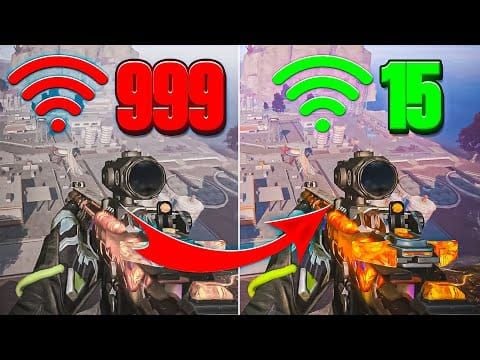
LATAM region: Under 50ms
Europe to LATAM: 88-120ms
North America to LATAM: 100-130ms
Minimum from distant regions: Rarely below 90ms
Account Status and Region Lock Considerations
Access transfer via Main Menu → Settings → Customer Service → Apply for server transfer. Transfers restricted to Latin American Server only. All progress data carries forward.
Step-by-Step Guide: How to Access Blood Strike LATAM Servers
Method 1: In-Game Server Selection (Native Approach)
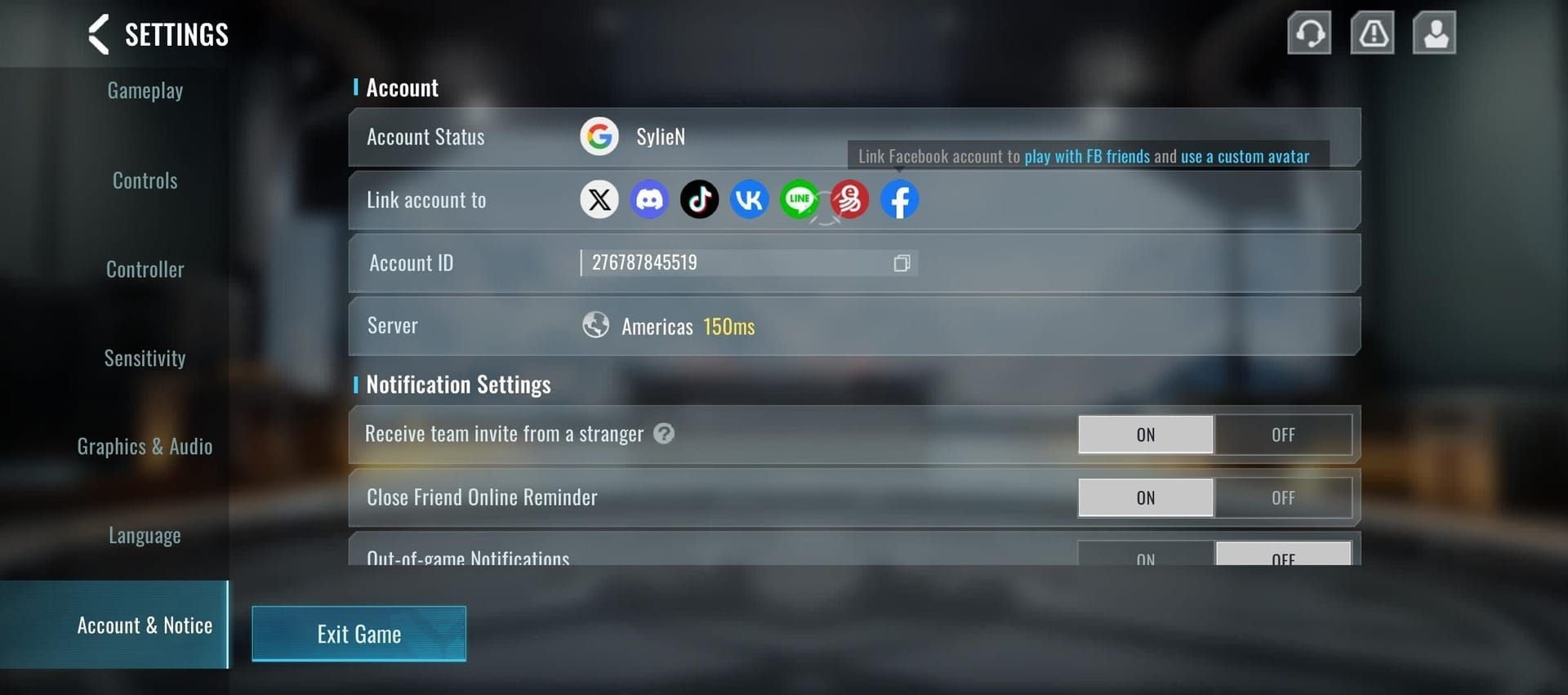
Official server transfer process:
Navigate to Main Menu → Settings
Select Customer Service
Choose Apply for server transfer
System processes request and migrates account data
All critical progression elements transfer automatically.
Method 2: Using Ping Booster Software Configuration
Network optimization tools can reduce latency by 10-20ms through efficient routing. Select VPN endpoints between your location and LATAM data centers for optimal routing.
Method 3: Advanced Network Routing Techniques
Firewall Configuration:
Open Control Panel → System and Security → Windows Defender Firewall
Select Allow an app or feature through Windows Defender Firewall
Click Change settings
Verify Blood Strike has both Private and Public checkboxes enabled
If not listed, click Allow another app and browse to Blood Strike executable
Check both Private and Public options, confirm with OK
Restart game
Router Optimization:
Unplug router power cord for 30 seconds
Plug back in and wait 1-3 minutes for initialization
Don't press physical RESET button (erases configuration)
Additional Optimizations:
Use Cat6 Ethernet cables (cuts ping by 10-20ms vs older standards)
Close background applications (streaming, downloads, cloud sync)
On mobile: Enable gaming mode, disable power-saving features
Disconnect other devices from network
Verifying Your Current Server Region
Check in-game server indicators and monitor ping values. LATAM connections from Europe show 88-120ms, Americas server connections register 100-130ms from same region.
If issues persist, submit connection ticket through in-game Support menu.
Ping Booster Settings Optimization for Blood Strike LATAM
Recommended Configuration Parameters
Prioritize connection stability over raw speed. Target ping below 50ms when available. Focus on minimizing ping variance—consistent 110ms beats fluctuating 90-130ms.
Node Selection Strategy
For European players, North American east coast nodes often provide better routing to LATAM servers than direct connections. Test multiple configurations during off-peak hours. Document ping values, packet loss percentages, and stability for each setup.
Bandwidth and Routing Optimization
Close background applications to reduce packet loss
Disable streaming services, file downloads, automatic updates
On mobile: Enable gaming mode, disable power-saving
Disconnect other devices from network
Update GPU drivers regularly
Switch to wired Ethernet over Wi-Fi
Testing and Measuring Connection Quality
Monitor:
Ping stability (target under 50ms for LATAM region)
Packet loss (maintain under 1%)
Connection consistency across multiple sessions
LATAM Server Performance: What to Expect
Typical Ping Ranges from Different Locations
Europe: 88-120ms
North America: 100-130ms
Minimum from distant regions: Rarely below 90ms (physical limitations)
Lobby Difficulty and Player Skill Assessment
Difficulty varies by time of day, player population, and skill rating. Peak hours deliver more competitive matches. Off-peak periods may produce varied lobby compositions.
Monitor opponent movement patterns, aim accuracy, tactical awareness, and team coordination to gauge competitive level.
Peak Hours and Server Population Patterns
Peak activity: 18:00-23:00 South American time zones. Weekend evenings see additional population increases.
Off-peak hours (early mornings, weekday afternoons) feature reduced player counts and potentially longer queue times.
Matchmaking Queue Times Comparison
Popular modes (Team Deathmatch, Battle Royale) offer faster queuing. Higher skill tiers may experience longer waits.
For cheap Blood Strike recharge, access BitTopup's secure platform for instant gold delivery.
Competitive Advantages and Strategic Considerations
How Server Selection Affects Your Win Rate
Server selection influences win rates through lobby difficulty, connection quality, and meta familiarity. A 30ms ping advantage on a competitive server may outperform 100ms ping on an easier server.
Rank Progression Strategy
Focus LATAM sessions during peak hours for accurate skill-based matching. Server transfer preserves Ranked progress, allowing continuation without reset penalties.
Weapon Meta Differences Across Regions
LATAM servers may exhibit different weapon popularity. Monitor popular choices during initial sessions and adjust loadout to counter prevalent weapons.
Adapting Your Playstyle to Regional Tendencies
Higher ping demands more predictive play. Compensate by:
Holding advantageous positions
Pre-aiming common angles
Initiating engagements vs reacting
Using predictive tactics over reaction-based
Common Issues and Troubleshooting Solutions
High Ping and Connection Instability Fixes
Verify wired Ethernet connection (reduces ping by 10-20ms vs Wi-Fi)
If wireless necessary, use 5GHz bands over 2.4GHz
Position device closer to router
Eliminate physical obstructions
Minimize interference from other wireless devices
Server Connection Failed Error Resolution
Verify Windows Defender Firewall permissions:
Control Panel → System and Security → Windows Defender Firewall
Allow an app or feature through Windows Defender Firewall
Ensure Blood Strike has both Private and Public checkboxes enabled
If not listed, manually add executable
Restart game after changes
Packet Loss and Rubber-Banding Solutions
Maintain packet loss under 1%
Close bandwidth-consuming applications
Reset router (unplug 30 seconds, wait 1-3 minutes after plugging back in)
Monitor network congestion
Game Client Crashes When Switching Regions
Verify game file integrity through launcher
Update GPU drivers to latest stable release
If crashes persist, submit connection ticket through in-game Support menu
Safety, Legality, and Account Security Concerns
Is Server Switching Against Blood Strike Terms of Service?
Official server transfer system (launched October 28, 2023) is developer-sanctioned and compliant with terms of service. Access via Main Menu → Settings → Customer Service → Apply for server transfer.
Account Ban Risks and How to Avoid Them
Avoid software that modifies game files, injects code, or circumvents regional restrictions through unauthorized methods. Official server transfer eliminates ban risks.
Network optimization tools (VPNs, ping boosters) pose minimal ban risk when used solely for connection routing without modifying game files.
Best Practices for Safe Region Switching
Use official in-game transfer application
Select reputable network optimization services
Avoid free VPN services
Prioritize official features over third-party solutions
Advanced Tips from Experienced Players
Optimal Times to Play on LATAM Servers
Schedule sessions during 18:00-23:00 South American time zones for largest player pools and minimal queue times. Weekend evenings offer additional population increases.
Combining Server Selection with Squad Strategies
Test various server options with squad members to identify configurations delivering balanced performance. Document ping values and stability for each member across different servers.
Coordinate communication earlier to compensate for latency. Use pre-planned strategies over reactive tactics.
Monitoring Performance Metrics During Gameplay
Track across multiple sessions:
Ping stability
Packet loss percentages
Frame rates
Subjective responsiveness
On mid-range devices, reducing resolution to 720p boosts FPS by 30-40%, partially offsetting higher ping.
When to Switch Back to Your Native Region
Return to native server when:
Ping consistently exceeds 130ms with frequent packet loss
Seeking maximum-skill competition
Connection quality degrades below competitive viability
Maintain accounts on multiple servers for different competitive environments.
Enhancing Your Blood Strike Experience with BitTopup
Quick Gold Recharge for Weapon Upgrades
BitTopup provides instant Blood Strike gold delivery through secure payment processing and automated fulfillment. Access weapon upgrades, character unlocks, and equipment purchases immediately. Competitive pricing ensures maximum value.
Battle Pass and Premium Content Access
Unlock battle pass content and premium features through BitTopup's comprehensive recharge options. Fast delivery ensures immediate access to exclusive weapon skins, character cosmetics, and seasonal rewards.
Secure Payment Methods and Instant Delivery
Supports multiple payment methods: credit cards, digital wallets, regional payment systems. Automated delivery processes most transactions within minutes. Excellent customer service assists with transaction issues and delivery verification.
Frequently Asked Questions
How do I change my server region in Blood Strike? Main Menu → Settings → Customer Service → Apply for server transfer. System preserves all progress data including Gold, Character Level, Permanent Vault Items, Weapon Level, Strike Pass progress, Rep, Ranked progress, Ace Shooter Points, Titles, Personal Info, Nicknames, and Friends List.
What ping is acceptable for Blood Strike LATAM servers? Under 50ms optimal for LATAM region. Europe: 88-120ms. North America: 100-130ms. Minimum from distant regions rarely below 90ms due to physical distance.
How to reduce ping when playing on LATAM servers? Use wired Ethernet (reduces ping by 10-20ms vs Wi-Fi). Configure Windows Defender Firewall to allow Blood Strike. Reset router (unplug 30 seconds). Consider VPN routing through geographically closer nodes.
Does changing servers affect my Blood Strike rank? Official transfer preserves Ranked progress. Each regional server operates independent ranked ladders, so rank reflects performance within that specific regional player pool.
Can I get banned for using a ping booster in Blood Strike? Network optimization tools routing connections without modifying game files pose minimal ban risk. Prioritize official server transfer system for guaranteed compliance. Avoid tools that inject code or modify game clients.
What time are LATAM servers most active in Blood Strike? Peak activity: 18:00-23:00 South American time zones. Weekend evenings see additional population increases for fast matchmaking and balanced skill-based matching.
Ready to dominate LATAM servers? Upgrade your arsenal instantly with BitTopup! Get fast, secure Blood Strike gold recharge, exclusive weapon skins, and battle pass access. Join thousands of players who trust BitTopup for instant delivery and competitive prices. Power up your gameplay now!