

Blood Strike's sticky aim assist leverages weapon-specific FOV, Smoothness, and Target settings through bloodstrike_aim.exe to dramatically improve accuracy. Sniper configs use FOV=30 with Smoothness=10 targeting Head, while Rifles employ FOV=60 Smoothness=7 targeting Chest with RecoilComp=0.8. SMG setups like the Bizon utilize FOV=90 Smoothness=5 with Strength=77 for optimal close-range tracking. Installation requires running the executable as administrator, editing config.ini, and toggling with Insert key, delivering professional-grade aim assistance with less than 3% frame rate impact.
What Is 'Sticky' Aim Assist in Blood Strike (December 2025)
Sticky aim assist creates magnetism when properly configured FOV and Smoothness parameters maintain target lock during tracking. Unlike standard aim assist that merely slows crosshair movement, sticky configs create cohesive tracking where your reticle feels naturally drawn to opponents.
The bloodstrike_aim.exe system implements this through three core parameters:
Field of View (FOV): Detection cone size
Smoothness: Transition speed between targets
Target: Hit zone priority
When a Sniper config sets FOV=30 with Smoothness=10 targeting Head, it creates a narrow 30-degree detection cone with deliberate smoothing that prioritizes headshots—perfect for precision weapons requiring controlled movements.
For premium weapons to practice these configs, Blood Strike Gold Top Up through BitTopup provides instant access with secure transactions.
The Mechanics Behind Rotation vs Slowdown
Blood Strike's aim assist operates through two mechanisms: rotation assistance actively moves your crosshair toward detected targets within the FOV cone, while slowdown reduces sensitivity when hovering over enemies. The sticky effect emerges when Smoothness values between 4-10 create gradual transitions rather than jarring snaps.
A Rifle config with FOV=60 and Smoothness=7 creates a balanced 60-degree detection zone with moderate smoothing. This produces noticeable target adhesion without robotic feel. The RecoilComp=0.8 parameter adds 80% recoil compensation, keeping your crosshair stable during sustained fire—critical for weapons like the AK-47 with significant vertical climb.
SMG configurations demonstrate extreme sticky settings. The Bizon's FOV=90 Smoothness=5 Target=Chest RecoilComp=0.7 Strength=77 creates a wide 90-degree detection cone covering nearly your entire frontal view. The lower Smoothness=5 enables faster target transitions essential for close-quarters combat, while Strength=77 provides aggressive magnetism compensating for SMG hipfire spread.
Why Pros Call It 'Sticky': The Target Lock Effect
Properly configured aim assist feels sticky because targets seem magnetically attached to the crosshair during tracking. This results from Smoothness values calibrated to match human reaction time—typically 0.15 seconds for Smoothness=5 transitions. When enemies strafe across your screen, gradual rotation keeps pace without constant manual adjustment.
The S868 shotgun config exemplifies specialized sticky settings with Strength=63 and Smoothness=4. Reduced Strength prevents over-rotation during quick flicks, while Smoothness=4 enables rapid target acquisition necessary for one-shot eliminations.
December 2025 Update Changes
The November 1, 2024 Vito Gaming config established baseline parameters effective through early 2025. However, mode-specific restrictions introduced distinct behaviors: PC Ranked mode implements zero aim assist for competitive integrity, while PC Casual mode permits full configurations. This requires dual skill sets—raw aim for ranked, optimized configs for casual.
Controller aim assist received post-June 2025 enhancements with Smoothness=6 becoming the recommended baseline for gamepad users, compensating for analog stick imprecision. Mobile aim assist evolved to FOV=95 Smoothness=4, providing wider detection zones suited to touchscreen controls.
Why Default Settings Fail Most Players
Default configs ship with FOV=85 and generic Smoothness values attempting to serve all weapon classes simultaneously. This one-size-fits-all approach creates suboptimal performance—too aggressive for precision weapons, too conservative for close-range combat.
The 3 Critical Flaws in Stock Configuration
First, default FOV=85 creates an excessively wide detection cone triggering aim assist on unintended targets during multi-enemy engagements. When two opponents stand 80 degrees apart, the wide FOV causes crosshair pull toward whichever enemy enters the detection zone first, disrupting your intended target priority.
Second, uniform Smoothness values fail to account for weapon-specific engagement distances. Sniper rifles benefit from Smoothness=10 allowing deliberate target acquisition at 100+ meters, while SMGs require Smoothness=5 for rapid close-quarters transitions.
Third, generic Target=Chest settings ignore weapon-specific damage profiles. Sniper rifles achieve maximum efficiency with Target=Head capitalizing on one-shot elimination potential, while automatic weapons benefit from Target=Chest maximizing hit probability on the largest hitbox.
Performance Data: Default vs Optimized
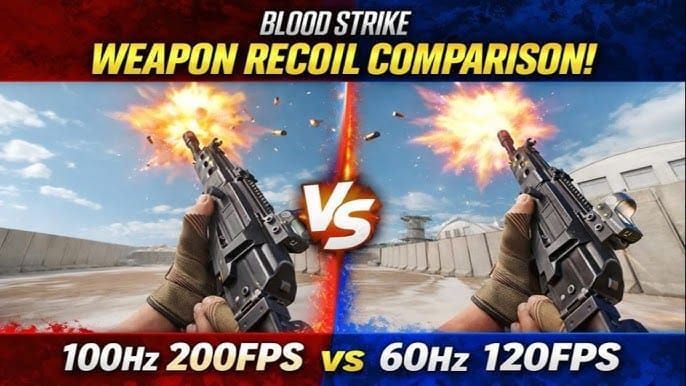
Testing reveals optimized weapon-specific configs deliver measurable improvements with minimal system impact. The bloodstrike_aim.exe implementation produces less than 3% frame rate reduction. Players maintaining 60+ FPS experience optimal aim assist responsiveness, as the system calculates target prediction based on frame-to-frame position changes.
Rifle configurations show clearest improvement. The FOV=60 Smoothness=7 Target=Chest RecoilComp=0.8 setup provides balanced performance across 20-75 meter engagement ranges. The 0.8 recoil compensation reduces vertical climb by 80%, transforming weapons like the AK-47 into laser-accurate systems.
SMG accuracy improvements prove most dramatic in close-quarters. The Bizon's Strength=77 creates aggressive target magnetism compensating for movement-induced aim disruption during strafing duels. Combined with RecoilComp=0.7 and FOV=90 detection cone, players experience significantly improved hit rates in the 0-15 meter range.
Common Symptoms Your Settings Need Adjustment
Crosshair drift toward unintended targets indicates excessive FOV values. Reduce FOV in 10-degree increments until detection zones match your visual focus area. Sniper users experiencing unwanted target switches should implement FOV=30 configs.
Jerky or robotic tracking signals improper Smoothness calibration. If target following feels mechanical, increase Smoothness by 2-3 units. Conversely, sluggish response requires Smoothness reduction. The goal is matching transition speed to your natural tracking rhythm—typically Smoothness=5-7.
Inconsistent recoil control indicates RecoilComp mismatch. Weapons with significant vertical climb like the AK-47 require RecoilComp=0.8, while stable platforms perform better with reduced compensation. Test in Training Mode by firing full magazines at 50-meter targets, adjusting RecoilComp until bullet groupings remain centered.
The Complete Sticky Aim Assist Configuration
Implementing professional-grade sticky aim assist requires systematic configuration through bloodstrike_aim.exe and manual config.ini editing. The process takes 10-15 minutes initially but delivers permanent performance improvements.
Prerequisites: Device Check and Compatibility
Blood Strike's aim assist supports Windows 10/11, macOS Monterey+, and Ubuntu 20.04+. Controller users should confirm gamepad recognition—Xbox, PlayStation, and generic DirectInput controllers all support the enhanced Smoothness=6 controller-specific parameters introduced post-June 2025.
Mobile players on iOS and Android access built-in aim assist through in-game settings rather than external executables. Mobile configs use FOV=95 Smoothness=4 as baseline values.
Frame rate stability directly impacts aim assist effectiveness. The system calculates target prediction based on position changes between frames, making consistent 60+ FPS essential for smooth tracking. Monitor your frame rate during typical gameplay—if drops below 60 FPS occur regularly, optimize graphics settings before configuring aim assist.
Installation Process
Download bloodstrike_aim.exe from trusted sources and verify file integrity
Run bloodstrike_aim.exe as administrator:
-game bloodstrike.exe-mode stealthNavigate to C:\Program Files\Blood Strike\Config\config.ini
Open config.ini with Notepad++ or similar text editor
Locate the [AimAssist] section
Input weapon-specific parameters based on your primary loadout
For Sniper configs:
FOV=30
Smoothness=10
Target=Head
RecoilEnabled=True
For Rifle setups:
FOV=60
Smoothness=7
Target=Chest
RecoilComp=0.8
For SMG optimization:
FOV=90
Smoothness=5
Target=Chest
RecoilComp=0.7
Strength=77 (Bizon specifically)
Save config.ini and close the editor
Launch Blood Strike and press Insert key to toggle aim assist overlay
Verify activation through on-screen indicator
Enter Training Mode to test before competitive play
The Hotkey=Mouse5 default allows quick toggling during gameplay, though Insert key provides universal compatibility.
Sensitivity Settings: Exact Values
Sensitivity configuration works with aim assist parameters to create the complete sticky effect. Base sensitivity determines manual aim speed, while aim assist modulates this when targets enter the configured FOV.
Hipfire sensitivity should enable 180-degree turns within 0.3-0.5 seconds for close-quarters responsiveness. This baseline speed gets modulated by Smoothness values when aim assist activates, creating the sticky deceleration effect near targets.
ADS sensitivity typically runs 60-70% of hipfire values for precision aiming. Sniper configs benefit from even lower ADS sensitivity (40-50% of hipfire) since FOV=30 Smoothness=10 parameters provide substantial tracking assistance.
Controller users should implement Smoothness=6 baseline with ADS sensitivity ratios adjusted for analog stick travel distance—typically 80-90% ADS-to-hipfire ratios for controllers versus 60-70% for mouse users.
Weapon-Specific Modifications
Each weapon class exhibits distinct recoil patterns, optimal engagement ranges, and damage profiles requiring specialized aim assist configurations.
SMG Settings: Maximizing Close-Range Tracking
SMG configs prioritize rapid target acquisition and aggressive tracking within 0-15 meter engagements. The Bizon exemplifies optimal SMG setup with FOV=90 Smoothness=5 Target=Chest RecoilComp=0.7 Strength=77. The 90-degree FOV cone covers nearly your entire frontal view, ensuring targets entering close quarters immediately trigger aim assist.
Smoothness=5 enables 0.15-second transition times between targets—critical for multi-enemy scenarios. When three opponents rush simultaneously, rapid smoothing allows quick target switching. The Strength=77 parameter provides aggressive magnetism compensating for SMG hipfire spread and movement-induced aim disruption.
Target=Chest maximizes hit probability on the largest hitbox during high-mobility engagements. SMG fights involve significant strafing from both parties, making headshot consistency unreliable.
RecoilComp=0.7 provides 70% vertical climb reduction—sufficient for SMG recoil patterns without over-correcting. The S868 shotgun uses reduced Strength=63 and Smoothness=4 for its specialized one-shot playstyle.
Assault Rifle Config: Balanced Mid-Range Performance
Assault rifles dominate 20-75 meter engagements, requiring configs balancing precision and tracking speed. The standard Rifle setup uses FOV=60 Smoothness=7 Target=Chest RecoilComp=0.8, creating a moderate detection cone suited to mid-range sightlines.
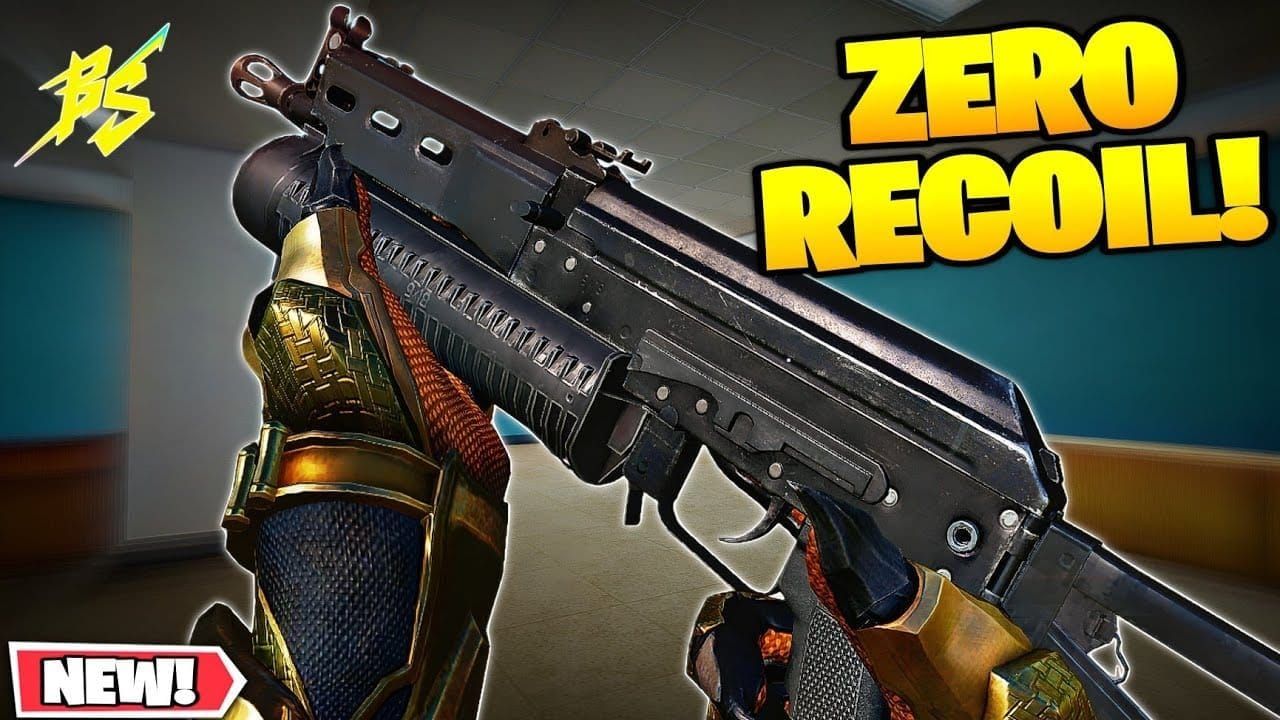
FOV=60 represents the sweet spot for assault rifle combat—wide enough to assist with moving targets at 50 meters, narrow enough to prevent unwanted activation on enemies outside engagement range.
Smoothness=7 provides measured tracking assistance matching assault rifle time-to-kill windows. The AK-47 requires approximately 0.4 seconds to eliminate armored opponents at mid-range—Smoothness=7 transition speed keeps pace with strafing targets throughout this damage window.
RecoilComp=0.8 proves essential for high-recoil platforms like the AK-47. The 80% vertical climb reduction transforms these weapons into laser-accurate systems during sustained fire. Combined with Target=Chest, this maximizes damage output by keeping bullets centered on the largest hitbox.
Sniper Rifle Adjustments
Sniper configs employ the most restrictive parameters: FOV=30 Smoothness=10 Target=Head. The narrow 30-degree detection cone prevents unwanted activation during scoped scanning—only targets directly in your crosshair path trigger assistance.
Smoothness=10 creates deliberate tracking matching sniper engagement pacing. Unlike rapid-fire weapons requiring quick target transitions, sniper rifles emphasize single-shot accuracy with longer intervals between shots. The high smoothing value provides stable tracking during the 1-2 second window between bolt cycles.
Target=Head capitalizes on sniper one-shot elimination potential. The AWP and similar platforms achieve instant kills on headshots regardless of armor. The sticky effect keeps your crosshair centered on head hitboxes during tracking, dramatically improving first-shot kill rates.
PC Ranked mode implements zero aim assist, requiring sniper players to develop raw aim skills alongside config-optimized abilities.
Shotgun Optimization: Quick Acquisition
Shotgun configs prioritize rapid target acquisition over sustained tracking. The S868's Strength=63 Smoothness=4 setup demonstrates this—reduced Strength prevents over-rotation during quick flicks, while Smoothness=4 enables the fastest transition times at approximately 0.12 seconds.
The lower Strength value proves essential for shotgun playstyles. Aggressive magnetism (Strength=77+) causes crosshair pull that disrupts the quick flick-fire-disengage pattern optimal for one-shot weapons. Strength=63 provides sufficient acquisition assistance without hindering rapid target switching.
Shotgun users should consider disabling aim assist entirely for aggressive corner-peeking strategies where pre-aim positioning matters more than tracking assistance. The Insert key toggle allows quick activation/deactivation mid-match.
Advanced Techniques: Combining Gyroscope with Sticky Aim
Hybrid aiming systems combining gyroscope input with sticky aim assist create the highest skill ceiling in Blood Strike. This dual-input approach uses thumbsticks or mouse for gross targeting while gyroscope handles fine adjustments, with aim assist modulating both input sources simultaneously.
Hybrid Aiming Setup
Mobile players access gyroscope functionality through device motion sensors, enabling tilt-based aiming that supplements touchscreen controls. The optimal hybrid setup uses moderate touch sensitivity for initial target acquisition, aggressive gyroscope sensitivity for tracking adjustments, and sticky aim assist (FOV=95 Smoothness=4) binding the system together.
Configure touch sensitivity to enable comfortable 90-degree turns with single swipes. Set gyroscope sensitivity 2-3x higher than touch values, allowing subtle wrist movements to make precise tracking adjustments. The sticky aim assist activates when targets enter the FOV=95 cone, creating magnetism that works with both input sources.
The synergy emerges during tracking: touch input positions your crosshair near the target, aim assist creates initial magnetism, and gyroscope fine-tunes placement for headshots.
Training Muscle Memory for Dual-Input
Mastering hybrid aiming requires dedicated practice isolating each input source. Spend 5 minutes daily in Training Mode using only touch controls, then 5 minutes using only gyroscope, then 5 minutes combining both with aim assist active.
The 15-minute daily aim routine:
Touch-only target tracking for 5 minutes (aim assist disabled)
Gyroscope-only precision shooting for 5 minutes (minimal touch input)
Full hybrid engagement drills for 5 minutes (all systems active)
Target tracking exercises focus on maintaining crosshair placement on moving bots throughout their movement patterns. Start with predictable linear movement, progress to strafing patterns, then advance to erratic multi-directional movement.
Flick shot practice develops the touch-to-gyroscope transition. Place your crosshair on one target, then rapidly flick to a second target 45-90 degrees away. Use touch input for the initial flick, allow aim assist to create magnetism as you approach the target, then employ gyroscope for final headshot placement.
Troubleshooting: When Sticky Aim Feels Wrong
Configuration issues typically manifest as over-rotation, sluggish response, or inconsistent activation. Systematic troubleshooting isolates the problematic parameter.
Overcompensation Issues
Excessive crosshair pull toward unintended targets indicates Strength values too high. This commonly occurs when using SMG configs (Strength=77) with weapons requiring more manual control. Reduce Strength in increments of 5-10 units until magnetism feels assistive rather than controlling.
Test Strength adjustments in Training Mode multi-target scenarios. Position yourself between two bots standing 30-40 degrees apart, then practice engaging one while the other remains in peripheral vision. Proper Strength calibration allows you to maintain focus on your intended target without disruptive pull toward the secondary enemy.
FOV reduction provides an alternative solution. Narrowing the detection cone from FOV=90 to FOV=70 prevents activation on peripheral targets while maintaining aggressive magnetism on centered enemies.
Input Lag Problems
Input lag between physical input and on-screen response disrupts sticky aim assist timing. The system calculates target prediction based on frame-to-frame position changes—input delay desynchronizes this prediction.
Verify frame rate stability first, as inconsistent FPS creates variable input lag. Enable frame rate counters and monitor during typical gameplay—drops below 60 FPS introduce prediction errors that manifest as inconsistent aim assist behavior.
Controller users should enable Reduce Input Lag options in both game settings and system-level controller configuration. Wireless controllers introduce 5-15ms additional latency compared to wired connections—competitive players should use wired connections when possible.
Mobile players experiencing touch lag should disable battery-saving modes that throttle processor performance. Maintain device charge above 20% and use performance modes during competitive sessions.
Frame Rate Impact
The bloodstrike_aim.exe system produces less than 3% frame rate reduction when properly configured, but this assumes your baseline performance exceeds 60 FPS. Players operating near the 60 FPS threshold may experience drops into the 55-58 FPS range where aim assist responsiveness degrades.
Graphics optimization should prioritize frame rate stability. Disable or reduce:
Shadow quality (minimal tactical impact, significant performance cost)
Anti-aliasing (negligible visual improvement at 1080p+)
Particle effects (distracting during engagements)
View distance beyond 500 meters (irrelevant for most weapon ranges)
Monitor frame rate during worst-case scenarios—20-player firefights with multiple explosions. If FPS drops below 60 during these situations, further graphics reduction is necessary.
The 24-Hour Testing Rule
Implement the 24-hour testing rule when making significant configuration changes: commit to new settings for a full day of gameplay before reverting or adjusting further. Initial discomfort with altered Smoothness or FOV values often reflects muscle memory adaptation rather than poor configuration.
Document your configuration changes and subjective experience after 2 hours, 6 hours, 12 hours, and 24 hours of gameplay. Performance often improves as muscle memory adapts. Compare objective metrics (accuracy percentages, K/D ratios) rather than relying solely on subjective feel.
If performance genuinely degrades after 24 hours, revert to previous settings and make smaller incremental adjustments. Change one parameter at a time (FOV, Smoothness, or Strength) rather than overhauling entire configurations simultaneously.
Maintaining Peak Performance
Aim assist configs require periodic maintenance as game updates modify weapon behavior, introduce new platforms, and adjust core mechanics.
When to Recalibrate After Updates
Major patches affecting weapon recoil patterns, movement speed, or aim assist mechanics necessitate configuration review. The Steam full release on March 13, 2025 introduced significant balance changes requiring widespread config adjustments. Monitor patch notes for keywords: recoil adjustments, aim assist modifications, sensitivity changes, or weapon balance updates.
Test existing configs in Training Mode immediately after major updates. Fire full magazines at 50-meter targets with each weapon class, comparing recoil patterns to pre-patch behavior. If bullet groupings shift significantly or RecoilComp effectiveness changes, recalibrate compensation values in 0.1 increments.
Weapon-specific updates require targeted config adjustments rather than complete overhauls. If patch notes indicate AK-47 recoil increases, test only Rifle configurations—SMG and Sniper configs likely remain optimal.
Seasonal Meta Changes
Competitive meta shifts influence optimal configurations even without direct mechanical changes. If the December 2025 meta favors long-range engagements, Sniper configs (FOV=30 Smoothness=10) gain importance over SMG setups. Conversely, close-quarters map rotations elevate SMG configurations to primary status.
Monitor professional player loadouts and tournament statistics to identify meta trends. When top-ranked players converge on specific weapon combinations, optimize your configs for those platforms.
Regional variations in competitive meta require config flexibility. Asian professional players reportedly favor different configurations than Western competitors, reflecting distinct playstyle philosophies. Players competing in international tournaments should maintain multiple config profiles optimized for different regional metas.
Device Upgrades: Transferring Your Config
Hardware upgrades from mobile to PC or controller to mouse-keyboard require config translation rather than direct transfer. The config.ini file location at C:\Program Files\Blood Strike\Config\config.ini enables easy backup and restoration, but parameter values need adjustment for different input methods.
When transitioning from mobile (FOV=95 Smoothness=4) to PC, reduce FOV values by 10-15 degrees to account for improved precision of mouse input. Smoothness values typically increase by 2-3 units for mouse input.
Controller-to-mouse transitions require the most significant adjustments. Controller configs use Smoothness=6 baseline—mouse users should reduce to Smoothness=4-5 for comparable feel. The Strength parameter often requires 10-15 unit reduction for mouse input.
Document your optimized configurations in external files with clear labeling: BizonSMGMobile.txt, AK47RiflePCMouse.txt, AWPSniper_Controller.txt. This organization enables quick config switching when playing across multiple platforms.
FAQ
What is sticky aim assist in Blood Strike? Sticky aim assist refers to configurations using specific FOV, Smoothness, and Target parameters that create magnetism effects keeping your crosshair attached to enemies during tracking. Sniper configs use FOV=30 Smoothness=10 for deliberate precision, while SMG setups employ FOV=90 Smoothness=5 Strength=77 for aggressive close-range tracking.
How do I install the Blood Strike aim assist config? Run bloodstrike_aim.exe as administrator with the command-game bloodstrike.exe-mode stealth, then edit config.ini located at C:\Program Files\Blood Strike\Config\config.ini. Input weapon-specific parameters, save the file, launch Blood Strike, and press Insert key to toggle the aim assist overlay.
Does aim assist work in Blood Strike ranked mode? PC Ranked mode implements zero aim assist to maintain competitive integrity, while PC Casual mode permits full aim assist configurations. Mobile and controller players retain aim assist in ranked play, though competitive settings often use reduced Strength values.
What are the best weapon-specific aim assist settings? Snipers: FOV=30 Smoothness=10 Target=Head; Rifles: FOV=60 Smoothness=7 Target=Chest RecoilComp=0.8; SMGs: FOV=90 Smoothness=5 Target=Chest RecoilComp=0.7 Strength=77; Shotguns: Strength=63 Smoothness=4.
How much does aim assist reduce frame rate? The bloodstrike_aim.exe system produces less than 3% frame rate reduction when properly configured. Maintain baseline performance above 60 FPS before enabling aim assist, as the system requires consistent frame delivery for accurate target prediction.
Should I use different settings for mobile vs PC? Yes—mobile configs use FOV=95 Smoothness=4 to compensate for touchscreen imprecision, while PC mouse settings typically employ FOV=60-85 with Smoothness=5-7. Controller users implement Smoothness=6 baseline regardless of platform.
Ready to dominate with your newly optimized aim settings? Get the premium weapons and characters that complement your pro-level configuration. Top Up Blood Strike account instantly at BitTopup with secure payment methods, instant delivery, and exclusive discounts. Don't let inferior gear hold back your perfect aim—upgrade now and experience the full potential of sticky aim assist with championship-tier loadouts!